

When your Wi-Fi is slow, shows signs of unauthorized access, or frequently disconnects, changing your password is necessary to ensure a more stable and secure network. Instead of using a computer, you can do this directly on your phone with just a few simple steps. Below is a guide on how to quickly and easily change your Wi-Fi password using your phone.
How to change your Wi-Fi password effectively using your phone.
If your home Wi-Fi is slow, has many unfamiliar devices accessing it, or the connection is unstable, it's very likely your password has been compromised. In that case, changing your password will help make your network more secure and stable.
Step 1: Download the Wi-Fi management app from your internet service provider such asFPT , VNPT, or Viettel, then open the app to begin the process.
Step 2: Log in to your account using the phone number registered with your mobile network provider and enter the OTP code sent via SMS for verification.
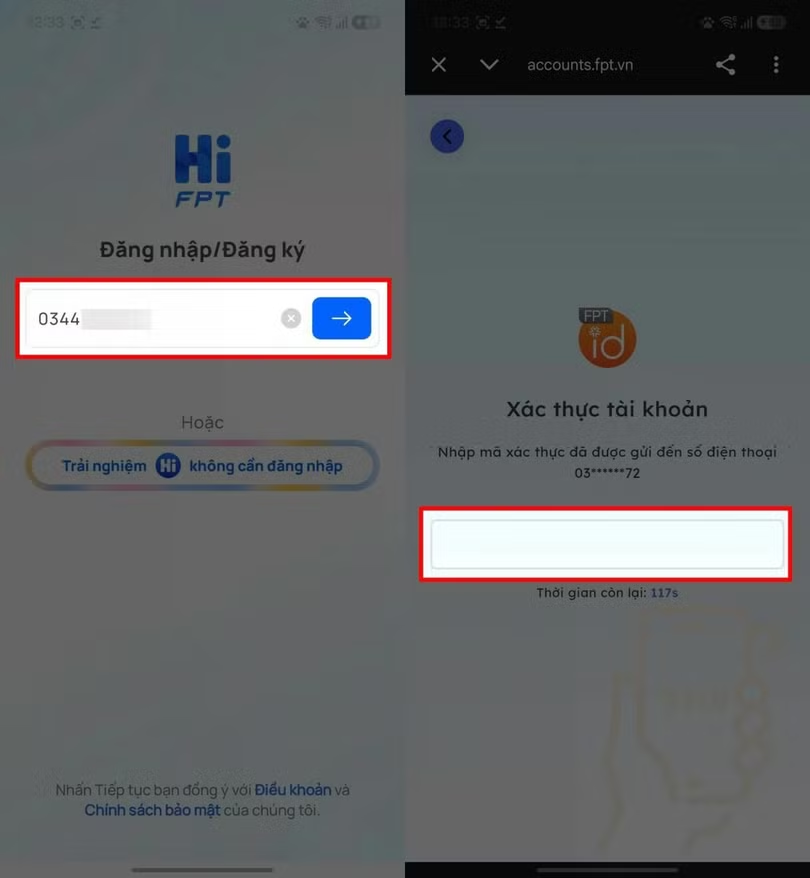
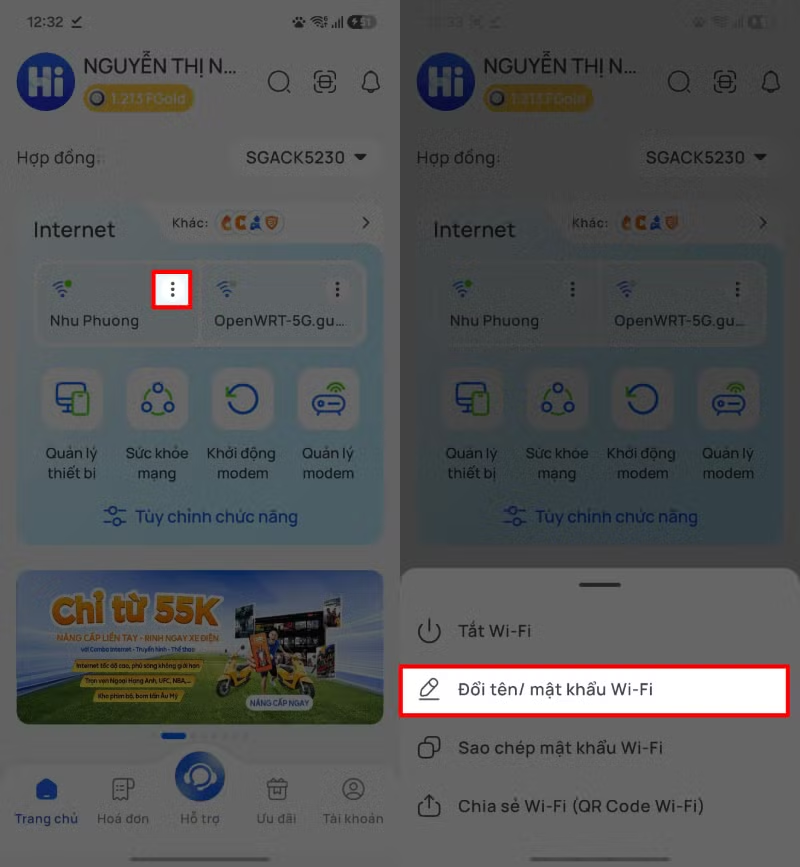
Step 3: After successfully logging in, on the Wi-Fi management interface, select the three-dot icon next to the name of the network you are using, then click on Change Wi-Fi Name/Password .
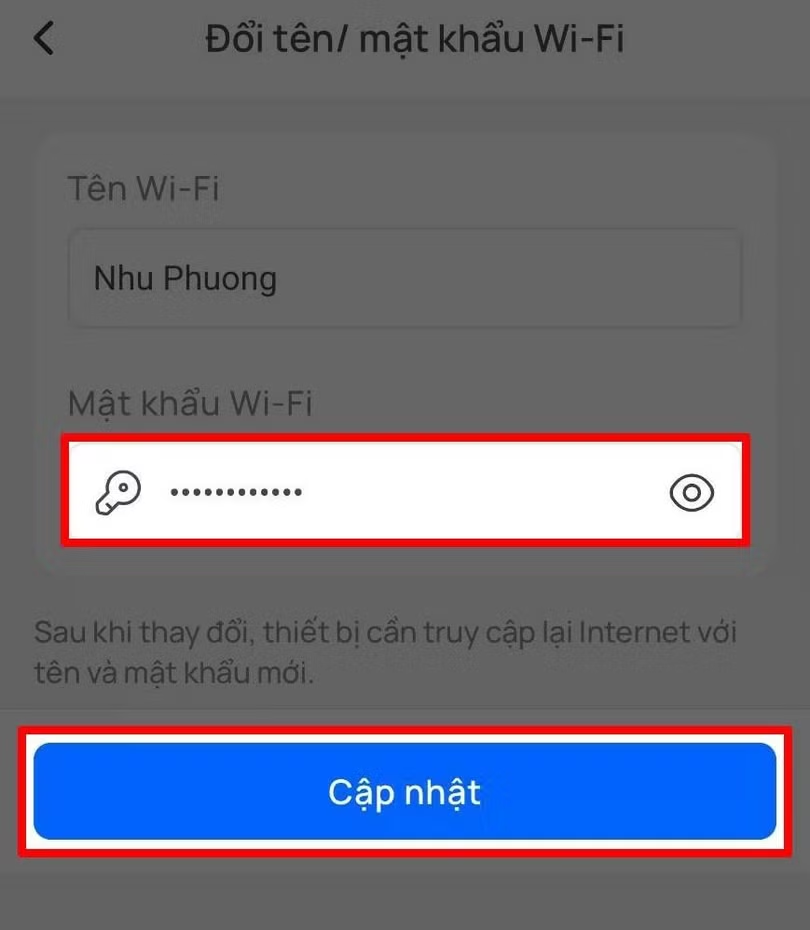
Step 4: Enter the new password you want to use. It's recommended to include letters, numbers, and special characters for increased security, then click Update to save the changes.
After successfully changing your password, connected devices will be temporarily disconnected. Simply re-enter your new password on your phone, computer, or TV to resume normal use.
With just a few simple steps on your phone, you can quickly change your Wi-Fi password to increase security and improve network speed. Doing this regularly will help restrict unauthorized access, ensuring a more stable and secure connection during daily use.
Source: https://baohatinh.vn/cac-doi-mat-khau-wi-fi-chi-trong-tich-tac-post311152.html


































































































Comment (0)