

 |
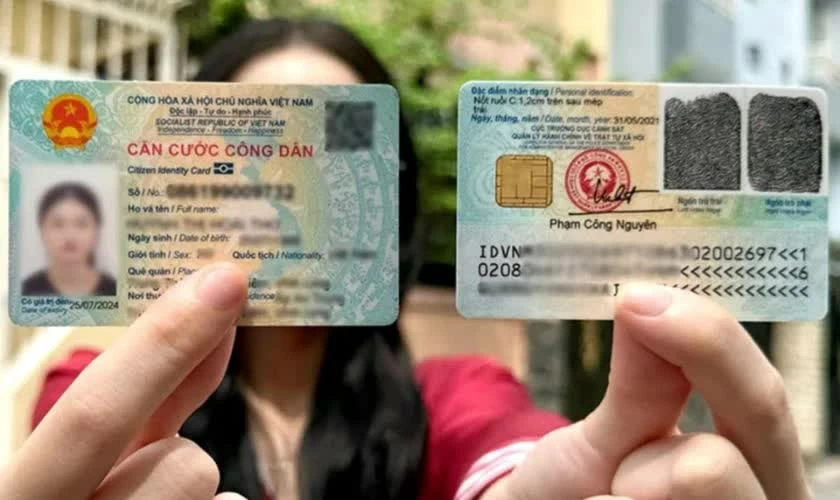
| Instructions on how to easily view both sides of your Citizen Identification Card (CCCD) on VneID. |
Many people now want to see both sides of their Citizen Identification Card (CCCD) on VNeID for greater convenience when completing procedures and conducting online transactions. With just a few simple steps on your phone, you can quickly look up your personal information without having to carry the physical card. Let's follow the detailed instructions below.
Instructions on how to quickly view both sides of your Citizen Identification Card on VNeID.
Currently, looking up citizen identification card information on VNeID can be done directly on your phone with just a few simple steps. The application not only supports electronic document storage but also helps users easily view personal information when needed for online procedures.
Step 1: First, open and log in to the V neID application.
Access the VNeID app on your phone. If you haven't installed it yet, download the app from the App Store or CH Play. Then enter your account and password to log in to the system.
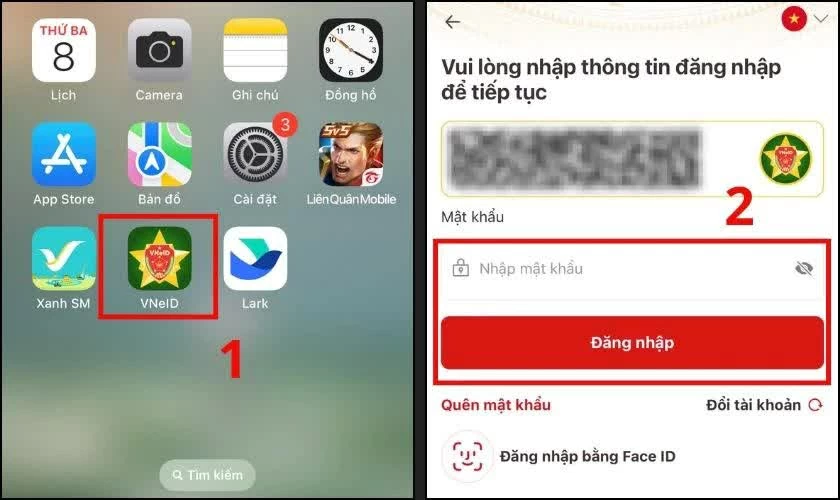 |
| First, open and log in to the VneID application. |
Step 2: Next, access the "Paper Wallet" section.
After successfully logging into the homepage, on the main interface, find and select the "Document Wallet" section. This is where you store the electronic documents integrated into the application.
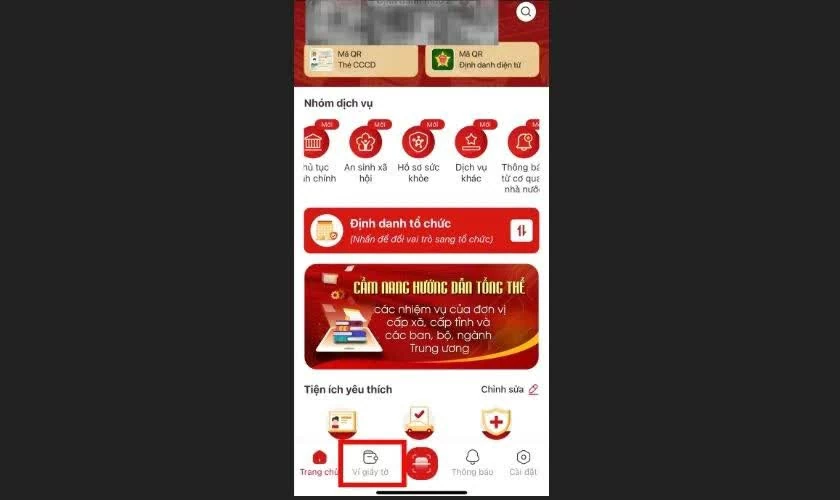 |
| Next, access the "Paper Wallet" section. |
Step 3: Select “Citizen Identification Card/National Identity Card”
In the list of displayed documents, click on "Citizen Identification Card/National Identity Card". The system will then request you to enter your Passcode to secure your personal information.
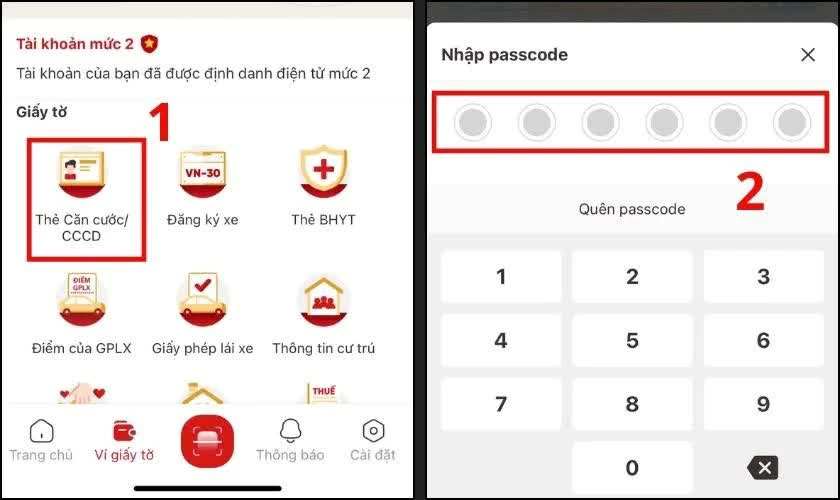 |
| Select “Citizen Identification Card/National Identity Card”. |
Step 4: View the electronic Citizen Identification Card information.
Upon entering the correct Passcode, the application will display complete information related to your electronic Citizen Identification Card (CCCD). Although the back of the card is not displayed directly like a physical card, the system still provides all the important data such as place of origin, birth address, permanent address, and necessary personal information.
Viewing both sides of the Citizen Identification Card (CCCD) on VNeID is quite simple and convenient, allowing users to easily look up personal information right on their phones. With just a few basic steps, you can use the electronic CCCD to support transactions, administrative procedures, and many other needs without having to carry the physical card with you.
Source: https://baoquocte.vn/de-dang-xem-2-mat-cccd-tren-vneid-de-dang-394989.html








































































































Comment (0)