

Check out how to easily enable NFC on your OPPO phone, a feature many people are interested in thanks to its conveniences like quick data sharing and electronic payments!
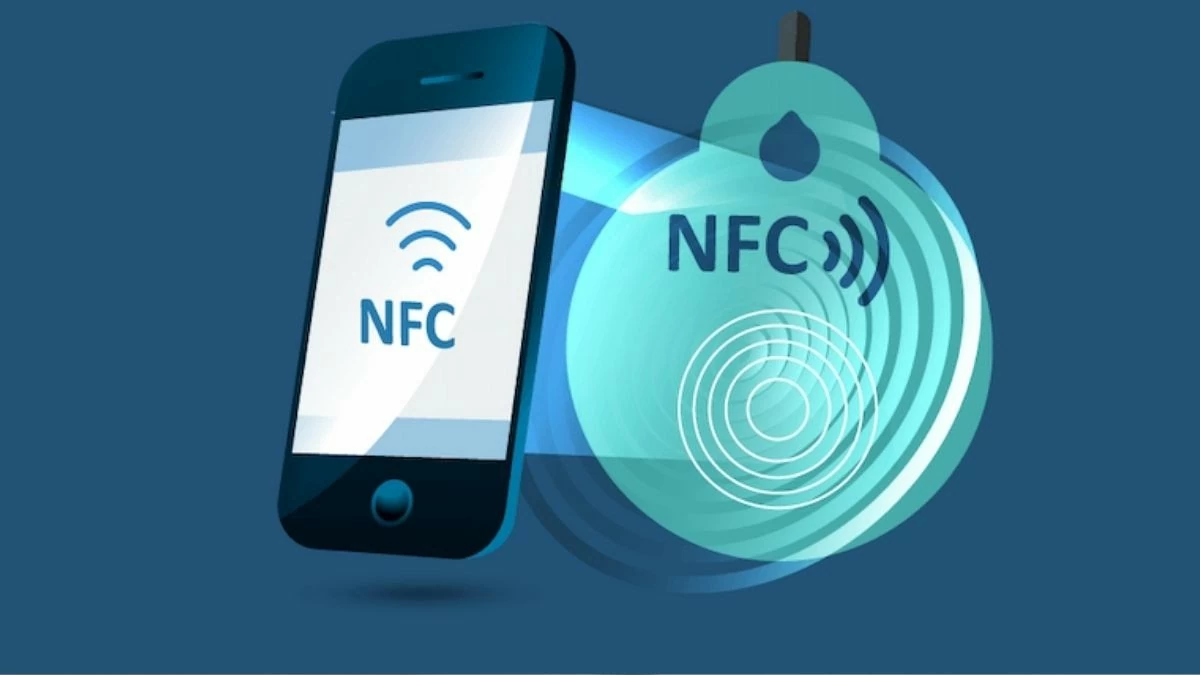 |
Instructions on how to enable NFC on OPPO phones.
Enabling NFC on your OPPO phone is very easy. To ensure you use this feature effectively, here are two simple methods that even non-tech-savvy people can follow.
How to quickly enable NFC from notifications
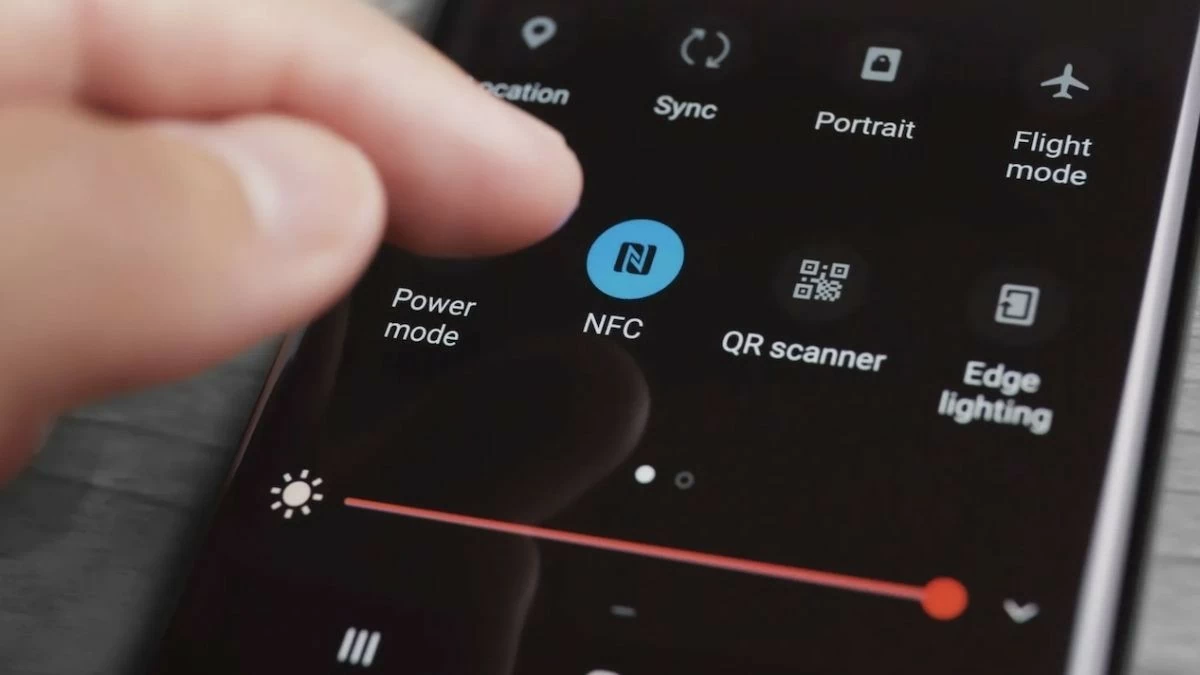
If you want to quickly enable NFC on your OPPO phone, this method is the best option. With just a few simple steps, you can activate NFC without having to search through Settings .
Simply swipe down from the top to open the notification bar, which contains quick options. Here, you'll easily find the NFC icon . Tap this icon to instantly enable NFC .
Note that when NFC is enabled from the notification bar, your phone will always be ready to connect with other devices. Therefore, to save battery power, turn off NFC when not in use.
 |
How to enable NFC on OPPO using Settings
If you don't see the NFC icon in the notification bar or want to check more thoroughly, you can enable NFC through Settings. This method is just as simple:
Step 1: First, open the Settings app on your OPPO phone, then find the "Other wireless connections" section. Here, you can manage all wireless connections, including NFC.
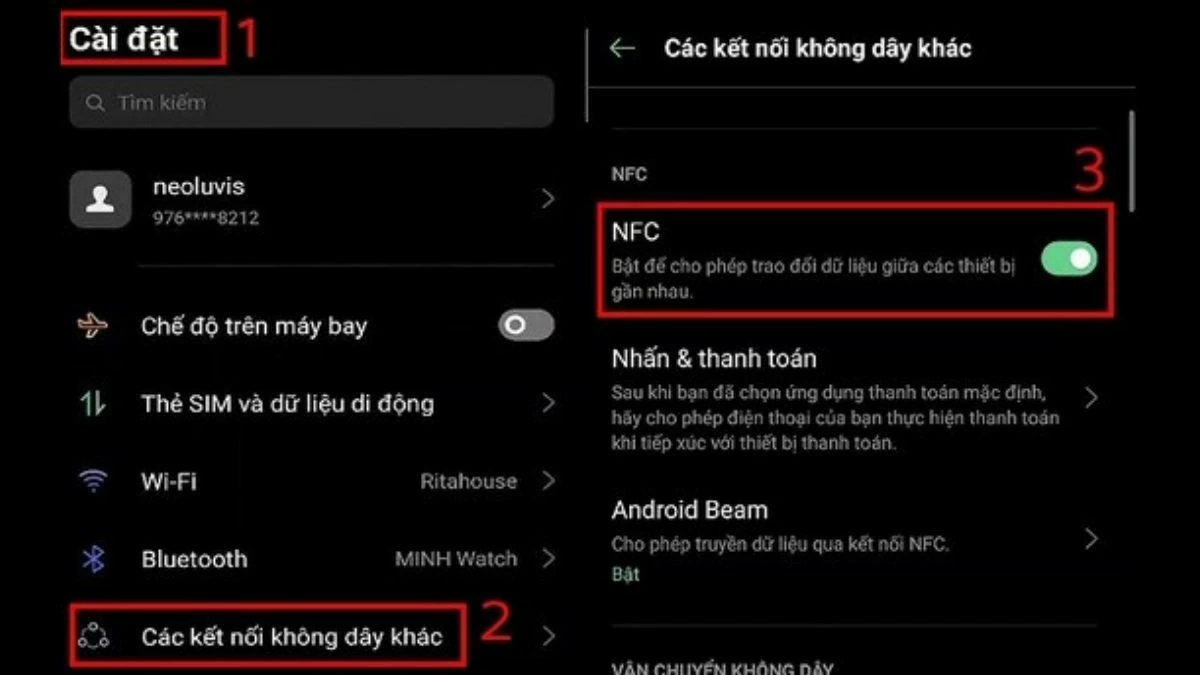 |
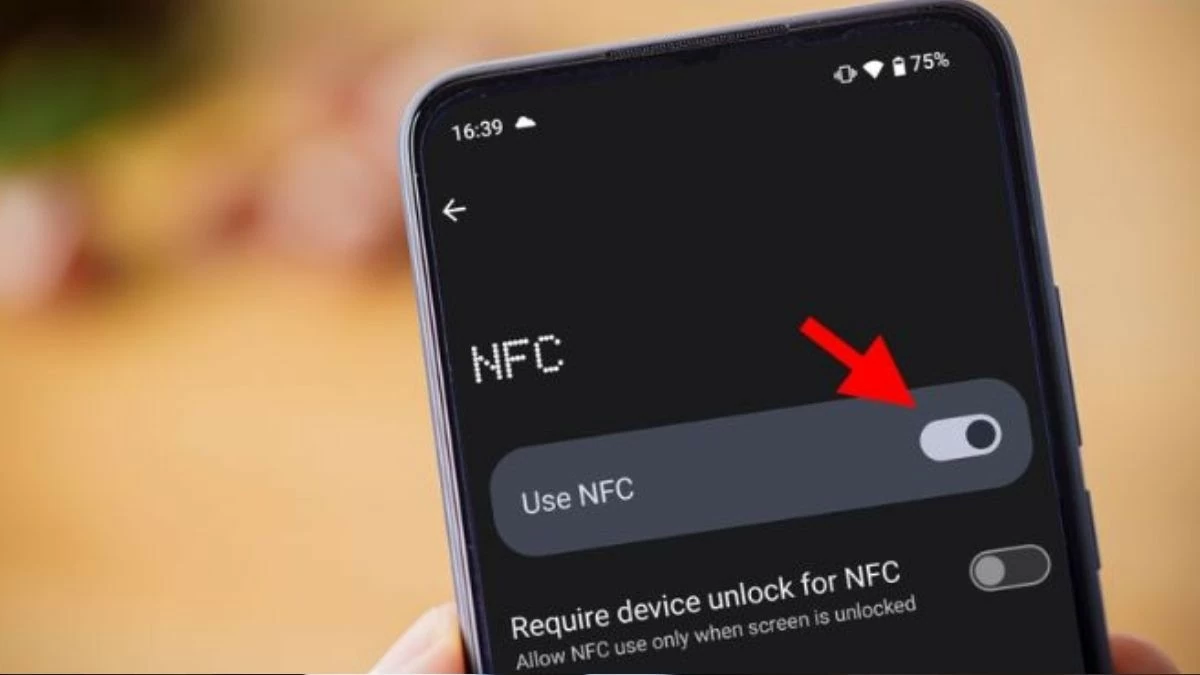
Step 2 : Here, simply turn on the NFC switch to activate this feature. Note that NFC is hardware-dependent, so check if your OPPO phone supports NFC before proceeding.
 |
Guide to sharing data using NFC on OPPO phones.
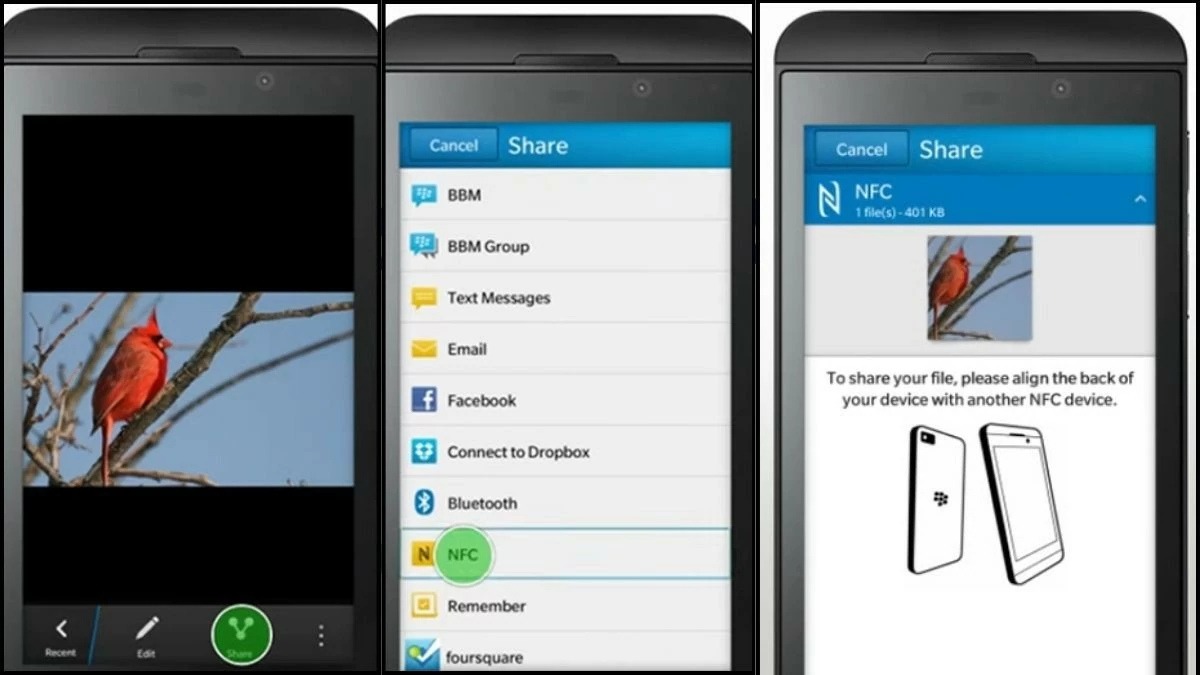
After learning how to enable NFC on your OPPO phone, you can easily share data between devices with just a tap. Before you begin, make sure both devices have NFC enabled and support it.
Step 1 : When ready, unlock your screen and prepare the data you want to share, such as photos, videos , or contacts. On the sending phone, open the data storage app, select the item to share, and tap the share icon. Then, select the NFC sharing option. On the receiving phone, bring the two devices close together, ensuring their NFC chips are in direct contact.
 |
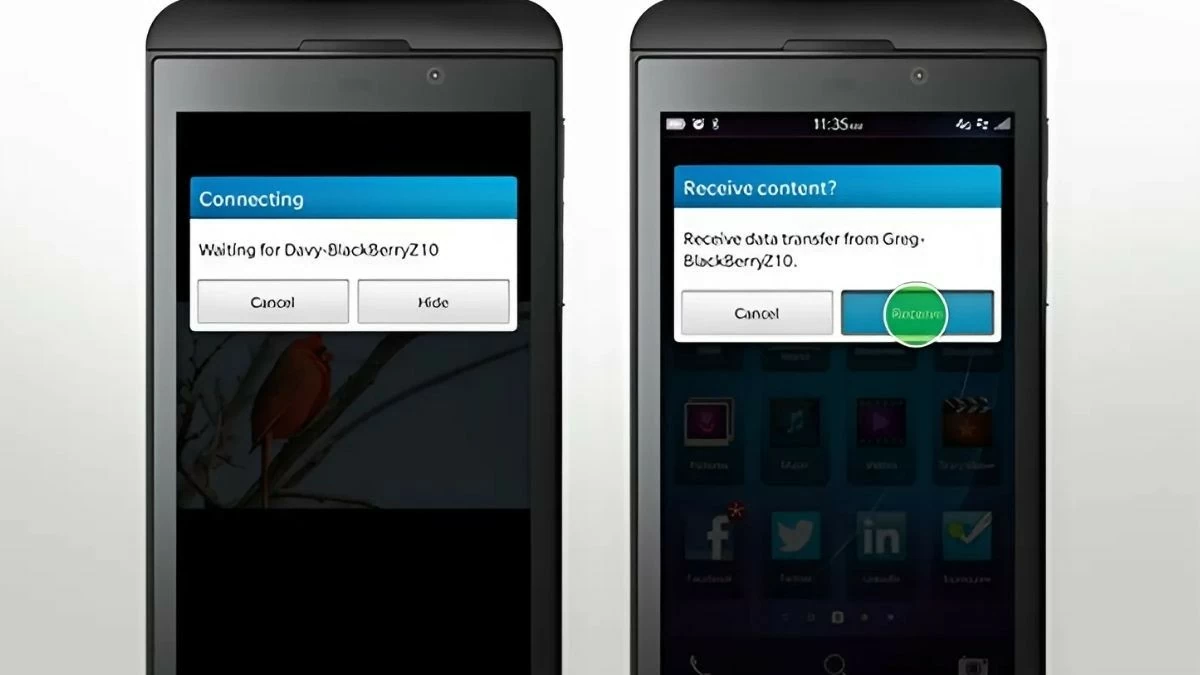
Step 2: When the notification appears on the screen, simply tap "Accept" to receive the data. After the process is complete, you can open and view the received data on your phone.
 |
Instructions on how to scan your ID card using NFC on OPPO phones.
Another application of NFC that you may not know about is its ability to scan chip-embedded ID cards to update biometric data, open bank accounts, or authenticate digitally. This is a simple operation but requires precision to ensure the information is scanned accurately.
Step 1: First, select the NFC feature and place the card on the ID card you want to scan.
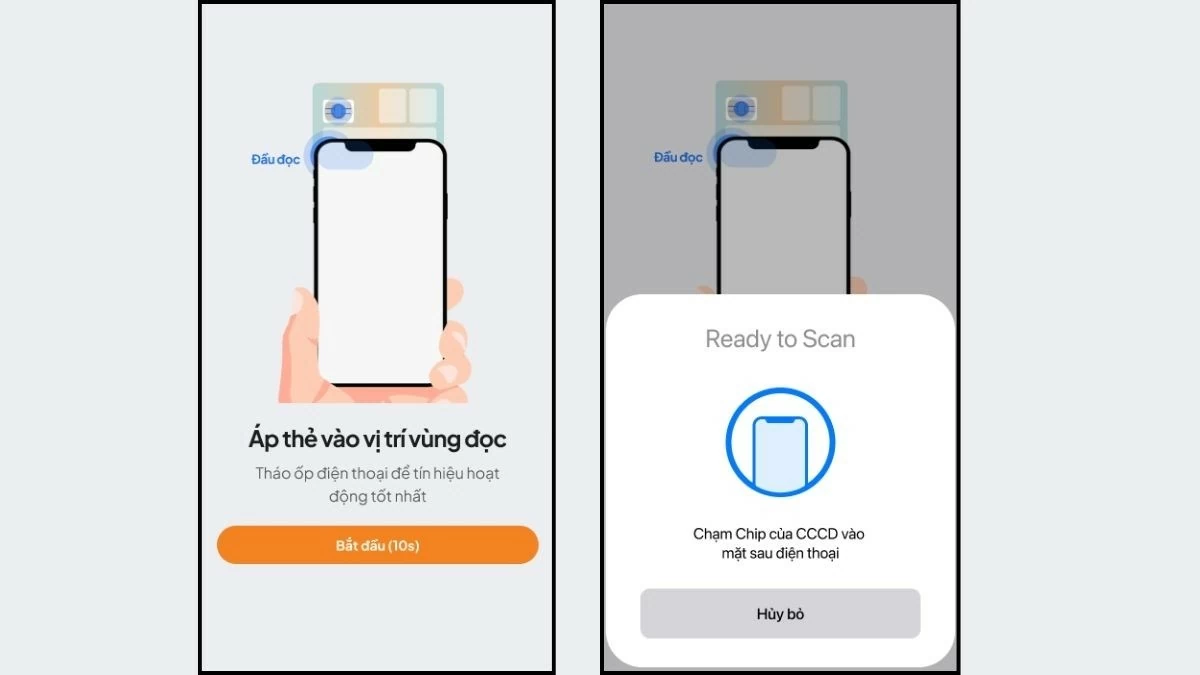 |
Step 2: Next, place the chip-embedded ID card on the back of your phone, near the camera. The NFC scanning feature on your OPPO phone will automatically find the reader; simply hold it in place until the application successfully scans. Once complete, the information will be automatically entered into the system; you just need to check and confirm.
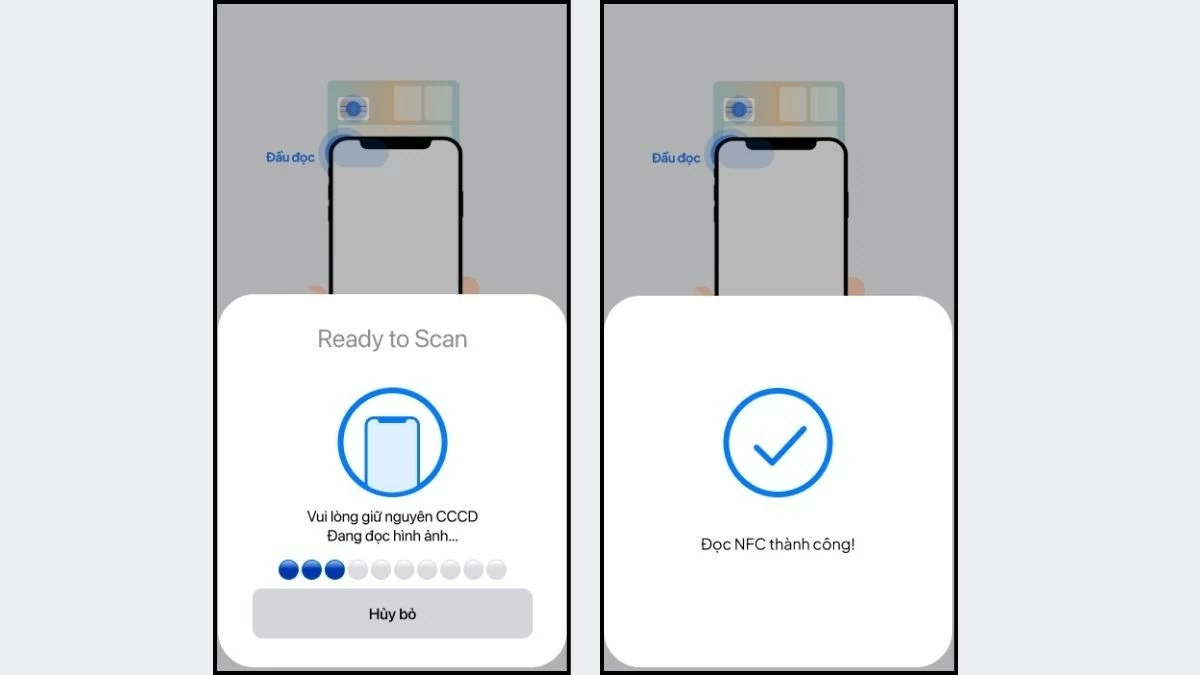 |
A successful NFC scan saves you time and effort in managing your personal information, while also opening up many opportunities to use other digital utilities on your OPPO device.
Through this article, you have clearly understood how to enable NFC on OPPO phones and the practical applications this feature offers. If you still have any questions about activating NFC on your OPPO phone, don't hesitate to ask so we can explore more Android technology and tips together!
Source: https://baoquocte.vn/bat-nfc-บน-oppo-don-gian-va-de-thuc-hien-283963.html
![[Image] National Assembly discusses the implementation of the socio-economic development plan.](https://vphoto.vietnam.vn/thumb/1200x675/vietnam/resource/IMAGE/2026/04/20/1776696707422_ndo_br_img-20260420-185419-jpg.webp)


![[Photo] General Secretary and President To Lam meets with National Assembly delegates from ethnic minorities.](https://vphoto.vietnam.vn/thumb/1200x675/vietnam/resource/IMAGE/2026/04/20/1776696701056_a1-bnd-8331-3342-jpg.webp)

































































































Comment (0)