

If your Android phone isn't charging, don't worry; try these methods to fix it.
Restart your phone.
Battery charging isn't just a hardware issue; it's also partly affected by software. In many cases, system errors or conflicts can cause this problem, which can be easily resolved by restarting the device. Additionally, for phone malfunctions, restarting is an easy and safe troubleshooting method you should try first.
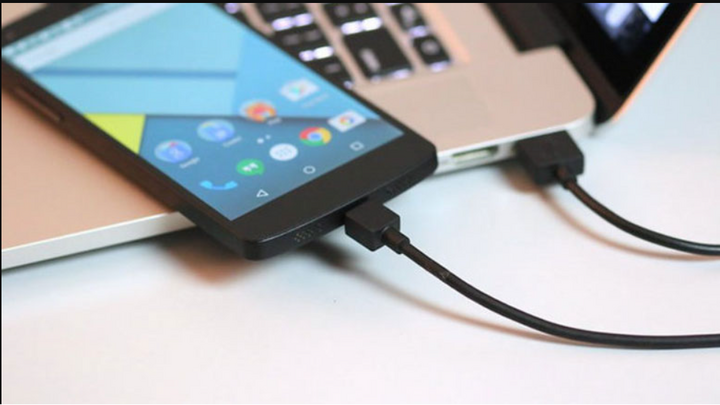
What to do when your Android phone won't charge? (Illustrative image)
Clean the charging port.
If you frequently put your phone in your pants pocket or bag, the reason your Android phone won't charge could be due to lint and dirt accumulating, causing poor contact between the charging port and the charging cable. To fix this, you can try blowing forcefully into the charging port and reconnecting the charging cable.
Check the charging cable and charger.
Phone cables and chargers are the thinnest and most fragile components in a phone charger. A major reason why a phone might not charge is often due to a faulty cable or charger. These delicate cables are easily damaged by physical impacts and frequent bending and twisting. To check if your cable is damaged, simply connect the cable and charger to another device and see if that device charges.
To be absolutely sure, use a different replacement cable to connect your phone to the charger, then check if the device is charging and if the battery is receiving power. If the cable is indeed the problem, then it's time to replace it with a new one.
Restore factory settings
Restoring factory settings will return your device to its original, like-new state. However, it will erase all your personal data, so be sure to back up all your important data. For most Android devices experiencing problems that cannot be fixed by normal methods, this operation can help resolve many issues.
Replace the battery.
Battery problems are also a common cause. If you've tried all the steps above and they haven't worked, it's very likely your battery is damaged and needs replacing.
Some phones have removable batteries, so you can simply go to a store and buy a new replacement. For phones with unibody designs and integrated batteries, you'll need to take your phone to a reputable store or service center for technicians to check and replace the battery for you.
Replace the charging port or other power supply-related components.
This is the last resort to salvage your phone: take it to a reputable repair or warranty center for inspection. If you're lucky, the problem might be with the charging port. Although the charging port is an internal component, it's only a contact point for transmitting electricity. If there's a problem, you can easily replace it at a relatively low cost.
In more serious cases involving other components in the power supply unit, the replacement cost will certainly be higher.
Khanh Son (Compiled)
Source

![[Photo] National Assembly Chairman Tran Thanh Man takes the oath of office](https://vphoto.vietnam.vn/thumb/1200x675/vietnam/resource/IMAGE/2026/04/06/1775453300886_ndo_br_1-2229-jpg.webp)

![[Photo] Da Nang: A sea of people respectfully paying homage to the Bodhisattva Avalokiteshvara.](https://vphoto.vietnam.vn/thumb/1200x675/vietnam/resource/IMAGE/2026/04/06/1775454198203_ndo_br_lh24-jpg.webp)
![[Photo] Sidewalks in Vung Tau ward are now more spacious.](https://vphoto.vietnam.vn/thumb/1200x675/vietnam/resource/IMAGE/2026/04/06/1775455388046_5-6796-jpg.webp)




































































































Comment (0)