

Your phone is where you store personal, sometimes even secret, photos and videos . However, all the photos you take on your Android phone can be seen by anyone, including private ones.
Here are some of the simplest ways to hide private photos on Android, which you can refer to.
Method 1: Hiding photos in Google Photos
Almost every Android phone has Google Photos installed. You can set up a Locked Folder in Google Photos to hide private images from your main library. When you move photos to this folder, they will no longer appear in any photo browsing app on your device.
To set it up, select Library > Utilities > Locked Folder and follow the on-screen instructions. You can unlock it with your fingerprint or PIN, then tap Move items.
Select the photos and videos you want to add, then tap Move twice. To move them out of the folder again, select them and tap Move. You can also delete content from the folder.
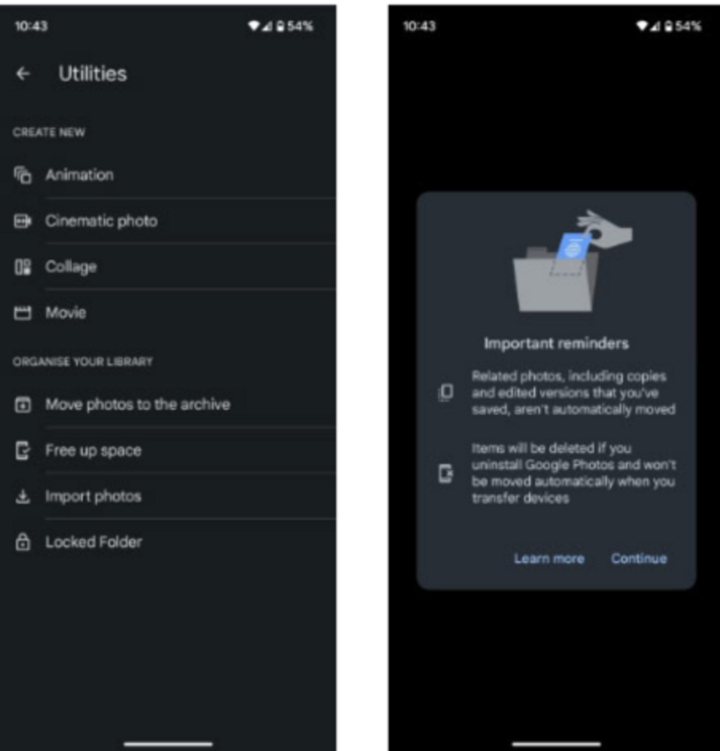
Set up a Locked Folder in Google Photos.
Method 2: Hide photos and videos using File Manager on Android
The latest Android phone models all come with a built-in File Manager. If your device doesn't have it, you can download and install it from the Google Play Store.
File Manager on Android helps manage files on your phone. You can choose to save photos, videos, and other files as you wish to your phone's internal storage or SD card if available.
This software also has an option to hide videos in Android Gallery. You can create a new folder in File Manager, add photos and videos from Gallery, and hide it. Any videos or photos moved into the File Manager folder will not appear in Gallery.
Here are the steps (which may vary slightly depending on your Android phone model):
- Open File Manager.
- Click on Menu > Settings.
- Turn on Show hidden files.
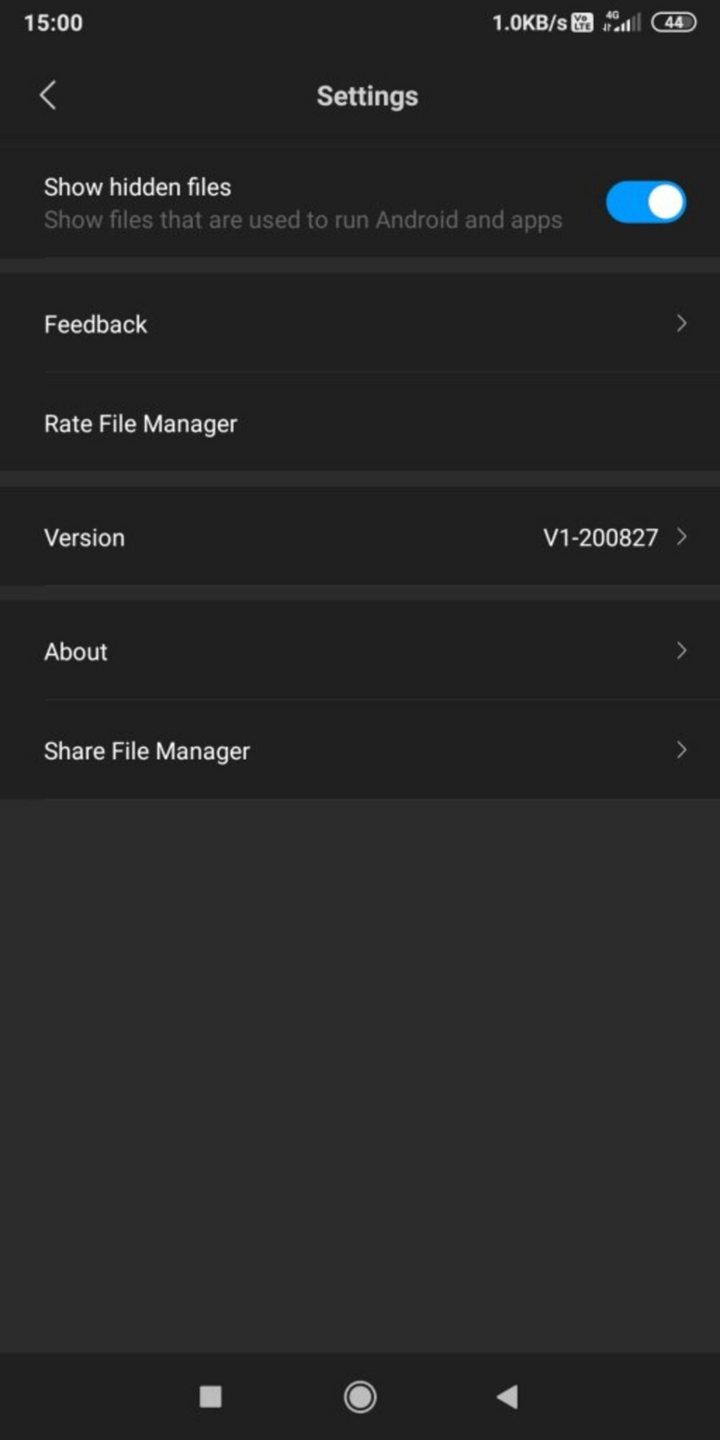
- Open File Manager again and select internal storage or SD card.
- Choose either New Folder or Create Folder depending on your phone model.
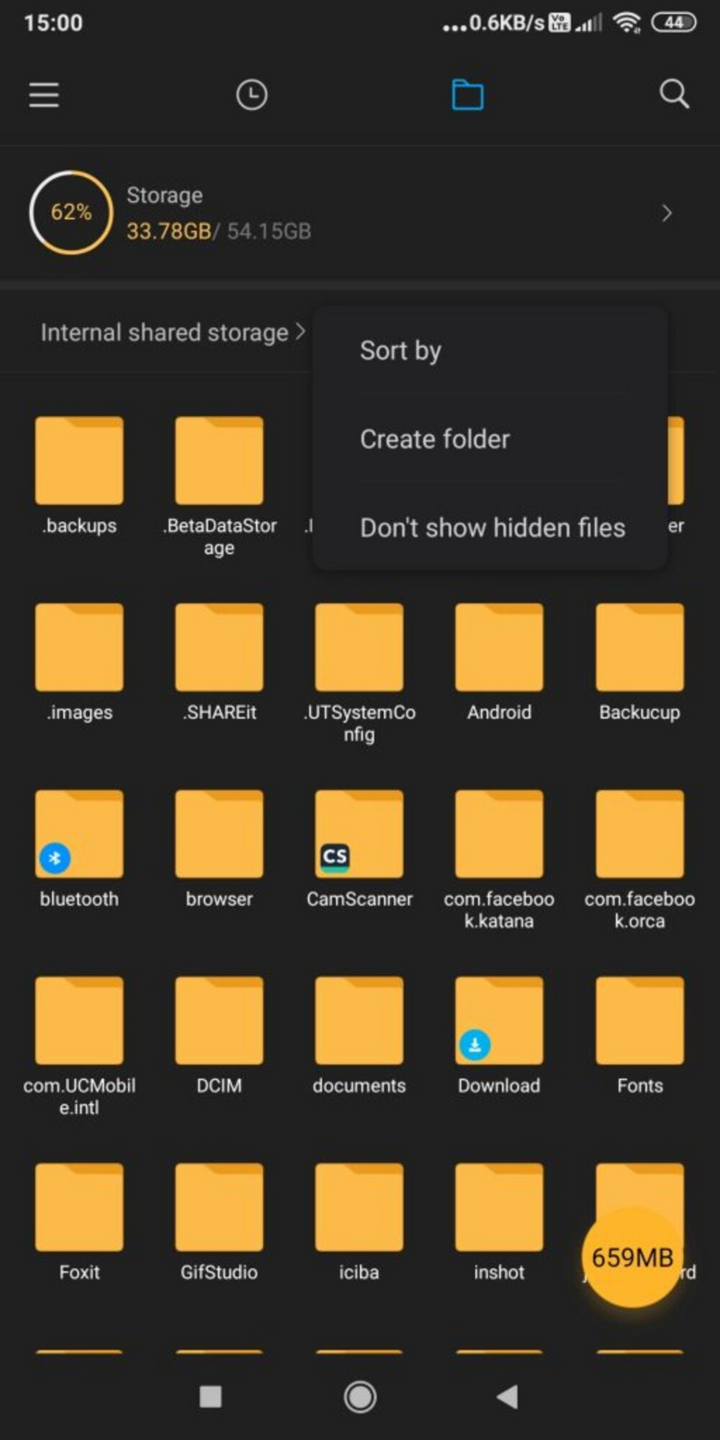
- Name the folder. Remember to add a dot (.) before and after the folder name, for example, “.personal.” Then close File Manager.
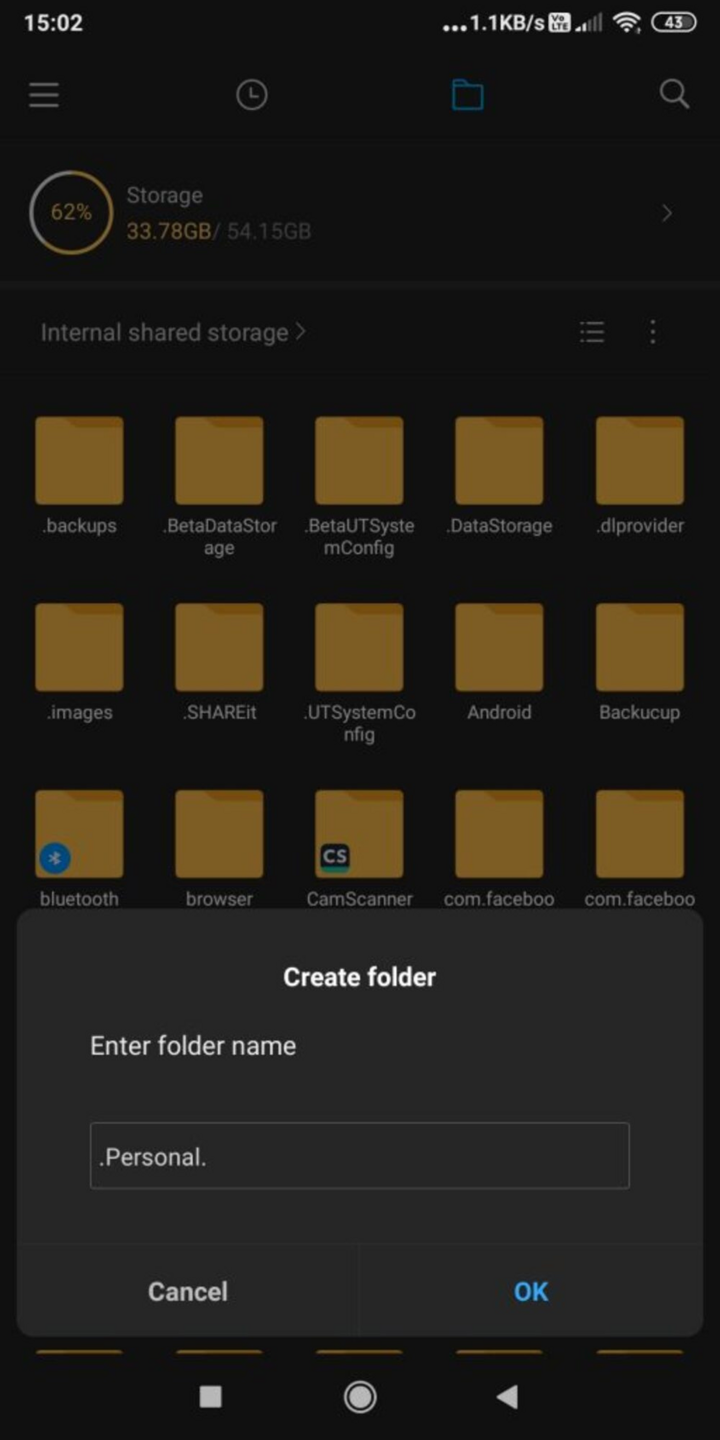
- Open Gallery to add photos or videos to the folder.
- Select photos and videos and click Add to Album.
- Select Hidden Album.
- Your photos and videos will be added to a hidden folder and removed from Android Gallery.
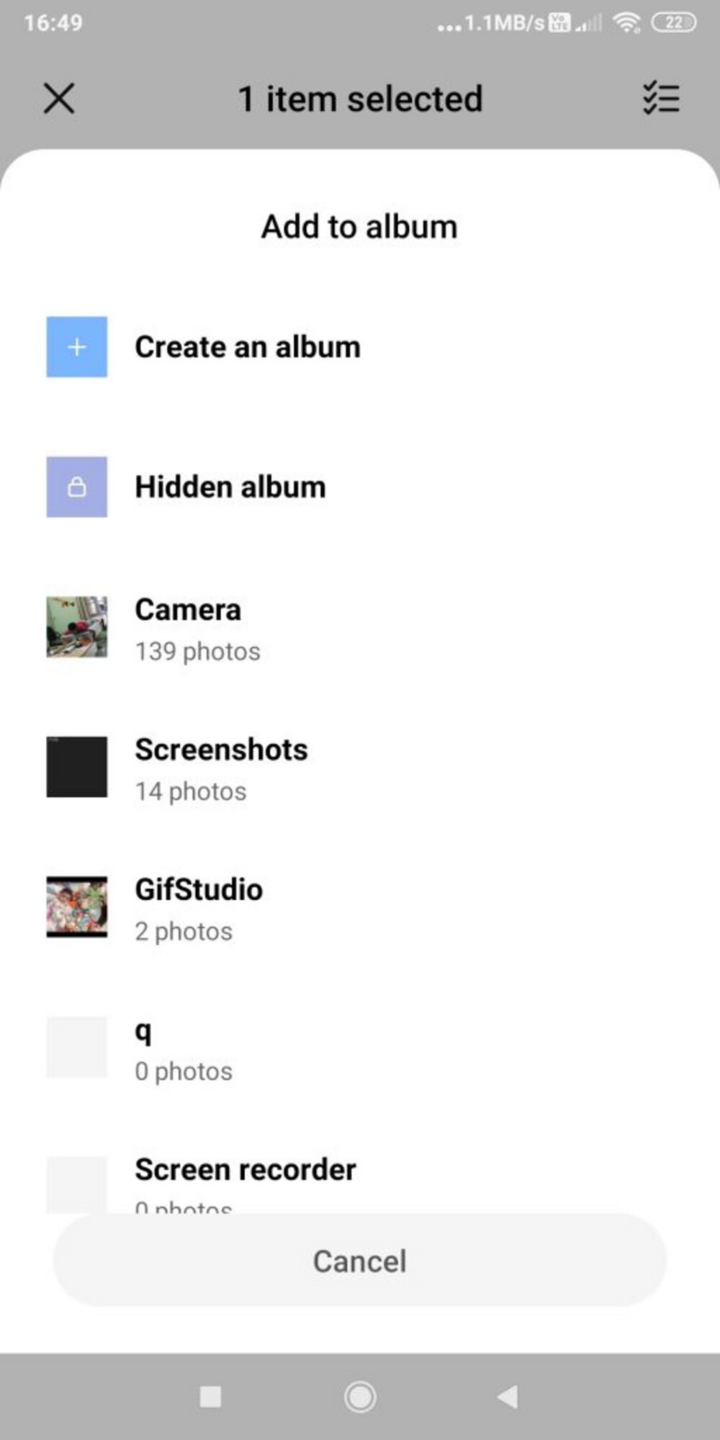
- Next, open File Manager > Settings. Turn off Show hidden files.
- The folder you just created will no longer appear in File Manager. You can enable "Show hidden files" whenever you want to view hidden photos or videos.
Method 3: Hide photos and videos specifically for Samsung Galaxy smartphones.
If you have a Samsung phone running Android Nougat 7.0 or later, you can use Samsung's Secure Folder feature. This feature allows you to keep private files, photos, and even apps in a password-protected area.
Steps to install Secure Folder:
- Go to Settings > Biometrics and security > Secure folder.
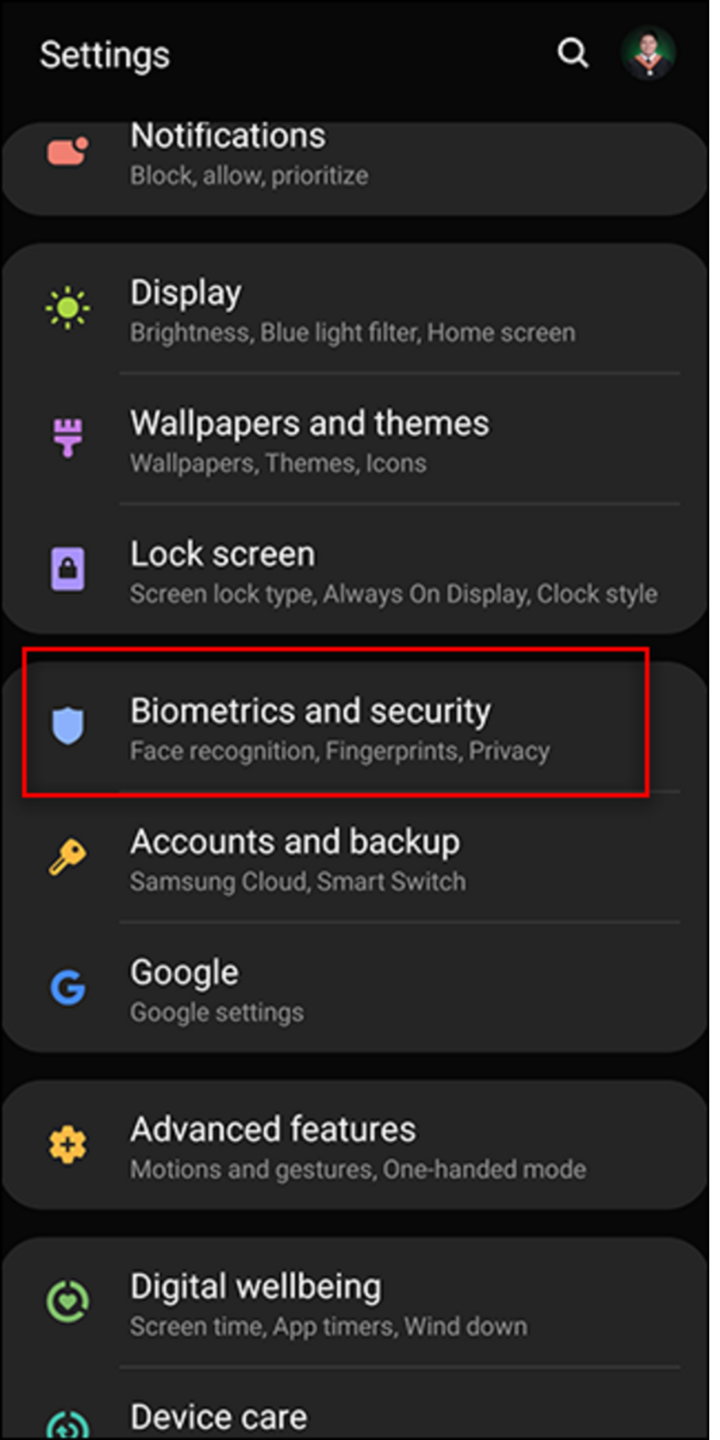
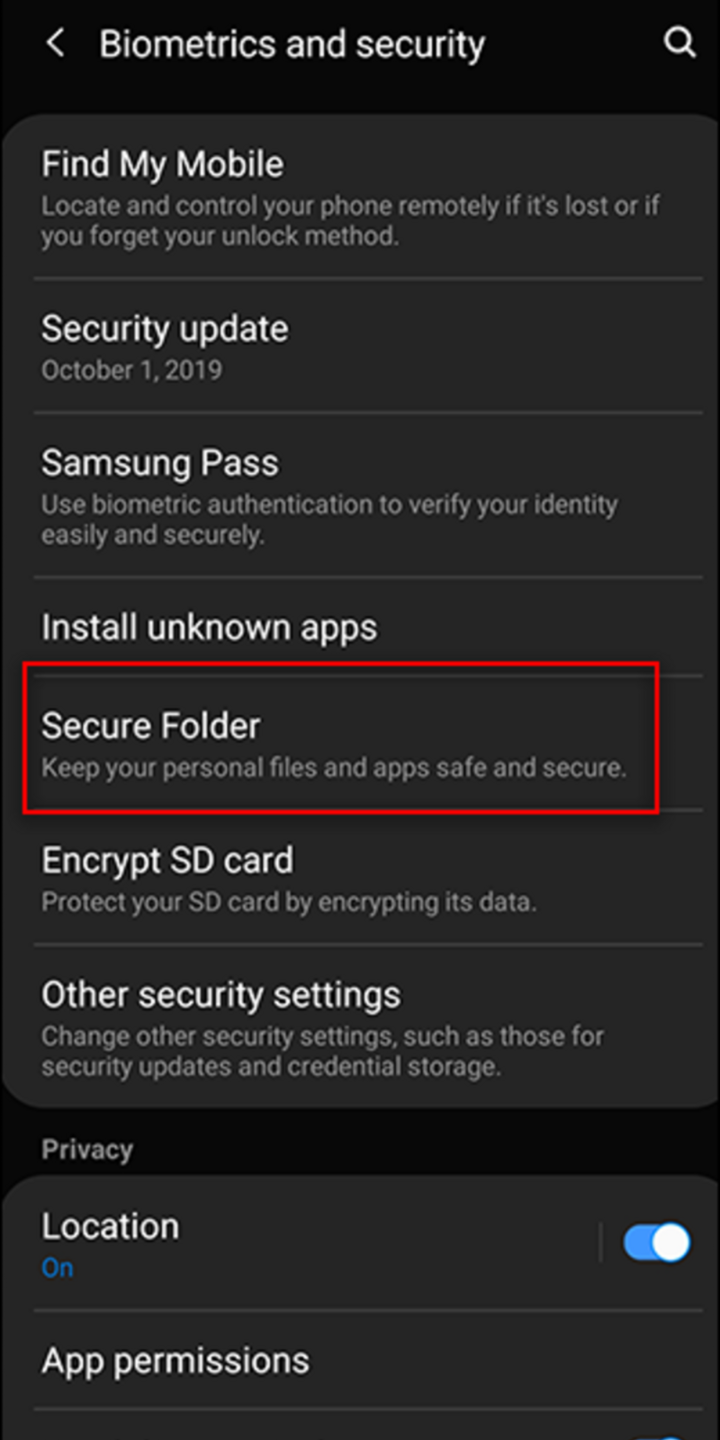
- Log in to your Samsung account. Select Sign In.
- Choose the locking method you want for your Secure Folder.
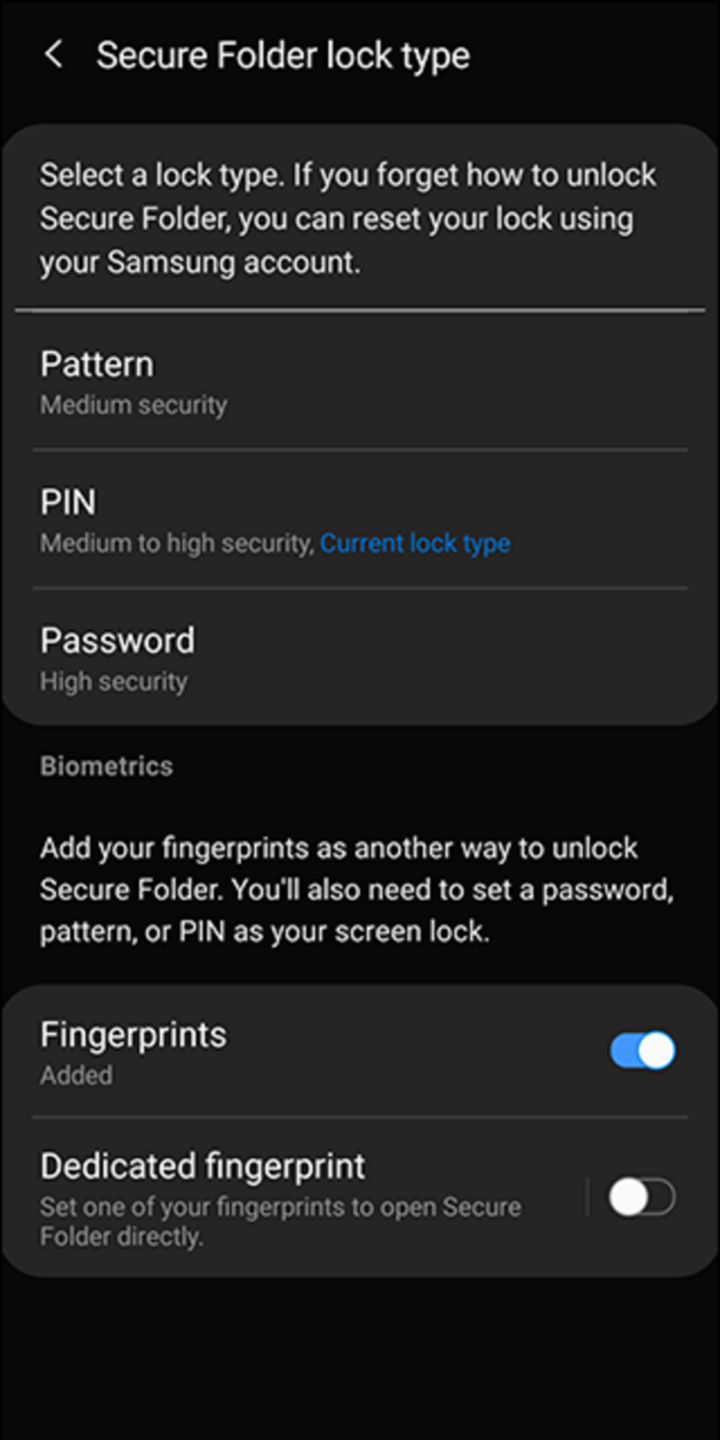
- A Secure Folder shortcut will be added to the home screen and app screen.
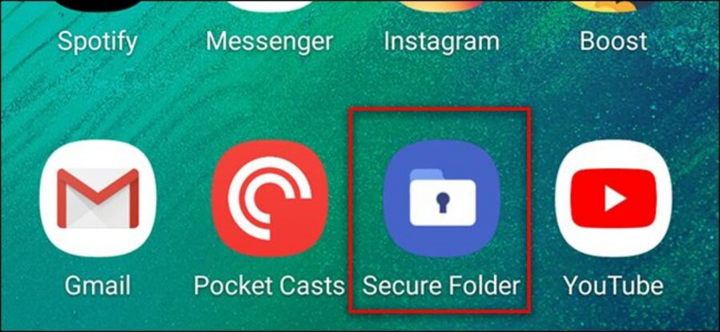
- Open Secure Folder and add photos and videos from your library.
Steps to hide Secure Folder:
- Go to Settings > Biometrics and Security > Secure Folder.
- Turn off Show Secure Folder.
- Select Hide to confirm.
Above are 3 of the simplest ways to hide private images on Android using File Manager, Google Photos, and Secure Folder.
An Nhi (Compiled)
Source

![[Image] National Assembly discusses the implementation of the socio-economic development plan.](https://vphoto.vietnam.vn/thumb/1200x675/vietnam/resource/IMAGE/2026/04/20/1776696707422_ndo_br_img-20260420-185419-jpg.webp)
![[Photo] General Secretary and President To Lam meets with National Assembly delegates from ethnic minorities.](https://vphoto.vietnam.vn/thumb/1200x675/vietnam/resource/IMAGE/2026/04/20/1776696701056_a1-bnd-8331-3342-jpg.webp)

























































































Comment (0)