

Want to experience modern features when chatting and connecting with friends by scanning WeChat QR codes? Let's find out how to scan the code easily and effectively below!
 |
A WeChat QR code is a quick response code containing important information about a WeChat account or a link to a post. By scanning this QR code on a phone, users can quickly access the account's profile page or shared content. This is very convenient, especially when wanting to quickly connect with someone on WeChat. Simply sharing your personal QR code allows you to easily get acquainted and chat with others.
Simple ways to create a WeChat QR code that you should know.
Scanning WeChat QR codes not only makes it easy to connect with others but also provides quick access to articles or essential information. Creating QR codes on WeChat is also very useful for sharing information effectively. Here are the detailed instructions:
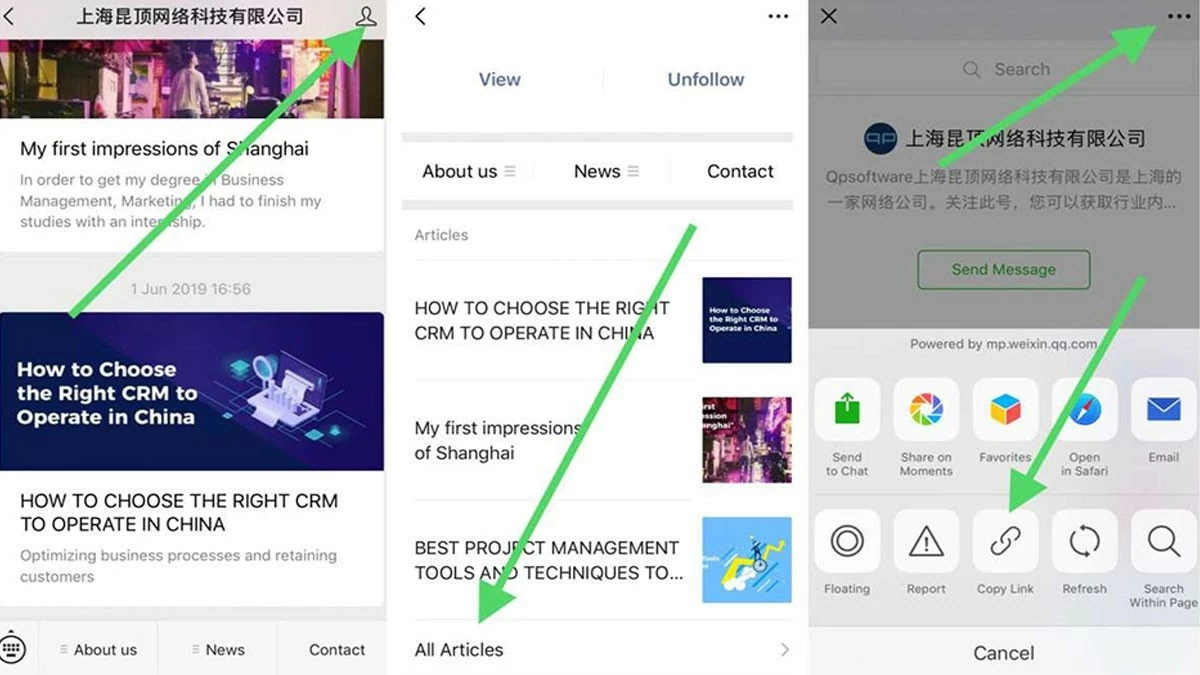
Step 1: Download and install the WeChat app on your device, then log in to your account.
Step 2: Tap the "Me" icon, then select "All Articles" or "All Messages."
Step 3: Tap the three horizontal dots icon and select "Copy link."
Step 4: Open a free QR code generator website and paste the copied link. Wait a few seconds for the QR code to be generated and downloaded.
 |
Instructions on how to scan WeChat QR codes on iOS and Android.
Scanning QR codes on WeChat is very simple on both iOS and Android. However, sometimes users do it incorrectly, leading to questions about why they can't scan WeChat QR codes.
How to quickly scan WeChat QR codes on iOS
With a WeChat QR code, you can quickly access information or accounts in just three simple steps:
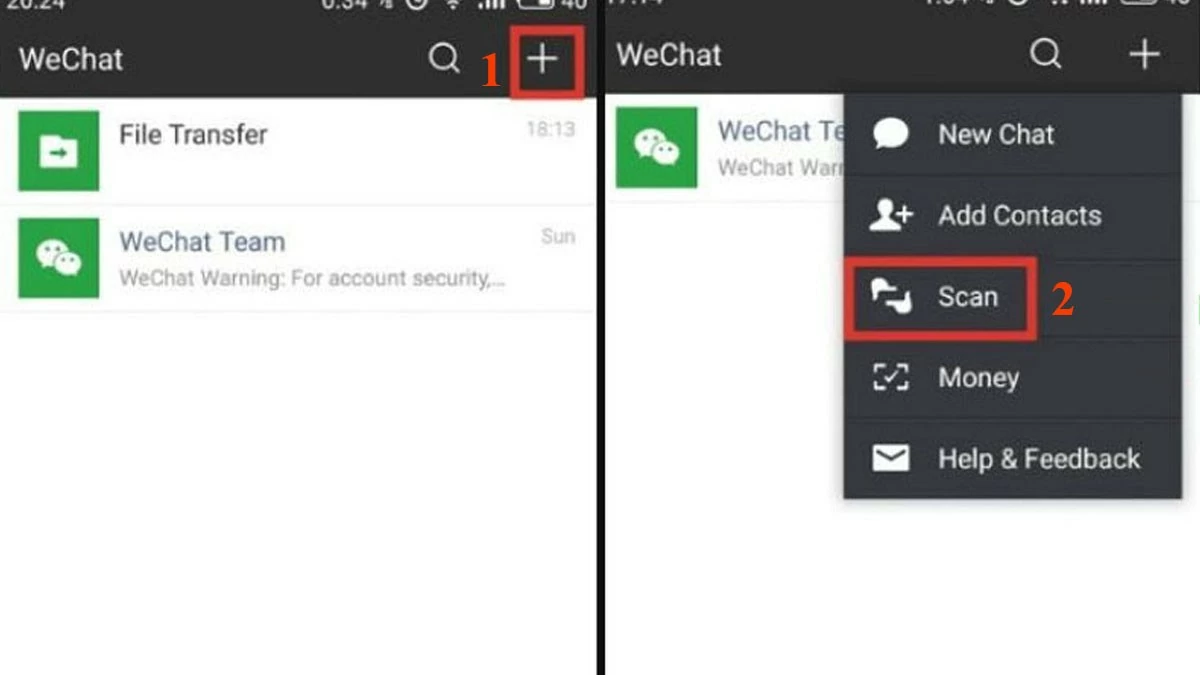
Step 1: Open the WeChat app and tap the "+" icon.
Step 2: Select “Scan” and point your phone’s camera at the QR code of the account you want to scan.
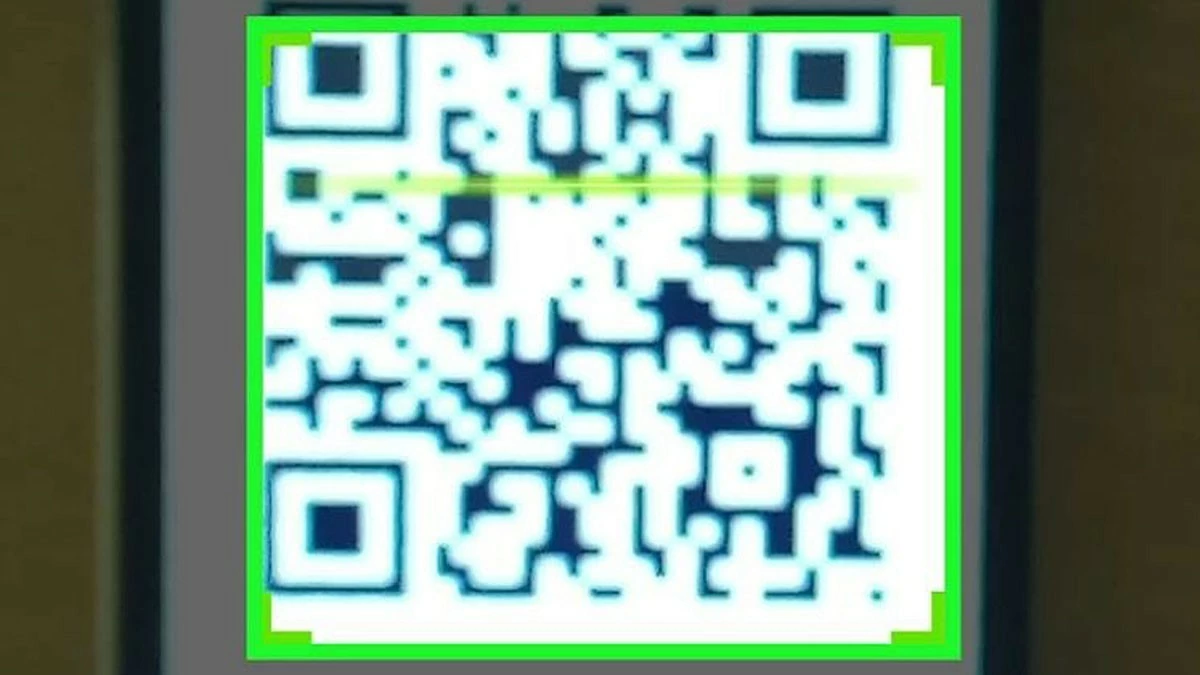
Step 3: Hold the QR code in the scanning frame and wait for WeChat to successfully read the code.
 |
How to quickly scan WeChat QR codes on Android
Scanning QR codes on WeChat on Android devices is the same as on iOS; follow these steps:
Step 1: First, log in to WeChat and tap the "+" icon.
 |
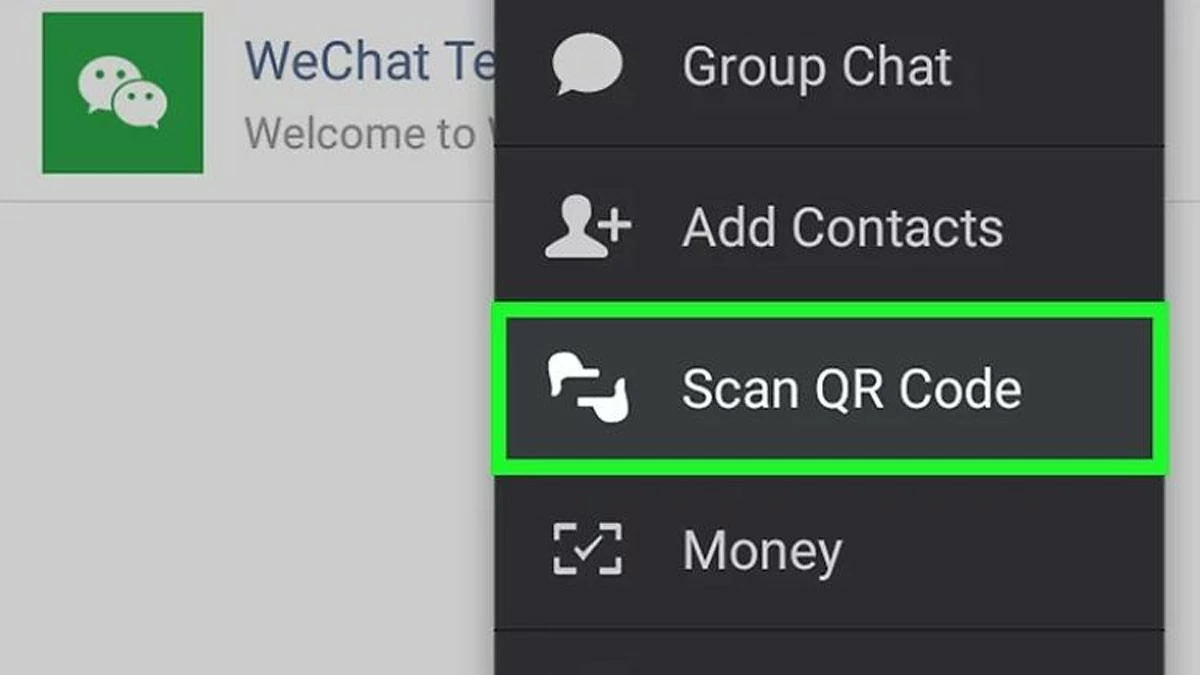
Step 2: Select the "Scan QR Code" option as shown in the image.
 |
Step 3: You can scan the QR code from your gallery or directly. If scanning from the gallery, tap the image icon in the upper right corner and select the photo containing the QR code. If scanning directly, simply bring the camera close to the QR code to scan.
 |
Hopefully, this article has helped you understand how to properly scan QR codes on WeChat and explained why you might be unable to scan QR codes on your device.
Source

![[Photo] Prime Minister Pham Minh Chinh receives the Chinese Ambassador to Vietnam](https://vphoto.vietnam.vn/thumb/1200x675/vietnam/resource/IMAGE/2026/04/05/1775397481797_ndo_br_dsc-5512-jpg.webp)





























































































Comment (0)