

Bluetooth headphones have always been popular due to their compact size and convenience. However, precisely because of their small size, Bluetooth headphones are very easy to lose or misplace.
Don't worry, with just a few simple steps you can locate your headphones.
How to find lost Bluetooth headphones from a short distance
Step 1: Download and install the Air Tracker – Bluetooth app. This app is designed to help manage Bluetooth connections on your smartphone, allowing you to determine the distance to the device's location. You can download and use Air Tracker on both Android and iOS smartphones.
Step 2: Next, activate Bluetooth on your phone and grant permission to the application.

Step 3: Turn on location services on your phone and grant the app access.

Step 4: Scan to identify nearby devices within connection range through two steps: "Unit of Measurement" and "Hide Unknown Devices".
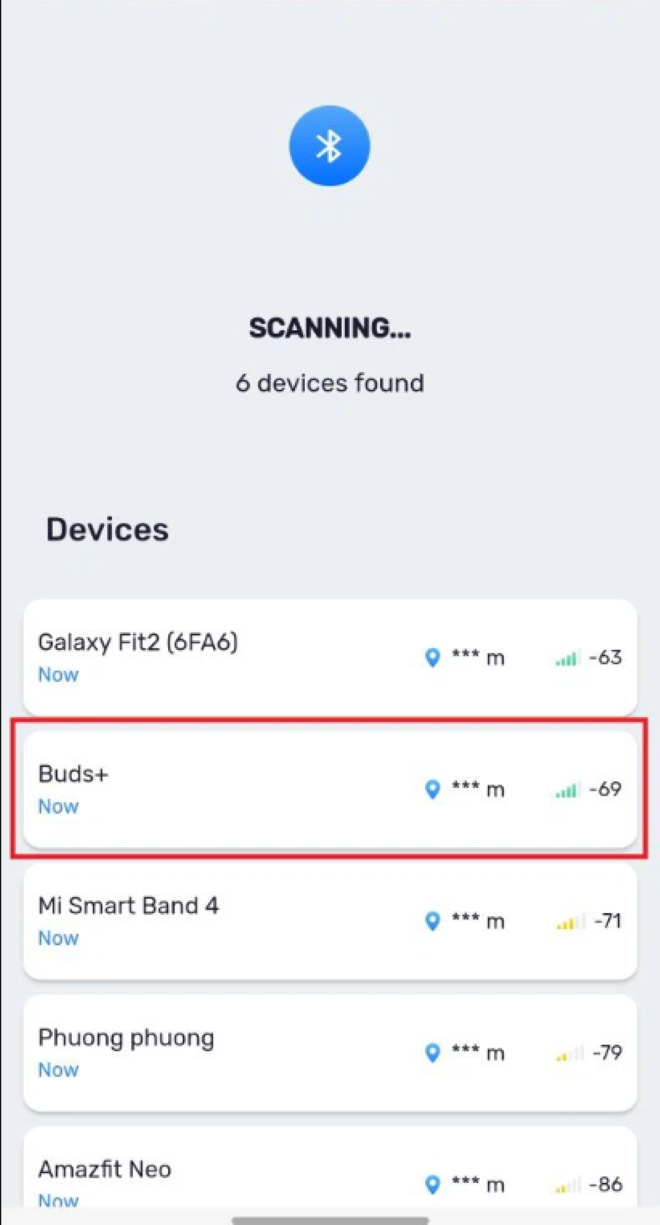
Air Tracker will help you determine the distance from your smartphone to the Bluetooth device you choose to connect to. This is a way to find lost Bluetooth headphones within a short range, applicable to both cases of losing one earbud and losing both earbuds.
How to find lost Bluetooth headphones from a distance
If you misplace your Bluetooth headset over a wide area and can't pinpoint exactly where you dropped it, you can try the methods below.
These two methods only work with AirPods and Galaxy Buds – product lines that support the search technology from the manufacturer.
Looking for lost AirPods?
If you're searching using an iPhone, iPad, or iPod Touch: On the iOS/iPad OS interface, open the "Find" app, then select "Devices" and choose your AirPods.
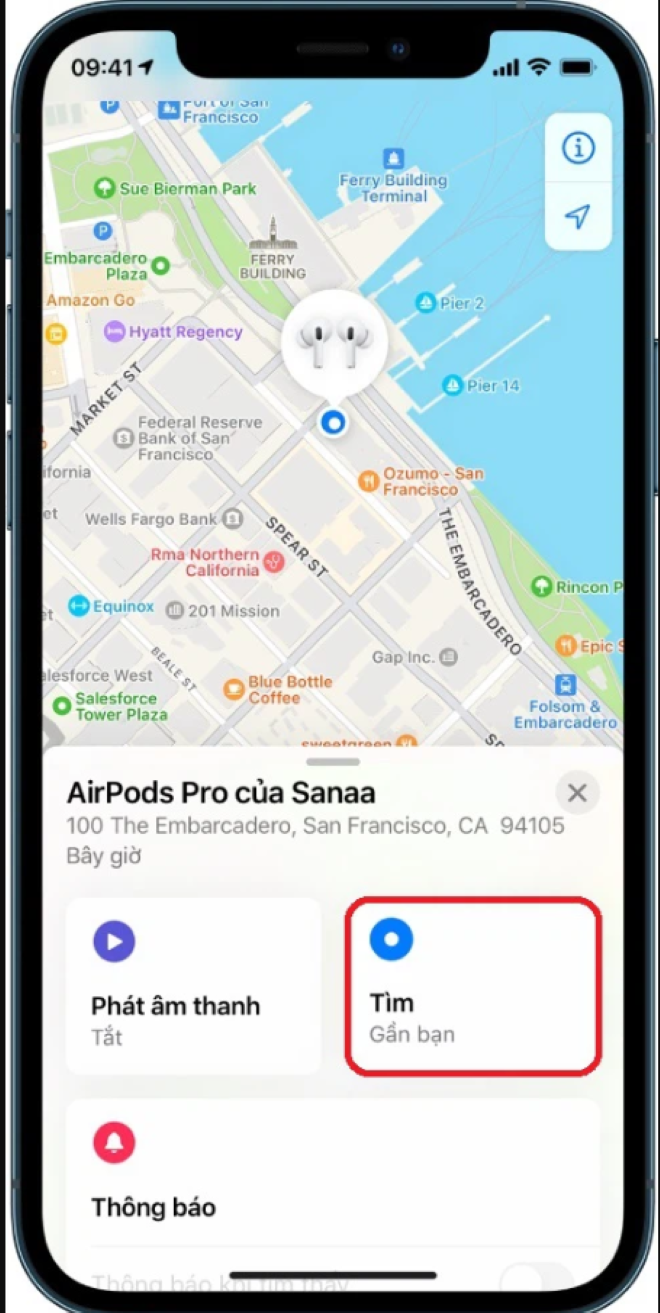
Find lost Bluetooth earbuds on Android (Galaxy Buds)
To find lost Bluetooth headphones on Android, specifically the Samsung Galaxy Buds series, you'll need the help of an app called Galaxy Wearable – designed to manage accessories from this brand. The steps include:
Step 1: Open the "Galaxy Wearable" app and select the name of the headphones you previously connected.
Step 2: Inside the interface, select "Find your headphones".
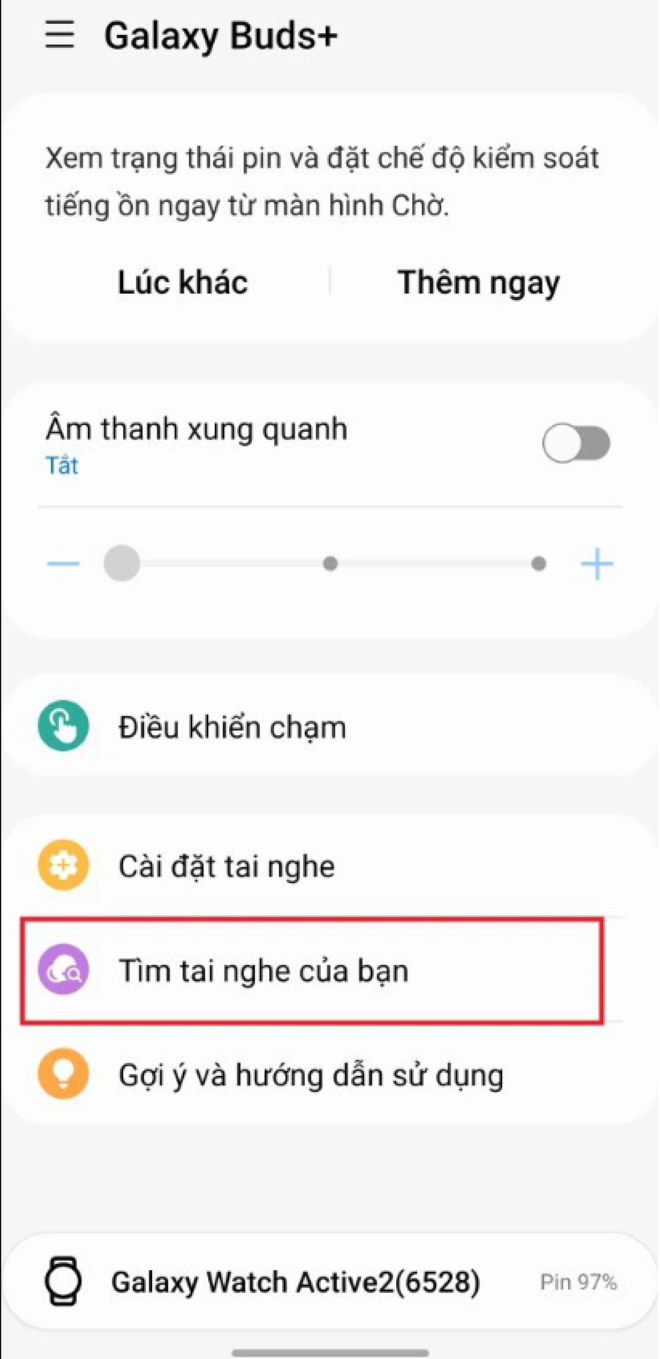
Step 3: At this point, the headphones will emit sound; simply follow the sound source to find your Bluetooth headphones.
Khanh Son (Compiled)
Source











































































































Comment (0)