

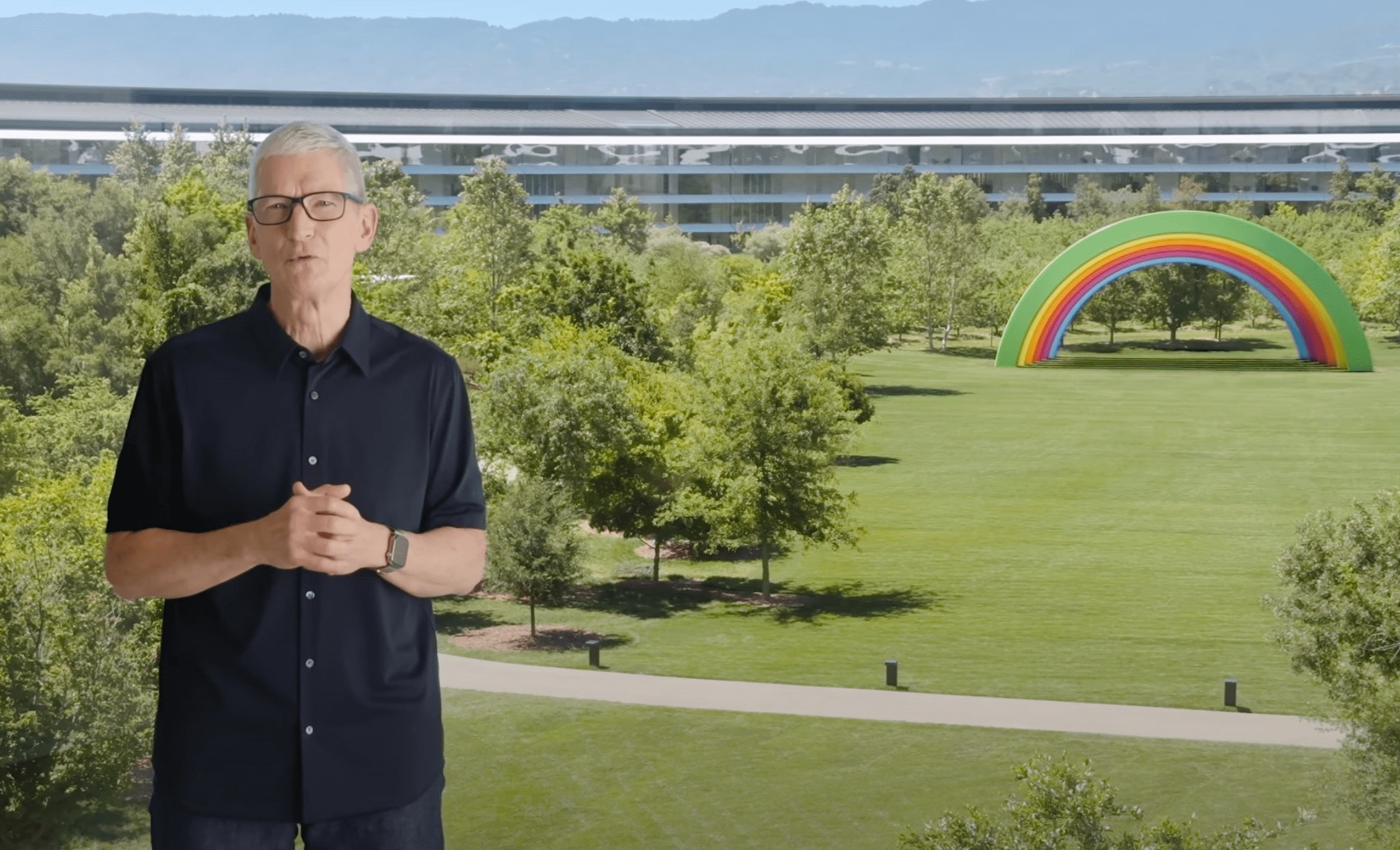
Apple's WWDC 2025 developer conference took place in the early hours of June 10th (Vietnam time). At this event, Apple unveiled several important improvements to the interface and features of the iPhone and iPad.
Despite the absence of new hardware products, WWDC 2025 still garnered significant attention. Here are some of the highlights Apple introduced at last night's event.
Liquid Glass design language
At the start of the event, Apple introduced a new design for its entire operating system called Liquid Glass. The main style of Liquid Glass focuses on transparent effects, shadows, and a glass-like appearance.
“This is the biggest design change ever. For the first time, we’re implementing a common interface across all platforms,” said Alan Dye, Apple’s vice president of user interface design.
According to The Verge , Liquid Glass is inspired by visionOS and can change effects in real time. For example, when swiping to unlock, the lock screen will sparkle, similar to swiping a pane of glass. The bezels around apps and buttons also have a transparent effect.
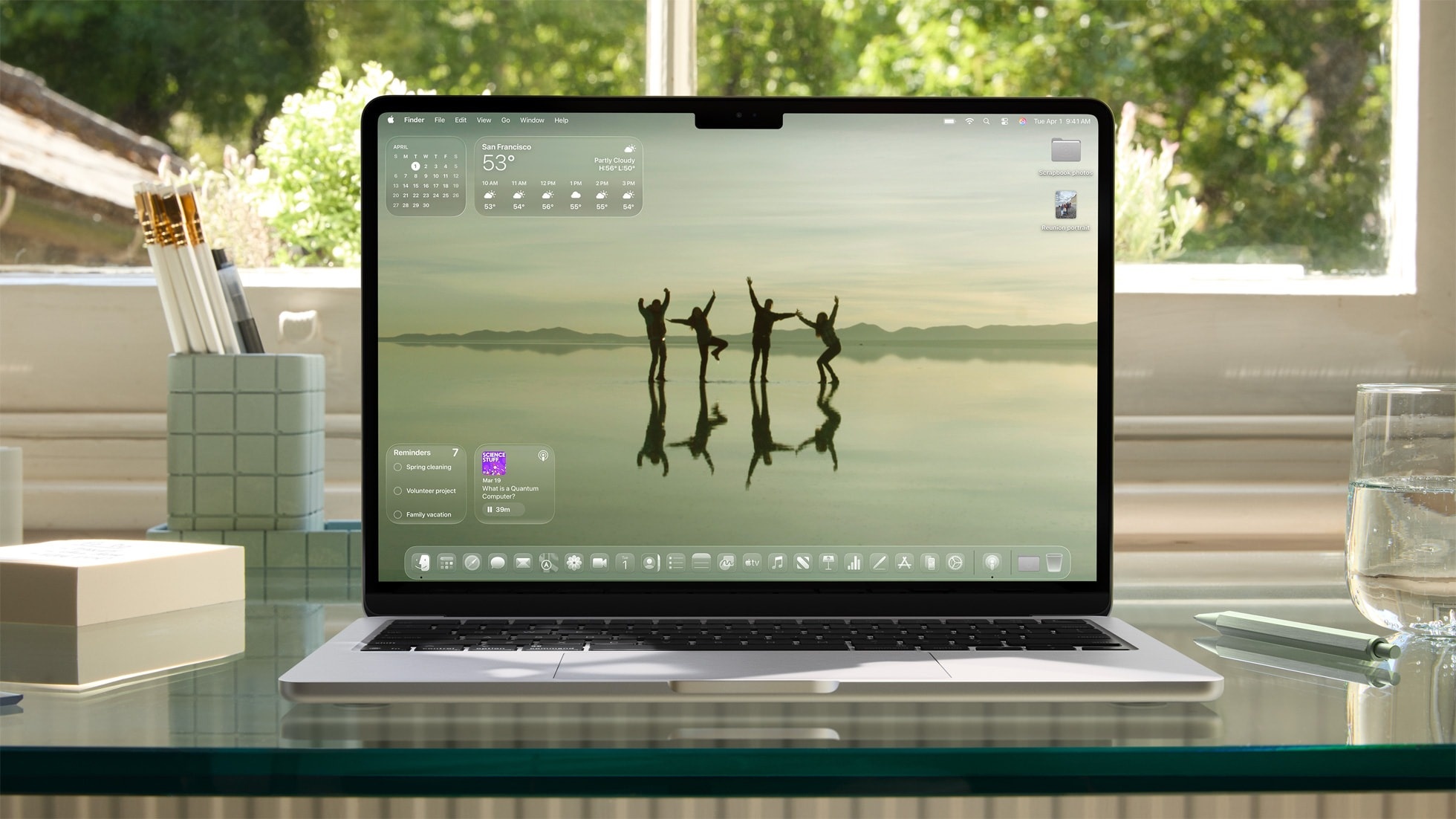 |
macOS Tahoe 26 with Liquid Glass interface. Photo: Apple . |
Liquid Glass's interface elements move in real time, applying to all buttons, sliders, text, and more. In addition to the default app, Apple also releases APIs for developers to update their apps with the new interface.
On macOS 26, Liquid Glass is applied to the dock, menu bar, and toolbars, creating a larger and more seamless feel.
The last time Apple changed the iOS interface was in 2013. After 12 years, the style of iOS 7 still influences newer versions. Meanwhile, Liquid Glass is a complete overhaul, requiring developers to update their apps to match the new design.
iOS 26
As expected, Apple has decided to number its operating systems by year instead of release order. There is no longer iOS 19; the next software version for the iPhone is called iOS 26.
With the Liquid Glass design language, familiar interface elements from iOS 26 have been revamped. On the lock screen, the clock can resize to fit the subject. The Camera app has a more streamlined and simpler layout, while the address bar and navigation buttons in Safari have a floating effect.
The Phone app on iOS 26 has several improvements, including a feature that combines favorite contacts, call history, and voicemail into a single screen, and a feature called Hold Assist that answers or takes calls on behalf of the user when busy, as well as Call Screening.
The messaging app adds a background image customization feature. Users can choose from existing photos, take their own photos, or create images using AI. Group chats now include a polling tool and notifications for members who are typing messages.
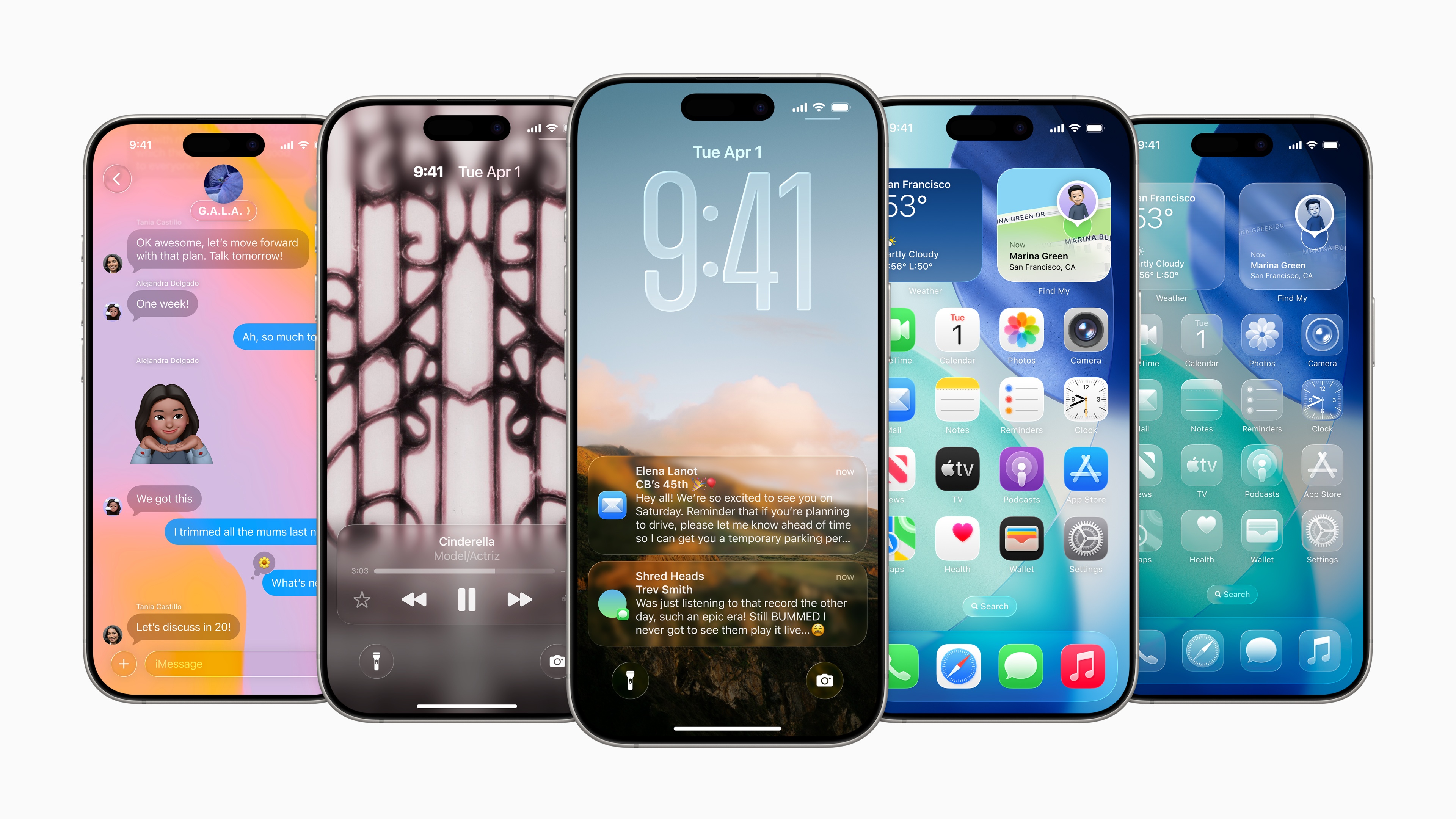 |
The new interface of iOS 26. Photo: Apple . |
To create new emojis, Apple now allows users to combine two different emojis, instead of just entering a text description as before. Image Playground now also supports creating images using ChatGPT.
Apple has also added a Live Translation tool. Using an AI model that works on the device, the feature supports translating messages, voice calls, and FaceTime, allowing for the translation of content in speech or text format. Developers can integrate Live Translation through the API provided by Apple.
The song translation and transcription feature also appears in Apple Music alongside AutoMix, which automatically combines tracks and seamlessly transitions like a DJ playing music. Users can also pin their favorite artists and playlists to the top of the app.
Apple Maps can now learn routes and favorite destinations to create optimal itineraries and warn of delays or traffic jams. Additionally, the Visited Places feature allows you to add previously visited locations to save and share with friends.
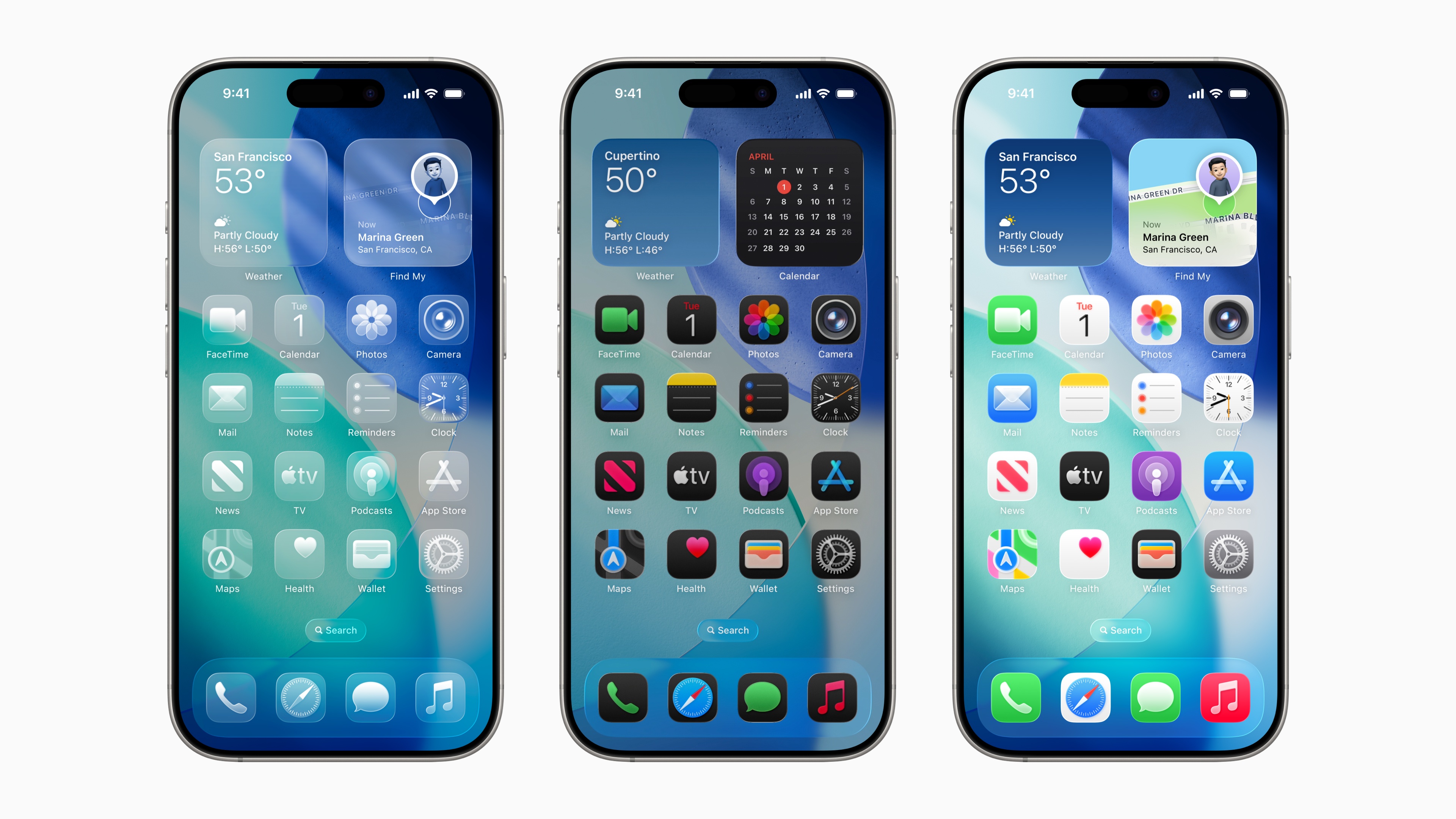 |
The iOS 26 home screen with light, dark, or transparent modes. Photo: Apple . |
Since iOS 26, Apple has added the Games app, focusing on gaming and interacting with friends. According to The Verge , users can access games downloaded from the App Store, games in the Apple Arcade package, see what games their friends are playing, and create challenges to compete in.
Beyond analyzing images from the camera, Visual Intelligence on iOS 26 supports screenshots. For example, if you're browsing social media and see a nice jacket, simply activate Visual Intelligence by taking a screenshot, then search for product information on Google. The feature also allows you to capture appointment slips and add them to your calendar, or ask ChatGPT about any information on the screen.
iOS 26 is the second major upgrade following Apple Intelligence's release on iOS 18 last year. Currently, some basic features like Genmoji, Writing Tools, and ChatGPT integration have been widely released, but some important tools like the new version of Siri are still not available until next year.
iPadOS 26
In addition to the Liquid Glass interface, iPadOS 26 boasts several upgrades, including a multi-window multitasking system, a completely new Files app, and Preview for editing PDF files.
According to Apple, the window system on iPadOS 26 allows for "flexible window resizing" and placement anywhere on the screen. Users can add windows to Stage Manager mode and drag and drop them if using multiple monitors.
The iPad has always been positioned between the iPhone and the Mac. Recently, many have argued that the iPad's power is more than sufficient to function as a true computer. With iPadOS 26, Apple has shifted its focus toward macOS by adding a menu bar that can be swiped down from the top to display different options for the currently open application.
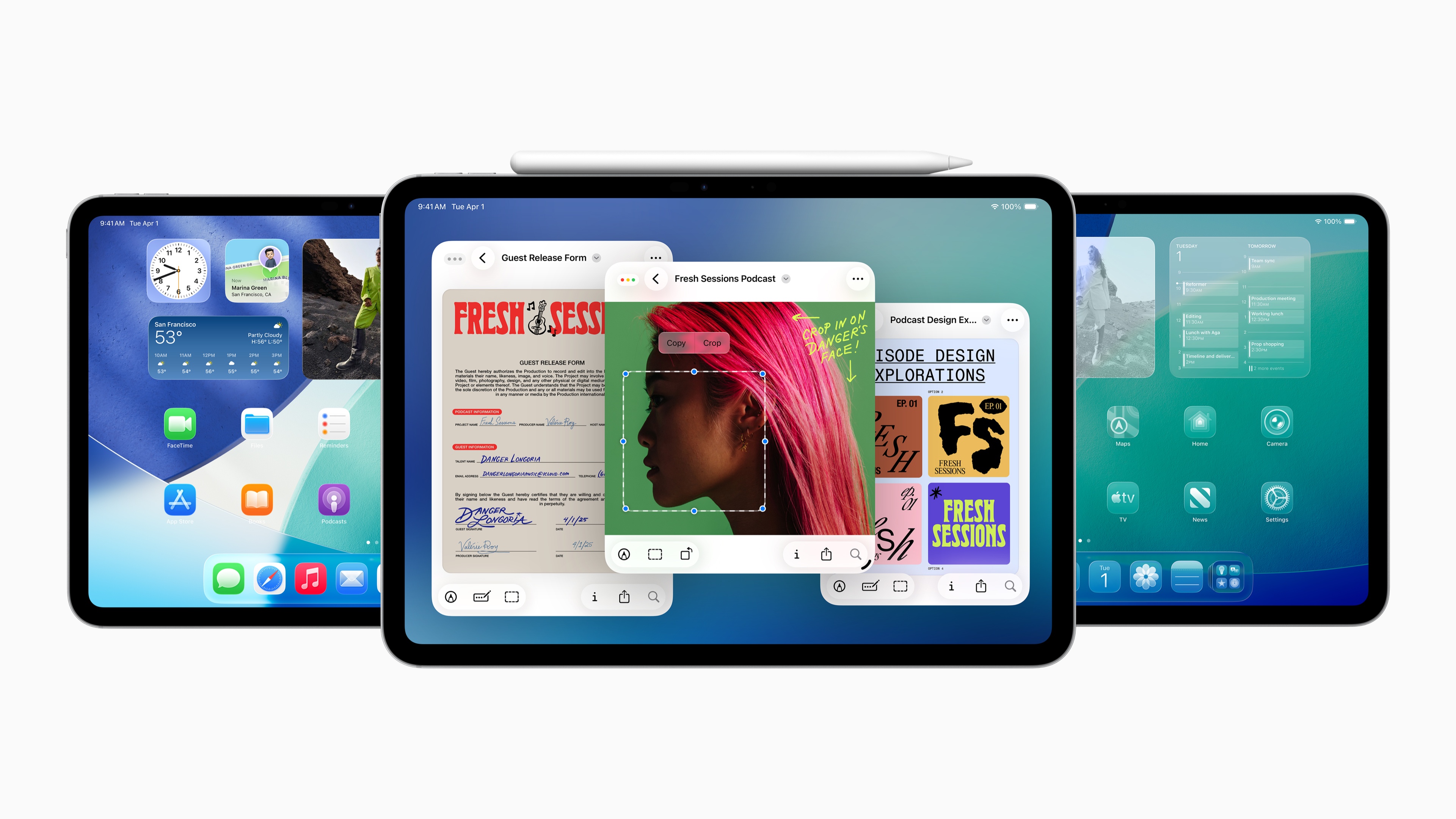 |
The interface of iPadOS 26. Photo: Apple . |
The Preview app has also been brought from macOS to iPadOS 26, allowing users to view and annotate PDF files. Meanwhile, the Files app supports a detailed list view similar to that on a Mac. Live Activities have been integrated into iPadOS to provide updates on background apps.
Following the iPhone, the Journal app has also been brought to iPadOS 26, alongside the Games app and Game Overlay mode, which allows access to Game Center features such as chat and game settings without exiting the app.
macOS 26 Tahoe
The biggest change in macOS 26 comes from the Liquid Glass interface, applied to the dock, toolbars, menu bar, app icons, etc. Similar to the iPhone, users can change the icon background to light, dark, or their favorite color.
If synchronized with an iPhone, macOS 26 will have a standalone Phone app, supporting voicemail, viewing favorite contacts, and call features similar to the iPhone version. Additionally, Live Activities from the iPhone will also be displayed on the Mac, allowing for quick updates without needing to use the phone.
Another major upgrade in macOS 26 comes from the Spotlight tool. Users can directly perform several actions such as writing notes, sending emails, running shortcuts, etc. The tool also displays a list of applications to activate and helps find specific actions within applications.
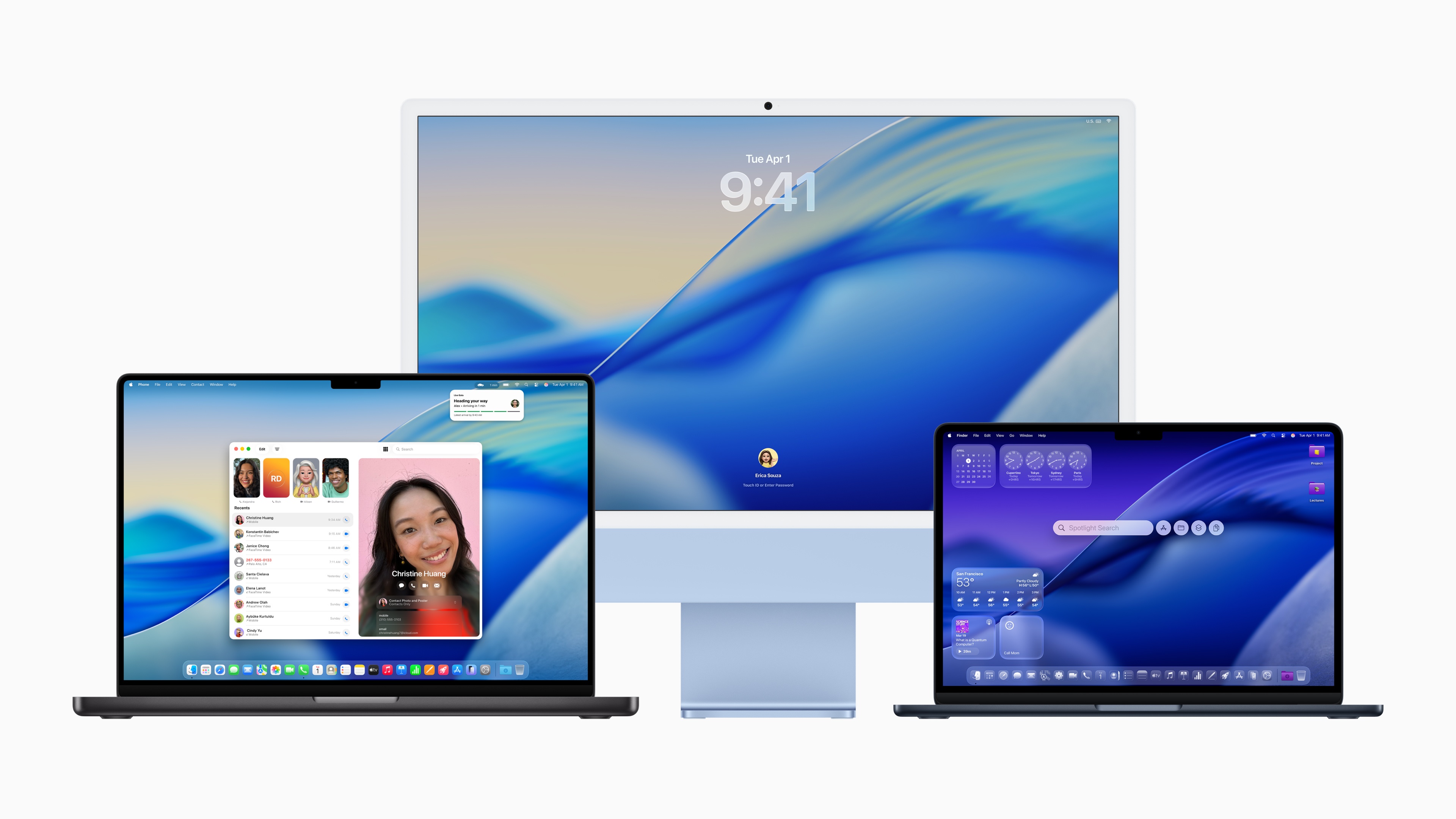 |
The interface of macOS 26. Photo: Apple . |
Apple Intelligence features like Live Translation, Genmoji, and Image Playground also appear on macOS 26. With Live Translation, messages in the Messages app are translated continuously on both sides, and FaceTime calls are also translated into text.
Apple also brought the Games app and Game Overlay mode to macOS 26. For game developers, Apple announced the latest Metal 4 graphics API, integrating MetalFX Frame Interpolation and Denoising tools to improve frame rates.
macOS 26 is expected to be widely released starting in the fall. According to Apple, this version is compatible with all Macs using M-series chips, and Macs with Intel + T2 chips.
visionOS 26 and watchOS 26
The next update for Vision Pro smart glasses adds a widget system, which can be "hung" in the surrounding space like picture frames. Users can customize the width, color, and depth of the widgets. Some default widgets include a clock, weather forecast, music, and images.
Next, visionOS 26 supports the PlayStation VR2 Sense controller. Compared to regular game controllers, the PSVR2 Sense offers better VR or AR gaming support, providing safer and more stable control than Apple's eye/gesture tracking system.
Another significant improvement is hands-free scrolling. Previously, Vision Pro users had to pinch their thumb and index finger together to select content and then scroll by dragging and dropping. On visionOS 26, the Look to Scroll feature allows users to scroll content quickly and easily using their eyes.
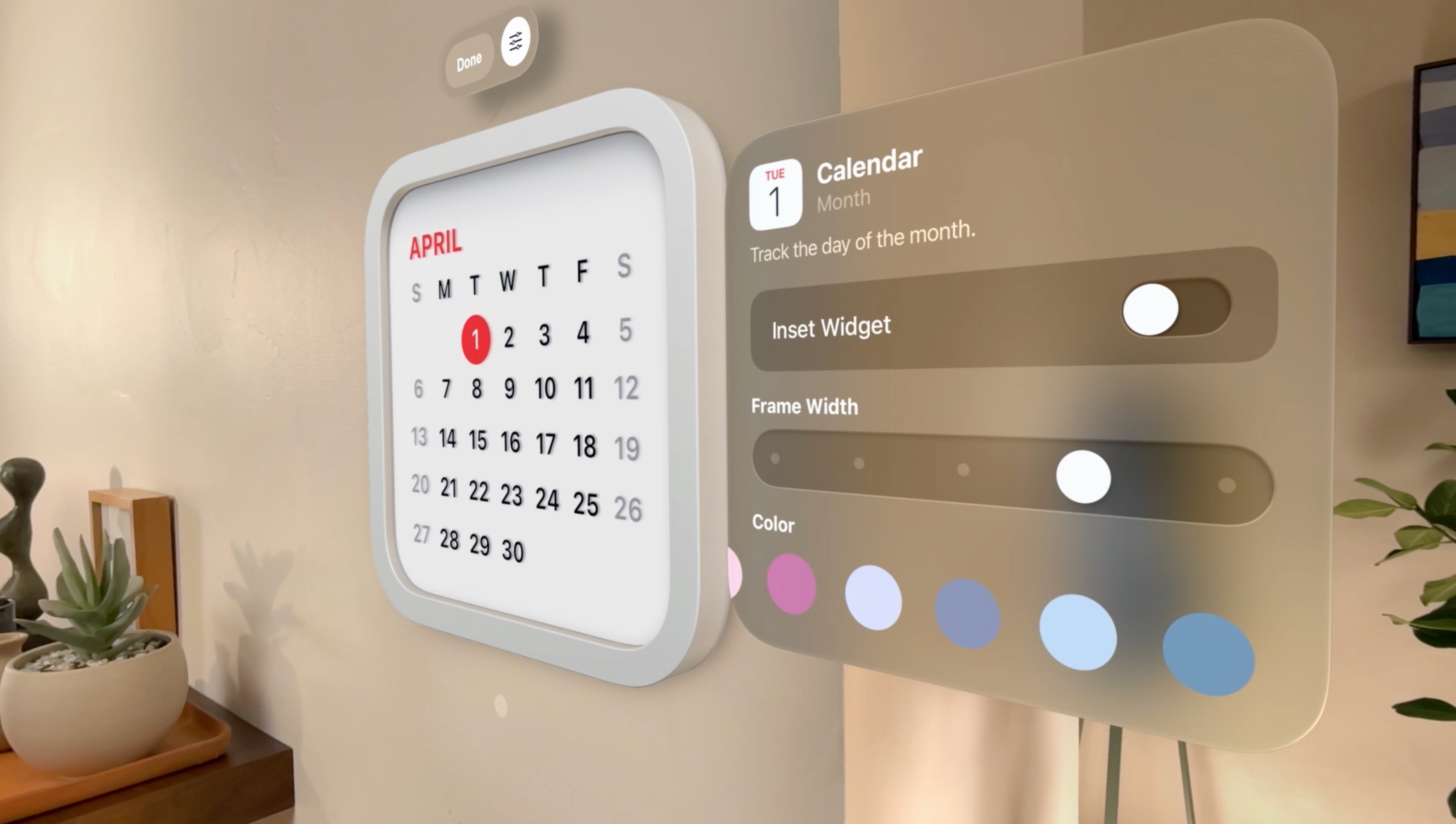 |
Widget feature of visionOS 26. Photo: Apple . |
For iPhone users, visionOS 26.3 will support unlocking the phone directly in the virtual environment, as well as receiving calls from the iPhone. The Personas feature has also been improved, providing a "more realistic and familiar feel" by increasing the detail of the virtual avatar's hair, eyelashes, and skin tone.
The new update allows multiple Vision Pro users to experience 360-degree content simultaneously in a room, and expands language support to include French, German, Japanese, and more.
Apple also introduced watchOS 26 with the Liquid Glass interface. On Apple Watch Series 9 and later, users can rotate their wrist to dismiss notifications or alarms. The operating system can monitor ambient noise and automatically adjust the volume of notifications and incoming calls.
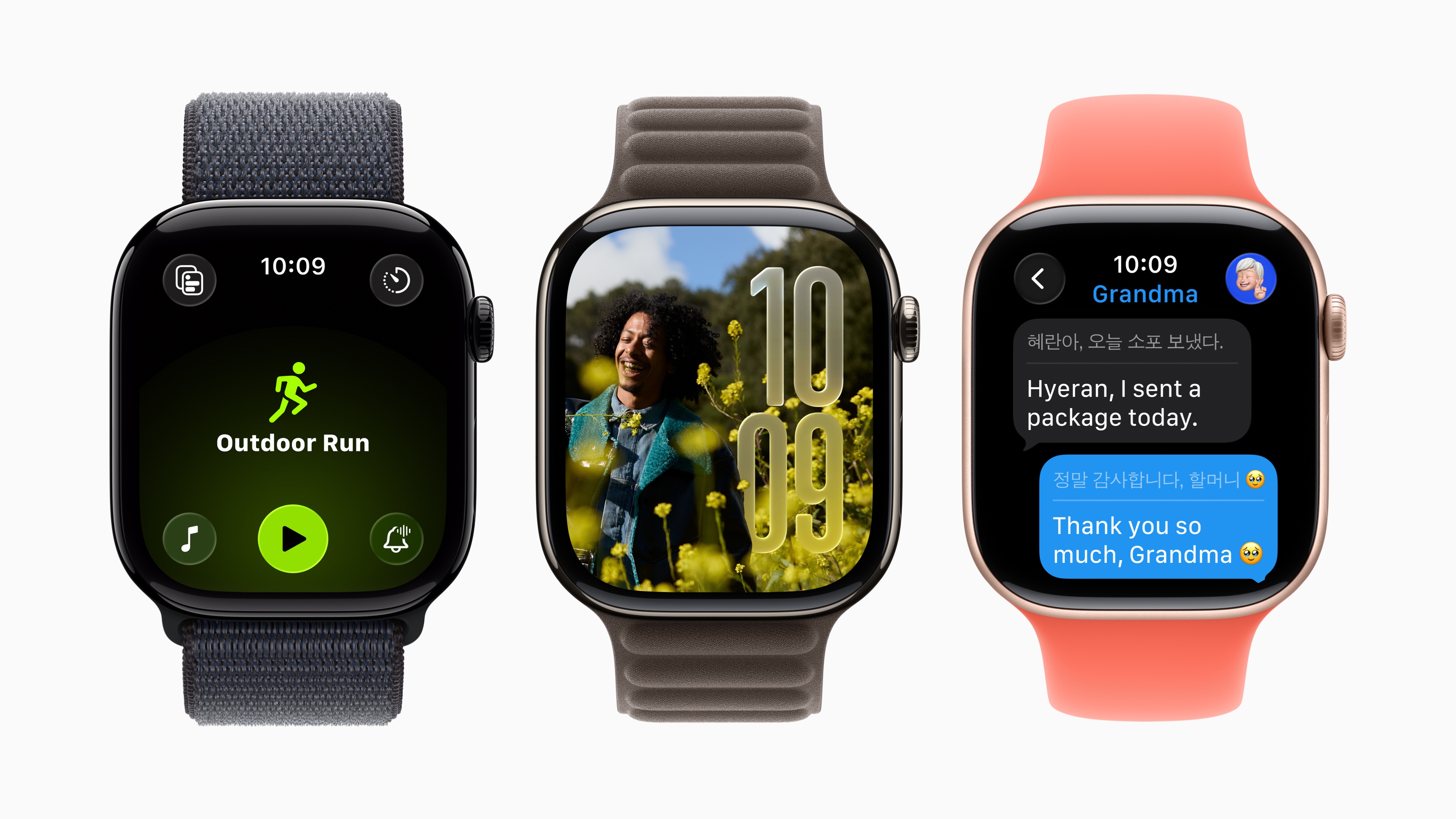 |
The Liquid Glass interface on watchOS 26. Photo: Apple . |
watchOS 26 also adds the Workout Buddy fitness feature. Leveraging Apple Intelligence and workout data, the tool can analyze information and provide suitable workout recommendations. The Workout app has been redesigned with shortcuts in the four corners, while Apple Music uses an algorithm to suggest music based on workouts.
Other new features in watchOS 26 include the Notes app for pinning and creating notes, and iPhone-like call assistance tools such as Hold Assist and Call Screening.
Source: https://znews.vn/day-la-giao-dien-moi-cua-iphone-ipad-post1559533.html


![[Photo] Prime Minister Pham Minh Chinh departs for an official visit to the Russian Federation.](https://vphoto.vietnam.vn/thumb/1200x675/vietnam/resource/IMAGE/2026/03/22/1774160262864_vna-potal-thu-tuong-pham-minh-chinh-len-duong-tham-chinh-thuc-lien-bang-nga-8656056-6903-jpg.webp)



















































![[Photo] General Secretary To Lam attends the ceremony commemorating the 80th anniversary of the founding of the Engineering Corps.](https://vphoto.vietnam.vn/thumb/402x226/vietnam/resource/IMAGE/2026/03/22/1774154480574_anh-man-hinh-2026-03-22-luc-11-41-07.png)































Comment (0)