Just a few months after the community discovered a way to enable the 'Native NVMe' feature from Windows Server to increase data write speeds by up to 80% for SSDs on Windows 11, Microsoft officially took action to block it.
Microsoft throttles SSD speeds by 80% on Windows 11 with an update.
The controversy began when Microsoft announced that Windows Server 2025 would support the new Native NVMe architecture, enabling server systems to achieve dramatically higher IOPS (input/output operations per second).
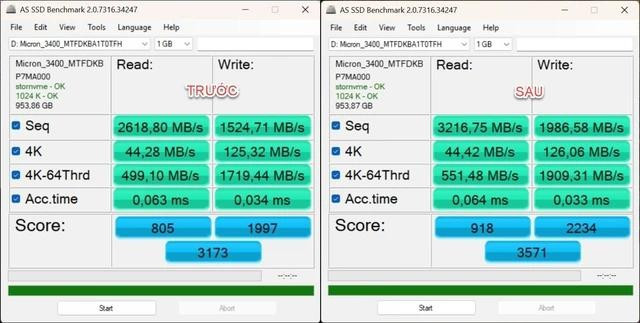
SSD speeds on Windows 11 skyrocket after enabling Native NVMe.
Microsoft explained that they have removed the outdated mechanism of viewing NVMe SSDs as SCSI (Small Computer System Interface) drives, which were originally designed for spinning HDD drives.
Immediately, tech enthusiasts discovered Registry keys to bring this feature to Windows 11 versions 24H2 and 25H2. The actual results were extremely impressive, especially in random write speeds.
Based on widely shared AS SSD Benchmark results, random write speeds (4K-64Thrd) increased dramatically after applying the trick, pushing the SSD's overall score to a new level.



The impact of this improved IOPS has helped the system become more responsive, especially with computers that have weaker CPUs.
However, in the latest Windows 11 Insider builds, members of the My Digital Life forum discovered that previously existing Registry commands have been completely disabled. Microsoft appears to have silently blocked this feature, forcing users to revert to the slower standard SCSI NVMe driver.
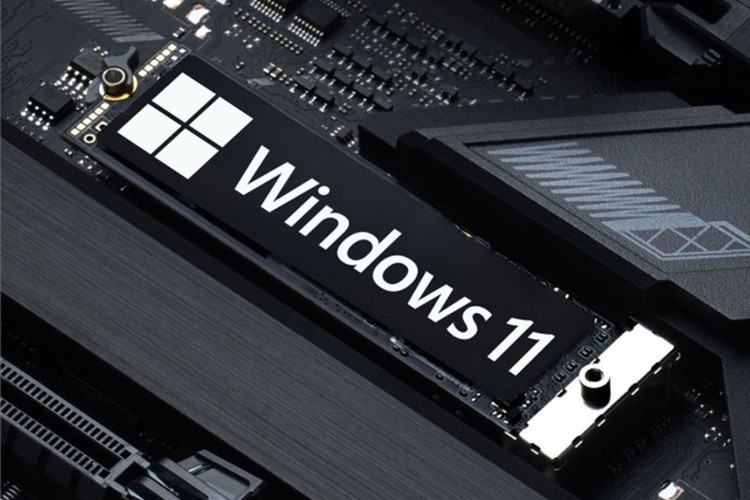
The trick to speeding up SSDs on Windows Server 2025 that was copied to Windows 11 has been blocked.
Although no official announcement has been made, experts speculate that Microsoft is concerned about stability. A feature that hasn't been thoroughly tested (only optimized for server environments) could cause data errors, blue screen errors, or hardware conflicts on billions of devices.
Allowing such an experimental feature to be enabled would be too risky for Microsoft on consumer versions of Windows.
Users still find ways to 'circumvent the rules'.
Although the path to modifying the Registry has been blocked, the user community has still found other ways to 'circumvent the rules'. Deskmodder notes that users can still enable Native NVMe functionality through the dedicated tool ViVeTool, and provides specific instructions on how to do so.



Download ViVeTool from GitHub and extract it. Right-click on the Start menu > select Terminal (Admin) under Command Prompt (shortcut Ctrl + Shift + F2). Then navigate to the folder containing ViVeTool, for example, the ViVe folder is in drive C, type cd C:\ViVe and press Enter. Finally, type the command vivetool /enable /id:60786016,48433719 and press Enter to restart.
Of course, using tools that deeply interfere with the system like ViVeTool always carries risks. However, for those who want to "squeeze out" the performance of their expensive SSD, this is the price they are willing to pay so that Windows 11 no longer throttling their computer's speed.
Source: https://khoahocdoisong.vn/microsoft-chan-thu-thuat-tang-toc-ssd-บน-windows-11-post2149094244.html

![[Photo] "Hanoi Lotus Festival" honors the lotus flower that has been associated with Vietnam for thousands of years.](https://vphoto.vietnam.vn/thumb/1200x675/vietnam/resource/IMAGE/2026/06/27/1782516943048_sen-ha-noi-2026-minh-duy-1-jpg.webp)