You can increase Wi-Fi coverage in your home or office simply by changing the location of your Wi-Fi router. If the router is placed too far away or in areas with many obstacles that block the signal, it can cause slow internet speeds, weak signals, and intermittent connection issues.
Here are some optimal locations you can use to make your Wi-Fi network stronger and more secure.
Place the broadcasting device in the center.
Wi-Fi routers typically transmit signals in all directions, not just one. Therefore, if you place the router in a corner of your house, the Wi-Fi signal will be obstructed by the walls. This will cause interference and prevent it from covering the entire house.
As a result, the quality of the Wi-Fi signal is also worse, affecting activities such as playing games, watching movies, and listening to music.
The center of the house usually has fewer obstructions, allowing the signal to travel further, be more stable, and spread evenly in all directions. The living room or common area is typically an ideal location for a Wi-Fi router. Also, make sure this is a space you frequently visit to use your Wi-Fi connected devices. This will ensure you experience the best internet signal quality.
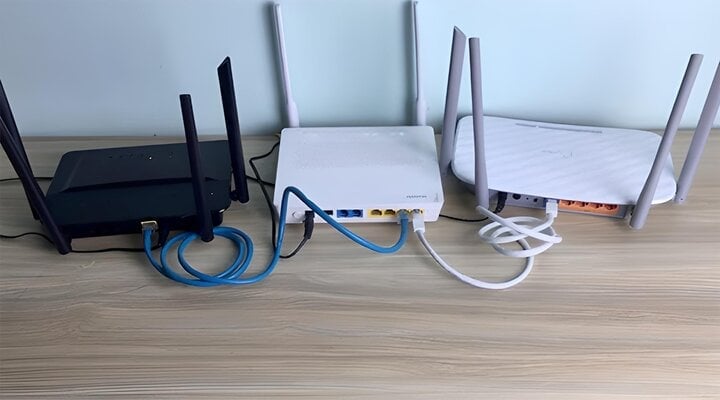
The location of the Wi-Fi modem will determine the strength of the Wi-Fi signal. (Illustrative image)
It should be placed in high positions.
Most Wi-Fi signals tend to ripple downwards. Therefore, placing the router on the ground will not allow you to fully utilize its signal transmission capabilities. Placing it higher will prevent the Wi-Fi signal from being obstructed by furniture such as tables, chairs, and cabinets, resulting in significantly stronger internet speeds.


The best distance to place a Wi-Fi modem is at least 1 meter above the ground to ensure a stable connection and minimize interference from household items. Furthermore, in multi-story houses, a higher position allows upper floors to receive a faster, stronger, and smoother signal.
Keep away from kitchen areas and landline telephones.
Many people think that placing the Wi-Fi router in the living room is unsightly, so they put it in the kitchen for a neater space where fewer guests visit. This is a completely wrong idea because the kitchen is where you cook, and there are many obstacles such as microwaves, refrigerators, tables, chairs, kitchen cabinets, etc., which will weaken the Wi-Fi signal.
Furthermore, this is the area where you and your family cook, while we usually relax in the living room. The router in the kitchen is far from where we frequently use the internet. This makes it frustrating when the Wi-Fi connection is unstable and laggy.
The location next to the landline phone is also a place we should avoid because Wi-Fi is essentially electromagnetic waves, similar to telephones. It also creates dual-band 2.4GHz and 5GHz frequencies, just like Wi-Fi, so it will cause interference and affect the ability to connect to the Wi-Fi network.
To prevent interference between signals of the same frequency, place your Wi-Fi modem away from your landline phone. Additionally, there are other dual-band devices that you should avoid placing near your Wi-Fi router, such as Bluetooth speakers and older televisions.
Keep away from walls, obstacles, or large-section metal equipment.
Did you know that walls and large metal surfaces can both absorb and reflect Wi-Fi signals, causing interference? When signals emitted are in the opposite direction to the reflected Wi-Fi signals, conflicts arise, weakening the Wi-Fi signal and reducing internet quality. Therefore, you should avoid these obstacles to ensure a stronger Wi-Fi signal and a better experience.
Common obstacles include mirrors, walls, and metal surfaces, while wooden surfaces are less affected. However, for stable Wi-Fi, we should avoid all of these obstacles.
Adjust the direction of the Wi-Fi antenna accordingly.



The antenna is a crucial part of a Wi-Fi modem; it can rotate left and right at different angles. Therefore, take advantage of this feature to improve Wi-Fi signal coverage between different areas and floors.
Typically, with Wi-Fi routers that have two antennas, you should adjust them so that one points upwards and the other horizontally. This will help expand the coverage area in both horizontal and vertical directions, resulting in a wider signal and stronger Wi-Fi signal.
The strength of a Wi-Fi signal depends on many factors, and the location of the Wi-Fi router is one of them. Find a suitable place to install your Wi-Fi router for wide and secure coverage for your family.
THANH TÙNG (Compiled)
Source