

Adding music to Captions is an effective way to make your videos more engaging. This article will guide you on how to insert and upload music to Captions to make your videos even more interesting!
 |
Instructions on how to add music to CapCut from your existing music library.
One of the simplest ways to add music to CapCut is to use the available music library. Here, you'll find a wealth of melodies to explore .
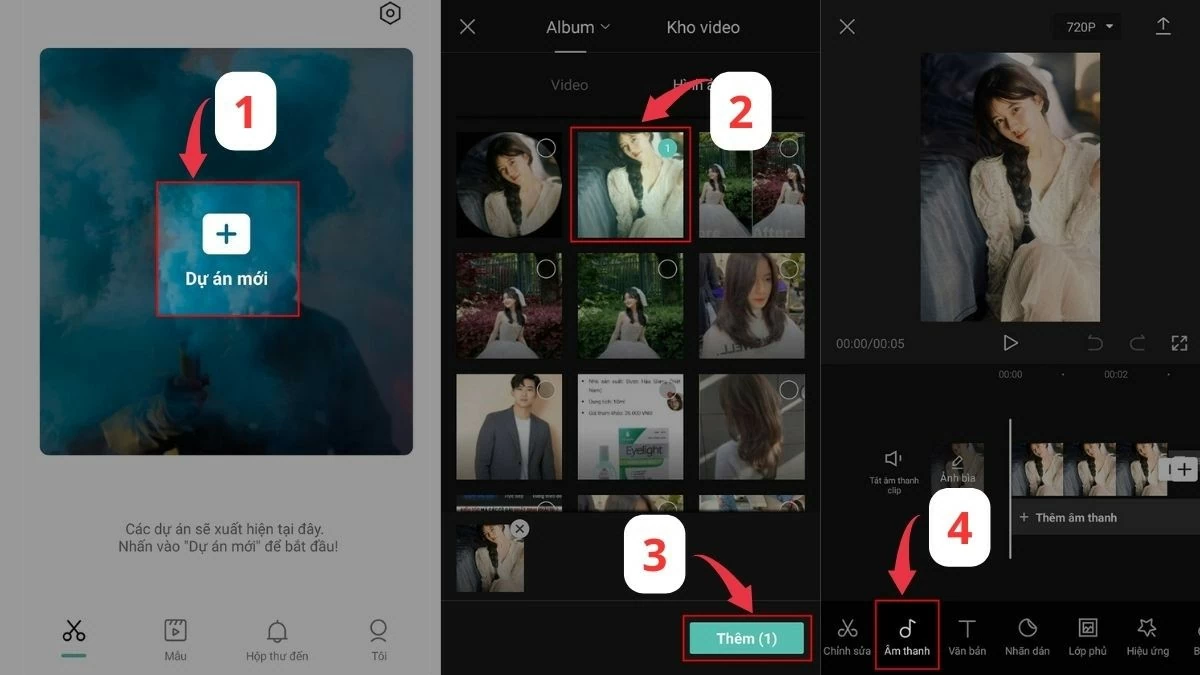
Step 1: First, open the CapCut app and start a new project. Choose the image or video you like, then tap the "Add" button. Next, find the "Audio" section at the bottom of the screen.
 |
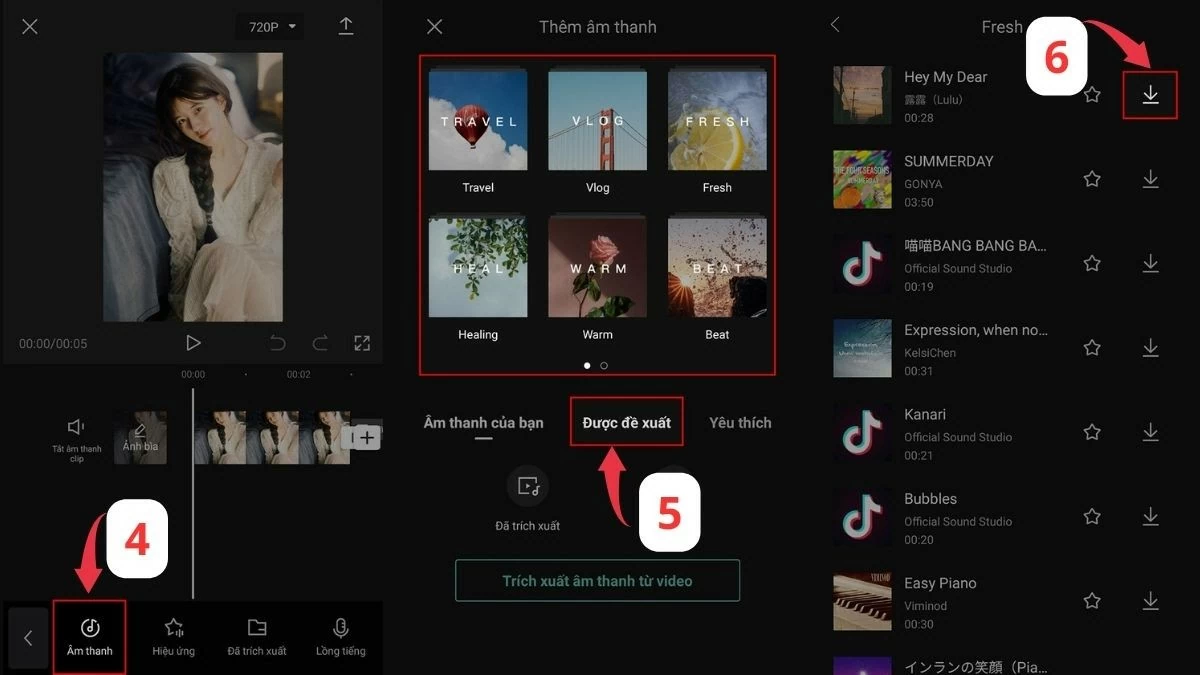
Step 2: Here, you'll find a variety of music genres such as Travel, Vlog, Fresh, Relaxing, Warm, and Beat. You can also select "Suggested" to explore great music suggested by CapCut. Choose your favorite song and tap the Download icon to save it to your device, preparing for the next steps in adding music to CapCut.
 |
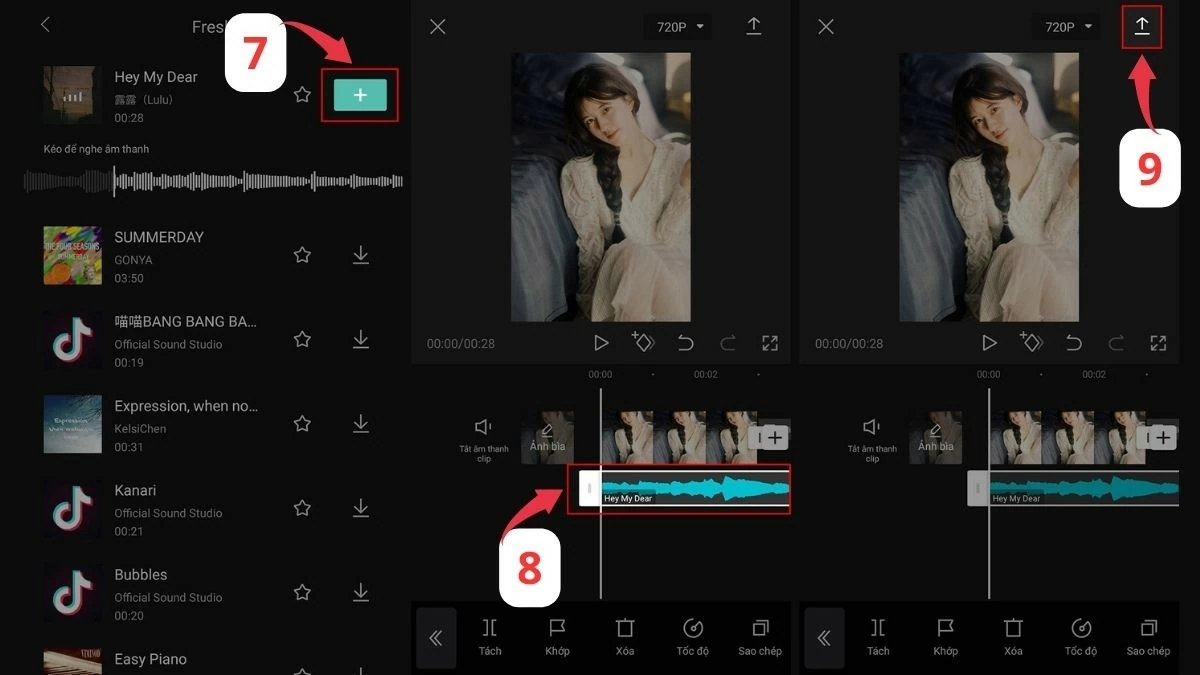
Step 3: After the download is complete, click the plus icon to insert music into the image or video. Then, drag the white frame to select the music you want. Once you're satisfied, click the download arrow in the upper right corner to save it. That's it! You've successfully added music to CapCut from your existing music library in a very simple way.
 |
Instructions on how to add music to CapCut from your phone's music library.
If you want to use your favorite music saved on your phone, there's a simple way to add music to CapCut from your device's music library.
Step 1: First, open the CapCut app and start a new project. Next, select the photos or videos you want to combine with the music, then tap the "Add" button to continue.
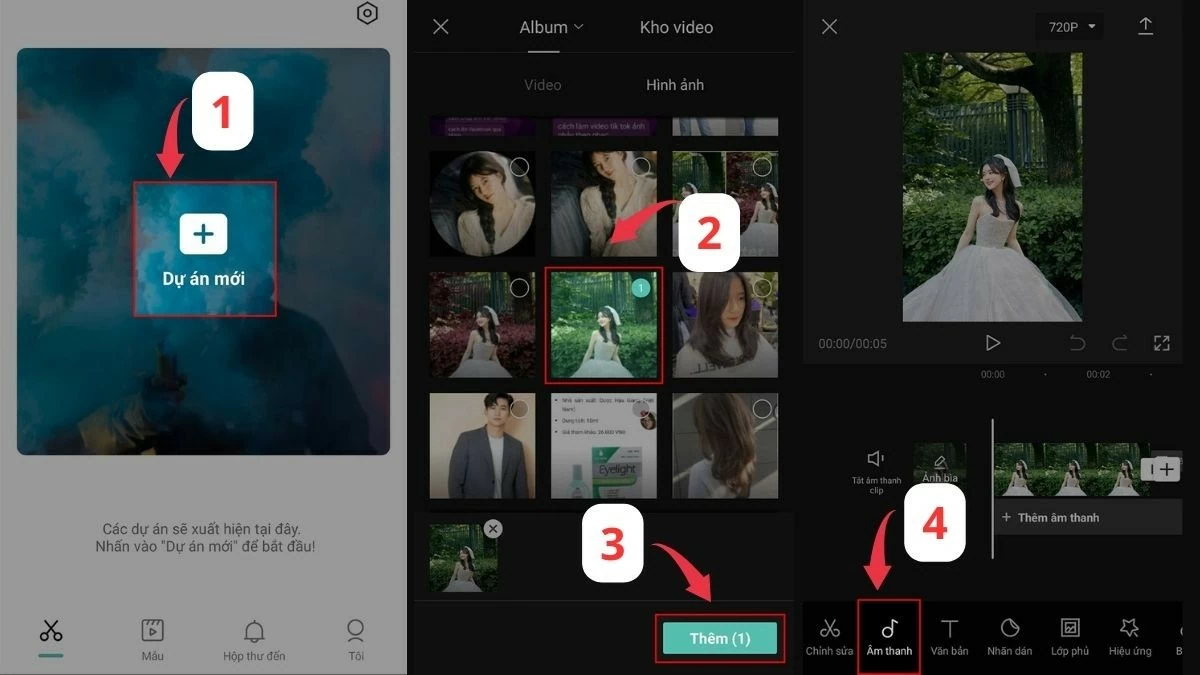 |
Step 2: Similar to how you download music to CapCut, find the "Audio" section at the bottom of the screen. Next, tap the rectangular folder icon to access the audio files on your device.
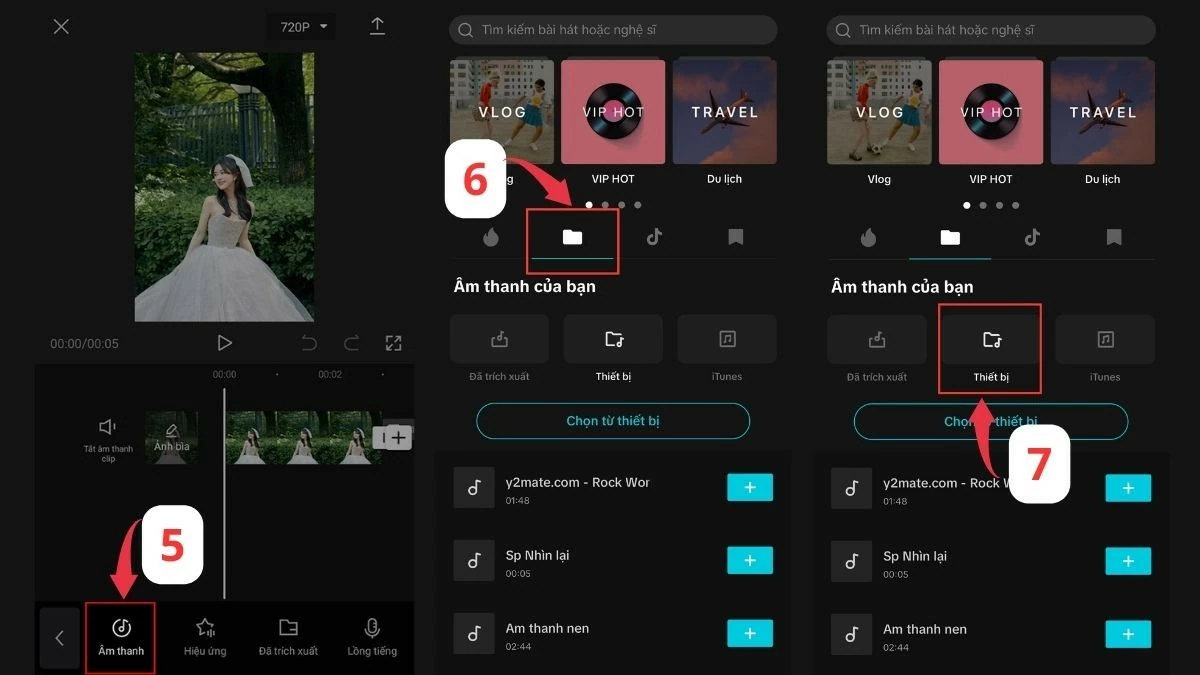 |
Step 3: Find the song you like and tap the plus icon on the right to add the audio. Drag the white frame to define the desired music segment. Once you're satisfied with your selection, tap the arrow in the upper right corner to save the video and complete the process of adding music to CapCut.
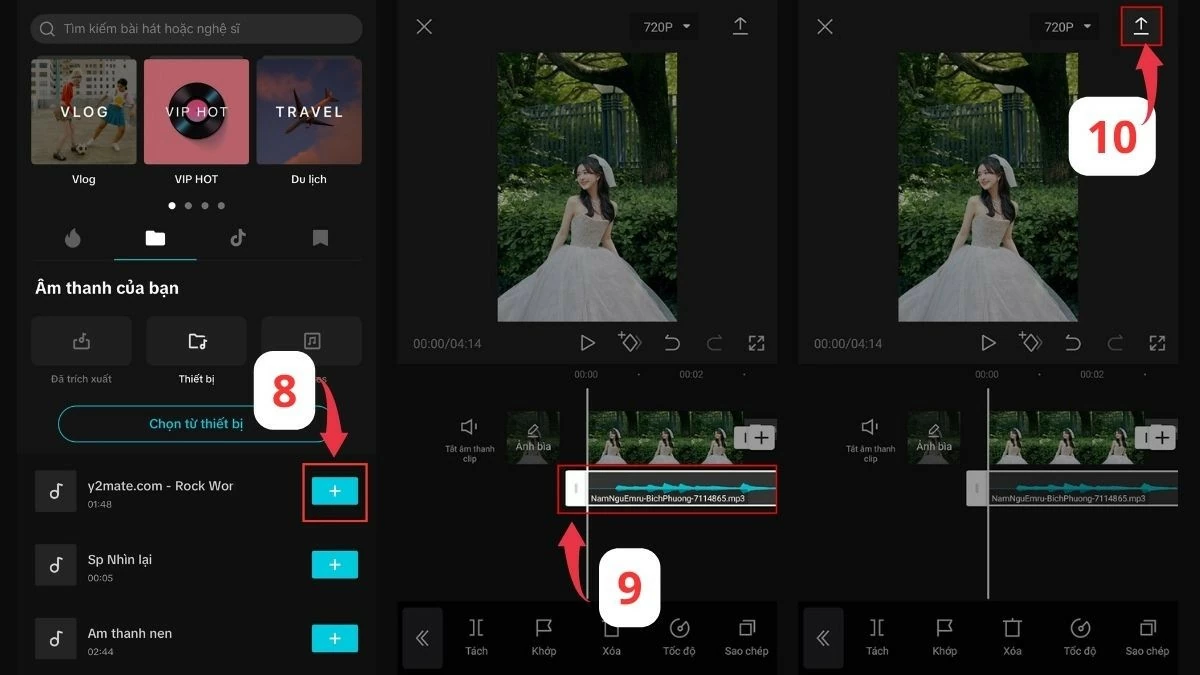 |
Instructions on how to insert music from TikTok into CapCut
TikTok isn't just a place to find fun short videos; it's also a treasure trove of music. With this method of adding music to TikTok's CapCut feature, you can add the hottest sounds to your videos.
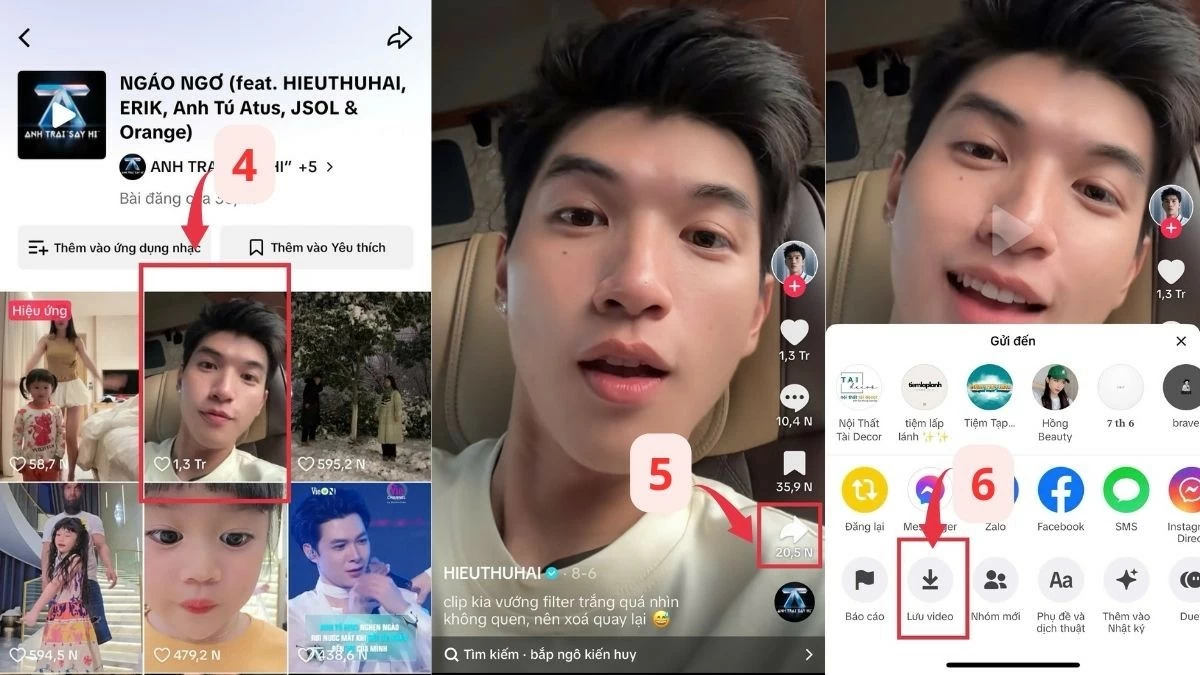
Step 1: Open the TikTok app and find the video with the audio you want to use.
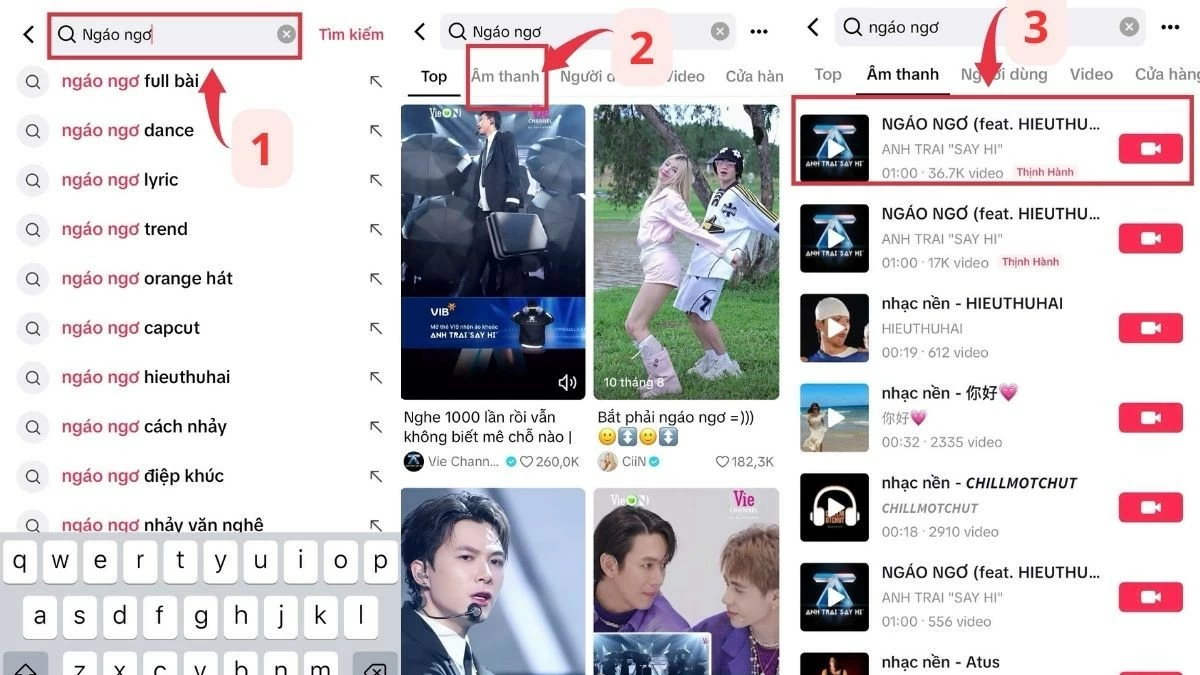 |
Step 2: Click on the song title to access the audio page. Next, select the share button to download the video to your device, preparing to add music to CapCut.
 |
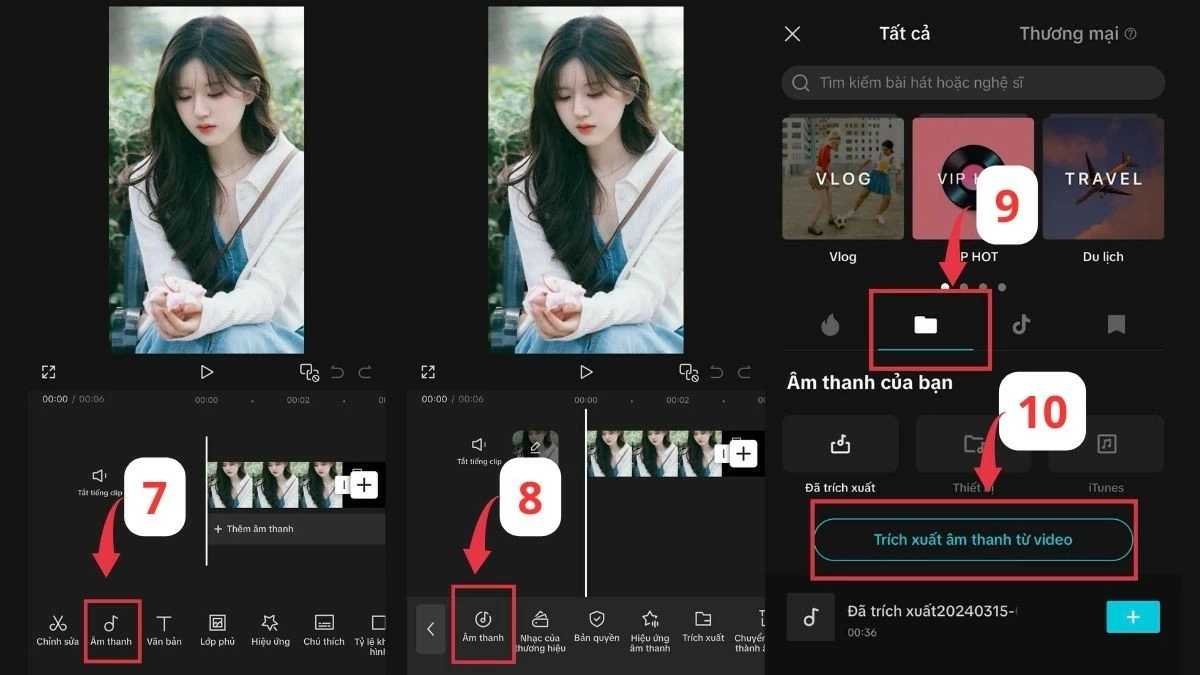
Step 3: Open CapCut, select the audio section, then go to the audio folder. Next, click on the file icon and select "Extract audio from video".
 |
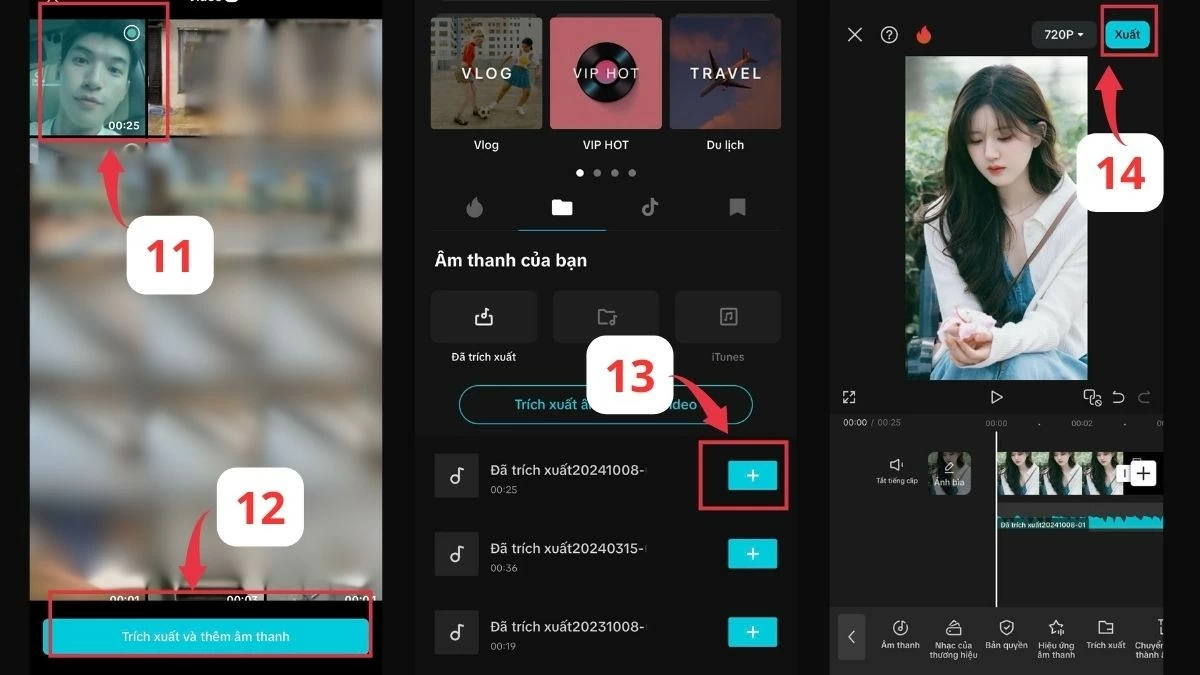
Step 4: Next, select the downloaded video, then click the blue "Extract and add audio" button. Once the audio is successfully extracted, simply click the plus sign to use the music from TikTok for your video in CapCut. Finally, edit and export the video to complete the best way to add music to CapCut.
 |
Hopefully, through this article, you have understood how to add music to CapCut as well as some tips to enrich your videos. Don't hesitate to experiment with different ways to insert and load music into CapCut to create unique videos.
Source
![[Photo] General Secretary and President To Lam meets with National Assembly delegates from ethnic minorities.](https://vphoto.vietnam.vn/thumb/1200x675/vietnam/resource/IMAGE/2026/04/20/1776696701056_a1-bnd-8331-3342-jpg.webp)



![[Image] National Assembly discusses the implementation of the socio-economic development plan.](https://vphoto.vietnam.vn/thumb/1200x675/vietnam/resource/IMAGE/2026/04/20/1776696707422_ndo_br_img-20260420-185419-jpg.webp)




































































































Comment (0)