

Facebook Messenger is currently one of the largest messaging platforms worldwide . Facebook Messenger's main competitor is WhatsApp, another service owned and operated by Facebook.
Messenger is not just a tool for chatting with friends, but also a powerful, multi-functional application. Here's how to use Messenger without Facebook.
How to use Messenger without Facebook
If you don't already have a Messenger account, the first thing you need to do is sign up. If you already have one, you can skip to step 5.
Step 1: Download the Messenger app.
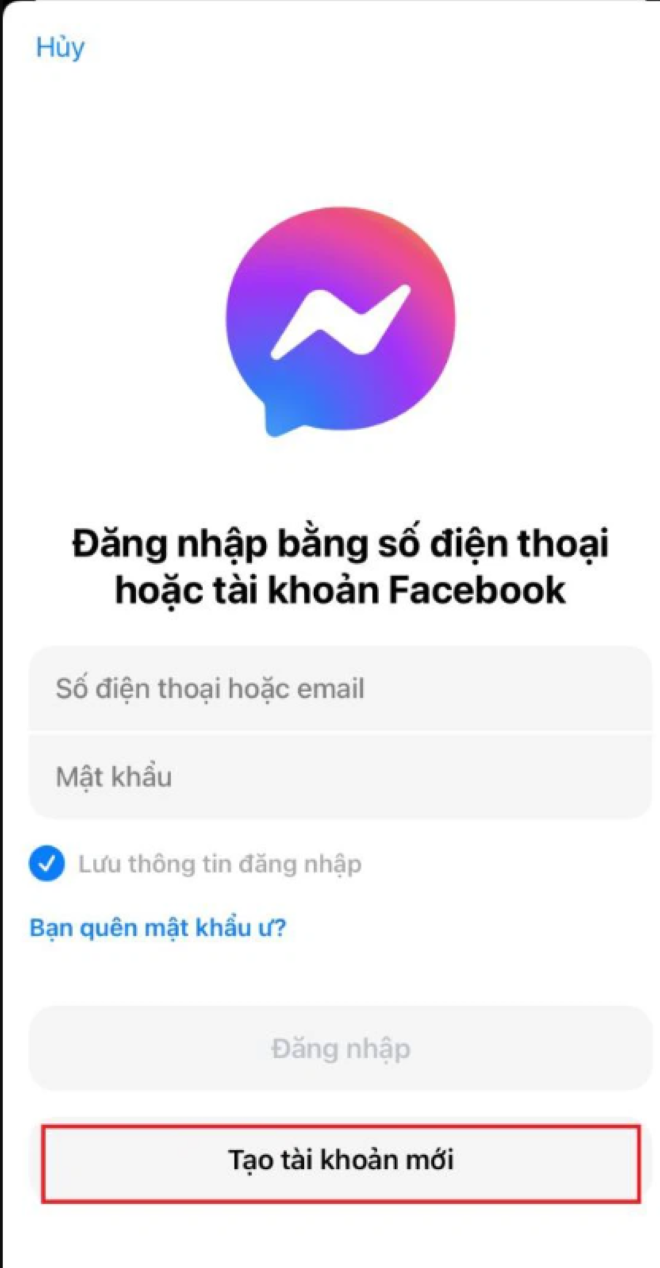
Step 2: Register for a Messenger account by selecting Create new account.
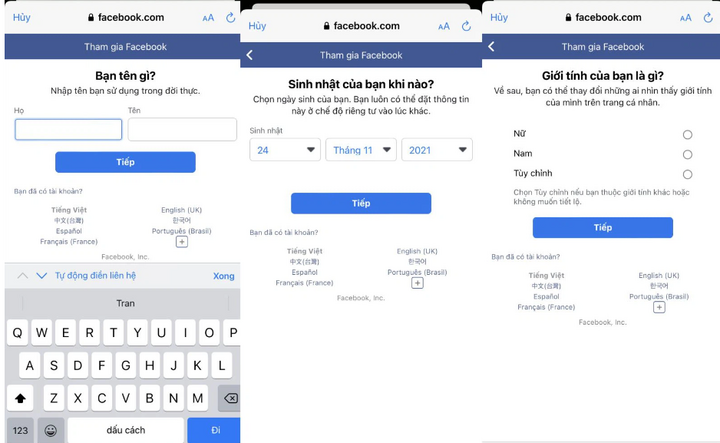
Step 3: Fill in the necessary information such as your full name, date of birth, phone number, gender, and password.
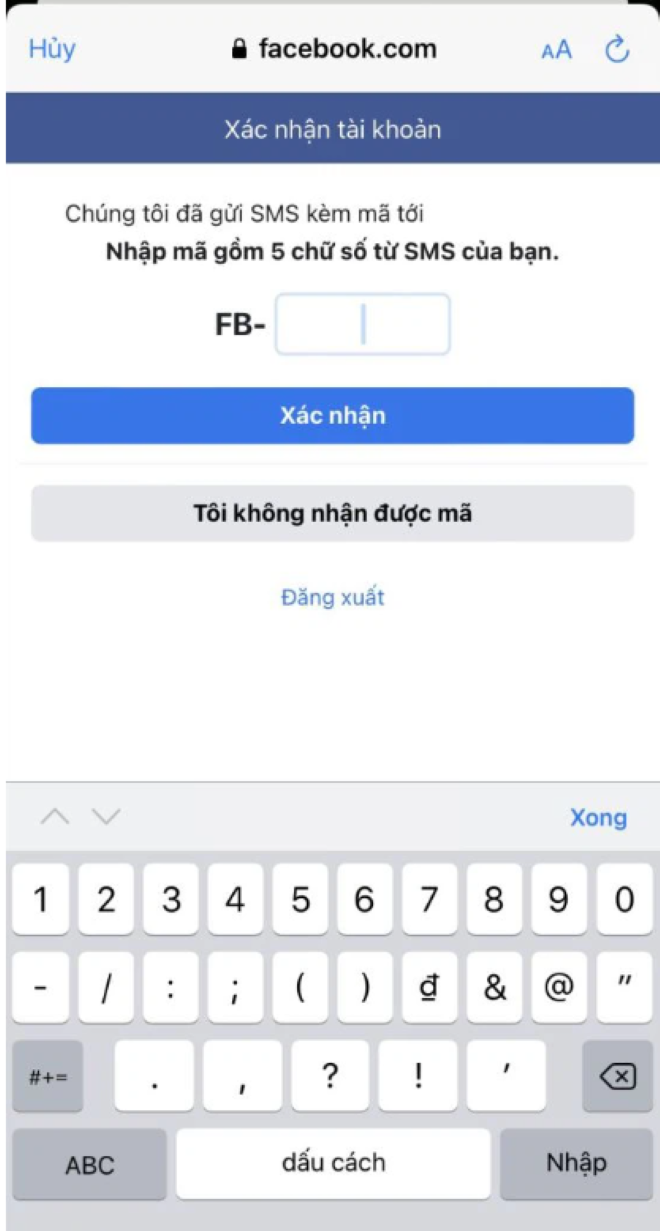
Step 4: At this point, Facebook will send you a verification code for Messenger. You have now successfully created your Messenger account. Next, you can add a photo so your friends can recognize you.
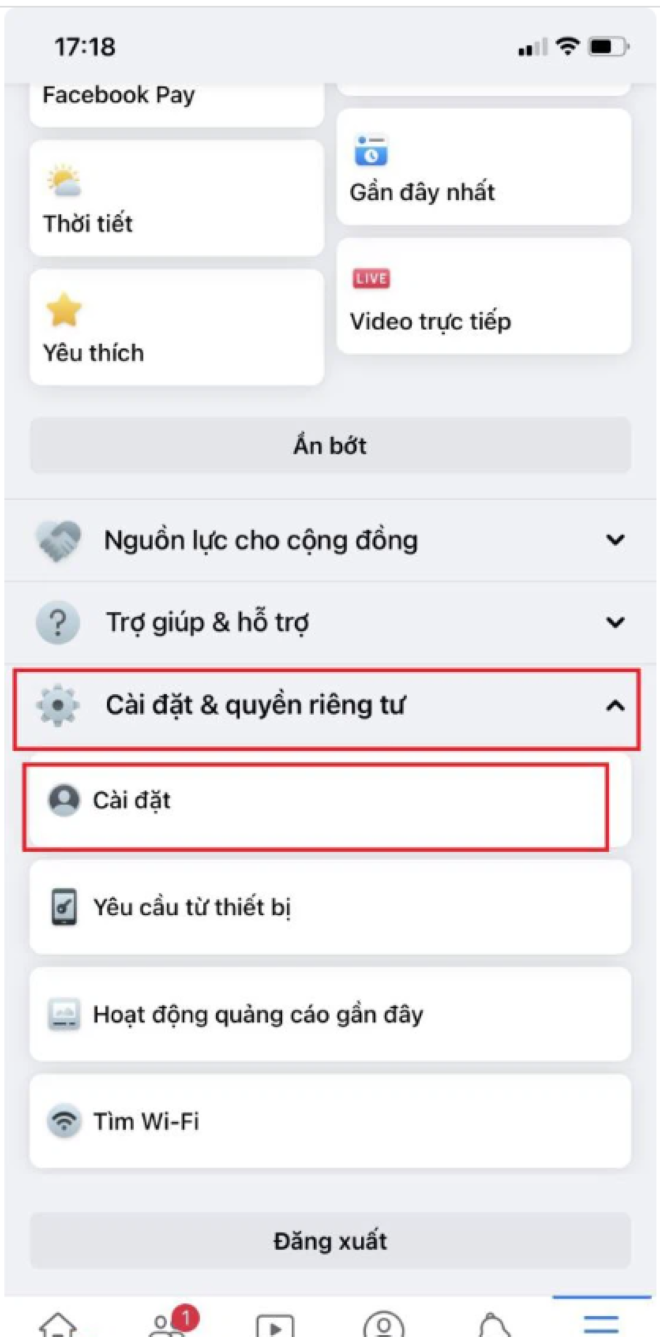
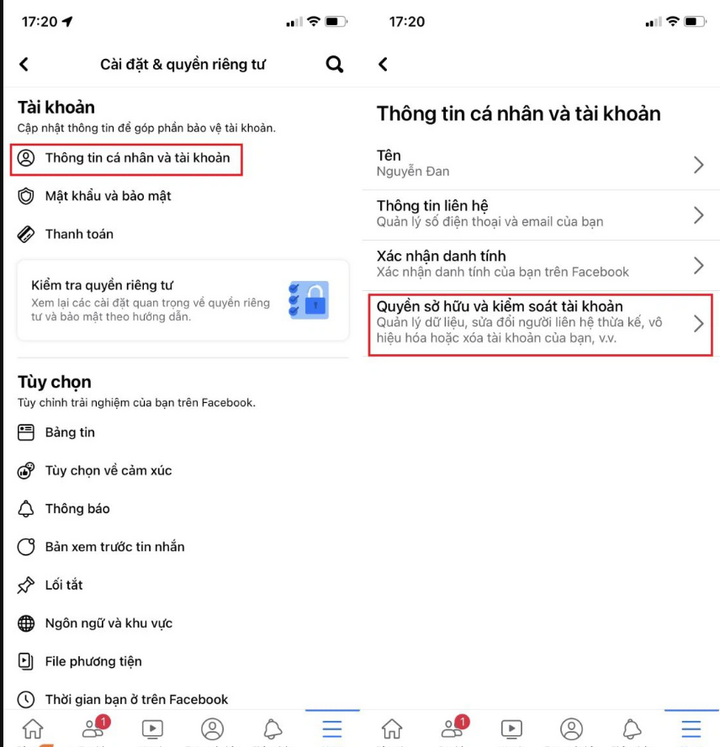
Step 5: After successful setup, you now need to switch your Facebook account to temporarily disable Facebook, meeting the needs of users who only use Messenger. Select "Menu", select "Settings & Privacy", then select "Settings".
Step 6: Select "Personal and account information", then select "Account ownership and control".
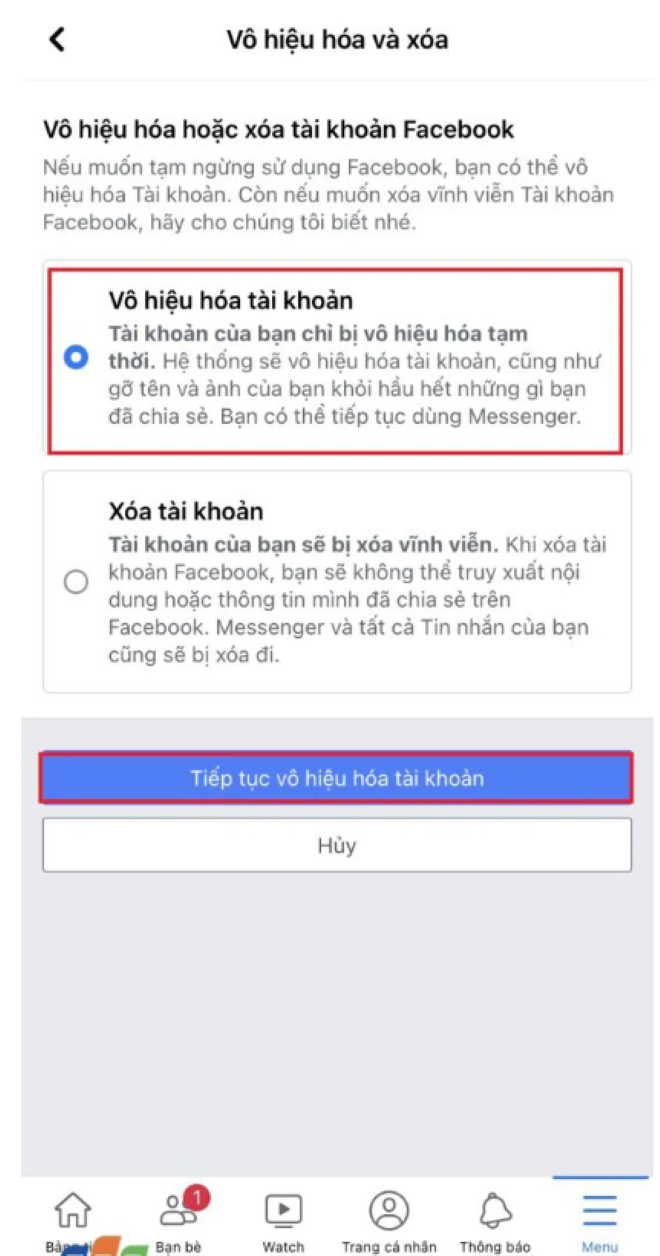
Step 7: Select "Disable and delete".
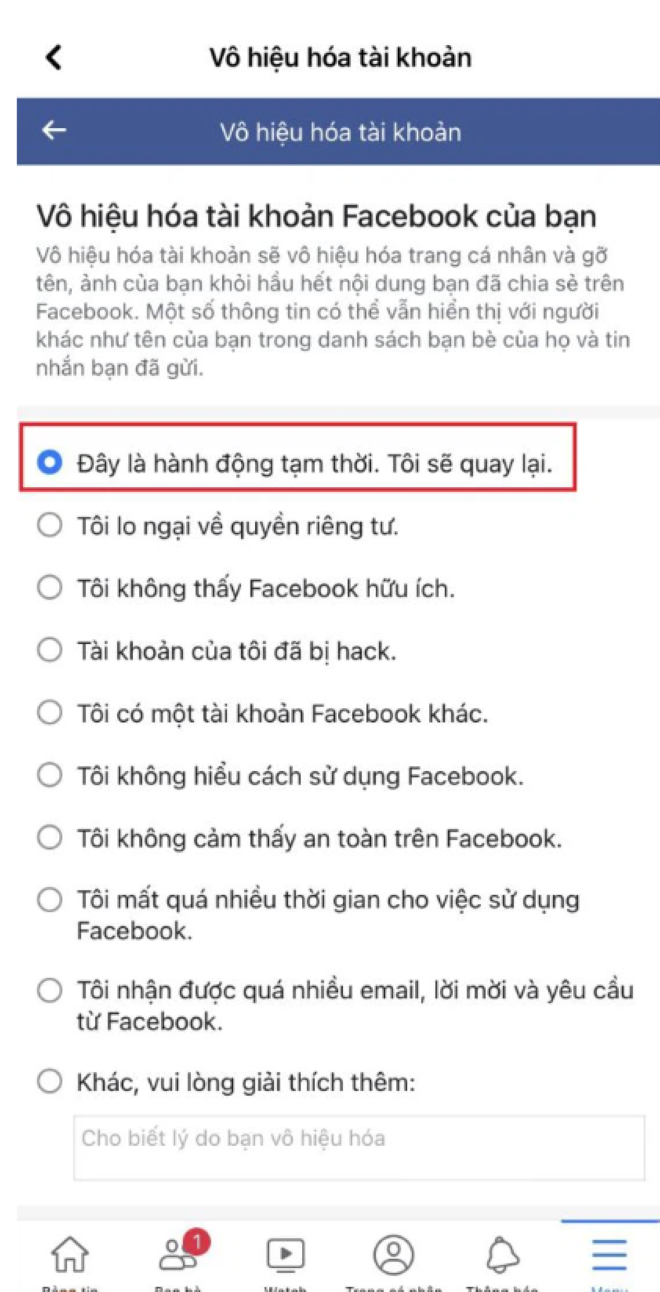
Step 8: To deactivate your account, you can select "This is a temporary action. I will be back later" for the reason.
Step 9: Select "Log out" and for the account reactivation section, select "Do not automatically reactivate", then select "Continue".
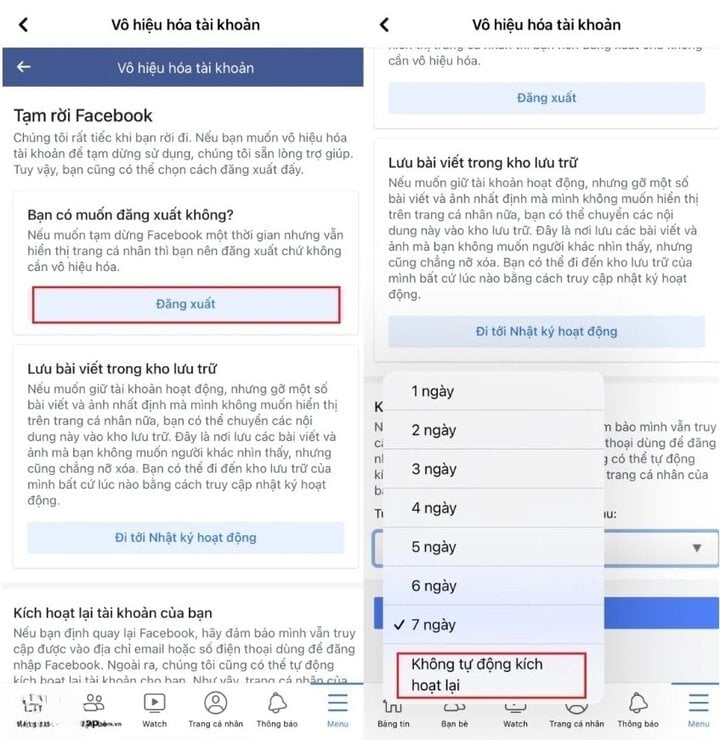
Step 10: If you don't want to receive any notifications from Facebook while your account is deactivated, select "Don't receive notifications from Facebook in the future," then select "Deactivate my account." That's it.
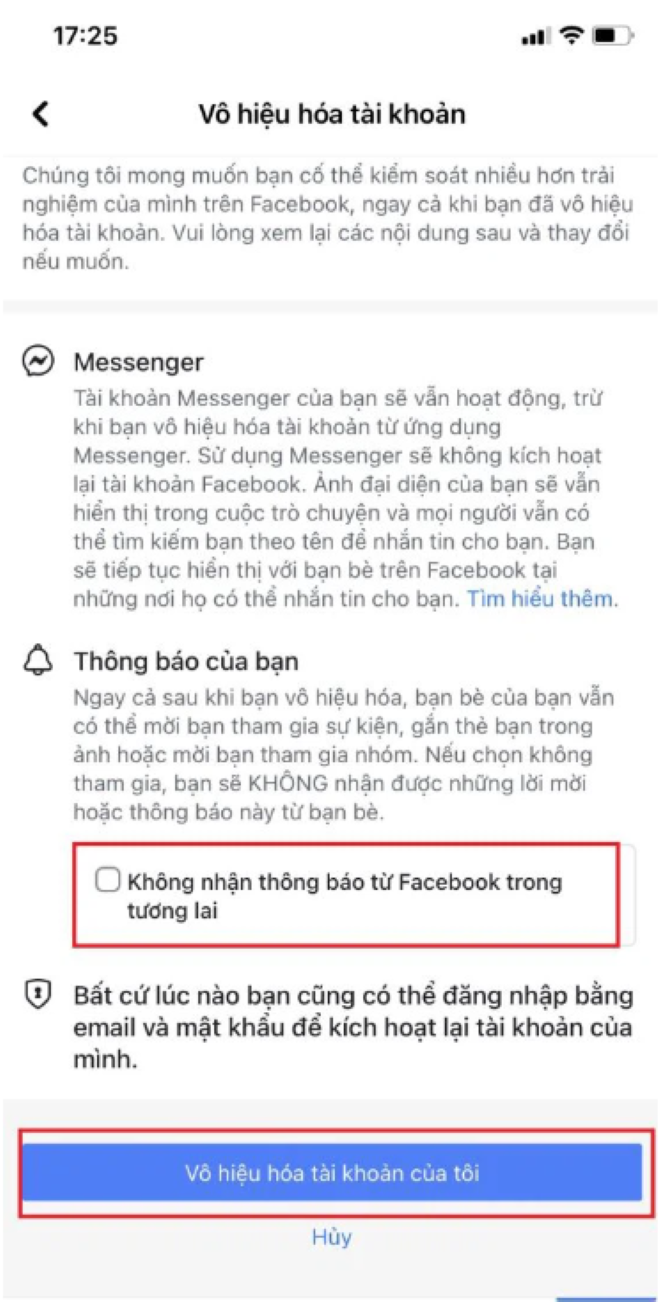
Above are the steps to help you use Messenger without Facebook easily. Please refer to and follow them. Good luck!
Khanh Son (Compiled)
Source































































































Comment (0)