

An OTP (One-Time Password) is a one-time password that will be sent by the bank, system, company, etc., via email, SMS, or a specific application. The OTP is a sequence of 4-6 random digits, depending on the regulations of each entity. For a transaction to be successfully completed, you must enter this verification code correctly.
OTP codes are a crucial part of secure authentication for many online services, but they can also pose a risk if they fall into the wrong hands. This article will guide you on how to automatically delete OTP codes on Android.
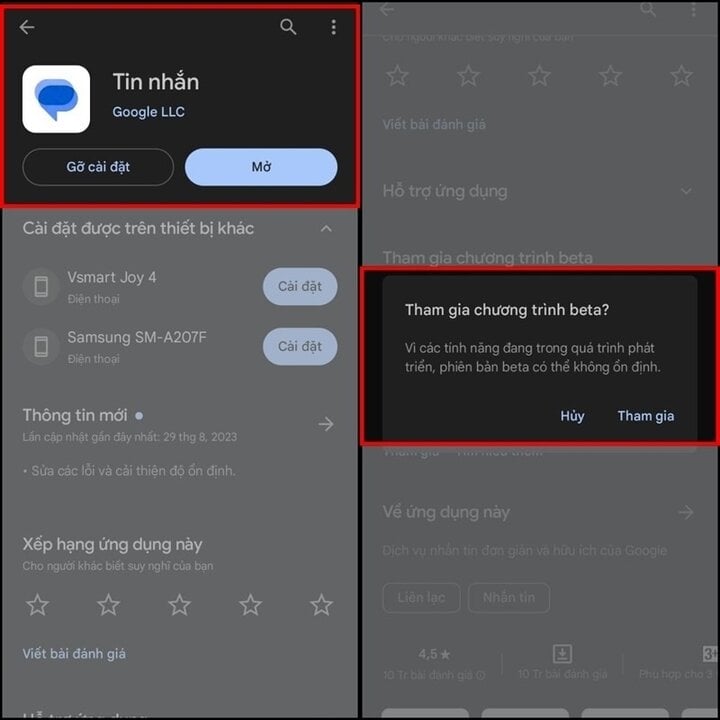
Step 1: Open the "CH Play" app and search for "Google Messages," then "Join the beta test," and press "OK" to officially join. Wait a few minutes for approval.
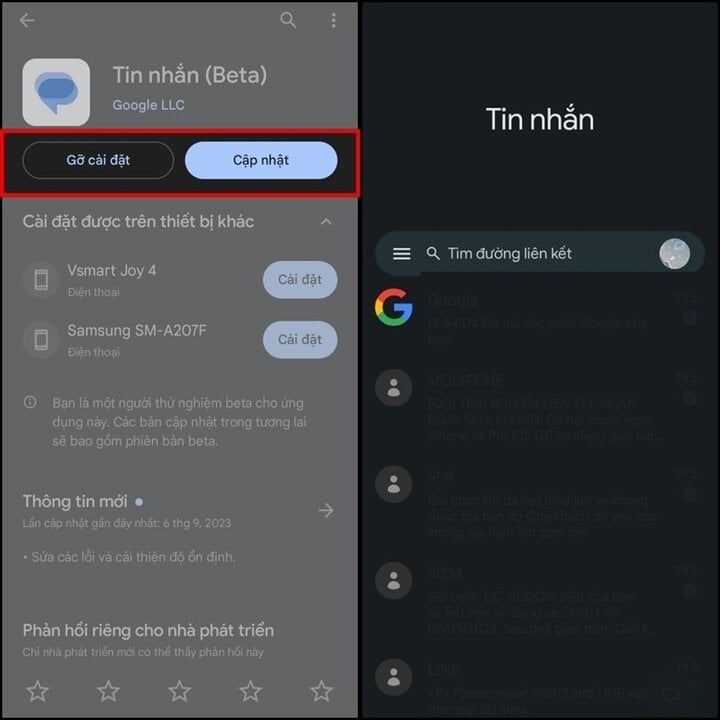
Step 2: After successful approval, "Update" the application and open it to proceed with the next steps.
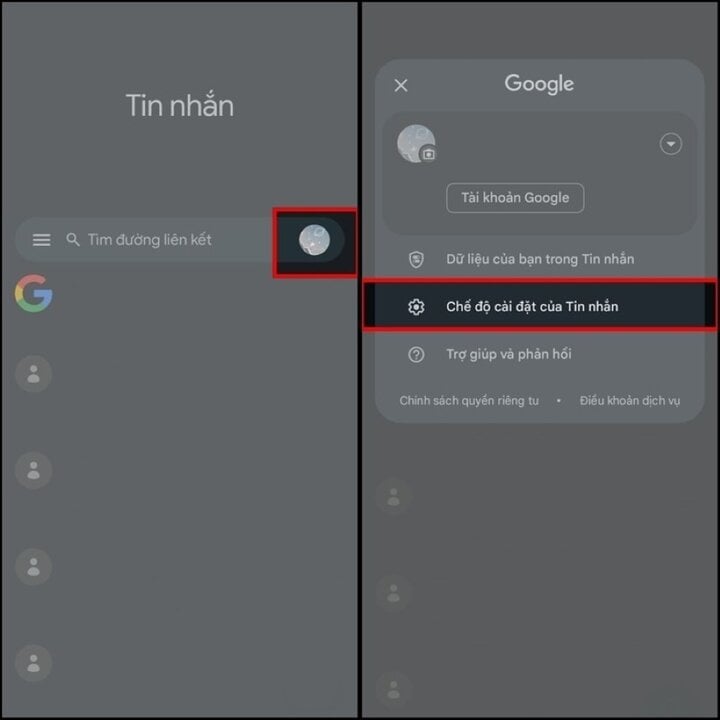
Step 3: Next, tap the Google account icon, then select "Message settings" in the settings section.
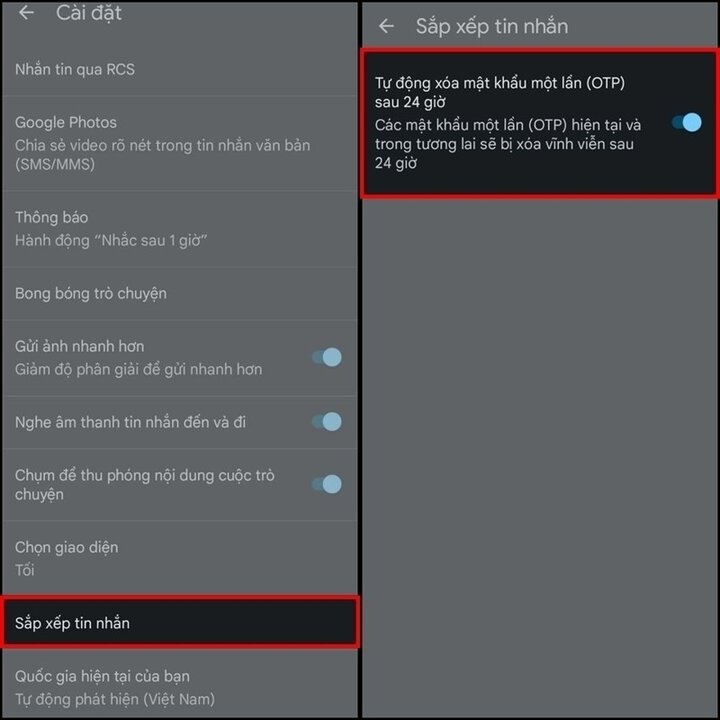
Step 4: In the settings, select "Organize messages," and enable the "Automatically delete one-time passwords (OTP) after 24 hours" feature. This will automatically delete OTP messages on your phone in the future.
Thus, with just a few simple steps, you can automatically delete OTP messages. Please refer to and follow these steps to help make your phone more secure.
Khanh Son (Compiled)
Source

![[Photo] General Secretary and President To Lam meets with National Assembly delegates from ethnic minorities.](https://vphoto.vietnam.vn/thumb/1200x675/vietnam/resource/IMAGE/2026/04/20/1776696701056_a1-bnd-8331-3342-jpg.webp)
![[Image] National Assembly discusses the implementation of the socio-economic development plan.](https://vphoto.vietnam.vn/thumb/1200x675/vietnam/resource/IMAGE/2026/04/20/1776696707422_ndo_br_img-20260420-185419-jpg.webp)
































































































Comment (0)