

In February, I shared my difficulties using the on-screen zoom feature for videos and expressed my desire for a hardware control button for more convenient operation. With the launch of the iPhone 16, I expected the device to meet my expectations thanks to the new Camera Control feature. However, the actual experience was more disappointing than satisfying.
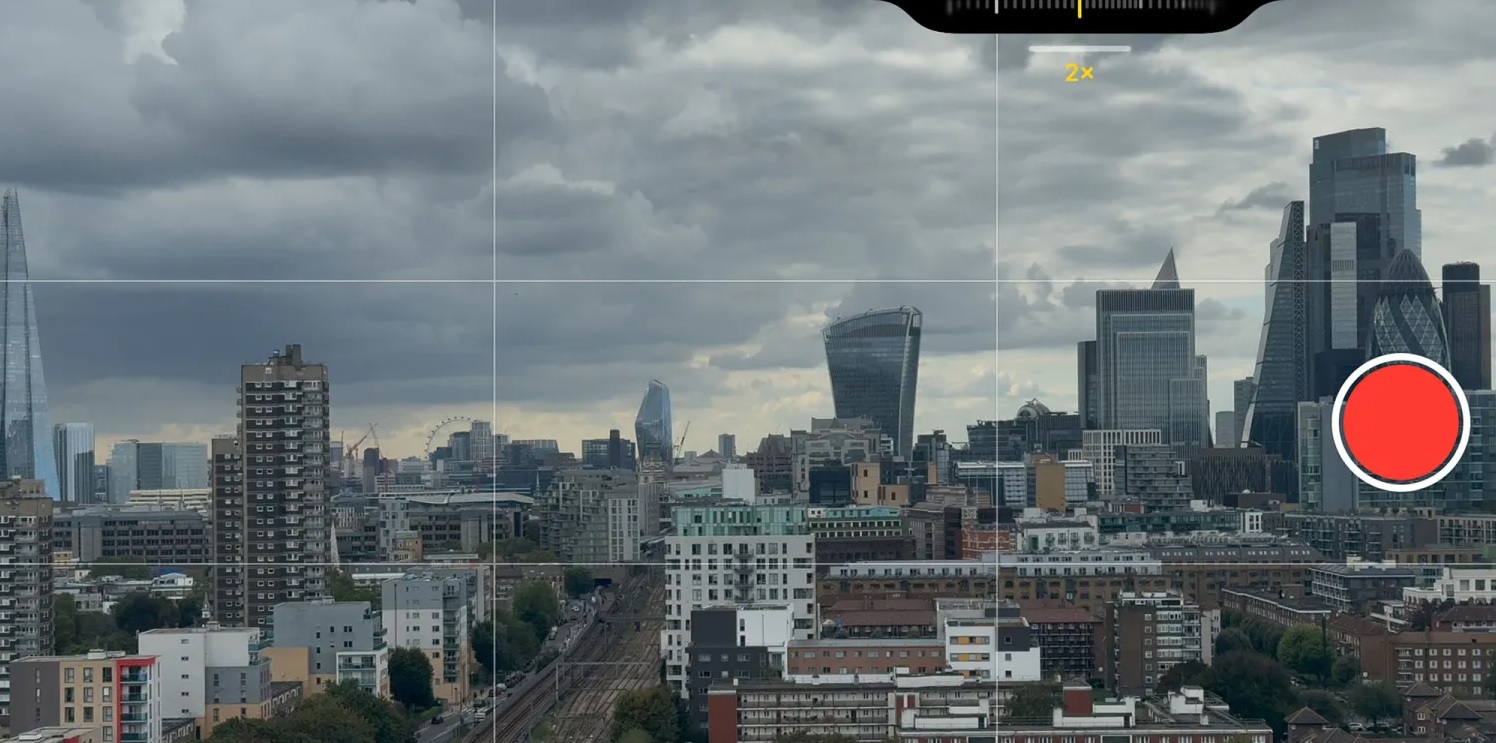
The issue with video zoom on the iPhone 16 camera.
Difficulty using Camera Control to zoom in.
Previously, I described the issues related to zooming in on videos using on-screen controls. Smooth operation by sliding a finger across the touchscreen is difficult, especially when the user needs to maintain a steady pressure. The inevitable pressure changes when holding the phone lead to changes in friction, causing zooming to often be jerky or jumpy, rather than smooth as desired.
However, with Camera Control on the iPhone 16, the situation is even worse. This feature creates many obstacles, making zooming in or out of videos much less effective.
Specific issues with Camera Control
There are two main reasons why the Camera Control slider on the iPhone 16 is unsatisfactory. First, the zoom range is limited by the length of the slider. When you drag your finger to the left or right edge of the slider, the zooming stops. This results in the inability to continue zooming in or out smoothly at desired levels. For example, starting from 5x, I could only zoom down to about 2.3x and couldn't go any further. Or from 0.5x to 2.7x, and then couldn't increase it any more.
Secondly, the Camera Control slider has a momentum effect, but only when the user slides it very quickly. This makes it difficult to control the zoom speed slowly and steadily. Instead of maintaining the speed, the slider will stop abruptly when the finger reaches the edge of the slider.
The experience is not smooth.
Unfortunately, controlling video zoom on the iPhone 16 is not only less smooth but also more jerky. While previously, using the on-screen controls was mostly smooth with only minor lags, Camera Control feels the opposite: mostly jerky, with only occasional smoothness.
Additionally, when users perform quick swipes to switch between lenses, Camera Control often skips some zoom levels. For example, swiping from 0.5x might skip 1x and stop at 2x. Or when zooming out, it might skip 1x and go straight to a lower zoom level. This makes zoom control via Camera Control inaccurate and inconsistent.
Positive sign: The software is repairable.
Fortunately, Camera Control's functionality can be fully adjusted through software. In some situations, such as when needing to zoom in quickly to capture a sudden moment, the current behavior may be appropriate. However, for the vast majority of everyday video recording situations, users need a smoother and more precise transition.
Apple could improve this by adjusting the software so that when users swipe slowly, the system automatically zooms in or out at a steady speed. If the user continues to hold their finger on the edge of the slider, the device will continue to zoom in at a constant speed, creating a smoother and more consistent experience.
Hoping for improvements from Apple.
We all know Apple hasn't perfected all the features of Camera Control yet. A key feature, mimicking the operation of a traditional camera with the ability to lock focus and exposure by half-pressing the button, is expected to launch later this year. Therefore, it's highly likely Apple will listen to user feedback and make the necessary changes to the Camera Control functionality.
Hung Nguyen (9to5mac)
Source: https://www.congluan.vn/van-de-thu-phong-video-บน-iphone-16-camera-control-can-duoc-cai-thien-post315160.html


![[Photo] The 14th Party Congress discusses the Congress documents in the assembly hall.](/_next/image?url=https%3A%2F%2Fvphoto.vietnam.vn%2Fthumb%2F1200x675%2Fvietnam%2Fresource%2FIMAGE%2F2026%2F01%2F21%2F1768970813473_image.jpeg&w=3840&q=75)






















































![[Image] Ho Chi Minh City simultaneously commences construction and breaks ground on 4 key projects.](https://vphoto.vietnam.vn/thumb/1200x675/vietnam/resource/IMAGE/2026/01/15/1768472922847_image.jpeg)










































Comment (0)