Simple ways to fix iOS 27 battery drain issues.
After upgrading to iOS 27, if you notice your iPhone battery draining faster than usual, you can try the following methods to improve battery life and help your device run more smoothly.
Turn off Background app refresh.
The background app refresh feature allows apps to update data even when they are not open. However, this also causes the battery to drain faster.
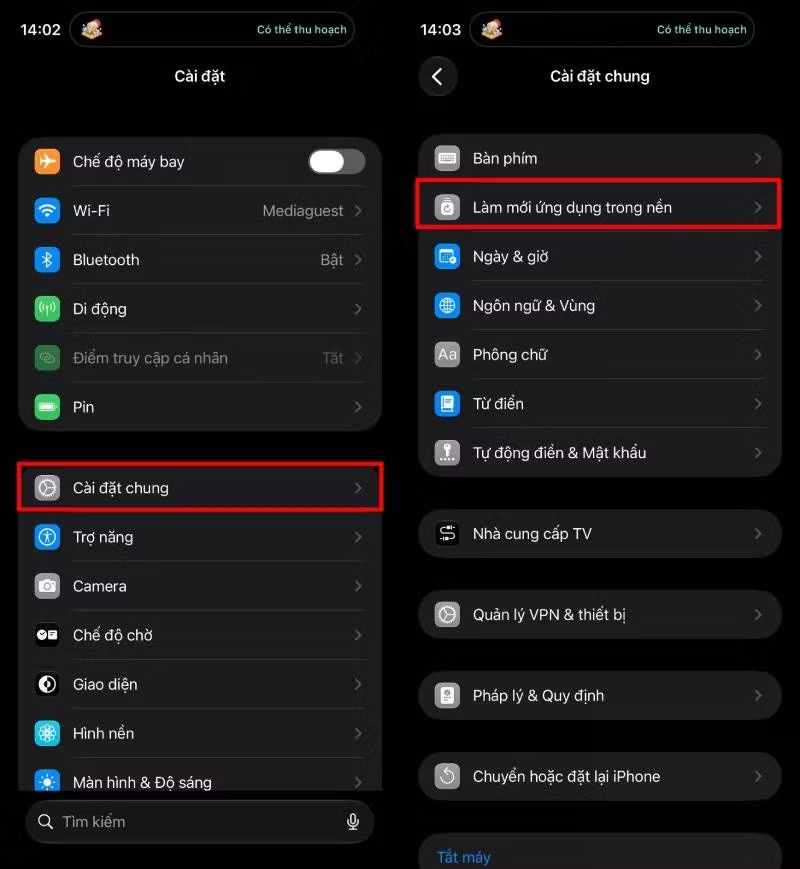
Step 1: Open Settings > General > Background App Refresh .
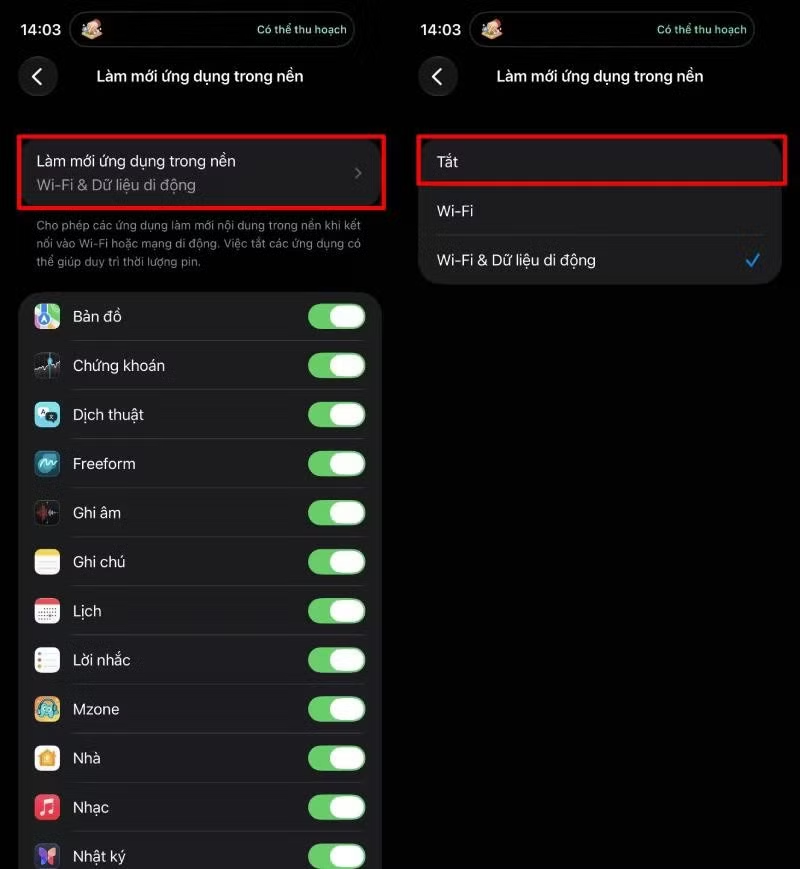
Step 2: Tap on Background App Refresh , then select Off to disable this feature.



Restart your iPhone.
After an operating system update, some background processes may become unstable, causing the device to overheat and drain the battery. Restarting your iPhone will refresh the system, free up unnecessary tasks, and can significantly improve battery life if the issue is only temporary.
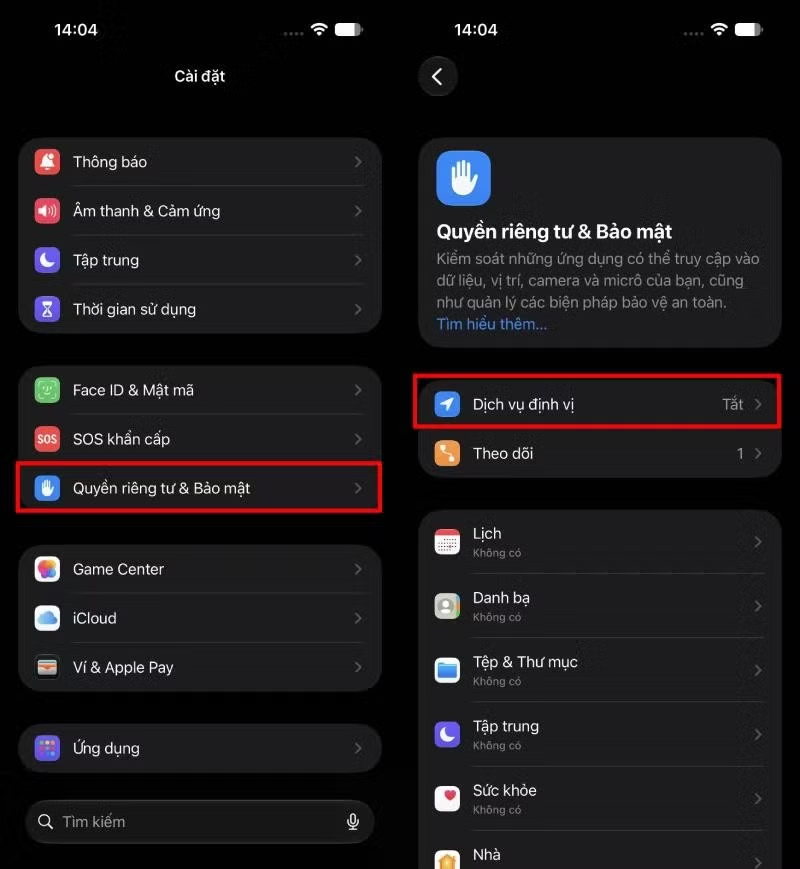
Turn off Location Services when not in use.
Location services continuously use GPS to determine location, which increases battery consumption.
To turn it off, go to Settings > Privacy & Security > Location Services , then turn it off or only grant location permissions to apps that actually need it.
Reduce widgets and AI features.
iOS 27 adds many dynamic widgets and AI features that work continuously to update information in real time. While useful, these can also cause the battery to drain faster, especially on older iPhone models.
You should remove unnecessary widgets from your home or lock screen, and limit the use of background AI features if you don't use them frequently. This will help reduce system load and improve battery life.



Update to the latest iOS 27 Beta version.
If you're using the beta version of iOS 27, check and update to the latest beta. Apple regularly releases updates to fix bugs, optimize performance, and improve battery management, resulting in more stable device performance after each upgrade.
Hopefully, the above methods will help you improve battery drain after updating to iOS 27 and provide a more stable user experience. If you have applied all methods but the battery is still draining unusually fast, you should wait for the next updates from Apple or contact a service center for timely inspection and support.
Source: https://baohatinh.vn/khac-phuc-hao-pin-tren-ios-27-don-gian-post313091.html

![[Image] National conference summarizing one year of operation of the overall organizational model of the political system, the three-tiered government model.](https://vphoto.vietnam.vn/thumb/1200x675/vietnam/resource/IMAGE/2026/07/01/1782882811691_ndo_br_1-jpg.webp)