After nearly six months of waiting, Windows 11 users finally have the opportunity to experience performance improvements through the new update, most notably the Low Latency Profile feature.
First introduced as a preview in May, this update was part of an optional update for Windows 11 on computers running the Windows 11 24H2 or 25H2 branch. By June, the Low Latency Profile feature was officially included in the main branch of Windows 11, making the operating system more responsive in tasks such as opening applications or displaying the Start menu.

The June 2026 update for Windows 11 brings good news for users of older computers.
IMAGE: CREATED BY GEMINI AI


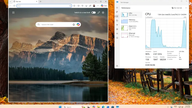
However, according to reports from BGR , the new feature will make the most noticeable difference on older hardware configurations. Therefore, users with high-end computers may not notice much change.
The Low Latency Profile works by increasing the CPU clock speed for short periods of 1-3 seconds, allowing the computer to load certain items faster. With complaints about the sluggish performance of Windows 11, especially when using core functions like File Explorer, the introduction of this feature is hoped to improve the situation.
How to check if Windows 11 is updated
To check if Windows 11 has the Low Latency Profile updated, users should go to Settings > Windows Update and see if the KB5094126 update is available for download. If it is, this update will automatically enable the Low Latency Profile on the computer.
If you don't see it, the update may still be rolling out to your system, as Windows updates are typically released gradually, meaning some users may receive the update earlier than others. You can also check your build number to determine if the feature is installed by going to Settings > System > About . If you are using version 26200.8655 (for Windows 25H2) or version 26100.8655 (for Windows 24H2), it means you have been updated.



If users don't want to wait, they can download and install the update manually from Microsoft's Update Catalog page. However, it's important to note that the Low Latency Profile doesn't provide any visual indication of whether it's enabled, nor does it offer an option to turn the feature on or off.
Source: https://thanhnien.vn/microsoft-vua-giup-may-tinh-windows-11-cu-nhanh-nhen-hon-185260616150256042.htm



![[PHOTO] The 2026 Lotus Festival sets a new record with over 2,000 lotus-themed ao dai dresses.](https://vphoto.vietnam.vn/thumb/1200x675/vietnam/resource/IMAGE/2026/06/28/1782607285764_ao-dai-sen-minh-duy-8-4395-jpg.webp)