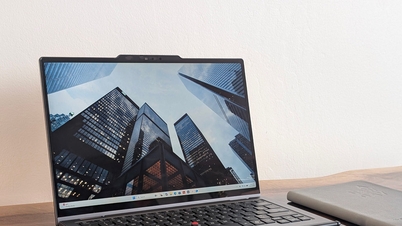
Most notably, this includes new technology that speeds up application opening and improves core components of the Windows 11 operating system.

The latest update will significantly speed up Windows 11 with the Low Latency Profile. Image: Windows Latest
Speed up Windows 11 with Low Latency Profile technology.
The biggest highlight of the June update is Microsoft's rollout of the Low Latency Profile (LLP) feature. LLP is a highly anticipated feature that is expected to significantly speed up Windows 11 in everyday use.
According to Microsoft, this feature helps speed up the opening time of applications as well as important components of the operating system such as the Start menu, Search tool, and Action Center.
Essentially, when a user opens an application or accesses a menu in Windows 11, the LLP (Low Load Processing Unit) will instruct the processor to accelerate its operation to its maximum level for about 1-3 seconds. As a result, applications and menus run significantly faster, providing a smoother and more responsive experience.
However, Microsoft is rolling out the LLP in stages. This means that not every Windows 11 computer that installs the June update will receive the new feature immediately. The company will monitor performance and stability on enabled computers before expanding the rollout.
Users will also not receive notifications when LLP is activated. The telltale sign is a noticeable increase in the speed of application and system menu opening.
Share audio to multiple devices simultaneously.



Another valuable addition is the Shared Audio Experience feature, which allows audio from the computer to be played simultaneously to two different output devices.
For example, when watching a movie on a laptop while traveling , users can share the audio to both their own headphones and those of their travel companion without needing any additional equipment.
This feature promises to bring convenience in situations involving entertainment, learning, or teamwork.
Smarter searching with fewer steps.
Microsoft has also improved the built-in search tool on Windows 11. After installing the new update, the computer will start displaying suggested results as soon as the user types just the first two characters.
As a result, users can find the desired application, file, or setting faster, significantly reducing the time spent typing.
Microsoft says several more major upgrades to Windows Search are being tested, including better handling of long and complex filenames. In addition, one of the most anticipated features is the ability to completely remove web search results from Windows Search, although there is currently no specific timeframe for its rollout.
Upgrade accessibility and webcam.
In addition to the three most notable changes mentioned above, the June update also brings several other significant improvements, such as:
- The Magnifier tool has been upgraded to provide clearer and more consistent notifications when combined with screen readers, making it easier for visually impaired users to follow zoom-in or zoom-out actions.



- The new Multi-App Camera feature allows multiple applications to access the webcam simultaneously, expanding the camera's usability in work and online meeting situations.
- During the Windows 11 installation process, users can now name their user folders themselves instead of using the names automatically generated by the operating system as before.
LE PHI (According to Techradar)
Source: https://baocantho.com.vn/microsoft-tang-toc-cho-windows-11-voi-ban-cap-nhat-thang-6-a206922.html