

Recently, Google updated the Play Store to allow users to pause virus scanning services via Android's Play Protect feature. This change makes it easier for users to install apps from external sources while still ensuring the safety of their devices and data.
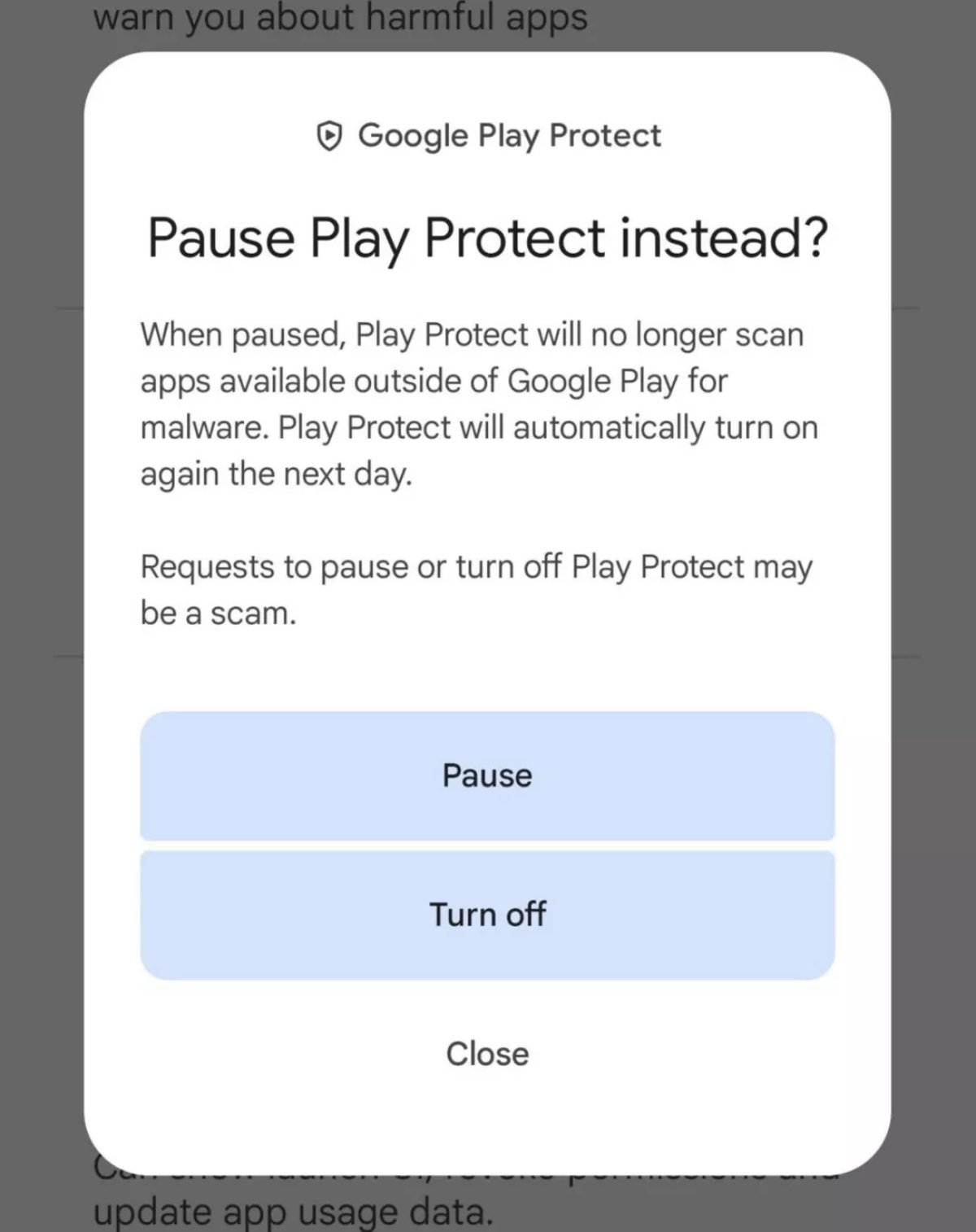
The Pause option appeared with Play Protect in version 42.2.19-31 of the Play Store.
This new feature was discovered in version 42.2.19-31 of the Play Store. The update adds a "Pause" button to Play Protect when users try to disable app scanning. However, Google also warns that when Play Protect is paused, it will not scan apps installed from outside the official Play Store.
Android users' frustrations have been resolved.
For Android users, Play Protect's automatic scanning feature can be a double-edged sword. The service scans hundreds of billions of apps daily to provide an extra layer of security for smartphones and tablets running on the Android platform. However, it can also make it difficult to download legitimate APKs from the internet.
One user shared their experience upgrading from a Nokia 6.1 to a Google Pixel 7a. Although the upgrade went smoothly, Play Protect interfered with the reloading of some previously purchased games due to API compatibility checks. Pausing Play Protect in such situations can help, although completely disabling it would increase the device's security risk.
A US court has ordered Google to 'open' its Android store to competitors.
The new "Pause" option will allow users to temporarily download apps, with Play Protect automatically reactivating the next day. Google also emphasizes that installing apps from outside sources (sideloading) can pose security risks, but it remains a legitimate method to access apps not available on the Play Store. A prime example is the F-Droid platform, which offers many open-source apps that users can download and install manually.
Source: https://thanhnien.vn/nguoi-dung-android-co-the-tam-dung-play-protect-de-tai-phan-mem-185250315115154595.htm









































































































Comment (0)