


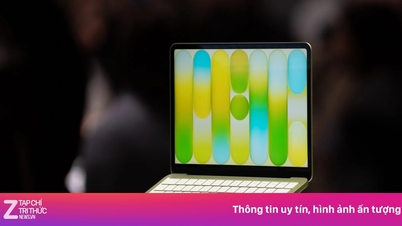
Modern laptop batteries primarily use lithium-ion technology – a lightweight battery that stores a high amount of energy but is sensitive to voltage and temperature.
This type of battery is characterized by its most stable performance in the medium capacity range. When the battery reaches 100%, the internal voltage increases, causing lithium ions to be concentrated on one electrode, putting pressure on the chemical structure. This state is similar to a balloon being inflated to its maximum capacity: it's still usable, but the longer it's kept inflated, the faster the material ages.
Therefore, consistently maintaining the battery at 100% will cause its capacity to degrade faster compared to batteries that only fluctuate within the average range.
However, this doesn't mean you should avoid charging to 100% completely. When you need to take your device out, travel long distances, or work away from a power source, a full charge is reasonable to maximize battery life.
The problem lies in the habit of constantly charging and keeping the battery at full charge as the default for daily use. For laptops placed permanently on a desk, 80% is already "sufficient," while 100% should be considered a "backup" level for when it's truly needed.

To extend battery life, establish a light charging cycle: plug in when the battery is at around 20-30% and unplug at 80-90%. If your device has a feature in the manufacturer's software that limits charging to 80%, enable it.
Additionally, three important factors should be considered: heat, heavy load, and environment. Avoid running heavy tasks (rendering, gaming, AI, video export) while charging, as high heat combined with high battery levels is the fastest way to degrade your battery.
Do not place your laptop on blankets, cushions, or any heat-trapping surface while charging. Keep the vents clear and avoid leaving the laptop in hot environments such as a closed car.
Source: https://baovanhoa.vn/nhip-song-so/sac-pin-laptop-100-co-thuc-su-tot-206166.html


![[Photo] National Assembly Chairman Tran Thanh Man successfully concludes his participation in IPU-152](https://vphoto.vietnam.vn/thumb/1200x675/vietnam/resource/IMAGE/2026/04/18/1776502638199_vna-potal-chu-tich-quoc-hoi-ket-thuc-tot-dep-chuong-trinh-tham-du-ipu-152-8709975-jpg.webp)



























































































Comment (0)