Almost everyone has experienced a malfunctioning computer monitor while working or gaming, slowing down progress and ruining crucial moments. However, don't panic and assume the hardware is broken. Most display problems actually stem from loose cables, settings conflicts, or outdated drivers. With a proper diagnostic method, you can easily fix these issues yourself at home, saving both time and money.

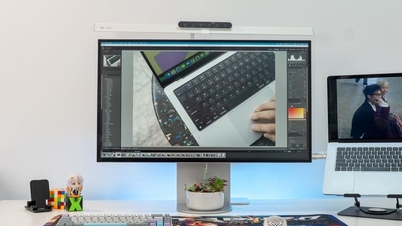
Computer screens sometimes malfunction, causing frustration for users.
1. The screen is flickering.
The flickering is often caused by loose cable connections or unstable power supply. You need to check if the HDMI, DisplayPort, Thunderbolt, and power cables are securely plugged in, or try replacing them with new cables.
If the error occurs in specific applications, go to Advanced Display in Windows Settings to adjust the refresh rate (Hz) to match your monitor, and check the G-Sync/FreeSync functionality of your graphics card. If an outdated graphics driver is causing this, enable the Nvidia or Adrenalin application to update it, or select Clean Install to restore the driver to its default state.
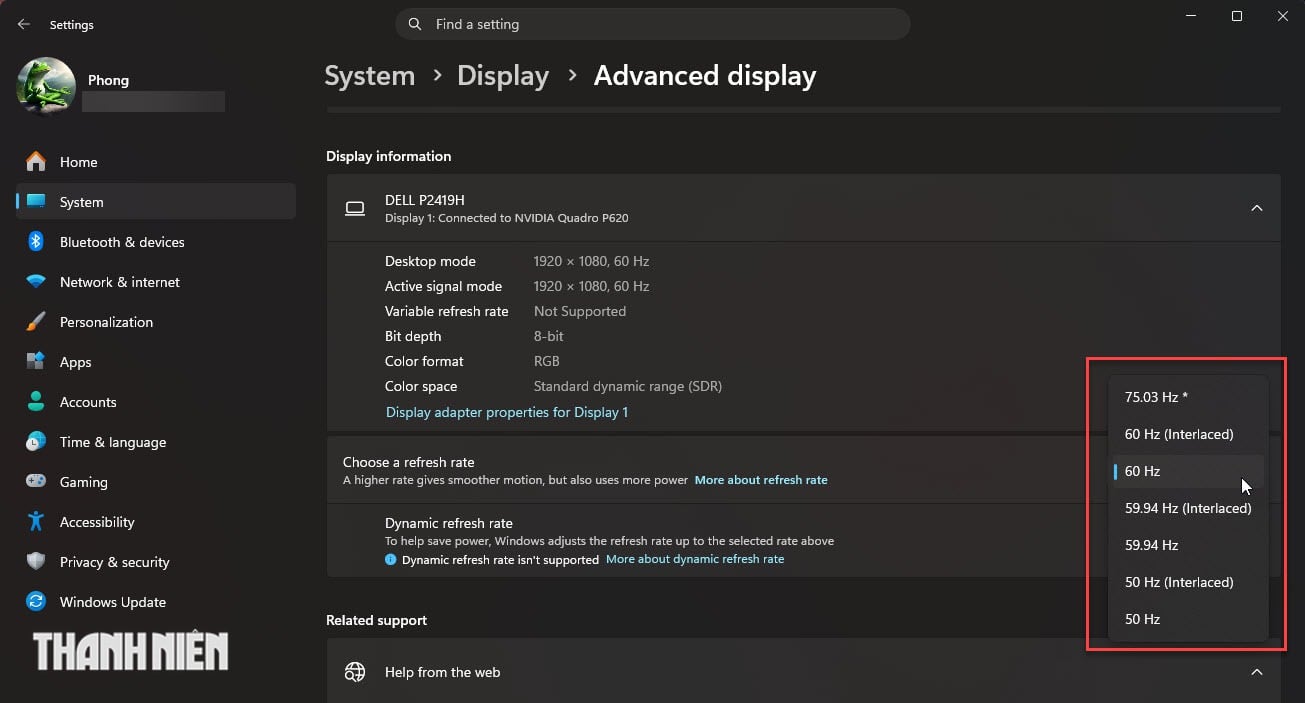
Choose a refresh rate that matches your monitor.
2. No signal error



When the screen goes black and displays "No Signal," it means it's not receiving a compatible input signal. The first step is to check the monitor's menu to ensure the correct input source is selected (HDMI, DisplayPort, or USB-C). Next, confirm that the PC or console is fully powered on and not stuck in sleep mode. If you're using a PC with a dedicated graphics card, make sure the cable is plugged directly into the GPU and not the motherboard. Try removing any adapters to isolate the cause, or reset the monitor to its factory settings if necessary.
3. The image is blurry or stretched.
Aspect ratio conflicts can ruin sharp images on a new panel. To resolve this, go to Windows Display Settings and select a recommended resolution that matches your monitor's original resolution. If you don't see a high-resolution option, it could be due to driver issues or bandwidth limitations on your old cable; try replacing it with a certified HDMI 2.1 or DisplayPort 1.4 cable.
Additionally, disable artificial image enhancement modes such as sharpness or dynamic contrast ratio (DCR) on your monitor and run the ClearType tool in Windows to improve text clarity.
4. Dead pixels on the screen
These small, motionless dots can be stuck pixels, displaying a fixed color (red, green, blue), or dead pixels, which are completely black squares.
For stuck pixels, you can gently rub the affected area with a soft cloth or run pixel refresh software. Conversely, dead pixels are physical defects caused by the panel not receiving power, and there is absolutely no software or firmware to fix them. If the monitor is still under warranty, carefully read the manufacturer's terms regarding the minimum number of dead pixels required to request a replacement; otherwise, you will have to live with it.

For any 'stuck' pixels, gently wipe them with a soft cloth.



5. The screen shuts down randomly.
If your monitor keeps turning off intermittently during use, it's likely due to insufficient power supply to the panel or overheating. Check your surge protector, wall socket, and plug the power cable directly into the wall instead of using an extension cord. To prevent overheating of internal components and the external power supply, ensure good ventilation around the monitor and regularly clean the cooling vents. Finally, adjust your Windows sleep settings to prevent the monitor from automatically going into sleep mode too soon after you leave.
According to Thanh Nien Newspaper
Source: https://baoangiang.com.vn/5-loi-thuong-gap-cua-man-hinh-pc-a489051.html




































![[Image] Ho Chi Minh City: Ma Lang area, Chicken-Rice Market about to change its appearance](https://vphoto.vietnam.vn/thumb/1200x675/vietnam/resource/IMAGE/2026/06/25/1782377698627_ndo_br_m1-jpg.webp)