

 |
Overheating notification on iPhone. Photo: CNET . |
Rapid battery degradation is a common problem for long-term smartphone users. Most phones today, including iPhones, use lithium-ion batteries, which wear down over time. This process is slow, and users usually only notice it when the battery degrades significantly.
In fact, wear and tear is a natural phenomenon with lithium-ion batteries. However, some bad habits can accelerate this process, not to mention software updates can also have an impact. Here are some simple solutions to slow down wear and tear, helping to extend battery life.
Enable the optimal charging capacity feature.
According to CNET , maintaining a constant charge at 100% for extended periods can cause voltage stress on the battery.
To mitigate this problem, iPhones and many other smartphones now feature trickle charging, or pause charging when the battery reaches 100%.
The system can learn daily charging habits, such as bedtime, and unplugging in the morning. The device will maintain an 80% battery level throughout the night, and only charge the remaining 20% before the user wakes up.
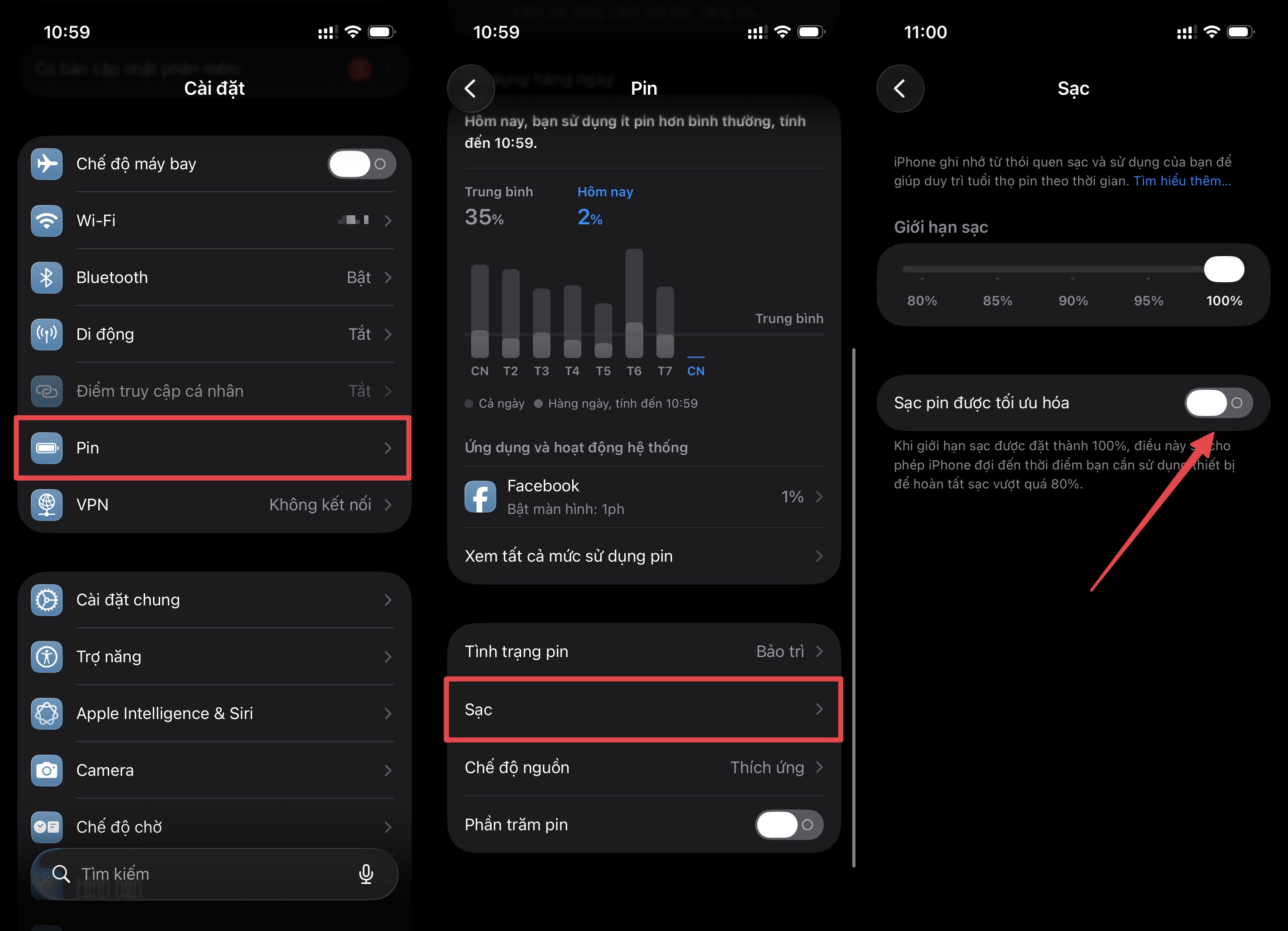 |
Instructions on how to enable optimized battery charging on your iPhone. |
This mechanism helps slow down the chemical degradation inside the battery and is usually enabled by default when the device ships. On iPhones, users can check this by going to Settings > Battery > Charging > Turn on Optimized Battery Charging .
Samsung equips its smartphones with a similar protection feature called Battery Protect. When activated, the device will proactively limit the charging level to 85%, reducing the strain of overnight charging.
Other Android manufacturers also support similar features, such as Adaptive Charging, Optimized Charging, or Battery Care, which automatically adjust charging speed or limit the level of charging based on phone usage habits.
Avoid high temperatures.
Ambient temperature also affects battery life. As temperature rises, the rate of chemical reactions increases, causing the battery to operate at a higher intensity than usual. The inevitable consequence is that chemical components wear out more quickly.
Apple advises users to avoid exposing iPhones to temperatures above 35 degrees Celsius to prevent permanent damage. Therefore, the simple solution is to keep your iPhone, or phone in general, out of direct sunlight.
When at the beach, avoid leaving your device on a towel and in direct sunlight; instead, put it in a bag or cover it with a layer of clothing.
 |
Some types of phone cases can hinder the phone's heat dissipation. Photo: CNET . |
Users should also avoid leaving their phones in closed cars on hot days. iPhones and many smartphones now have features that automatically stop charging or shut down when they overheat. However, these warning features should not be relied upon.
Overheating during charging can also be caused by protective accessories. Many phone cases are too thick or made from heat-retaining materials, inadvertently hindering heat dissipation. If you notice your phone getting hot while charging, you should proactively remove the case.
Running demanding apps while charging can also be dangerous. According to CNET , users should avoid playing high-graphics games or editing videos while their phone is charging.
These tasks require the processor chip to operate at high intensity, thereby generating a significant amount of heat. The combination of incoming current and heat from the chip can cause the device to overheat.
Things to keep in mind when storing your phone for an extended period.
When buying a new phone, some people have a habit of keeping their old iPhone instead of selling or giving it away to others.
To maintain battery life, it's best to charge the phone to approximately 50% before storing it. Overcharging or completely draining the battery can both be harmful.
Leaving the battery completely discharged for extended periods can reduce its capacity, shorten its lifespan, and even cause it to lose its ability to hold a charge. Similarly, keeping the battery fully charged to 100% can also lead to this problem.
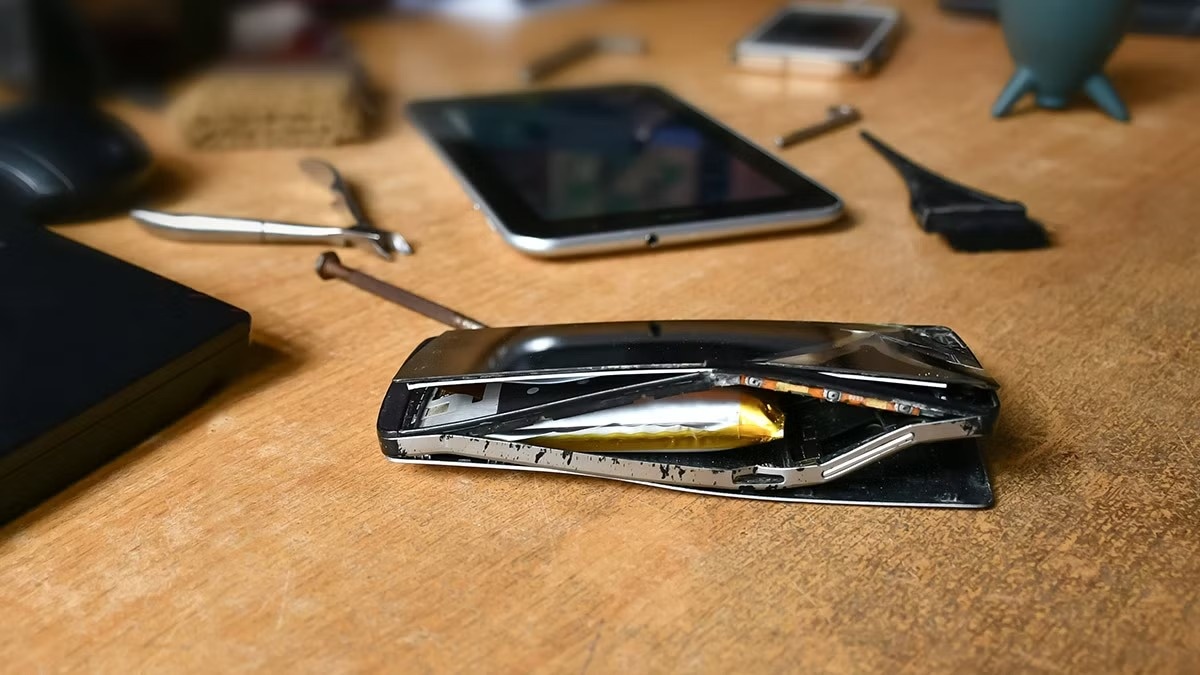 |
Users also need to pay attention to the battery when storing old phones. Photo: How-To Geek . |
Users should also completely turn off the device before storing it. The storage location should be dry, well-ventilated, and free of moisture, with the ambient temperature maintained below 32 degrees Celsius.
Finally, if the storage time is longer than 6 months, the device should be checked periodically and the battery recharged to 50% every six months. In some cases of depleted battery, it can be plugged in and left charging for about 20 minutes before starting the device.
Source: https://znews.vn/cach-don-gian-de-keo-dai-tuoi-tho-pin-dien-thoai-post1653749.html



































































































Comment (0)