

You want to create a unique and interesting image to share on social media, but haven't come up with any ideas yet, and you don't know what tools to use to do it?
What if you created a bust of yourself, with your own face in it? That would surely be a unique and eye-catching image on social media.
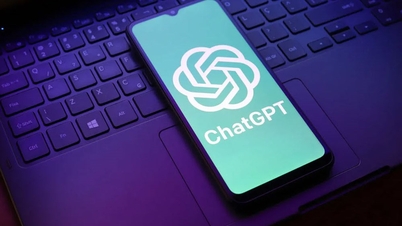
You can use the image creation feature of ChatGPT, the world's most popular AI tool, to create a bust image of a person of your choice.
Create a bust image with your own face using ChatGPT.
Readers can follow these steps to create a bust image with the face of any person:
First, access ChatGPT at https://chatgpt.com/ .
You can also install the Android version of ChatGPT here and the iOS version here.
- When accessing the website or activating ChatGPT on your device, press the "Sign in" button (if you are not already logged in), then press the "Continue with Google," "Continue with Apple," or "Continue with Microsoft account" button to use one of the three account types (Google, Apple, Microsoft) to quickly log in to ChatGPT without having to register a new account.
- After logging into your account, on the ChatGPT interface that appears, click the "+" icon and select "Upload from computer" from the menu that appears.
Here, you select and upload a portrait image of yourself or the person you want to create a bust for.

- In the chat box below, paste the following command in Vietnamese:
"Create a realistic bust, recreating the face of a man /woman based on the photograph I have provided."
The statue should be sculpted from pristine white, placed on an elegant pedestal engraved with your name on the front – a subtle tribute to the individual depicted. The background should be neutral and soft, highlighting the beauty of each sculpted detail – from the gaze and facial contours to the smallest details of the statue. All of this creates a harmonious, dignified, and deeply artistic whole.
In this command, you must adjust the bolded parts to match the bust you want to create, including selecting the gender of the person being sculpted and choosing a name to engrave on the bust.
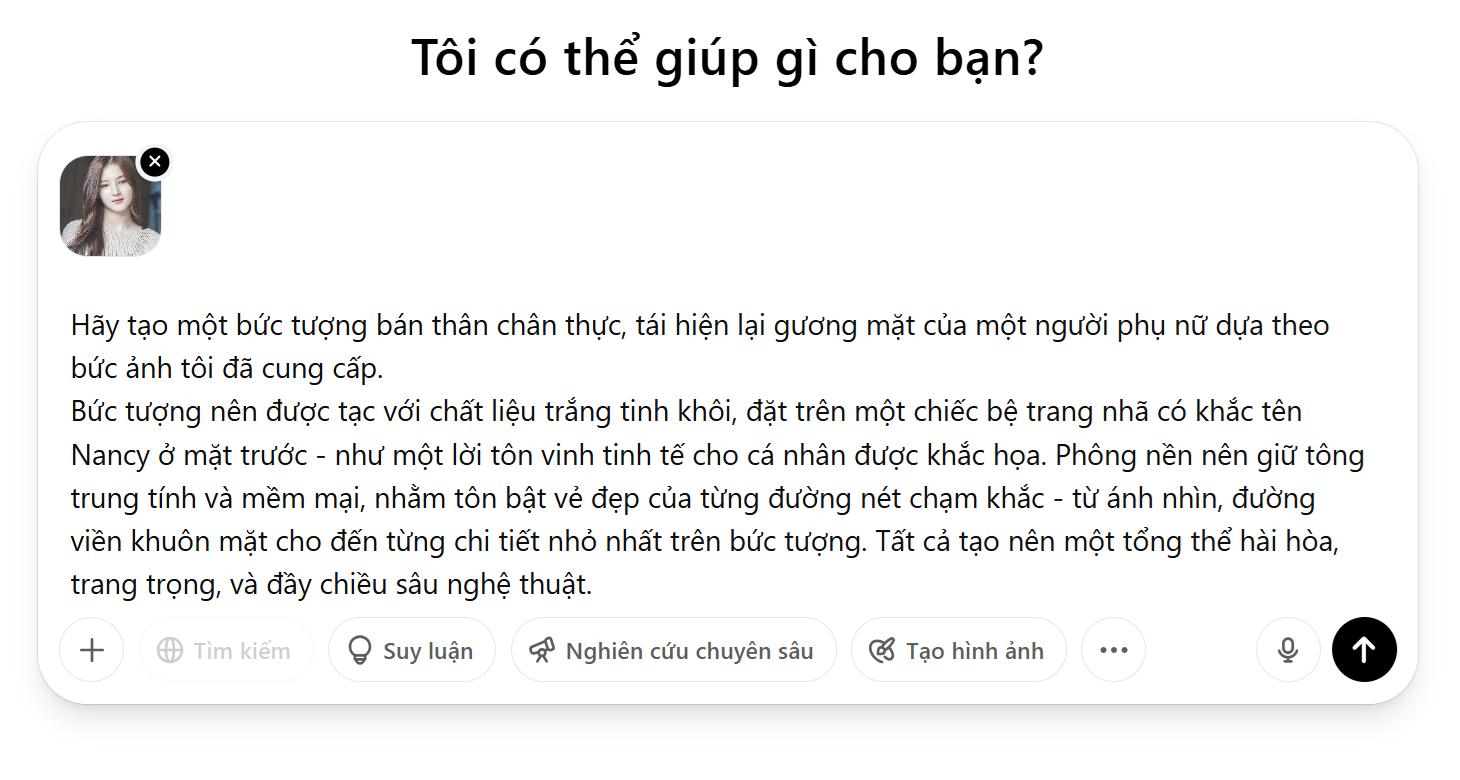
- If ChatGPT asks questions to verify if you truly want to create the image as described, simply type the command "Create an image for me". This AI tool will immediately generate the image according to your description.

- Please wait a moment. ChatGPT will use the image you attached and the command you provided to create a bust with colors that resemble plaster. If you are satisfied with the image created by ChatGPT, click the arrow to download the image to your device.
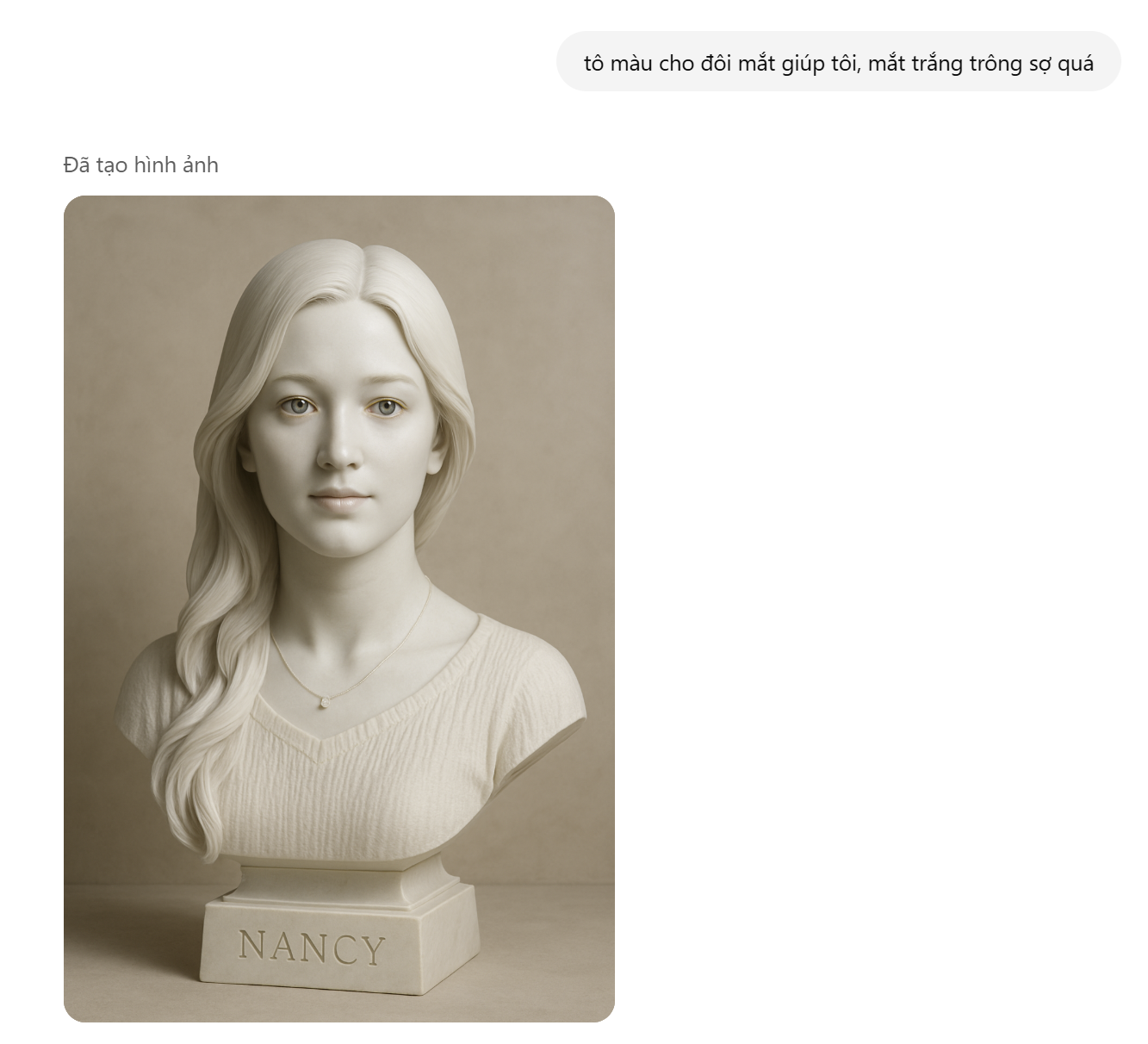
After ChatGPT creates the image, you can ask this AI tool to edit the created image in Vietnamese without having to rewrite the entire command. For example, you can ask ChatGPT to adjust the statue's eye color to make it more lifelike, or to change the statue's hairstyle…
ChatGPT will continue to generate new images according to the user's requirements and descriptions.
Adjust your facial features to get the best possible photo.
If ChatGPT generates images with faces that don't match the faces you selected, users can follow these steps to resolve the issue.
- First, access the Remaker tool website at https://remaker.ai/face-swap-free/ .
This is a free tool that allows users to change the faces of people in photos using artificial intelligence. You can use this tool without registering or logging into an account.
- After accessing the website, click the "Upload Image" button, then select the image created by ChatGPT above. In the "Upload swap image" box on the right, select and upload the portrait photo you want to swap the face in the image created by ChatGPT.

Press the "Swap" button, and the Remaker tool will immediately perform the steps to change the face in the photo to more closely resemble your portrait.
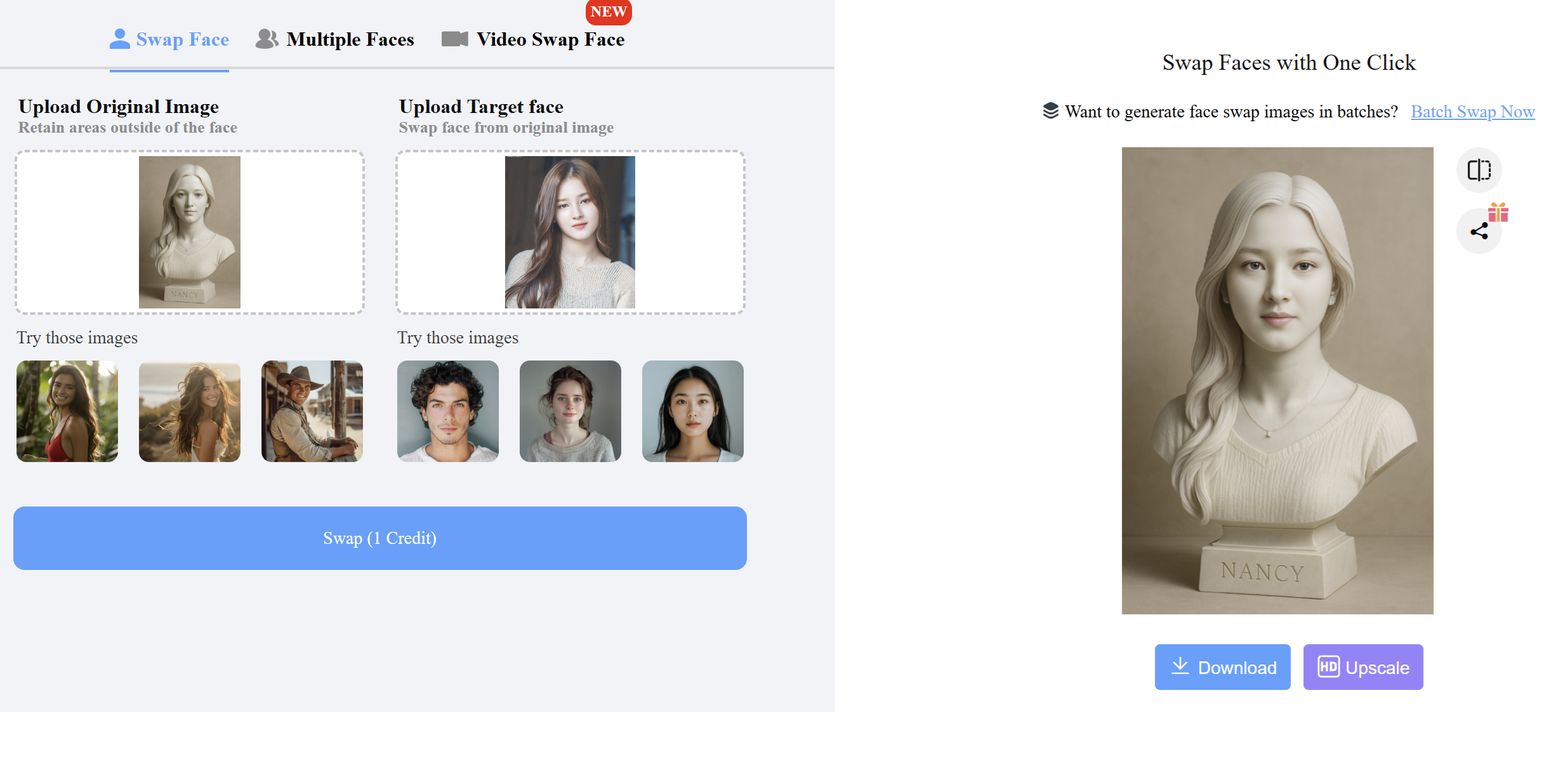
If you are satisfied with the processed image, press the "Download" button to save the processed image to your device.
The free version of Remaker limits the number of face swaps users can perform per day. You can log in to your Google account on the Remaker website to get more free face swaps on your photos.
Note
When you use personal photos to ask AI to create new images, your face may be used as training data for artificial intelligence systems. Therefore, if you don't want this to happen, think carefully before sharing images with AI tools.
If you're using ChatGPT to create a custom image but receive a response that the system is overloaded and unable to generate the image, you can wait a few minutes and request ChatGPT to generate the image again.
Source: https://dantri.com.vn/cong-nghe/cach-dung-ai-tao-buc-anh-tuong-ban-than-voi-guong-mat-cua-chinh-ban-20250503031418688.htm

![[Photo] Prime Minister Pham Minh Chinh presides over a meeting on private sector economic development.](/_next/image?url=https%3A%2F%2Fvphoto.vietnam.vn%2Fthumb%2F1200x675%2Fvietnam%2Fresource%2FIMAGE%2F2025%2F12%2F20%2F1766237501876_thiet-ke-chua-co-ten-40-png.webp&w=3840&q=75)


![[Photo] Prime Minister Pham Minh Chinh presides over the conference announcing the establishment of the International Finance Centre in Vietnam.](/_next/image?url=https%3A%2F%2Fvphoto.vietnam.vn%2Fthumb%2F1200x675%2Fvietnam%2Fresource%2FIMAGE%2F2025%2F12%2F21%2F1766309817714_ndo_br_dsc-3400-jpg.webp&w=3840&q=75)















































Comment (0)