Galaxy smartphone users can't always take full advantage of the fast charging technology it offers. Therefore, this article will guide users on how to ensure they can charge their Samsung devices as quickly as possible.
How to enable fast charging
Users need to determine the type of charger they need to ensure the best possible charging speed for their Galaxy smartphone by enabling the correct settings to utilize the appropriate charger. Assuming a phone supports fast charging, this is fairly simple, with the caveat that the process may vary slightly depending on the handset and software version.
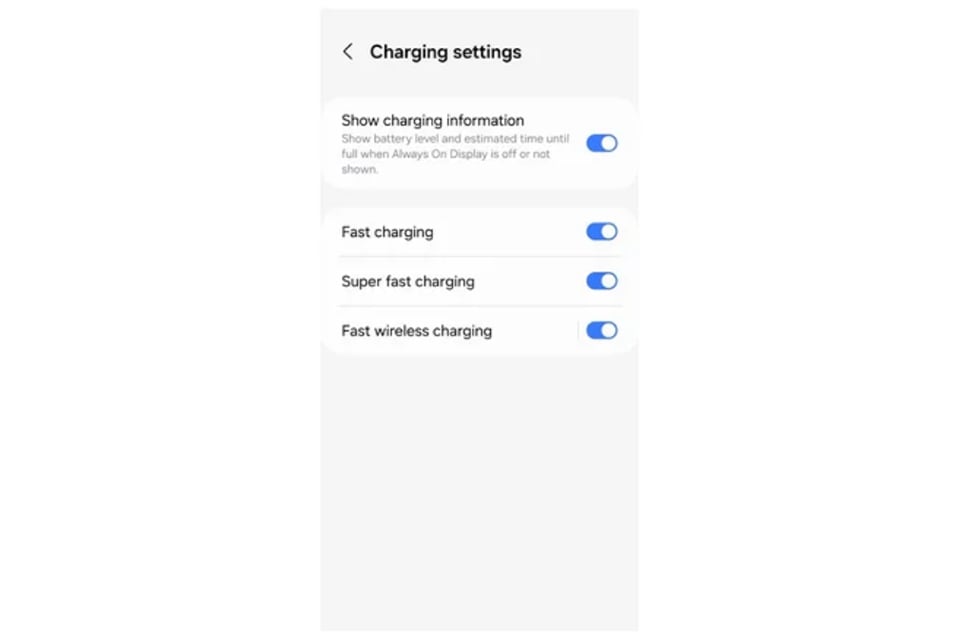
Enable fast charging support through your Samsung phone's software settings.
To do this, if your phone is charging, unplug it or remove it from the wireless charger, as Android doesn't allow changing settings while the phone is charging. Open the Settings app, scroll down and tap Battery. From there, scroll down and tap Charging settings.
Pay attention to the Fast charging, Super fast charging, and Fast wireless charging toggle switches, making sure they are set to the "on" position. But that's the software aspect; if the problem is more related to hardware than software, then proceed.


Find a suitable fast charger.
Samsung has official guidelines listed on its website regarding the fast charging levels it supports when using a wired USB-C charger, but in reality, what users need to achieve the best possible speeds is more complex than the official guidelines suggest. For Fast Charging and Super Fast Charging capabilities, Samsung informs users that for the Galaxy S22 series and later, they need the appropriate cable along with a 25W charger for the basic Galaxy S2X model and a 45W charger for the Galaxy S2X+ or Galaxy S2X Ultra models.
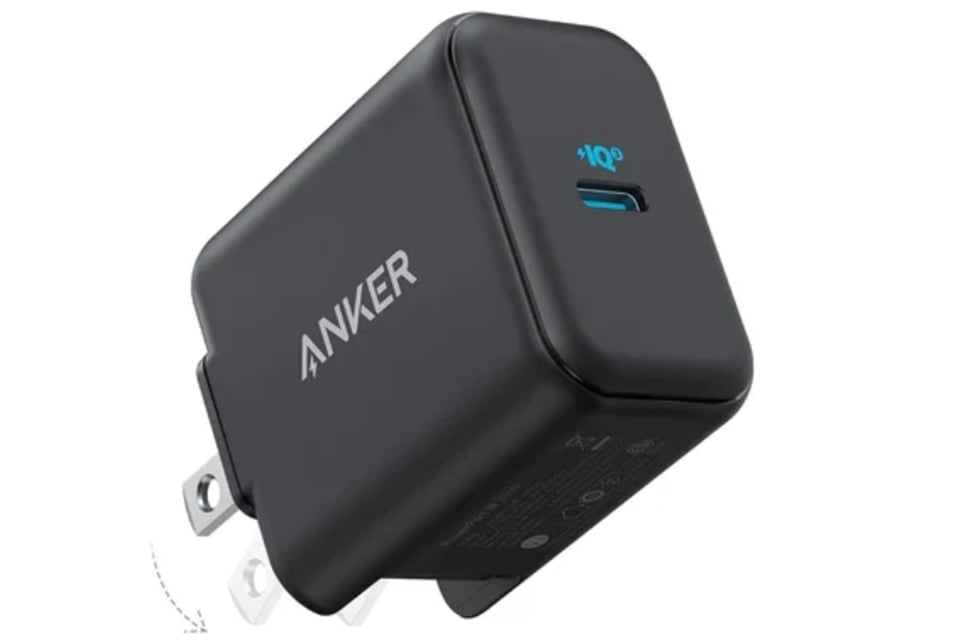
Third-party chargers are more affordable than chargers from Samsung.
However, the reality is even more complicated. If you also own a modern MacBook or other laptop with a USB-C charger, chances are you already have a charger that adapts to the correct power output. However, that's not enough for super-fast charging on Galaxy S phones. Instead, they need a newer standard called USB-Programmable Power Supply (PPS) for super-fast charging. PPS adds technology that allows devices and chargers to communicate and adjust voltage and current demands in real time.
It's unclear why Samsung doesn't mention this on its website, but generally, users don't need to buy Samsung's expensive chargers. Reliable accessory brands like Anker or Belkin offer 25W chargers for $10-$20 or 45W chargers for $20-$30 that support PPS and work well.
Find a suitable wireless fast charger.
Finding a suitable wireless charger for a Galaxy phone isn't as easy as with a wired charger. Since the Galaxy S22 series, users need an official Samsung-branded or Samsung-certified charger to achieve the fastest wireless charging speed of 15W.



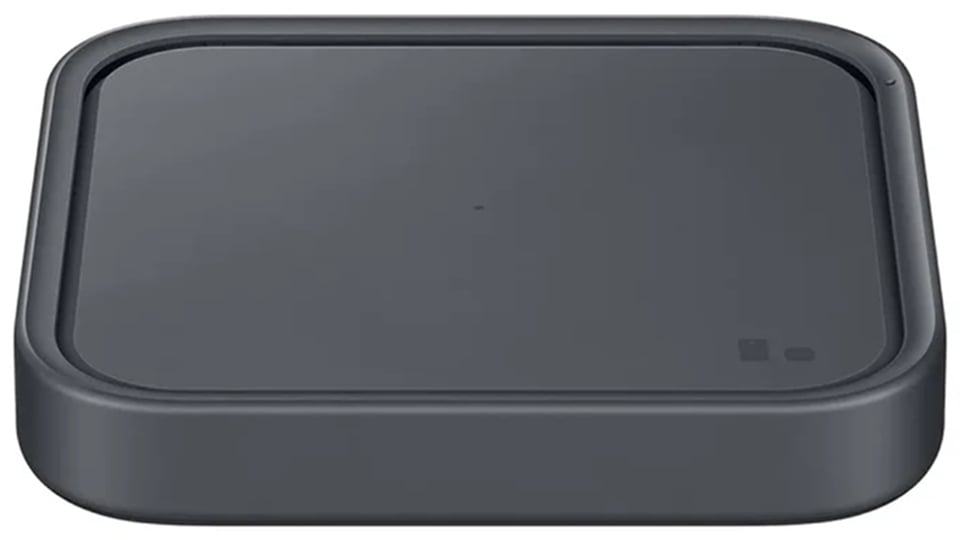
Finding a suitable wireless fast charger is more complicated.
Theoretically, the phone uses the Qi wireless charging standard, but Qi chargers typically have a maximum power output of 10W. Users can find this issue in Samsung's support community, but there has been no official comment from the company. Meanwhile, these wireless chargers are significantly more expensive than standard Qi chargers. For example, the Spigen charger retails for $75, while Samsung's charging pad costs $60.
Source: https://thanhnien.vn/cach-sac-pin-nhanh-nhat-cho-smartphone-galaxy-185240528055059884.htm