


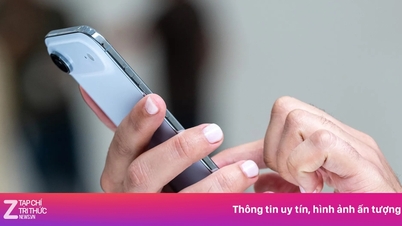
Sending photos through messaging apps often results in reduced image quality.
You take a very clear photo, every detail is vividly displayed on the screen. However, when you send the photo via Zalo or Messenger, the recipient only sees a blurry, pixelated image lacking color.
Many people assume the problem is due to a weak internet connection or an inadequate camera. But the truth lies in how these apps process images during transmission, a process that happens automatically and is almost unnoticed.
When sending photos through the app, the quality suddenly "dies".
Messaging apps like Zalo and Messenger are designed to prioritize transmission speed and user convenience. When you choose to send photos directly from your gallery, the system automatically reprocesses the images by reducing resolution and compressing file size, making them lighter. This allows photos to be sent faster and consume less data, especially useful when the network is weak or the user is using a limited data plan.
Technically, images are compressed using algorithms that remove unimportant details in terms of color and sharpness. This is a common mechanism used by most messaging applications today, including major platforms like WhatsApp and Telegram.
It's noteworthy that this entire process happens completely automatically. Users are not warned, don't see options to adjust image quality, and receive no information indicating that the image has been altered. Most only see a successful submission notification, but are unaware that the image has been compressed and no longer retains its original quality.
What is the app doing with your photos?
In fact, the level of image compression when sending via messaging apps can surprise users. According to Tuoi Tre Online's research, an original photo taken with a phone today usually has a size of 2-5 megabytes, with a resolution of up to 4000 x 3000 pixels. But when sent via Zalo or Messenger, the image size is often reduced to only a few hundred kilobytes, or even less than 300 kilobytes.
The resolution is also significantly reduced, sometimes to as low as 1280 x 960 pixels or even lower. As a result, images easily lose detail, are less sharp, and quickly become blurry if the recipient tries to enlarge them.
Although the applications don't officially disclose the specific compression levels, some documentation from the developers has mentioned this mechanism.
Meta, the company that operates Messenger, stated that the reduction in image quality is intended to help speed up the process of sending and downloading images, especially when using mobile networks.
In its official help section, Zalo also clearly states that images sent through the chat window will be automatically compressed by the system to ensure transmission speed and save data.
It's worth noting that users typically don't have the option to maintain image quality when sending images using the standard method. The entire image compression process happens in the background, with no clear notification or adjustment options.
To preserve sharpness and color, users are forced to send the image as an attachment instead of sending it directly. This is an uncommon option, but it's the only way to ensure the image arrives without any loss of quality.
Options for sending high-quality photos from your phone.
Currently, Facebook Messenger also allows users to send photos in high quality. In recent versions, when selecting a photo to send, users can tap the settings icon and enable the 'send in HD' option.
This is a positive step towards meeting the need for sharing clearer photos, especially in a context where users are increasingly concerned about image detail.
However, this feature is still being rolled out gradually, so not all devices will have this option displayed. Also, even with HD mode enabled, images may still undergo a slight compression to optimize transmission speed, especially when using mobile networks. This means that, while the quality is significantly improved compared to sending regular photos, you cannot guarantee that the size and sharpness will remain exactly the same as the original image on your device.
With Zalo, the only way to send photos without losing quality is to send them as attachments. When users select 'file' instead of 'photo', the app will preserve the original format, size, and resolution of the image.
However, this option is often overlooked by users because it's not easily noticeable, and the file sending experience usually involves more steps.
In addition, platforms like Telegram and Google Photos are also being used by many users to share high-quality photos.
Telegram allows sending photos as files, preserving their original quality without requiring additional installation. Google Photos, on the other hand, supports sharing albums via links, allowing recipients to conveniently download the original photos without the limitations of the messaging app.
Ultimately, it's crucial for users to determine the purpose of the image before sending it. If it's just for quick viewing in a chat, image compression might be acceptable. However, if detail needs to be preserved for printing, storage, or work purposes, it's advisable to choose image sending methods that maintain quality to avoid unfortunate blurring issues.
Source: https://tuoitre.vn/gui-anh-xin-nhung-den-noi-thi-vo-net-he-lo-thu-pham-20250618114503245.htm






























































Comment (0)