

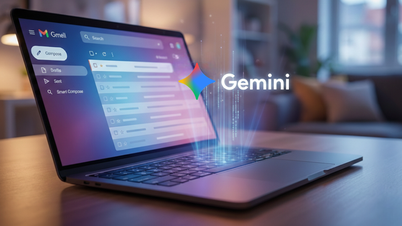
After years of only allowing users to view pre-made labels, Google is now testing a feature in Gmail on Android that allows users to create, edit, and delete custom labels directly within the app. This is a significant change that will give Android users an email management experience similar to Gmail on computers, iPhones, and iPads.

Previously, creating new labels was only available on the web or iOS versions of Gmail. Android users were forced to switch to a different device if they wanted to reorganize their email system. With the new experiment, this limitation is gradually being removed.
Create labels directly within the Gmail Android app.
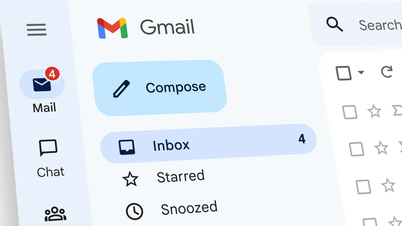
In the new version of Gmail for Android, Google has added a "Create Labels" option directly to the app's main menu. Users simply open the three-horizontal-lines menu, name their desired label, and can immediately use it to categorize emails.
This approach is similar to the experience on iPhones and iPads, making mailbox management seamless, especially for those who frequently handle work, bills, or important emails on their phones.

Easier to edit and delete labels.
Beyond simply creating labels, Gmail Android also allows users to rename and delete custom labels through the label management section in the settings. Users can edit labels they create themselves, including those previously created on iOS or the desktop version of Gmail.
However, the system's default labels cannot be edited or deleted, in order to maintain Gmail's basic structure.

The label is personal; no one else can see it.
Google continues to assert that labels are for individual users only. The labels you create are completely private; email recipients will not know how the content is categorized.
Furthermore, when an email is deleted, it disappears from the entire system, including any associated labels, not just the inbox.
Why are labels more flexible than folders?
Unlike traditional folders, labels function like tags. An email can contain multiple labels at once, helping users search and categorize information more quickly.
For example, an invoice email might have labels like “Invoice,” “Service,” or “To Be Processed” simultaneously, instead of being in a single fixed folder. This is why Gmail has long preferred using labels over folders.
Still in the testing phase.
Despite high expectations, the custom label feature on Gmail for Android is still in the testing phase. Google may adjust it or not roll it out widely in the near future.
However, this move shows that Gmail Android is receiving more significant investment, aiming for a unified experience across all platforms.
According to Phone Arena
Source: https://baovanhoa.vn/nhip-song-so/nguoi-dung-gmail-android-sap-duoc-tao-nhan-nhu-iphone-198066.html



























































































Comment (0)