

Below are some simple yet effective methods to help users quickly clean up occupied storage space and free up hard drive space on their Mac.
Clean up the "Downloads" and "Home" folders.
The Downloads folder is often where unused files accumulate, including app installers, old documents, compressed files, and many other unnecessary file types. Users can access Finder, select Downloads from the Dock, and sort files by size for easier identification and deletion of files that are taking up too much space.
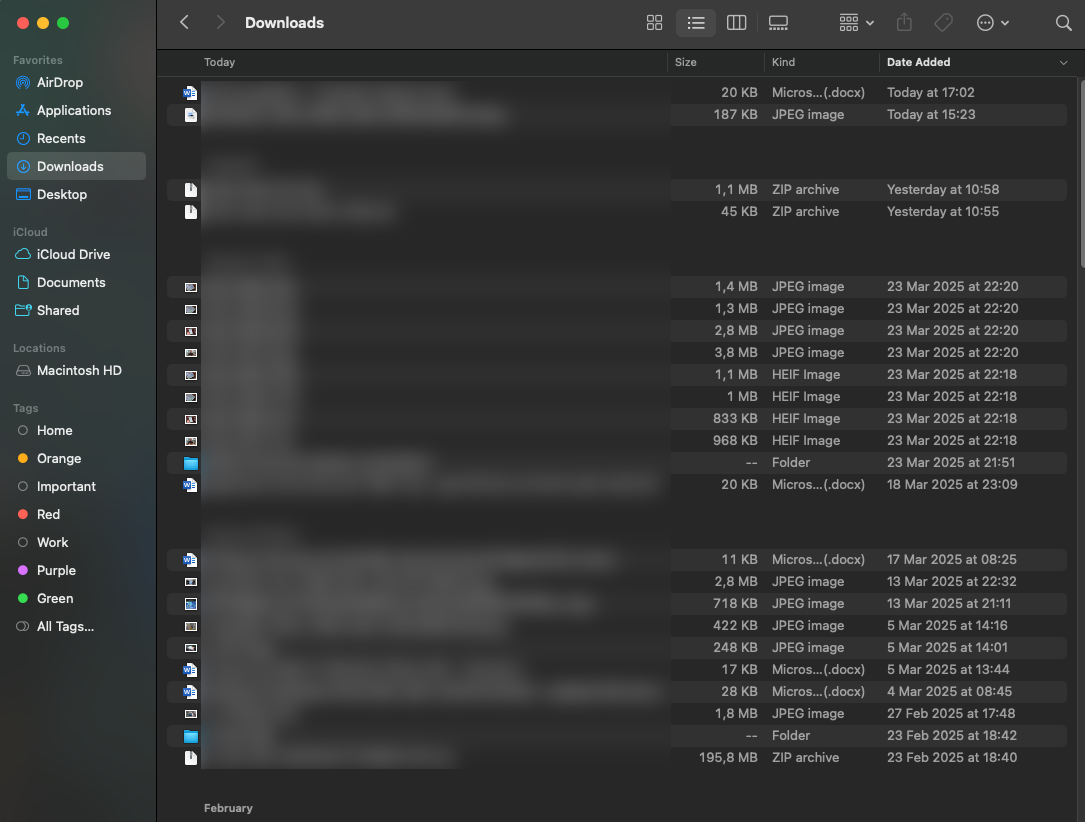
The Downloads folder often contains many files that are no longer used, wasting hard drive space.
The Desktop folder, where screenshots are saved by default, should also be regularly reviewed and cleaned up. Setting these two folders to automatically delete after a certain period of time can help maintain tidiness and save storage space, while reducing the manual work that users have to actively perform.
Uninstall apps you no longer use.
Installing applications on a Mac is so convenient that users often install software they never use. Additionally, many programs take up a lot of hard drive space, such as finished games or programs whose free trial has expired (which users don't want to pay for), so they are often uninstalled.
In the Apple section (the apple logo in the upper left corner) > System Settings > General > Storage > Applications , you can sort applications by last used time to identify "forgotten" programs.
To completely remove an app, users should use software like AppCleaner or PearCleaner to clean up all attached data, including cache and related system files. Dragging and dropping the app icon to the Trash doesn't solve the problem completely and may leave behind junk files that are difficult to find later.
Find and delete large files.
Files like videos , RAW images, or virtual disks (ISOs) can take up a lot of disk space but are easily overlooked in subfolders on your computer. Several online tools, such as GrandPerspective or OmniDiskSweeper, are available to help users visualize disk space, allowing them to quickly detect and manage large folders and data.
GrandPerspective displays a disk map as colored blocks, while OmniDiskSweeper lists folders in order of size. Both are free and easy to use.
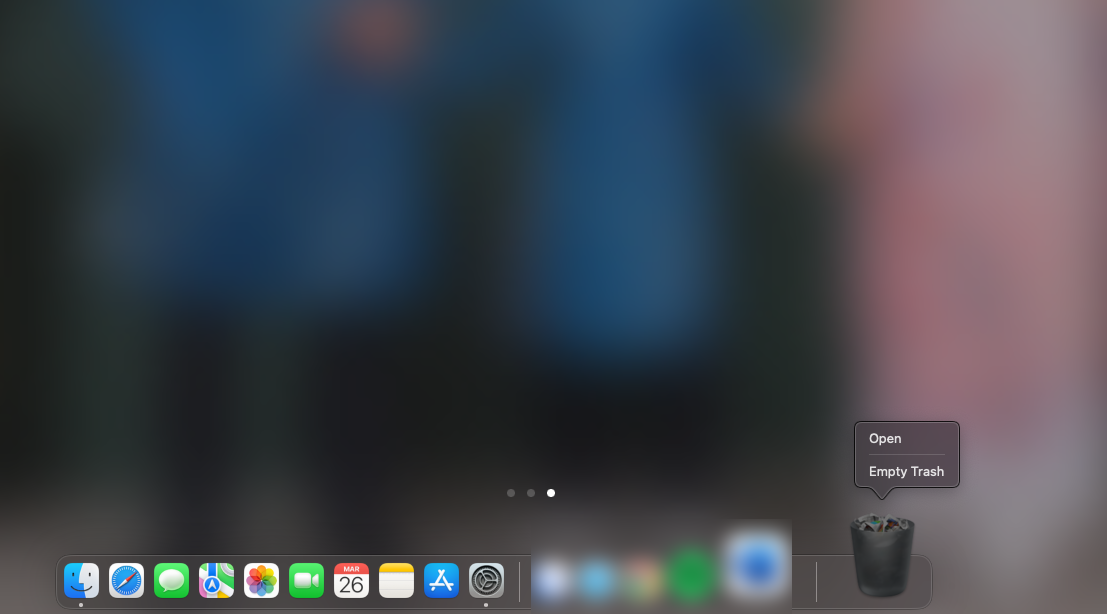
After cleaning up unnecessary data, users should "empty the trash" to completely delete all files from the hard drive.
Delete outdated iOS backups.
Most Mac users also use iPhones due to the synchronized ecosystem. For this reason, iOS backups are often located in the computer's storage partition. If you've switched to iCloud backups, local backups on your Mac are usually no longer usable.
Users can access the following path on their device: System Settings > General > Storage > iOS Files to check and delete old backups. This helps free up a significant amount of space, especially if the backups are no longer relevant to the current device.
Clean up data from the Messages app.
The Messages app syncs data between Apple devices; however, many attachments may still be stored locally on your Mac's hard drive. Go to System Settings > General > Storage > Messages to check for local data and delete it. These files do not affect data stored on iCloud, so they can be removed without fear of losing important information.
Empty the Recycle Bin to free up space.
Deleted data will not be completely freed until the user performs an "Empty" action in the Recycle Bin. The option to automatically empty the Recycle Bin after 30 days can also be set in Finder > Settings > Advanced . Alternatively, you can use the keyboard shortcut Option + Command + Delete to delete files immediately without going to the Recycle Bin.
Proper storage space management not only optimizes machine performance but also extends equipment lifespan. Regularly performing these tasks will help maintain system stability and ensure readiness for all necessary tasks.
Source: https://thanhnien.vn/6-cach-giai-phong-dung-luong-o-cung-tren-mac-18525032622393147.htm


![[Photo] Prime Minister Pham Minh Chinh presides over a meeting on private sector economic development.](/_next/image?url=https%3A%2F%2Fvphoto.vietnam.vn%2Fthumb%2F1200x675%2Fvietnam%2Fresource%2FIMAGE%2F2025%2F12%2F20%2F1766237501876_thiet-ke-chua-co-ten-40-png.webp&w=3840&q=75)
![[Photo] Prime Minister Pham Minh Chinh presides over the conference announcing the establishment of the International Finance Centre in Vietnam.](/_next/image?url=https%3A%2F%2Fvphoto.vietnam.vn%2Fthumb%2F1200x675%2Fvietnam%2Fresource%2FIMAGE%2F2025%2F12%2F21%2F1766309817714_ndo_br_dsc-3400-jpg.webp&w=3840&q=75)
































































































Comment (0)