

 |
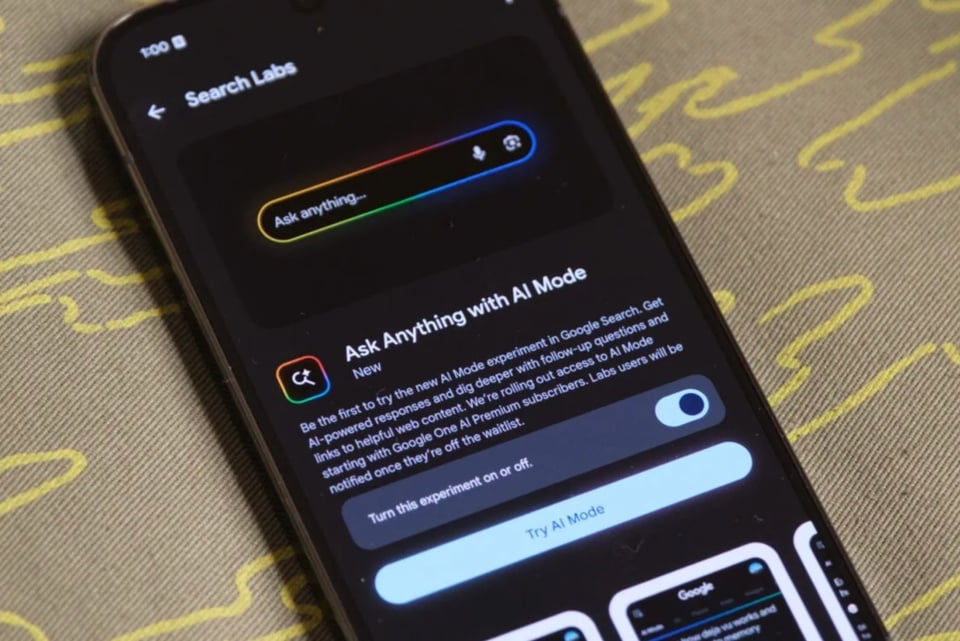
AI Mode on Google Search. Image: Android Authority . |
AI tools are becoming increasingly diverse and useful. Beyond simple chatbots, users can access AI directly on familiar platforms, serving purposes ranging from information searching and image creation to processing and synthesizing complex documents.
Recently, Google has been frequently launching and updating AI tools for various purposes. Below are some highly-rated AI tools that Google has recently improved with a range of new features.
AI Mode on Google Search
First launched at the I/O 2025 conference in May, AI Mode uses a customized version of the Gemini 2.5 model to answer questions and interact with users. This feature has just been expanded to the Vietnamese market by Google, although it currently only supports English.
Essentially, AI Mode is a more advanced version of AI Overviews. Data is collected from various sources on the internet, then aggregated and summarized by AI to provide the most concise and accurate response possible.
Users can activate AI Mode from the Google Search homepage (mobile app) or in the results screen (computer). AI Mode allows users to ask longer and more complex questions, which previously required multiple queries on Google Search.
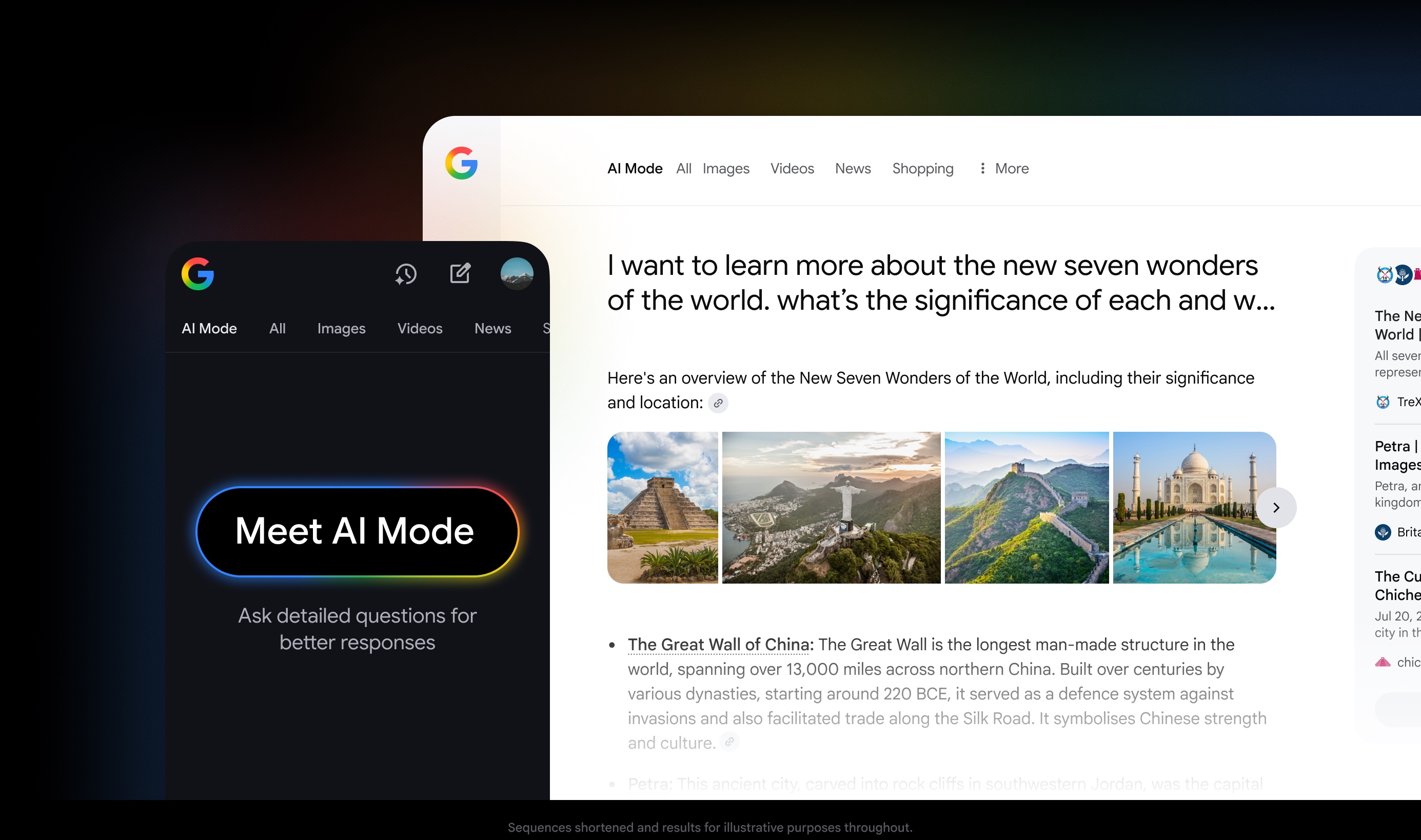 |
The AI Mode feature on Google Search. Photo: Google . |
After testing, Google reported that users of AI Mode tend to ask questions that are 2-3 times longer than traditional search keywords.
"This feature is especially useful for exploratory tasks such as comparing products, planning a trip, or navigating complex directions," according to a Google representative.
Some questions you can ask AI Mode include: “Which park near me has a soccer field and nice outdoor space for a picnic?” or “I want to learn about different coffee brewing methods. Create a table comparing the differences in flavor, ease of use, and necessary equipment.” The results are compiled by the AI with references cited.
According to Google, AI Mode uses query fan-out techniques, breaking down questions into subtopics and searching. Users can ask follow-up questions to learn more, and even combine formats like voice or images with Google Lens.
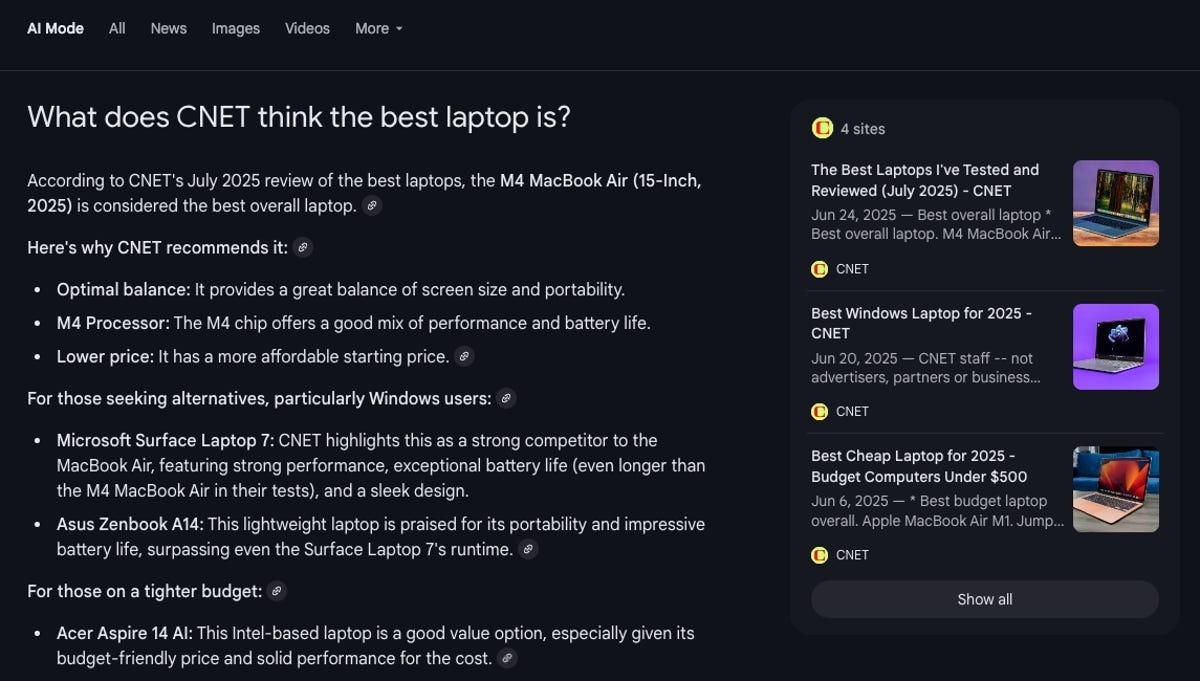 |
The AI Mode interface. Photo: CNET . |
Other features of Google Search are still supported in AI Mode, including Knowledge Graph, real-time topic updates, and shopping data when searching for specific items.
At I/O 2025, Google announced plans to integrate AI Mode into other applications. This means that in the future, AI Mode could extract information from emails or calendar appointments to find relevant information.
Google emphasizes that AI Mode is developed on a verification and ranking system, ensuring the authenticity of the information. If the AI cannot find reliable results, the feature will send a list of links for users to proactively refer to.
"Like any AI product in its early stages, the results you see won't always be accurate, but we are committed to continuous improvement," a Google representative emphasized.
Edit photos in Gemini
First launched in April, this feature allows users to provide original photos and ask Gemini to edit them as desired using natural language.
After a period of testing, Google has just announced an improved feature through the DeepMind model, or Gemini 2.5 Flash Image “Nano Banana”.
One of the standout upgrades is maintaining consistency in character appearance across photos. According to Google, the tool can retain the look and demeanor of friends, family, and pets regardless of changes in hairstyles or clothing.
Users can ask Gemini to combine photos to appear alongside their pets, change the room background, or superimpose subjects onto any location in the world . The feature even supports converting edited photos into videos.
 |
Gemini's photo editing features offer more detail and intelligence. Image: Google . |
With its design blending feature, simply upload an image of a pair of boots and a rose branch. The tool will then combine the two objects, creating a result of boots with a rose pattern.
After the initial command, users can request Gemini to continue editing based on that result. In the new version, the old details are preserved, and accuracy is improved.
Similar to other AI tools, Google emphasizes a secure processing procedure for content creation. Gemini's images include a watermark and a hidden SynthID to identify content created by AI.
Video Overviews on NotebookLM
Shortly after its release, Google announced that Video Overview now supports 80 languages, including Vietnamese. This feature allows users to convert document content into video, helping them grasp information more quickly and easily.
According to Google, Video Overviews is a “visual alternative” to Audio Overviews, a feature that synthesizes content into podcasts with AI guests.
Video Overviews create presentation slides with illustrations, diagrams, excerpts, and data extracted directly from documents. For longer content, the feature can explain data, summarize processes, and visualize complex concepts.
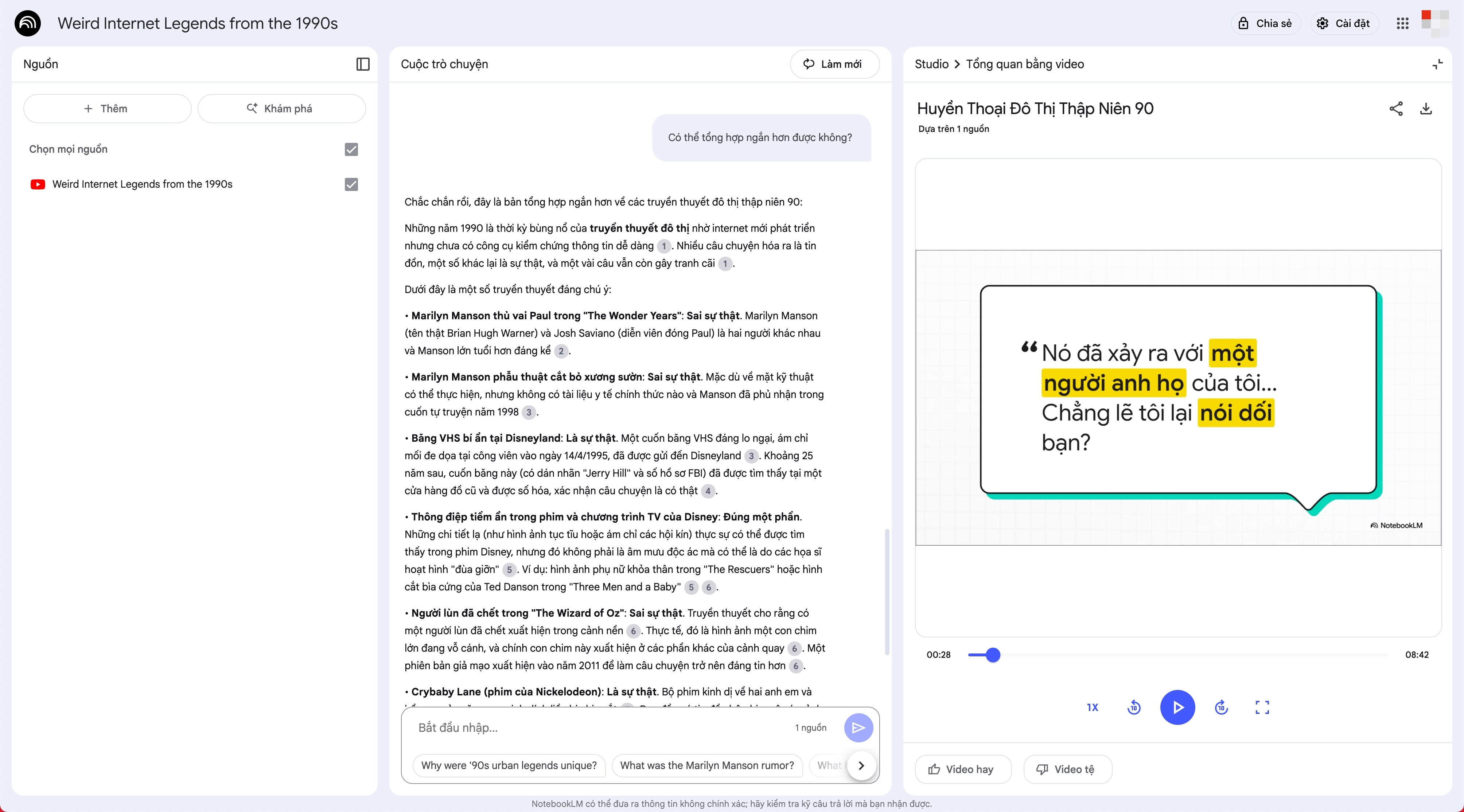 |
The video creation feature in NotebookLM now supports Vietnamese. |
NotebookLM videos vary in length depending on the amount of content included, with an average creation time of 5-10 minutes. In addition to images, the videos also include narration. The design, presentation, and fonts in the videos follow Google's standard.
Google has also upgraded Audio Overviews. Non-English content will now switch from a short format to a full format, providing content with similar depth, structure, and nuances to the English version.
In addition to converting content to video or podcast, NotebookLM also supports asking analytical questions about the original document within the on-screen text interaction.
The free version of NotebookLM has a daily usage limit. To create more videos, users must purchase packages such as Google AI Pro (priced from 543,000 VND/month).
Source: https://znews.vn/nhung-cong-cu-ai-huu-ich-cua-google-post1581136.html





























































































Comment (0)