

Duplicate in Canva allows you to quickly copy designs without having to remake them, saving time and optimizing your workflow. This article will guide you on how to quickly duplicate in Canva in a few simple steps.
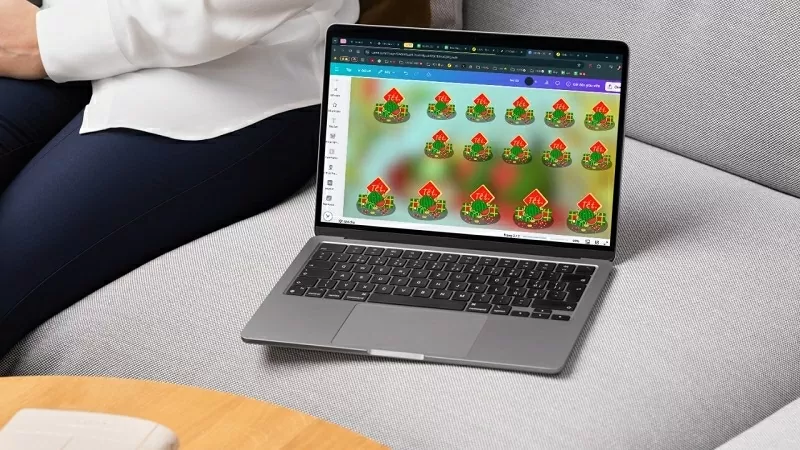 |
To quickly and easily create multiple identical versions of an image in Canva on your computer, follow these simple steps:
Step 1: First, open the design file containing the content you want to quickly duplicate in Canva.
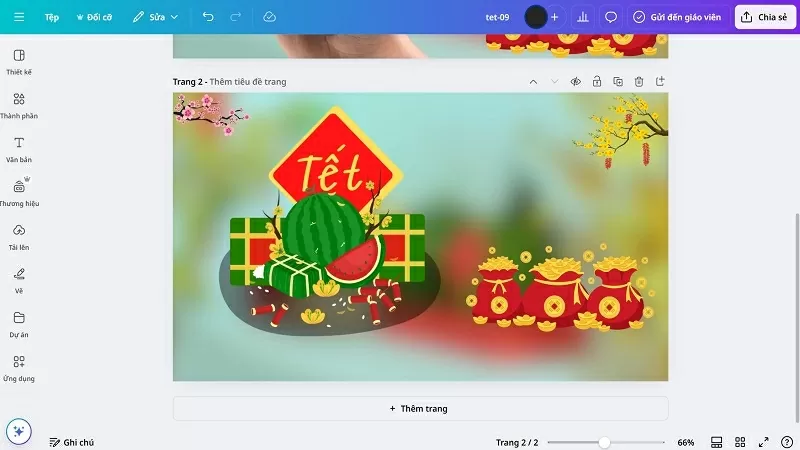 |
Step 2: Next, select the "Applications" option to continue.
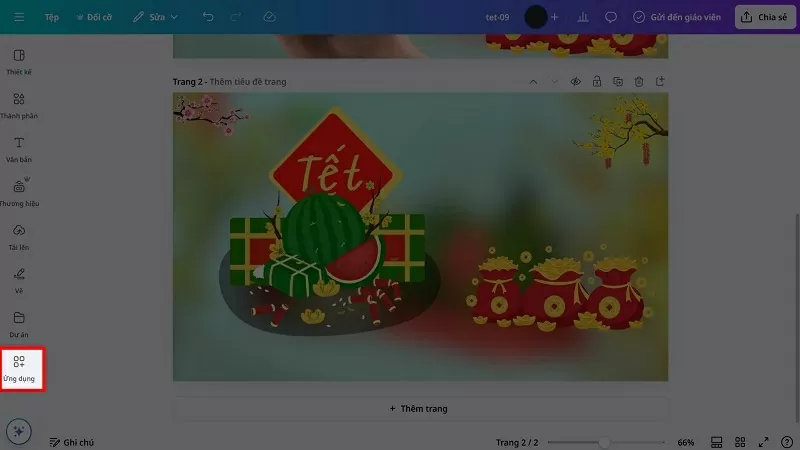 |
Step 3: In the search bar, find the Replicator app.
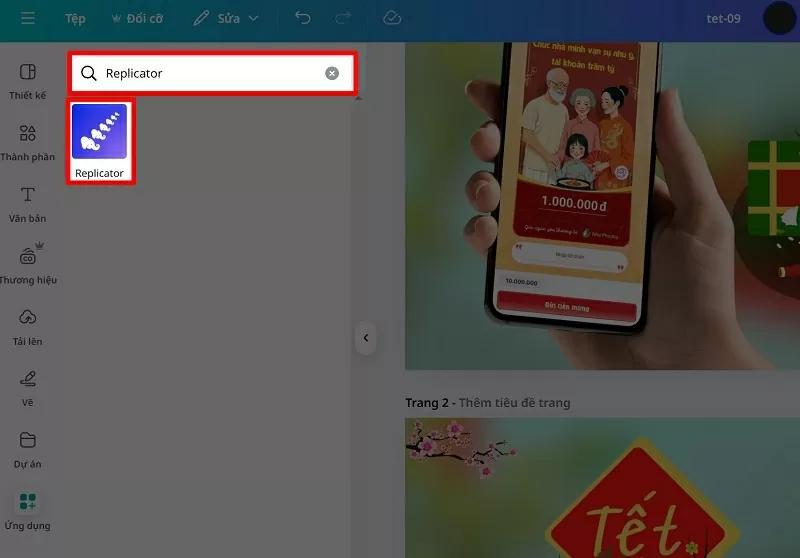 |
Step 4: Next, select the content you want to quickly duplicate and let Replicator do the work.
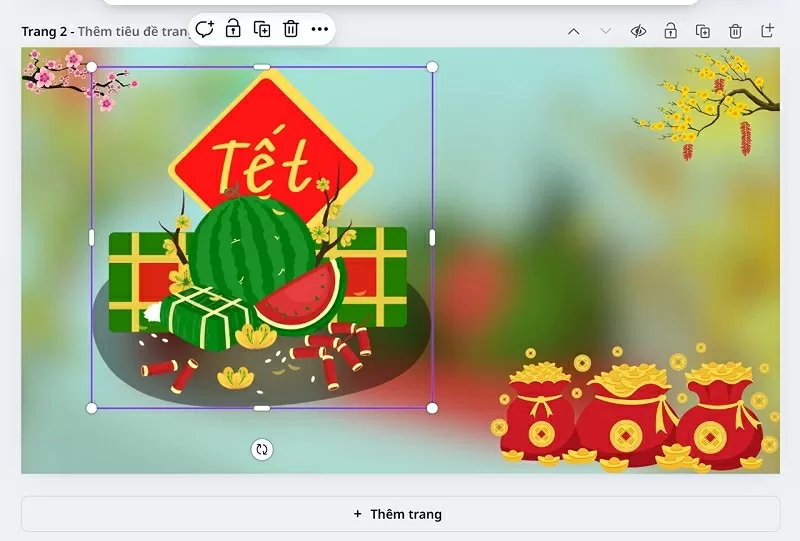 |
Step 5: Replicator will display the content on the screen. At this point, you just need to adjust the number of copies and the copying method to your liking, and you're done.
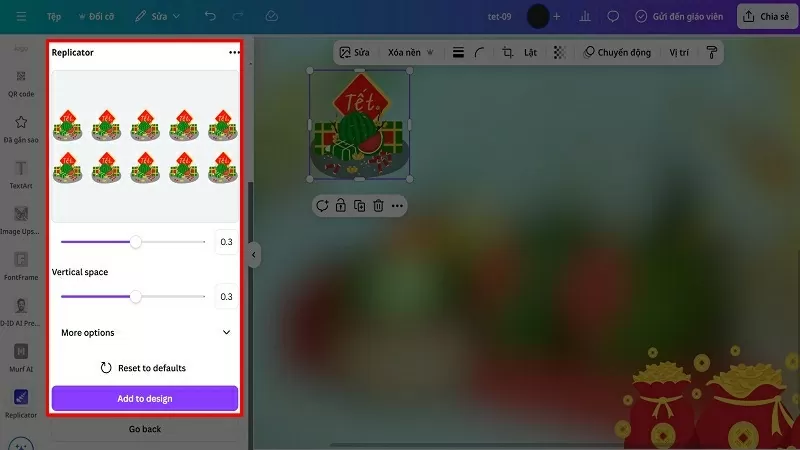 |
With just a few simple steps, you can quickly duplicate files in Canva, saving time and improving work efficiency. Good luck!
Source

![[Photo] Prime Minister Pham Minh Chinh presides over a meeting on private sector economic development.](/_next/image?url=https%3A%2F%2Fvphoto.vietnam.vn%2Fthumb%2F1200x675%2Fvietnam%2Fresource%2FIMAGE%2F2025%2F12%2F20%2F1766237501876_thiet-ke-chua-co-ten-40-png.webp&w=3840&q=75)

![[Photo] Prime Minister Pham Minh Chinh presides over the conference announcing the establishment of the International Finance Centre in Vietnam.](/_next/image?url=https%3A%2F%2Fvphoto.vietnam.vn%2Fthumb%2F1200x675%2Fvietnam%2Fresource%2FIMAGE%2F2025%2F12%2F21%2F1766309817714_ndo_br_dsc-3400-jpg.webp&w=3840&q=75)



























































































Comment (0)