

(Dan Tri Newspaper) - This article will guide you on how to use nTrust, an application developed by cybersecurity experts specifically for users in Vietnam to help prevent and combat online fraud.

What is nTrust?
Amidst the growing prevalence of online scams targeting internet and mobile phone users in Vietnam, with increasingly sophisticated tactics causing significant financial losses, the National Cybersecurity Association has developed a tool specifically for Vietnamese users to combat online fraud. Called nTrust, the tool was first introduced in May and officially released free of charge to users yesterday, July 30th. This tool was developed as a community-based, non-profit project, without using state budget funds; its funding comes from social donations.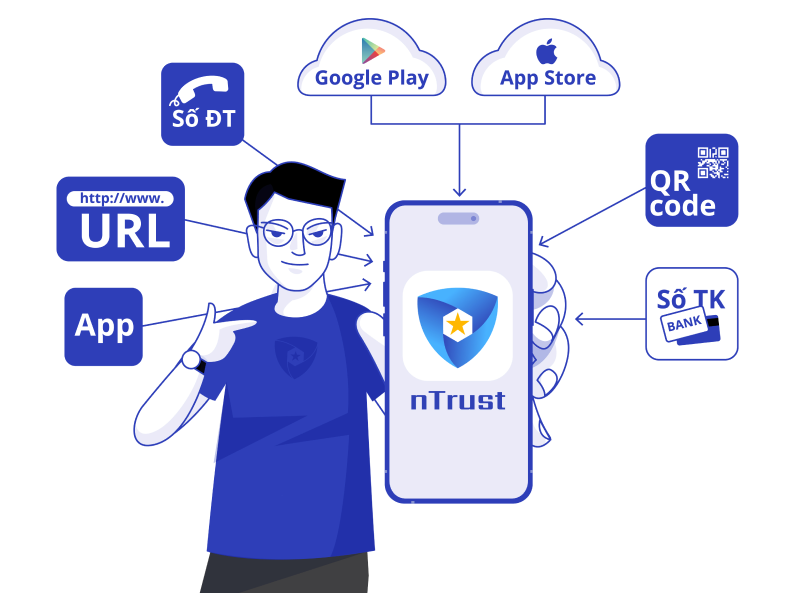
nTrust provides features to combat common forms of fraud such as fake calls, fake websites, identifying scammers' bank accounts, and applications containing malware… (Image: National Cybersecurity Association).
nTrust provides a function to check unknown phone numbers calling smartphones, helping users block scam numbers in the database and alerting them to annoying advertising numbers. The application also offers a web address check function, helping to detect phishing websites, websites containing malware, or fake websites. Users will receive a warning not to access these websites to prevent the loss of online or bank accounts. This tool also integrates a malware scanning function, helping to warn users when they install fake or malware-containing applications on their smartphones. nTrust contains a database of scammer information updated from domestic ministries and agencies such as the Ministry of Public Security , the Ministry of Information and Communications, the State Bank of Vietnam, and other relevant parties. This application will also connect with databases of cybersecurity companies that are members of the National Cybersecurity Association, as well as international anti-fraud organizations to leverage synergistic strengths. Additionally, during their use of nTrust, users can also report fraudulent phone numbers and accounts to update this information in the application's database, helping to warn the user community.nTrust User Guide
nTrust operates as a smartphone application, supporting the two most popular platforms today: Android and iOS. Android users can download the application here. iOS users can download the application here. The usage of the application on Android and iPhone smartphones is similar. This article will guide you on how to install and use it on an Android smartphone; iPhone users can follow the same steps. After installing nTrust, the first time you use the application, you must enter your phone number to log in, then enter the OTP code sent to your registered phone number. Next, declare your personal information such as last name, first name, address… At this step, you only need to enter your last name and first name (not required to be your real name) and skip other information if you don't want to disclose too much personal information to the application.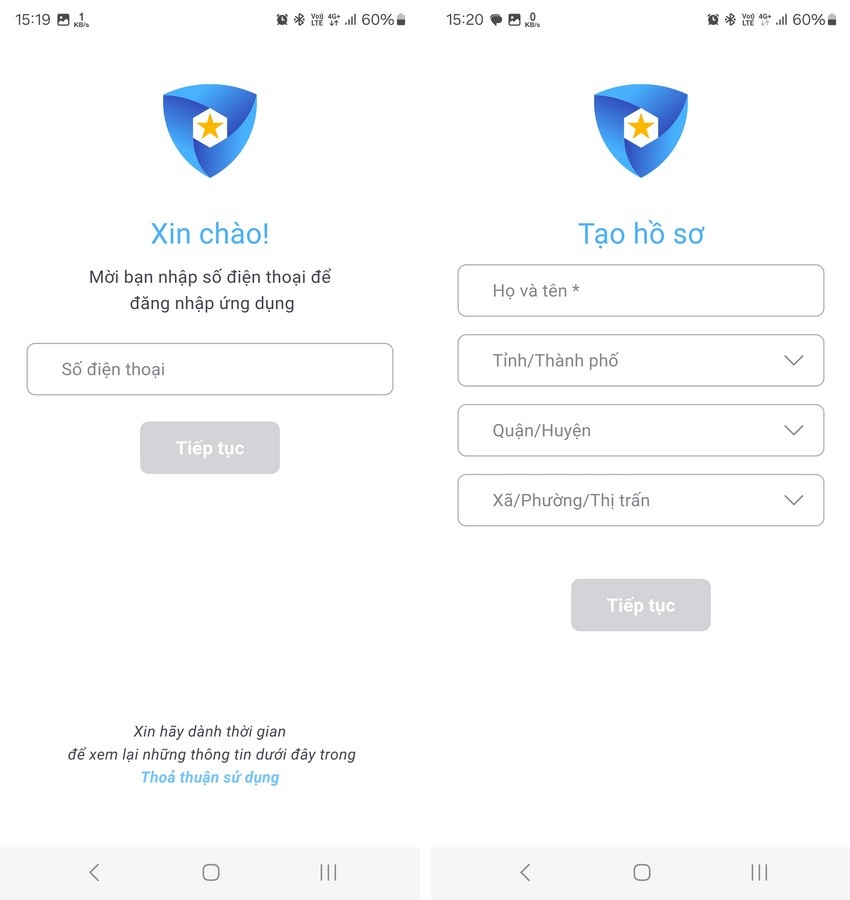
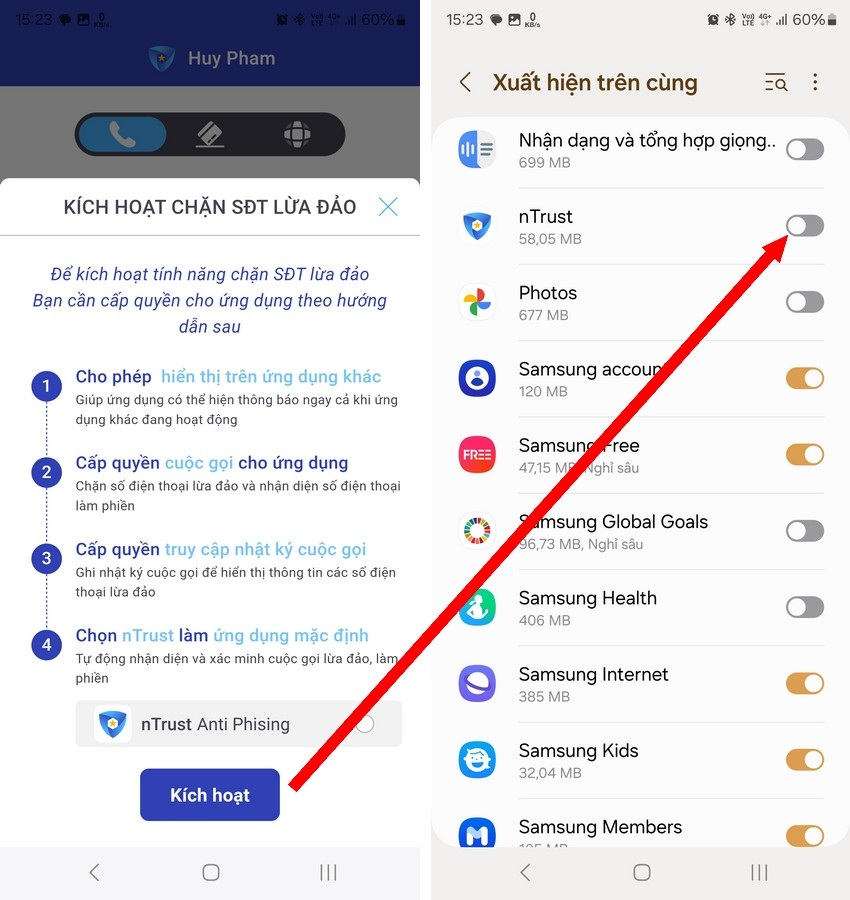
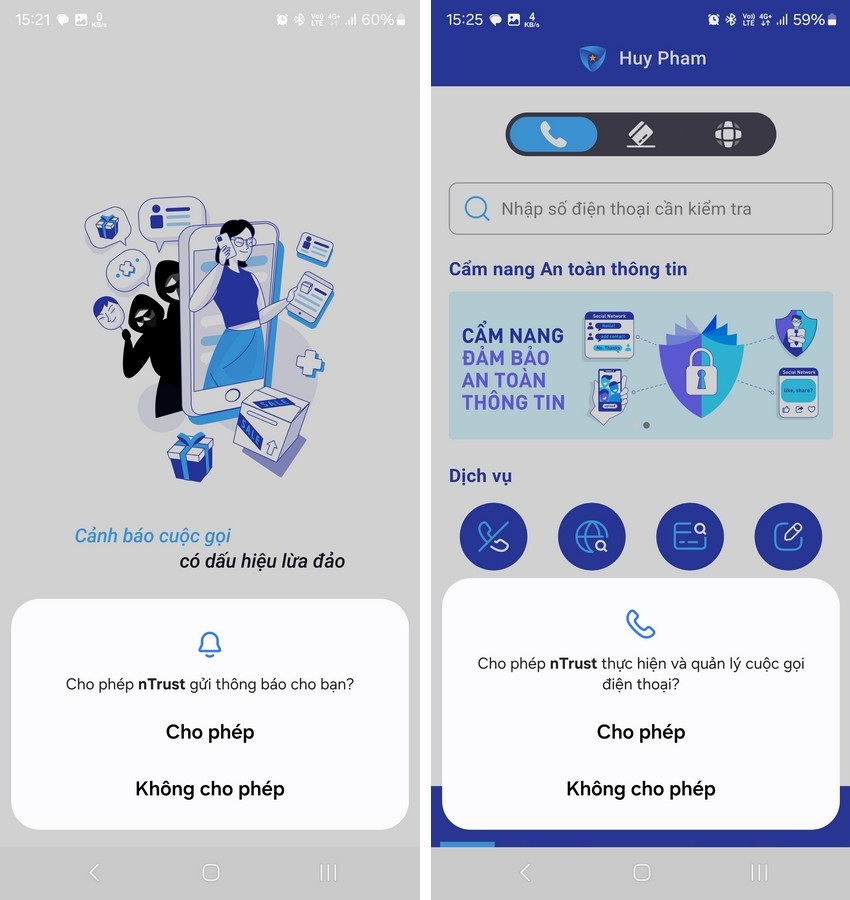
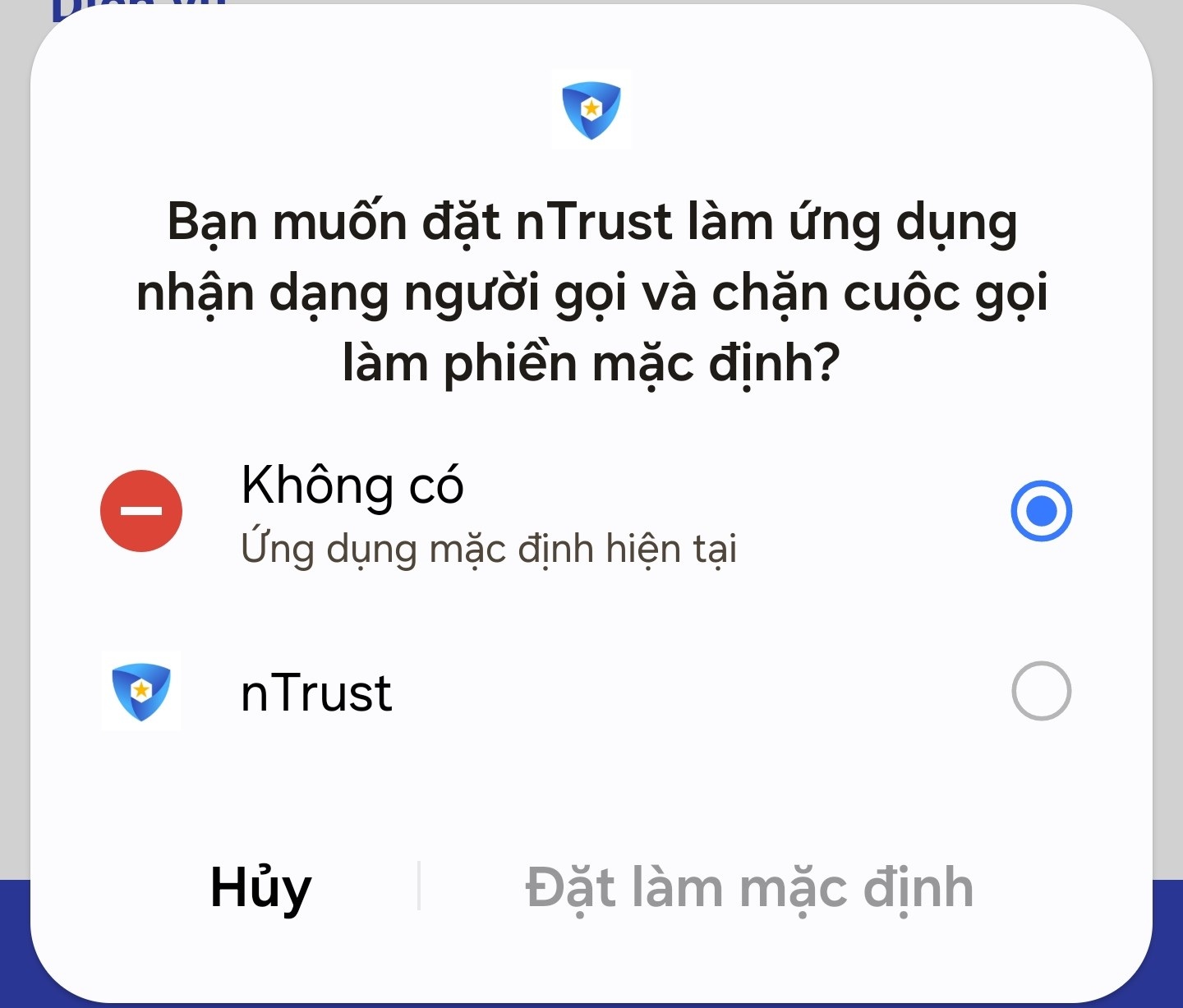
Use nTrust to check for suspected scams involving phone numbers, websites, and bank accounts.
In addition to identifying and alerting users to fraudulent phone calls, the nTrust app also allows users to check if unfamiliar phone numbers, account numbers, or websites are linked to scams.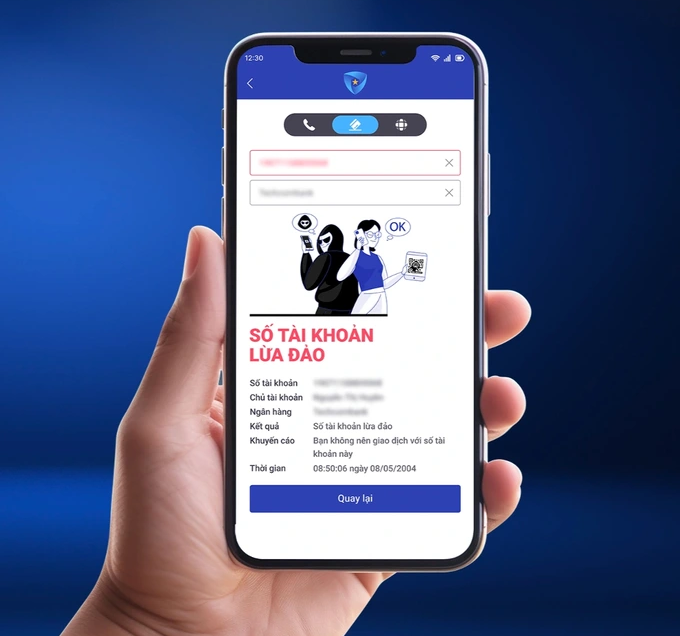
The scammer's bank account information is updated in the database, allowing nTrust to warn users before making money transfers (Image: National Cybersecurity Association).
For example, someone might ask you to transfer money to their bank account, but you want to check if that account belongs to a scammer. Or someone might send you a website link and you want to check if that website is safe to access… nTrust can help you find the answer. To do this, users access nTrust, select the "Check website" or "Check account number" function from the main interface of the application, then enter the website address or account number to be checked into the corresponding dialog box. If the result returns "No information found," it means that the website or account number just checked has never been reported as a scam by any nTrust user, or this information is not yet in nTrust's scam database.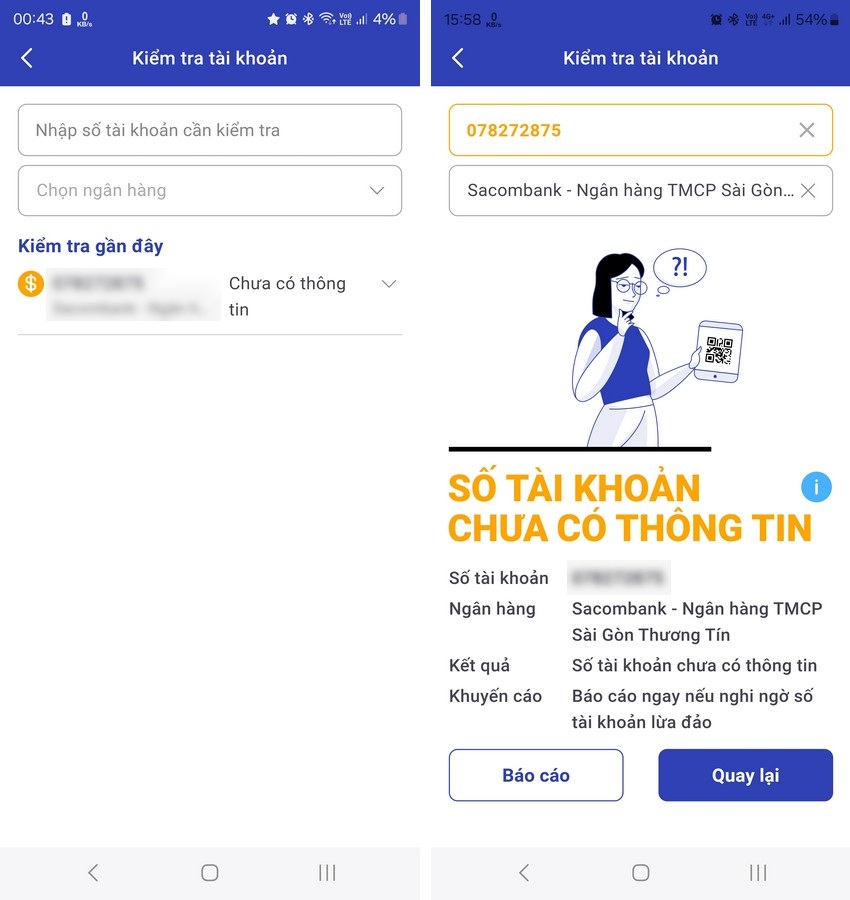
Use nTrust to automatically block unwanted, scam, and harassing phone numbers.
One useful feature of nTrust is that it allows users to create a "blacklist" of scam or unwanted phone numbers to avoid being bothered. To use this feature, access the "Check Phone Numbers" section on the main interface of the application, then select "Blacklist" from the displayed interface. Here, press the "Add Phone Numbers" button and enter the phone numbers you want to block calls from. nTrust will also ask users to enter the reason for blocking these numbers (because they are scams or bothersome).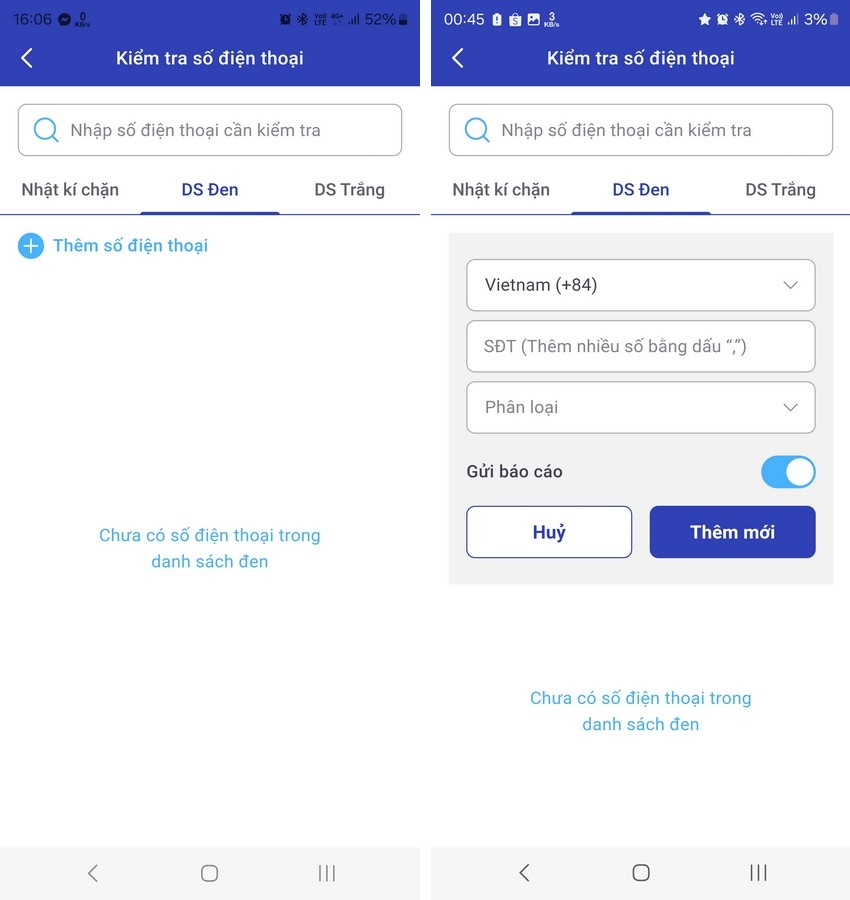
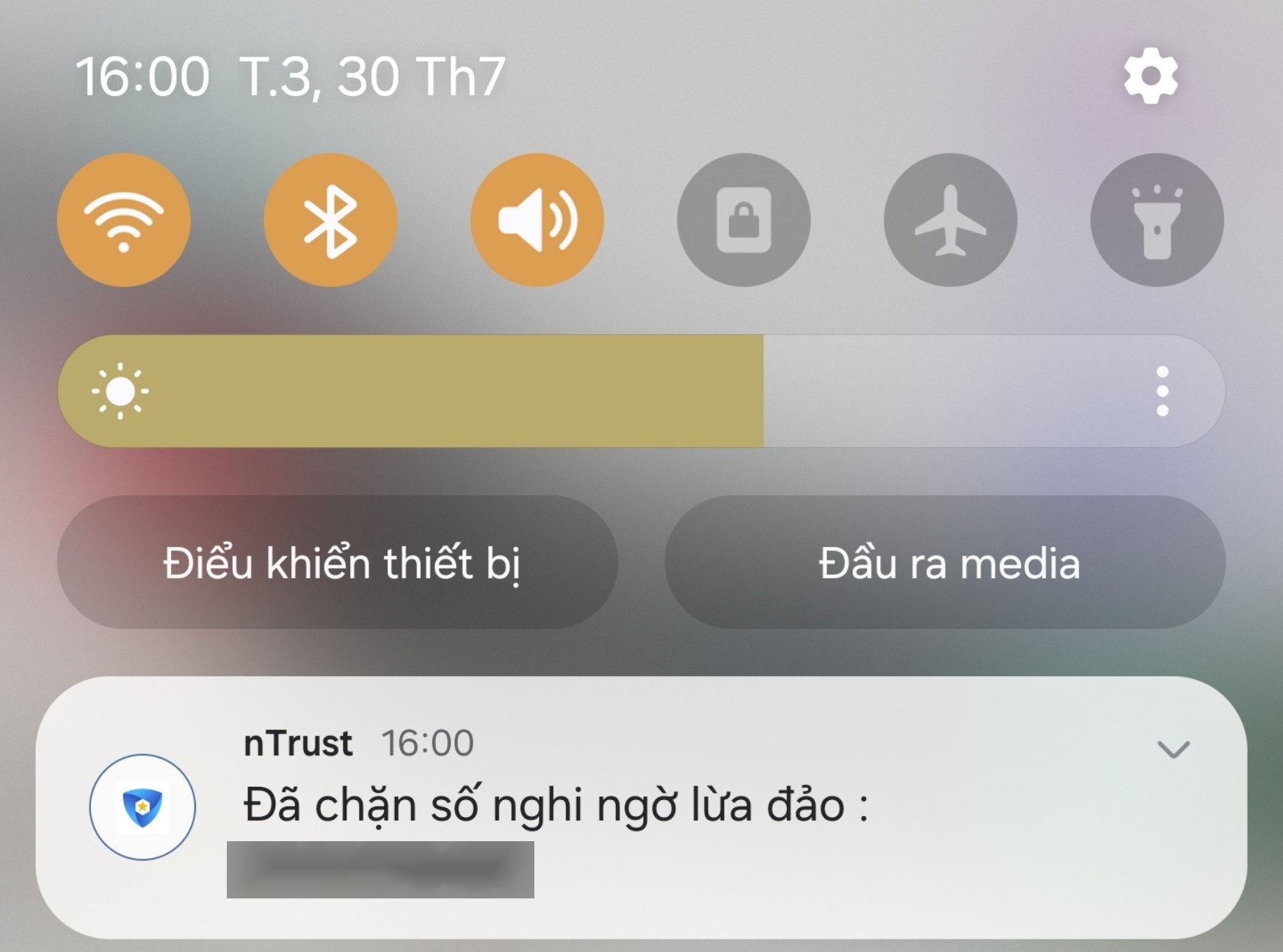
The nTrust dialog box displayed a message indicating that the call from the suspected scam number had been blocked (Screenshot).
Use nTrust to check for malware on your smartphone.
Another useful feature of nTrust is that it allows users to check if their smartphone has accidentally installed any malicious apps. To use this feature, tap the "Scan for malware" icon in the bottom menu, then tap the bug icon on the displayed interface. After the scan is complete, nTrust will inform the user of the number of apps installed on the smartphone and the amount of malware (if any) detected.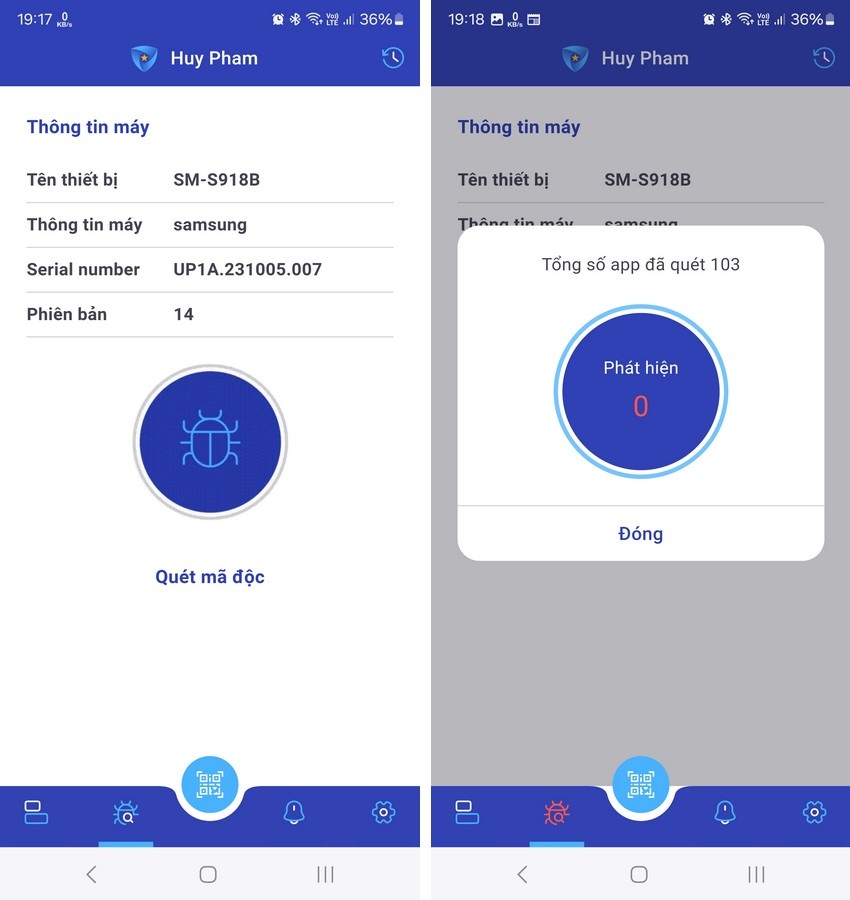
Conclusion
During testing, nTrust's features proved to work well, including call blocking, malware detection, and fake website detection. However, because nTrust is newly launched and its database of fraudulent phone numbers and bank accounts is still limited, there is a possibility that nTrust may miss some fraudulent or harassing numbers. To address this, users should actively report harassing phone numbers and fraudulent bank accounts they encounter to update nTrust's database, helping the application accurately identify and protect users more effectively.Dantri.com.vn
Source: https://dantri.com.vn/suc-manh-so/cach-su-dung-ntrust-cong-cu-chong-lua-dao-truc-tuyen-danh-cho-nguoi-viet-20240731005913988.htm

































































![[Photo] Closing Ceremony of the 15th Conference of the Central Committee of the 13th Party Congress](https://vphoto.vietnam.vn/thumb/402x226/vietnam/resource/IMAGE/2025/12/23/1766462841764_a1-bnd-3731-1647-jpg.webp)



























Comment (0)