

 |
| How to effectively view the password of a connected Wi-Fi network on Android. |
While using Android, you sometimes need to share Wi-Fi with others or connect additional devices but can't remember the saved password. In fact, you can easily view the connected Wi-Fi password directly in the settings with just a few simple steps. If you don't know how, here's a detailed guide to help you do it quickly.
How to easily view the password of a connected Wi-Fi network on Android.
On Android phones, especially Samsung devices, you can easily view saved Wi-Fi passwords directly in the settings without needing an external app. Other Android devices have similar functionality, so you can use it quickly.
Step 1: Go to Settings , then select Connections to access your phone's network settings.
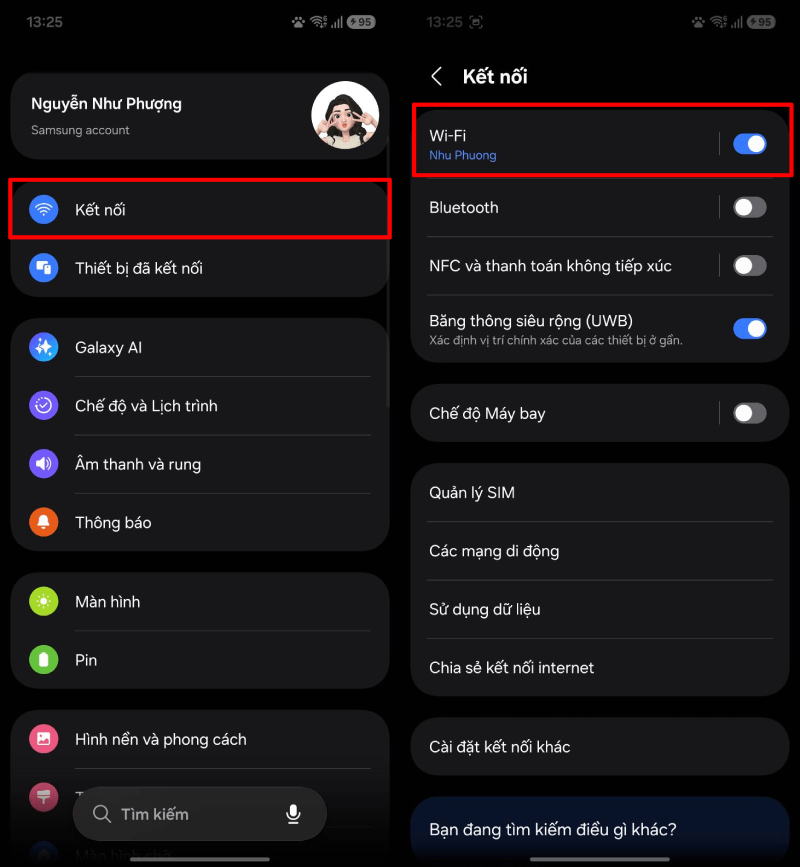 |
| Go to Settings, then select Connections. |
Step 2: Tap on Wi-Fi , then select the network you are connected to to view details.
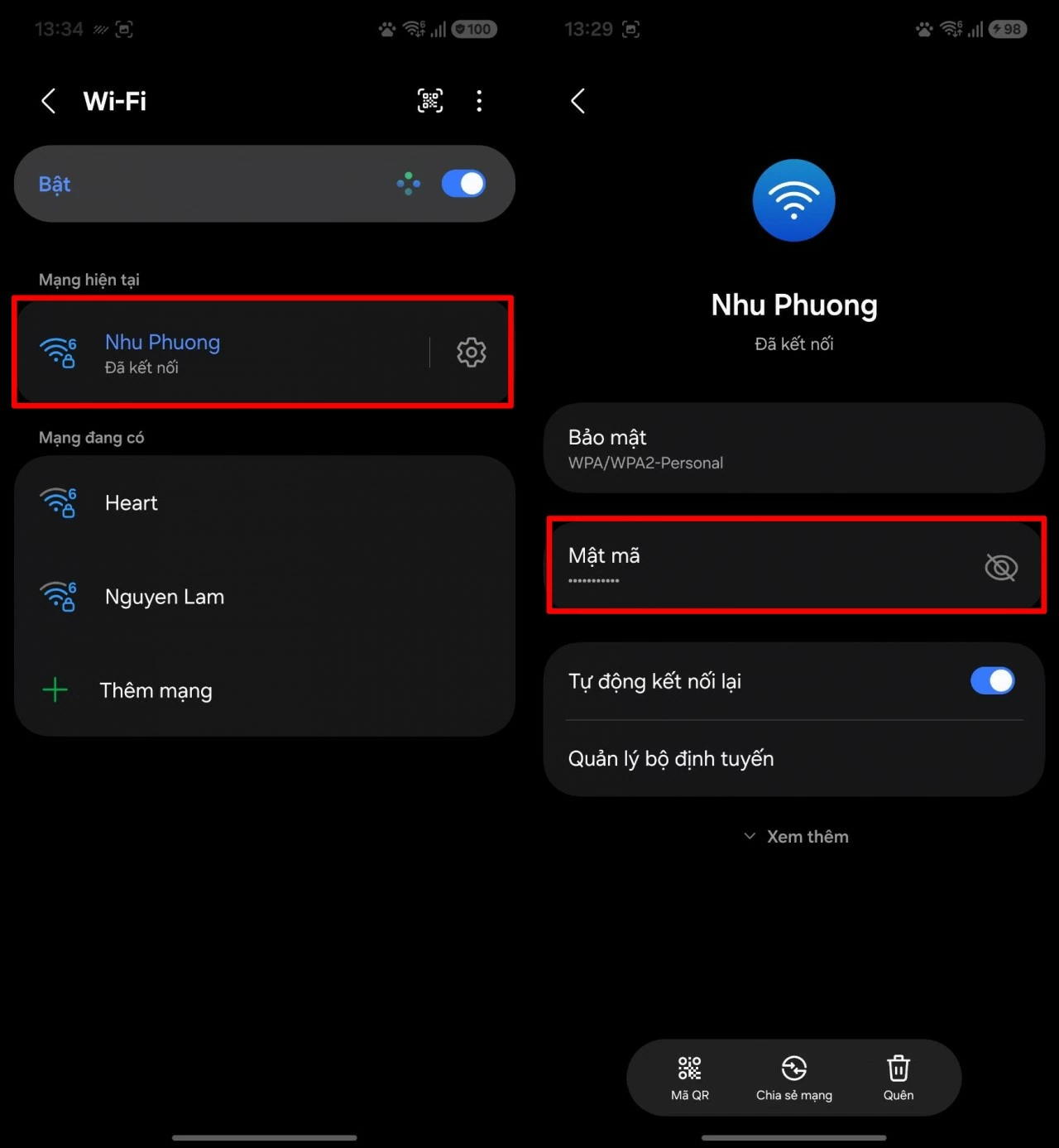 |
| Tap on Wi-Fi, then select the correct network. |
Step 3: In the network information section, the password will be hidden. Simply tap the eye icon to display the saved Wi-Fi password.
 |
| In the network information section, the password will be hidden. |
Additionally, you can also choose to use a QR code to quickly share Wi-Fi with other devices without manually entering the password. Simply scan the code to connect instantly, which is very convenient.
With a few simple steps on Android, you can easily view saved Wi-Fi passwords or quickly share them with other devices when needed. This feature makes connecting to the network more convenient, especially in situations where you've forgotten your password or need to share it urgently.
Source: https://baoquocte.vn/cach-xem-mat-khau-wi-fi-da-ket-noi-tren-android-hieu-qua-396497.html





































































































Comment (0)