

This article will guide you in detail on how to quickly remove your business information from Google Maps when necessary.
 |
Google Maps is a useful tool that helps users easily look up information about places, directions, and businesses. However, in some cases, you may want to remove your business from Google Maps because it has ceased operations, the information is inaccurate, or you simply don't want to see it anymore. This article will show you how to quickly and effectively remove a business from Google Maps.
Mark the business as "Permanently Closed"
This is the quickest way to inform Google and your users that your business is no longer active.
Step 1: First, access Google Maps and log in to your Google Business account. Next, search for your business name.
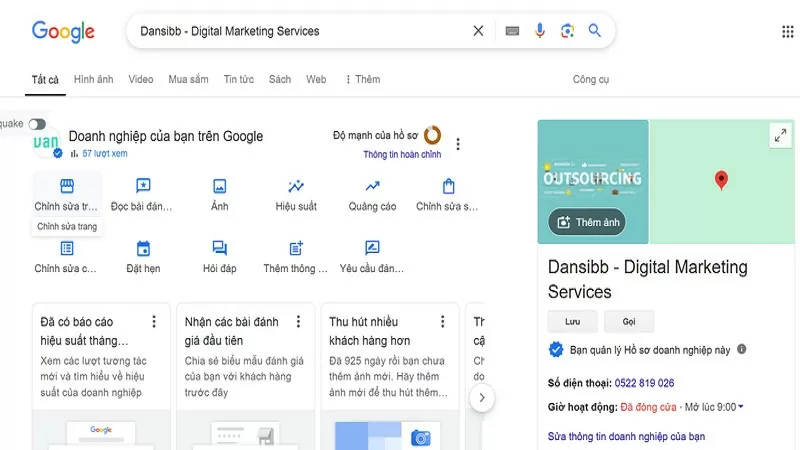 |
Step 2: In the search results, click on your business name and then click the "Edit Page" option.
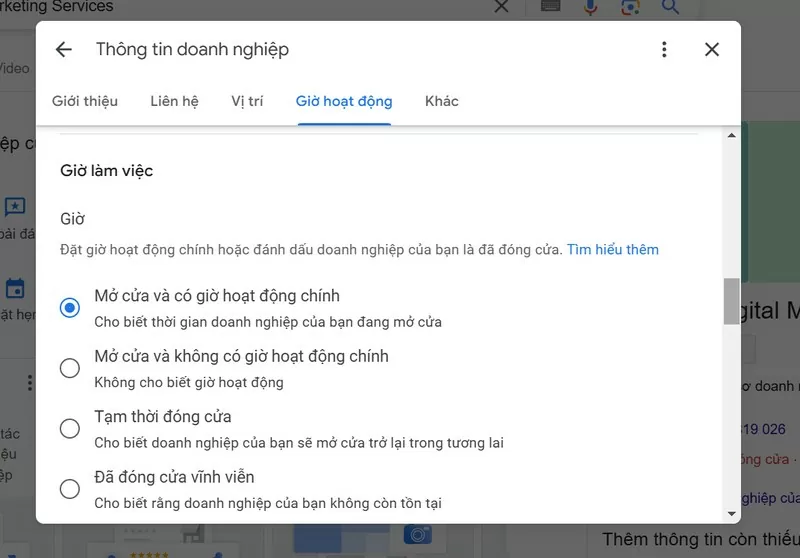 |
Step 3: Select "Business Hours" and then click on "Permanently Closed". Finally, simply click the "Submit" button to complete the process.
Delete a business through Google My Business
If you manage your business using Google My Business, you can delete content and stop managing it directly.
Step 1: First, log in to Google My Business.
 |
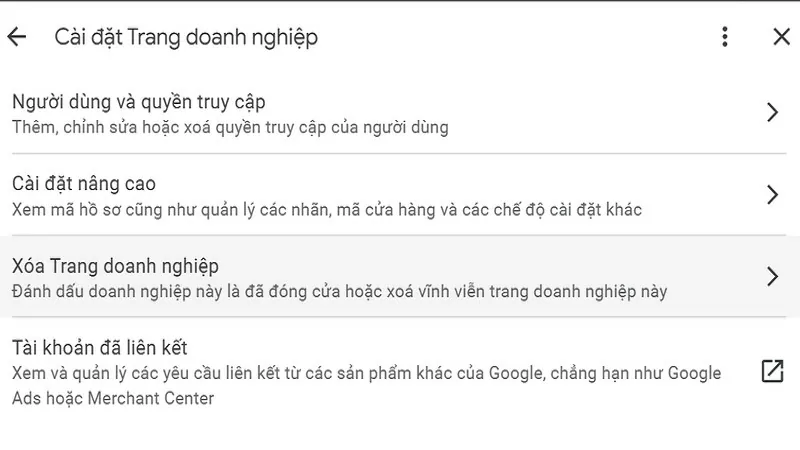
Step 2: Next, select the business you want to delete. Then, click the three-dot icon (⋮) and select "Business Settings". Finally, click "Delete Business" and confirm the deletion.
 |
Step 3: You can also mark the business as "Permanently Closed" before deleting it.
 |
Removing a business from Google Maps not only eliminates outdated or inaccurate information but is also a crucial step in managing a business's online presence.
Source
































































































Comment (0)