

Checking your hard drive capacity on Windows 10, 8, and 7 computers helps you manage your storage space more effectively. Check out the guide below!
 |
Windows computers are now a popular tool for work and study. If you also use a Windows computer, please refer to the steps below to check your SSD hard drive capacity:
Check in This PC
On computers running Windows 7, 8, and 10, the easiest way to check your hard drive space is to access My Computer. To do this, press the Windows key + E to open File Explorer.
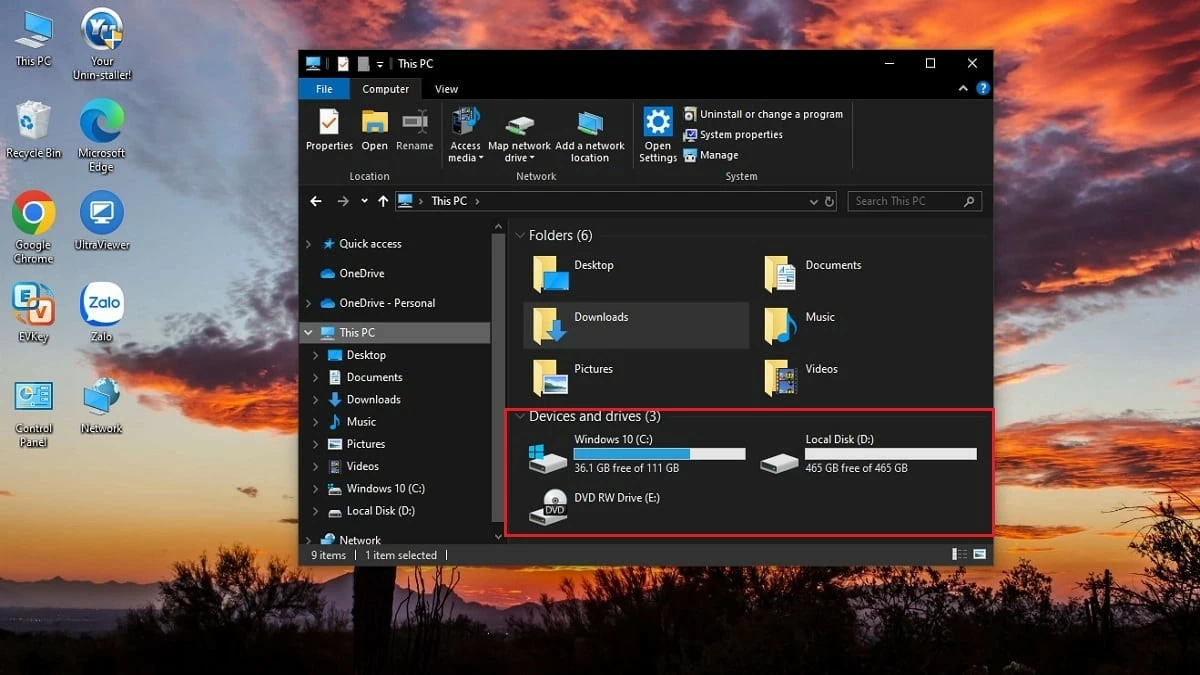 |
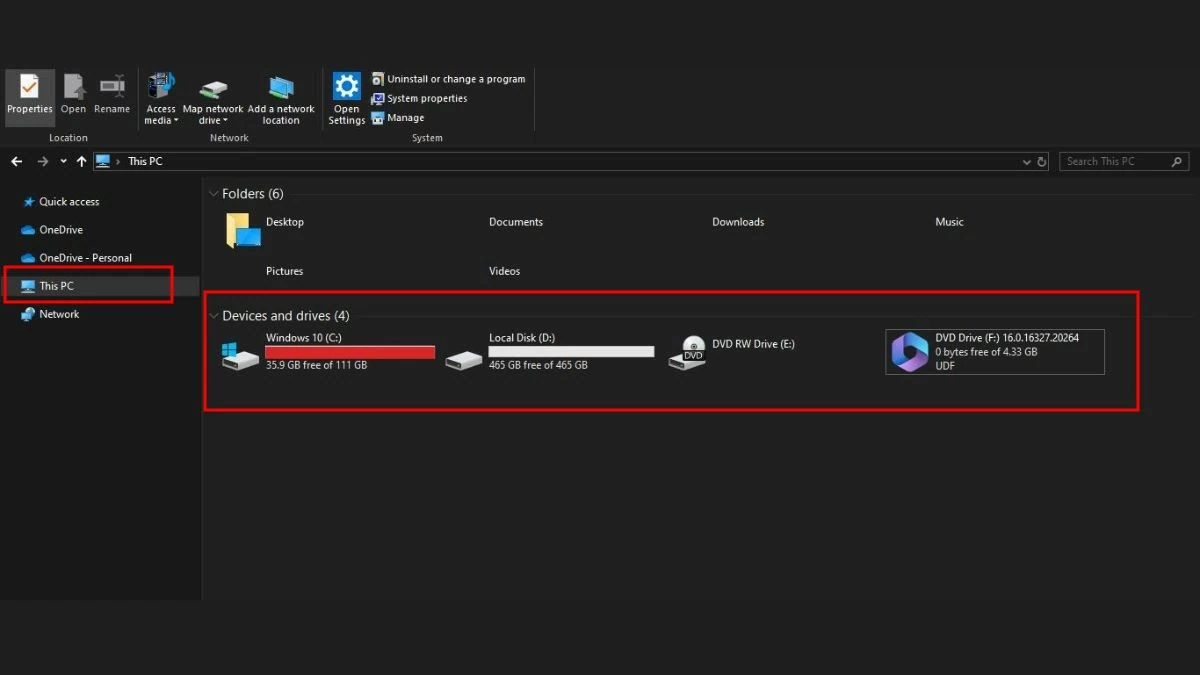
On Windows 10, Windows 8, and 8.1, click on This PC in the left-hand menu. For Windows 7, select Computer, and on Windows XP, select My Computer. Here, you will see information about your computer's hard drives, including used and free space. If a hard drive shows a red bar, it means the storage space is nearly full and you should consider upgrading to have more storage.
 |
Use properties immediately.
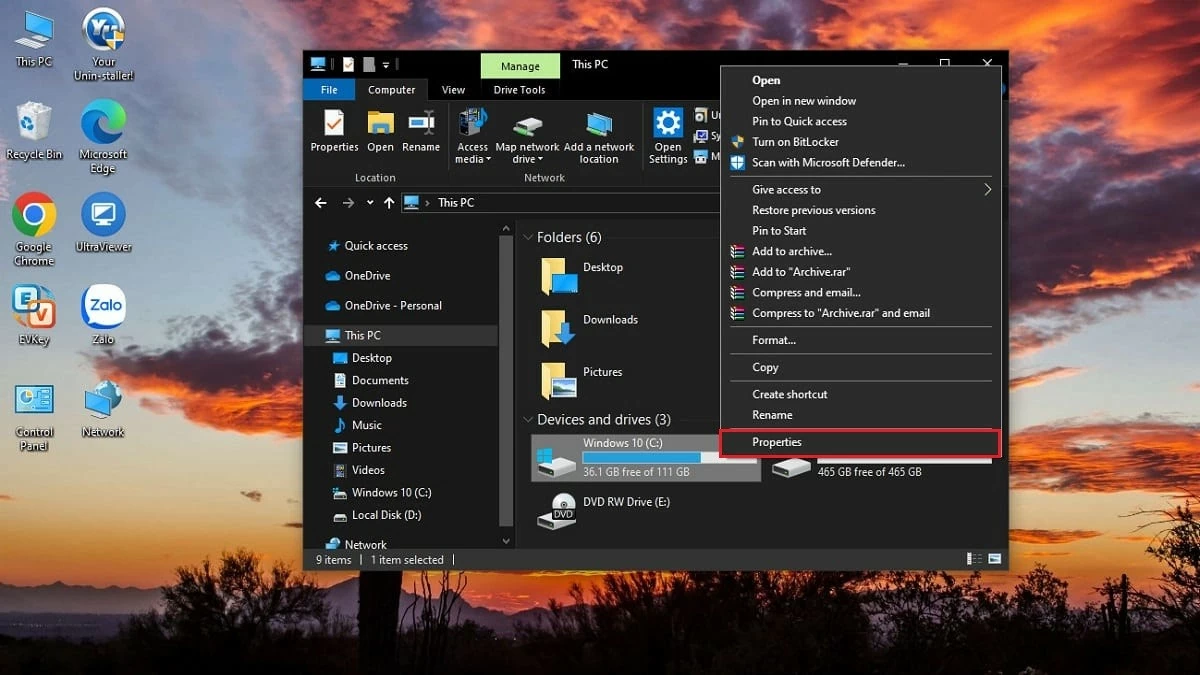
Besides My Computer, you can also check your SSD storage capacity using its Properties. To see the free space on your computer, follow these steps:
Step 1: Right-click on the hard drive whose capacity you want to check.
Step 2: Select Properties.
 |
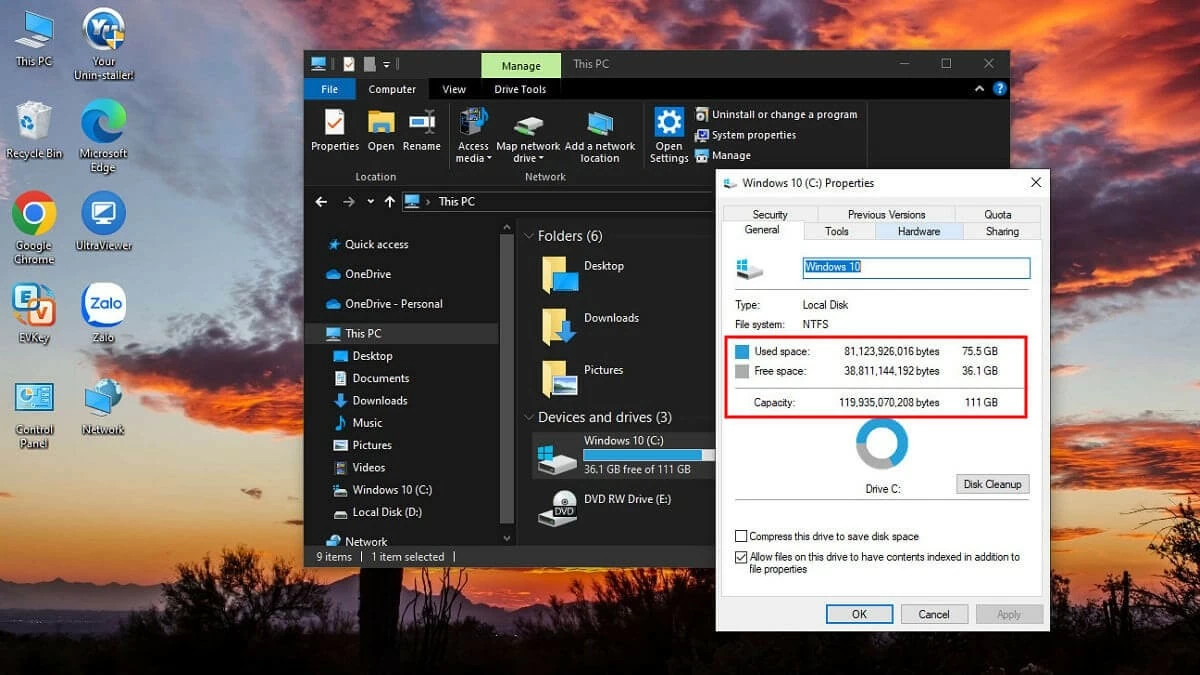
Step 3: In the General tab, you will see all the information about the selected hard drive. Pay attention to the following three items:
- Capacity refers to the total storage capacity of the hard drive.
- Used Space means that the storage space has been used.
- Free Space means the amount of storage space that is still available.
 |
Check in Disk Manager
In addition to checking storage capacity, Disk Management also helps you monitor your computer's performance. To check your SSD's storage capacity using Disk Management, follow these steps:
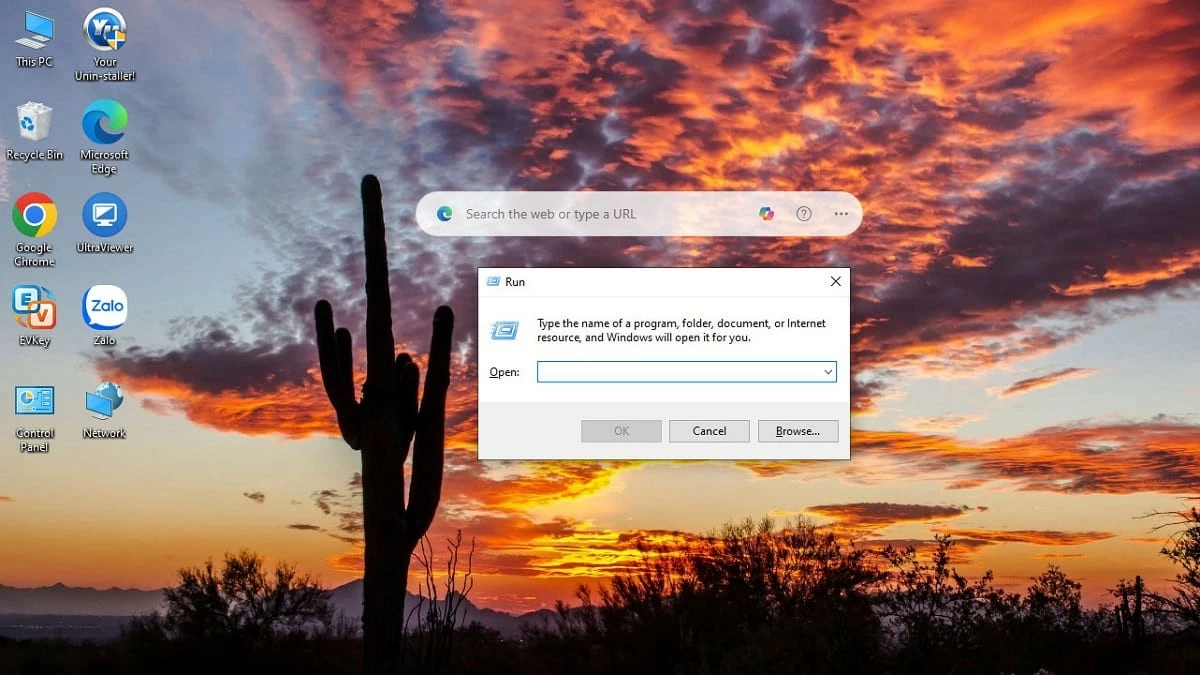
Step 1: Press the Win + R key combination to open the Run dialog box.
 |
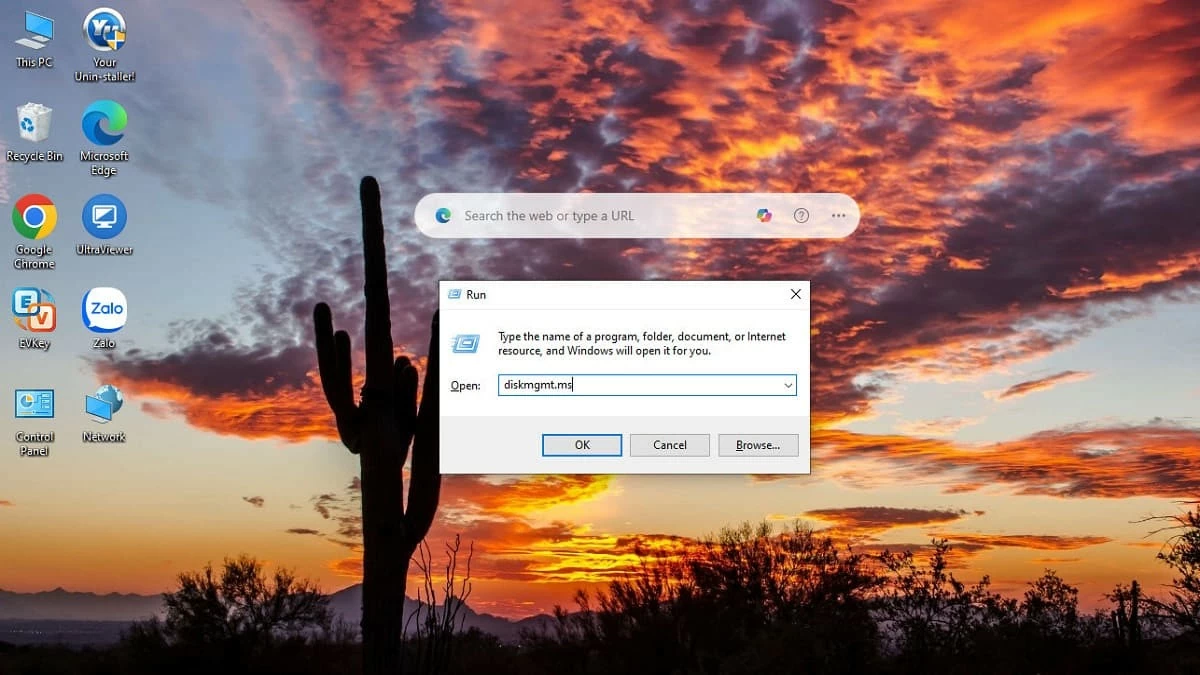
Step 2: In the Open box, enter the command **diskmgmt.msc** and press OK.
 |
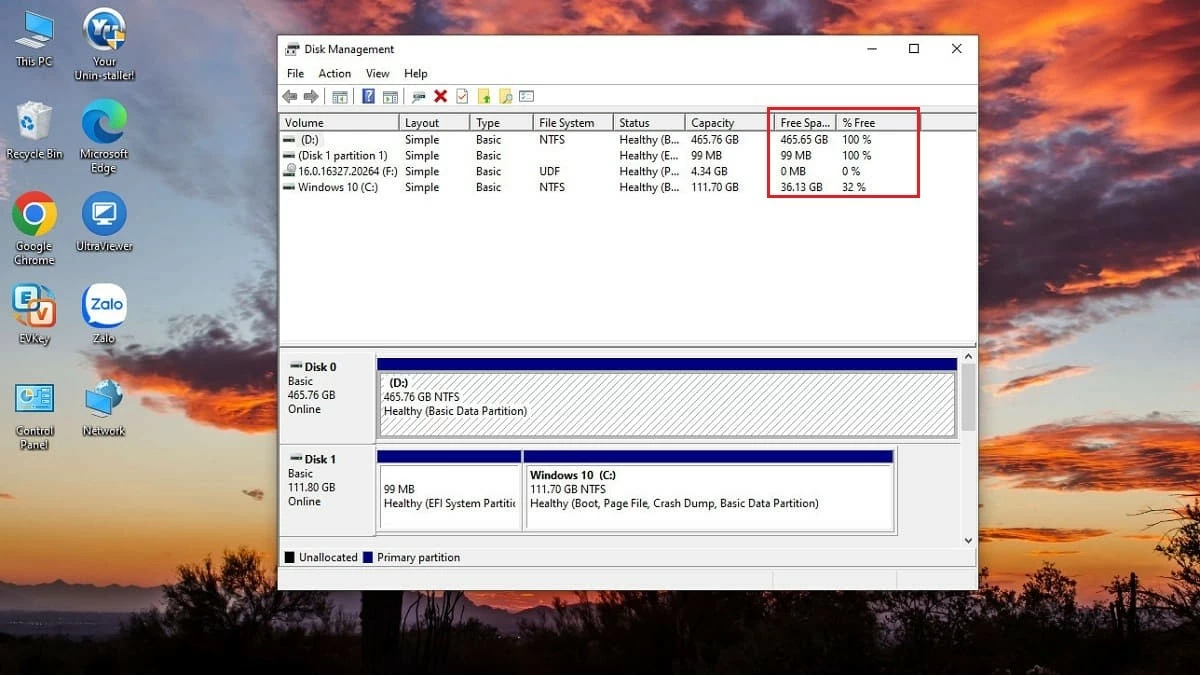
Step 3: The Disk Management window will open immediately, displaying the hard drives on your computer. To check the exact capacity, pay attention to the Free Space and % Free sections.
 |
Above are some methods for checking SSD storage capacity that this article wants to share with you. All methods are simple and quick. Depending on your operating system, apply the appropriate method to check capacity and find an effective storage solution.
Source: https://baoquocte.vn/kiem-tra-dung-luong-may-tinh-windows-10-8-7-don-gian-282476.html



































































































Comment (0)