According to GadgetHacks , some websites require visitors to complete a verification task (enter a CAPTCHA) to ensure they are real users and not bots. While this helps combat spam, abuse, unauthorized access, and cyberattacks, it also inconveniences users when accessing content.
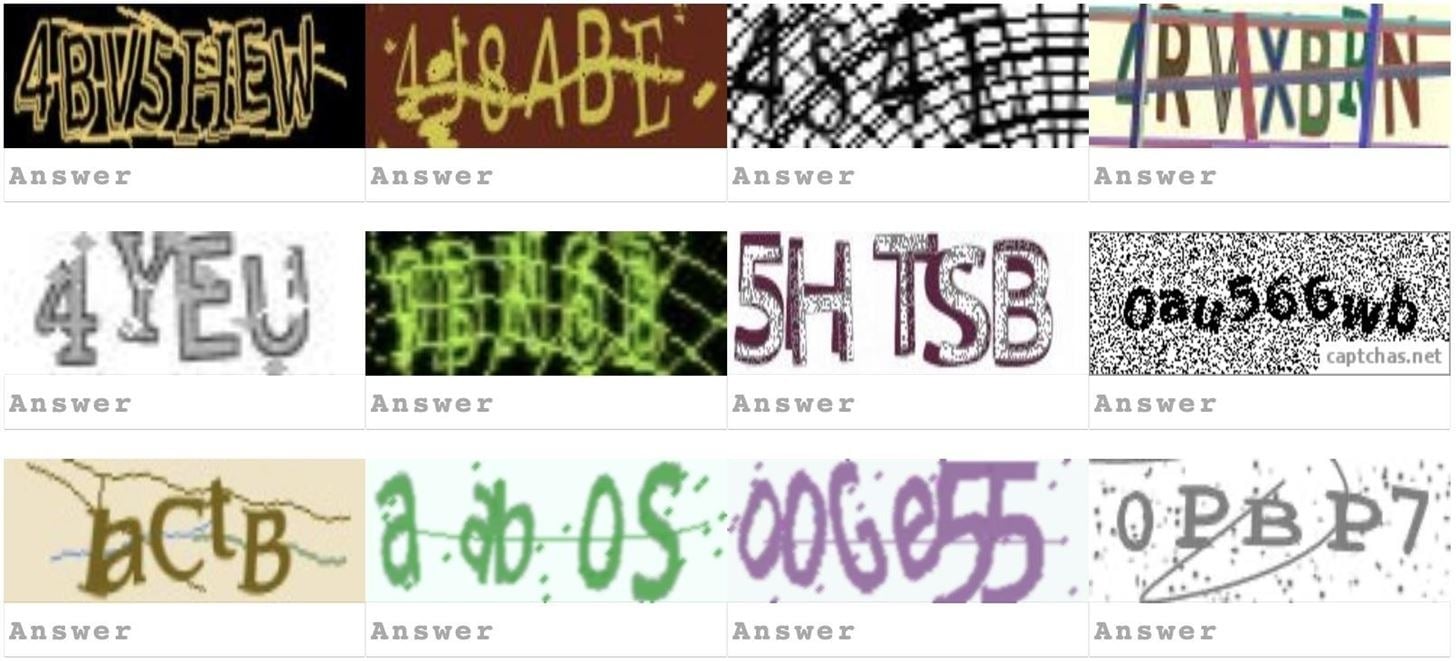
CAPTCHA codes can sometimes be quite frustrating for users.
SCREENSHOT GADGETHACKS
If you find CAPTCHA annoying, there's a simple way to minimize the number of image verification attempts on your iPhone, iPad, or Mac computer.
Apple's Automatic Verification feature



Accordingly, if you're logged in with your Apple ID on your iPhone, iPad, and Mac, all devices will receive the 'Automatic Verification' feature, allowing you to bypass CAPTCHA without fulfilling the requirements. Furthermore, this feature protects your privacy by hiding personal data and identifiers that would normally be visible in CAPTCHA challenges.
In terms of how it works, when you access a website or app that requires CAPTCHA, the feature automatically verifies that you are a real user using your Apple ID. This process is quick and secure; you don't need to do anything yourself.
How to activate Automatic Verification
As long as your device is running iOS 16 or iOS 17 or later, or iPadOS 16.1 or iPadOS 17 or later, this feature will be enabled by default. However, if the feature is accidentally turned off in any way, you can turn it back on by following these steps:
- Open the Settings app on your iPhone or iPad.
- Tap on your Apple ID name located at the top of the settings interface.
- Click on Sign-In & Security.
- Scroll to the bottom of the interface and enable the 'Automatic Verification' option.
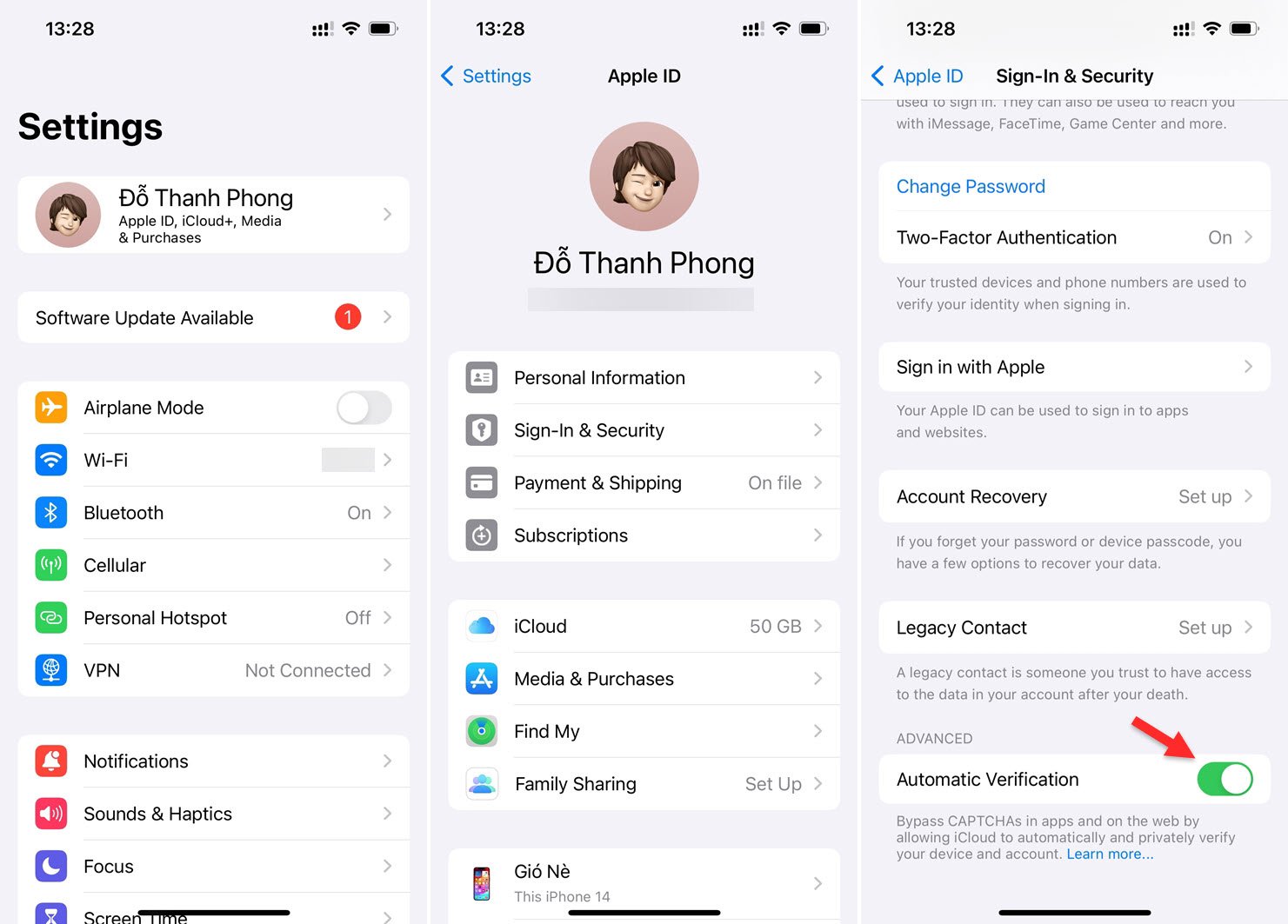
Steps to activate the Automatic Verification feature for Apple ID



Why do you sometimes still see CAPTCHA verification requests?
It's important to note that not all CAPTCHA apps, websites, or providers participate in Apple's 'Automatic Verification' for iOS, iPadOS, and macOS. Therefore, if you still see them even with the feature enabled, you may still need to answer the challenge manually.
Source link