

Gemini Canvas provides instant, detailed feedback without requiring user input. When a document is uploaded, the AI analyzes the content and then categorizes it into two main sections: “Strengths” and “Areas for Improvement.” This allows Gemini Canvas to function more like a real editor than a mere AI assistant.
ChatGPT Canvas requires users to ask questions or make requests before providing feedback. Instead of analyzing immediately, it waits for specific instructions from the user. This approach gives writers better control over the editing process, but it may lack intuitiveness for those who want quick feedback.
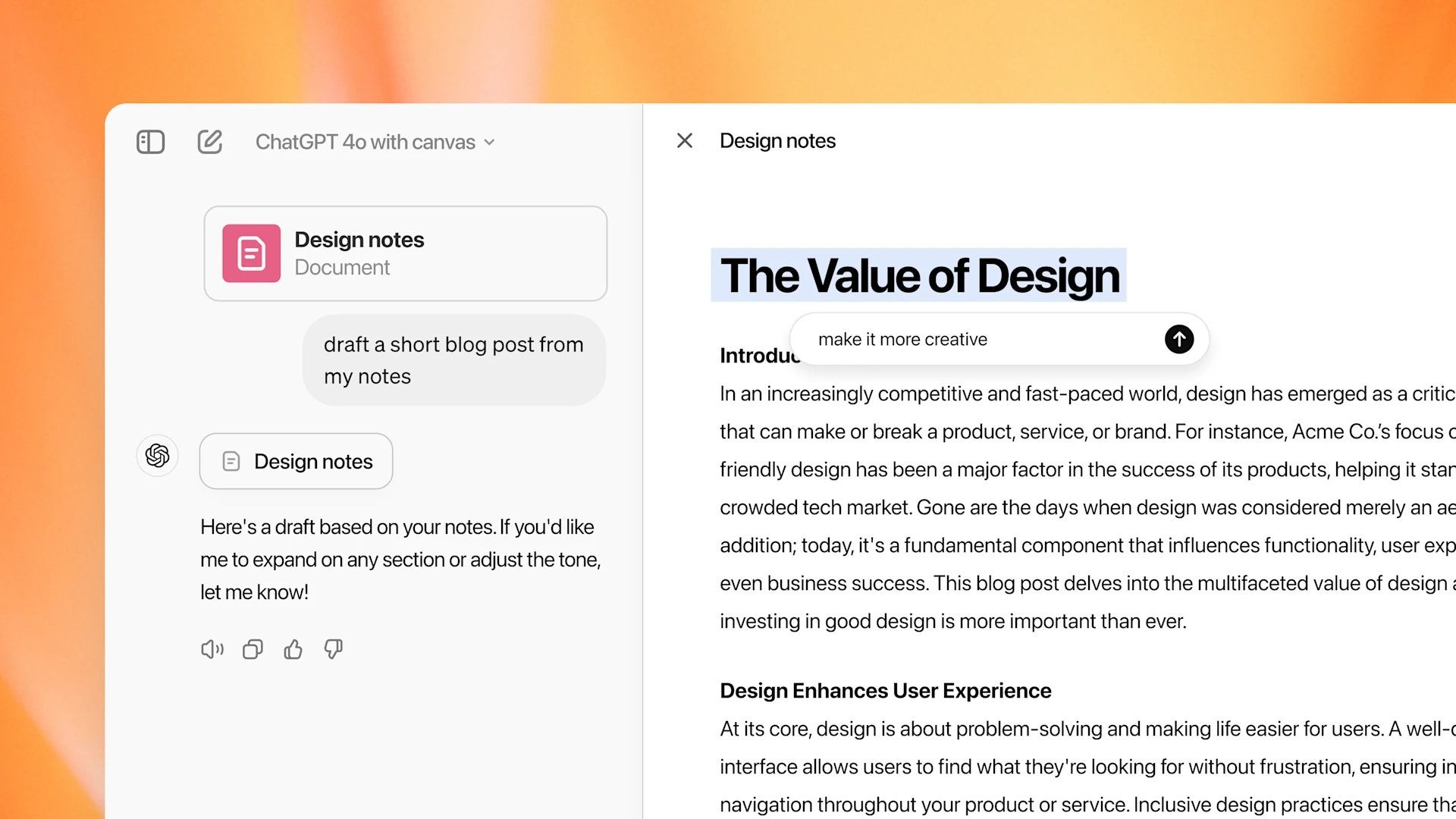
ChatGPT Canvas interface
Gemini Canvas offers very detailed editing suggestions, making it easy for users to refine their content. However, this level of detail can sometimes overwhelm writers. ChatGPT Canvas tends to strike a better balance between the strengths and weaknesses of the text, giving users an overall view without being overwhelmed by too much editing information.
Gemini Canvas edits directly into the document, allowing users to quickly adjust content. However, it doesn't always highlight changes, forcing users to manually review the text. ChatGPT Canvas clearly displays suggested edits, making it easier for writers to identify and apply necessary changes.
In real-world tests, Gemini Canvas tended to better support multimedia content. When asked to display a weekly schedule visually, Gemini generated a chart and suggested colors for each activity, while ChatGPT only displayed a list of events with a single color column.
When asked to add illustrations to their parenting guide, Gemini not only suggested images but also linked to videos on TikTok and other websites for visual illustration. Meanwhile, ChatGPT only described the types of images to use without providing direct links.
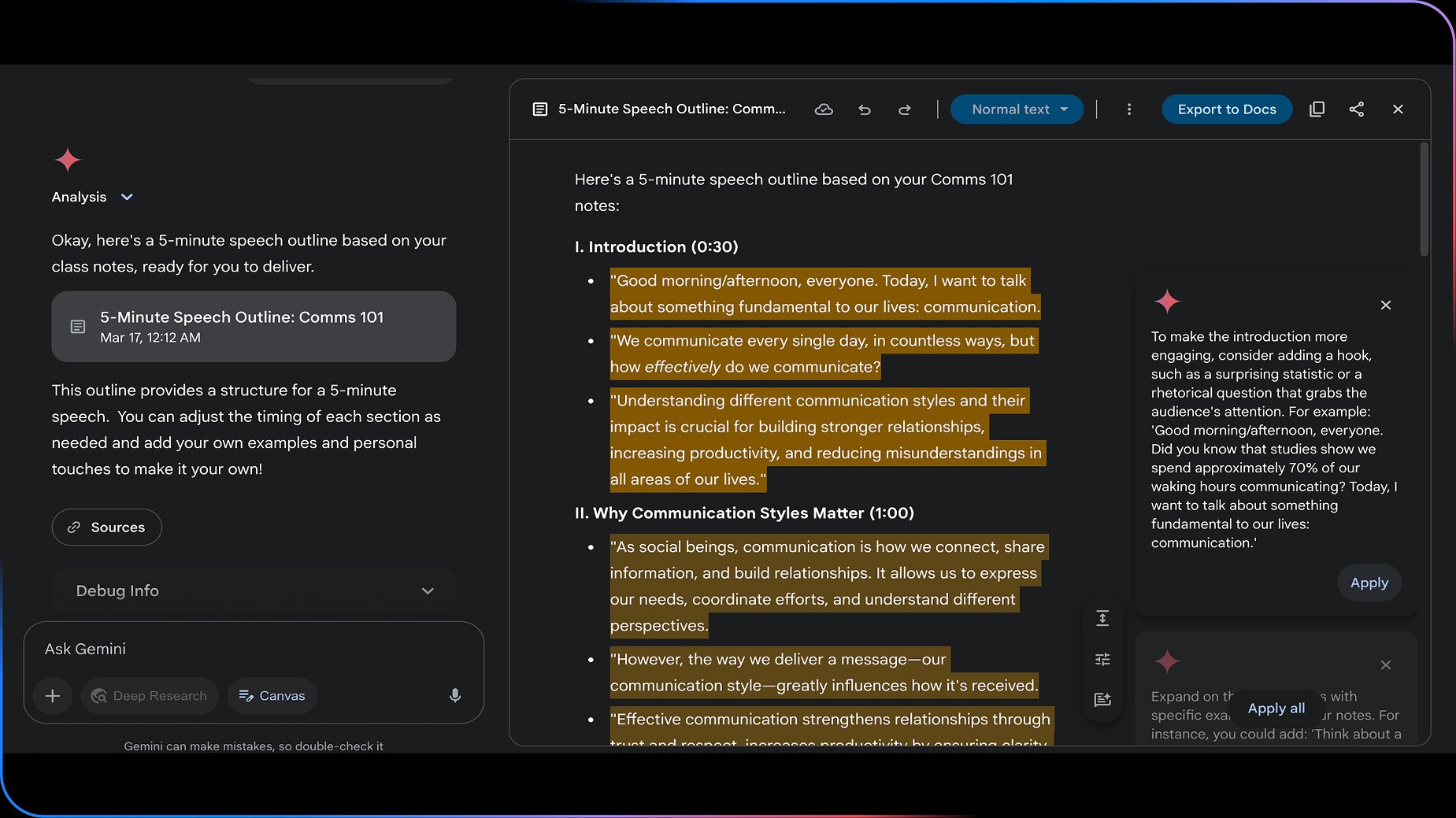
Gemini Canvas interface
Both platforms support writing and editing code, but Gemini tends to be more creative. When asked to create an HTML page to share a recipe, both generated fairly good code. However, Gemini had a more creative web design style right from the first command. ChatGPT produced more basic and clean HTML code, suitable for those who want to edit it later.
Both ChatGPT Canvas and Gemini Canvas are strong in different ways. If you prioritize detailed editing capabilities and visual support, Gemini Canvas is the better choice. If you want more control over the editing process and more balanced feedback, ChatGPT Canvas might be a better fit.
If multimedia and web design support is needed, Gemini excels. If clean code handling is required, ChatGPT might be a better fit.
Overall, Gemini Canvas is suitable for those who want direct editing and detailed feedback, while ChatGPT Canvas is suitable for those who prefer more control over the editing process.
Cao Phong (according to Techradar, Softonic)


![[Photo] Prime Minister Pham Minh Chinh presides over a meeting on private sector economic development.](/_next/image?url=https%3A%2F%2Fvphoto.vietnam.vn%2Fthumb%2F1200x675%2Fvietnam%2Fresource%2FIMAGE%2F2025%2F12%2F20%2F1766237501876_thiet-ke-chua-co-ten-40-png.webp&w=3840&q=75)















































































Comment (0)