In the internet age, privacy protection like VPN on iPhone is an effective solution to safeguard personal information. Check out how to turn VPN on and off on iPhone!
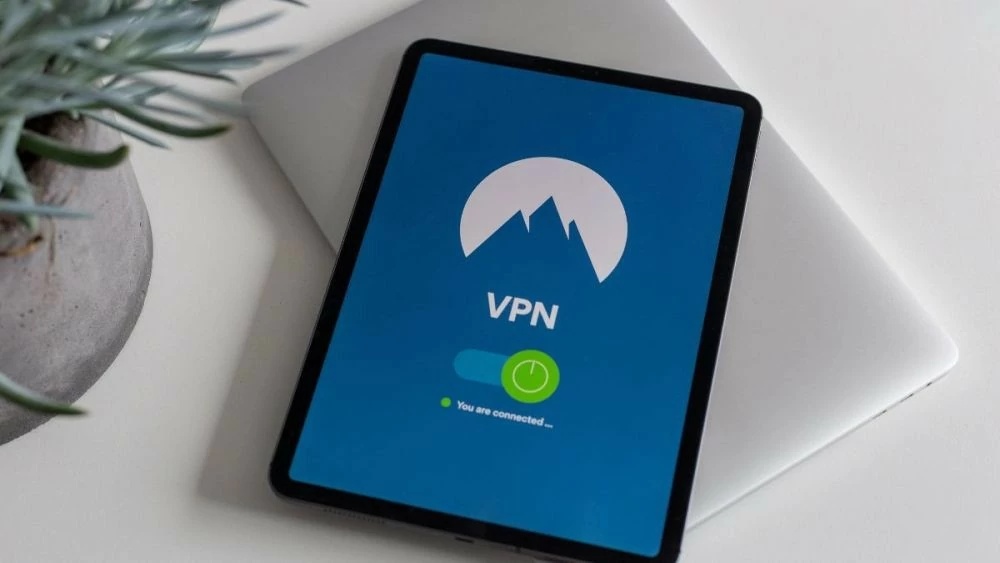 |
A VPN (Virtual Private Network) is a virtual private network available on iPhones, providing a secure channel for transmitting data over the internet. When using a VPN, data is encrypted and passed through an intermediary server before reaching its destination, helping to protect personal information and prevent attacks from third parties.
Instructions on how to install and use a VPN on your iPhone.
To install and use a VPN on your iPhone, follow these steps:
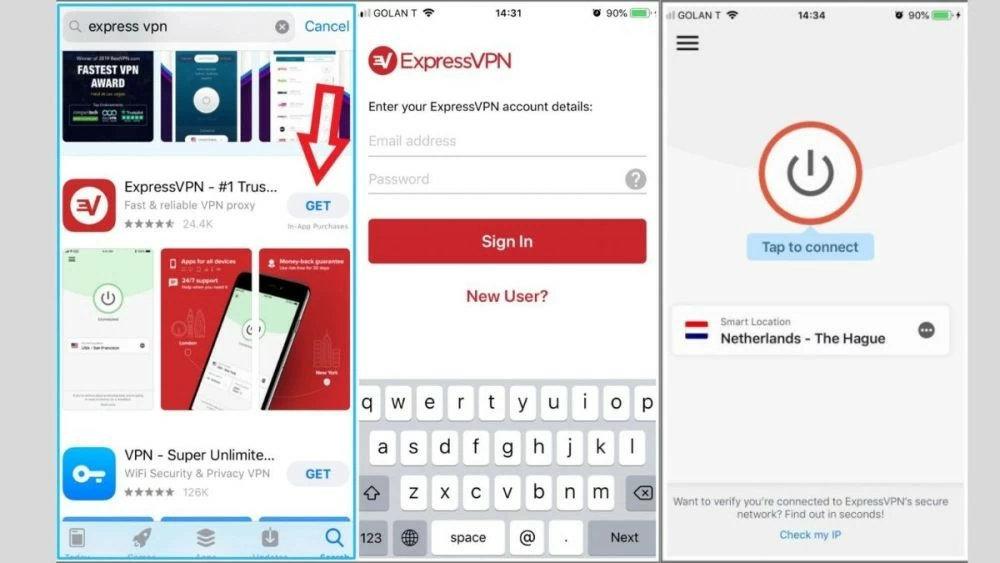
Step 1: Go to the App Store, search for and download a VPN app such as TunnelBear, NordVPN, ExpressVPN, or CyberGhost.
Step 2: Open the application, create an account following the instructions, and enter the VPN configuration information provided by the service provider.
Step 3: Press "Connect" to connect your device to the VPN server and encrypt your internet traffic.
 |
Quick guide to setting up a VPN on iPhone



Besides installing a VPN through an app, you can also set up a VPN manually. This method is suitable for users who want to customize their connection to their specific needs or use a service that doesn't have an app on the App Store.
How to enable VPN on iPhone
In just 2 minutes, you can enable a VPN on your phone as follows:
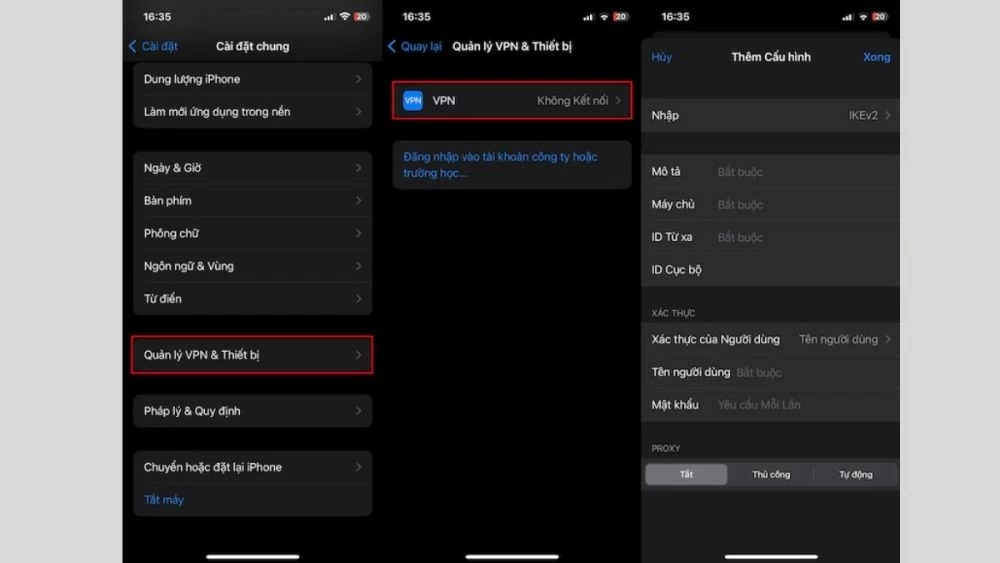
Step 1: Open Settings > General > VPN & Device Management > Add VPN Profile.
Step 2: Select the VPN type (IKEv2, L2TP/IPSec) and enter the configuration information > Save .
Step 3: Go back to Settings > General > VPN & Device Management > Select the saved VPN profile > Turn on VPN to connect.
 |
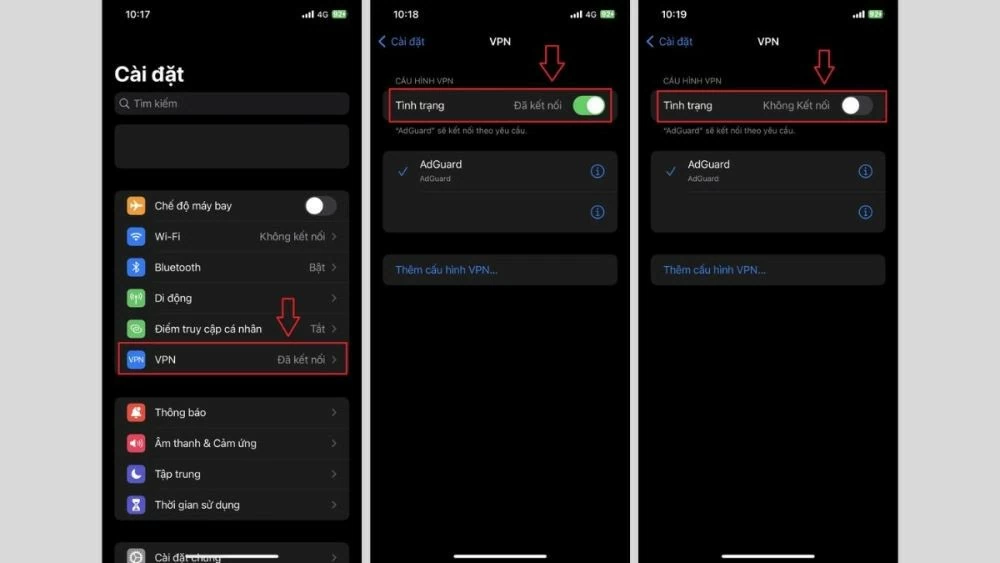
Instructions on how to turn off VPN on iPhone
Turning off a VPN on your iPhone is very simple with these steps:
Step 1: Open Settings .
Step 2: Select General Settings > VPN & Device Management .
Step 3: Select the VPN configuration you are currently connected to, then toggle the VPN switch to Off .
 |
Hopefully, with this guide on how to turn VPN on and off on iPhone and the helpful tips in this article, you now have enough knowledge to use VPN safely and effectively. We wish you successful installation and a safe online experience!
Source: https://baoquocte.vn/cach-bat-tat-vpn-บน-iphone-don-gian-va-nhanh-chong-286739.html




![[Photo] Prime Minister Le Minh Hung presides over the thematic session on promoting science and technology development and innovation.](https://vphoto.vietnam.vn/thumb/1200x675/vietnam/resource/IMAGE/2026/06/23/1782207872934_ndo_br_dsc-1724-jpg.webp)