

 |
You've found a great app and want to install it on all your Android devices. Forget the traditional method of opening Google Play on each device to install it. Now, you can install it simultaneously on all your devices. Below are details of two extremely simple ways to install it on multiple Android devices at once.
Note:
- To use the feature perfectly and without errors, please ensure that all devices with the app installed use the same Google account.
Your devices must be connected to the internet.
1. Install via Google Play Store.
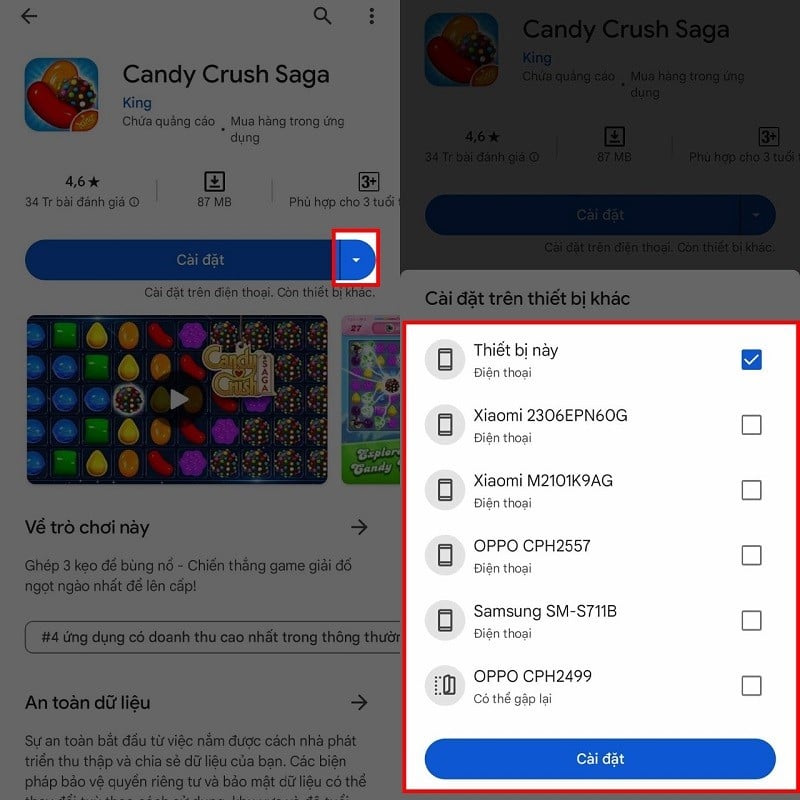
First, open the Google Play Store app on your phone. In the search bar, enter the name of the app you want to download. Once you've found the app, a small arrow icon will appear next to the install button; tap it. A list of other devices will then appear; select the device you want to install it on, tick the box next to it, and then click download to complete the process.
 |
2. Use the app synchronization feature.
Unlike the feature above, app synchronization means that whenever you download an app on one of your devices, the other devices will automatically download it as well.
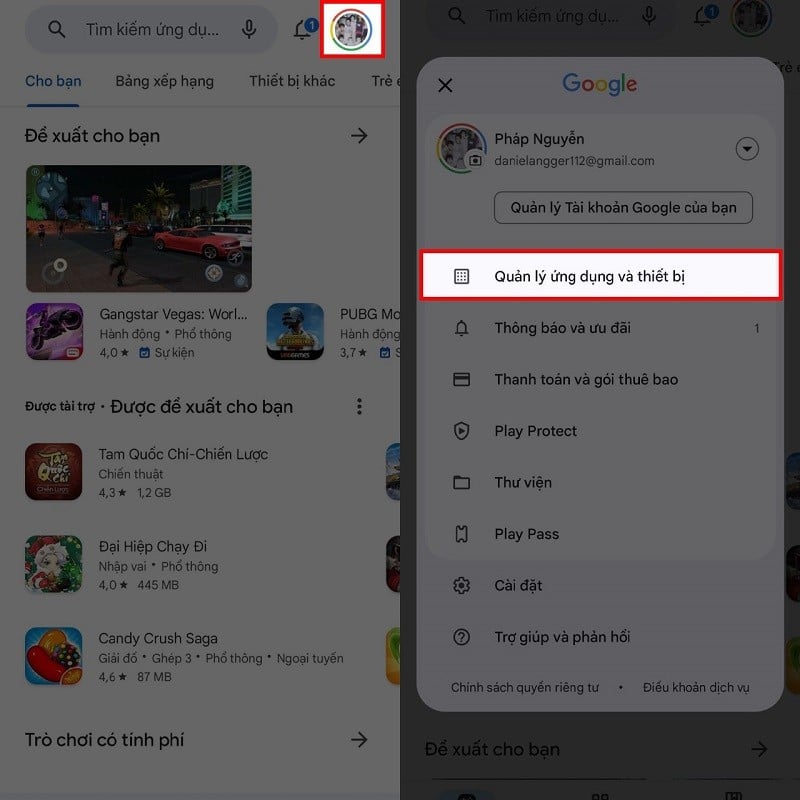
Step 1: To activate this feature, open the Google Play Store on your phone and tap the avatar icon in the upper right corner of the screen. Then, select "Manage apps and devices."
 |
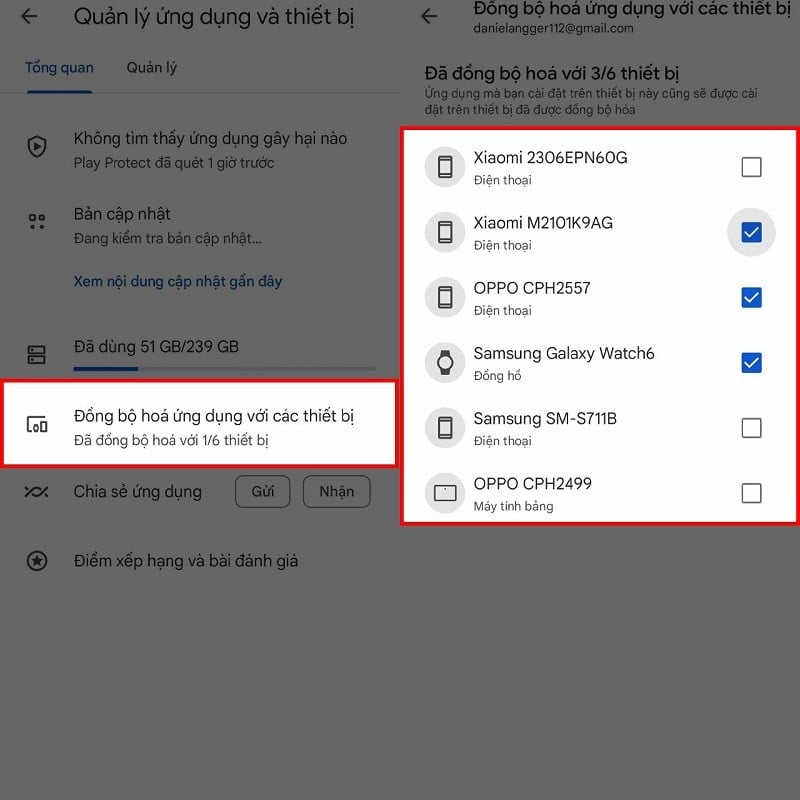
Step 2: At the bottom, you will find an option called "Synchronize apps with other devices." Tap on it. Then, select the devices you want to install the app on, and you're done.
 |
The article above has just shared with you how to install apps on multiple Android devices at the same time. We hope you succeed and can quickly download the applications you need.
Source

![[Photo] Prime Minister Pham Minh Chinh presides over a meeting on private sector economic development.](/_next/image?url=https%3A%2F%2Fvphoto.vietnam.vn%2Fthumb%2F1200x675%2Fvietnam%2Fresource%2FIMAGE%2F2025%2F12%2F20%2F1766237501876_thiet-ke-chua-co-ten-40-png.webp&w=3840&q=75)



































































































Comment (0)