

Have you ever wondered how to connect a Bluetooth speaker to your computer? Here's a guide on how to connect a Bluetooth speaker to a laptop running Windows 10, Windows 7, and Windows 8!
 |
Instructions on how to conveniently connect Bluetooth speakers to your computer.
Each operating system has a different interface, but connecting a Bluetooth speaker to a laptop is simple and quick. Below are detailed instructions for Windows 7, Windows 10, and Windows 8.
Connecting Bluetooth speakers to a Windows 7 computer is easy.
Step 1: Turn on your Bluetooth speaker and ensure the device is within connection range.
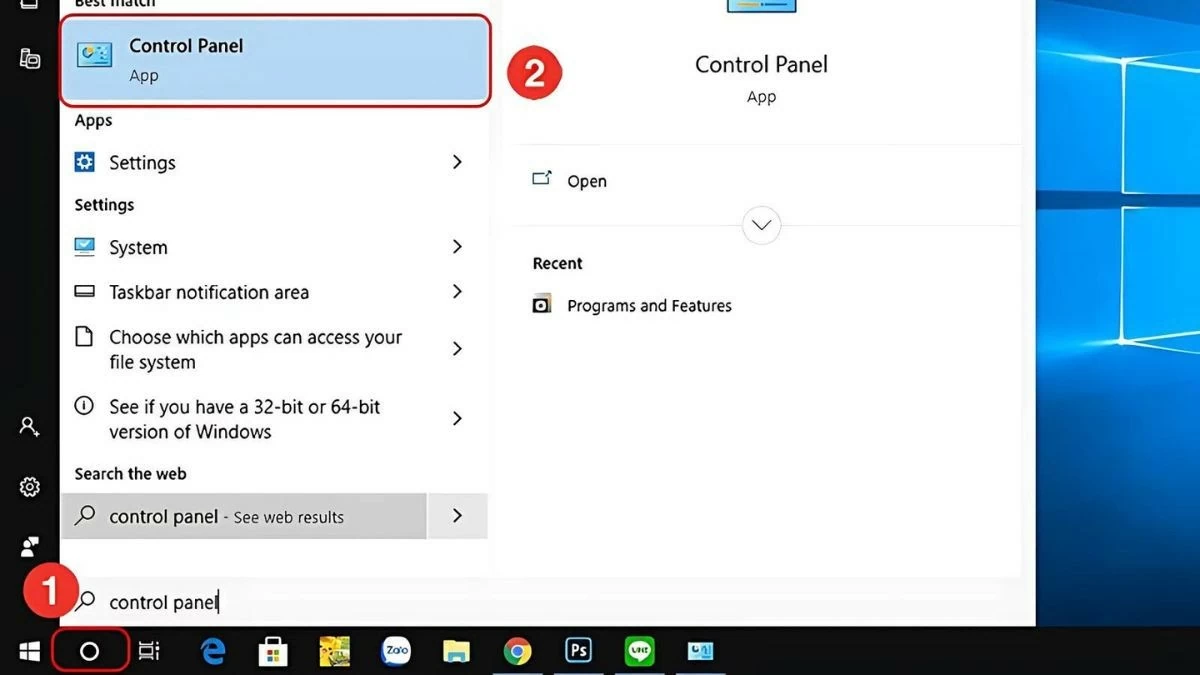
Step 2: Next, open the Control Panel and select View Devices and Printers . Or go to the Start Menu and click on Devices and Printers .
 |
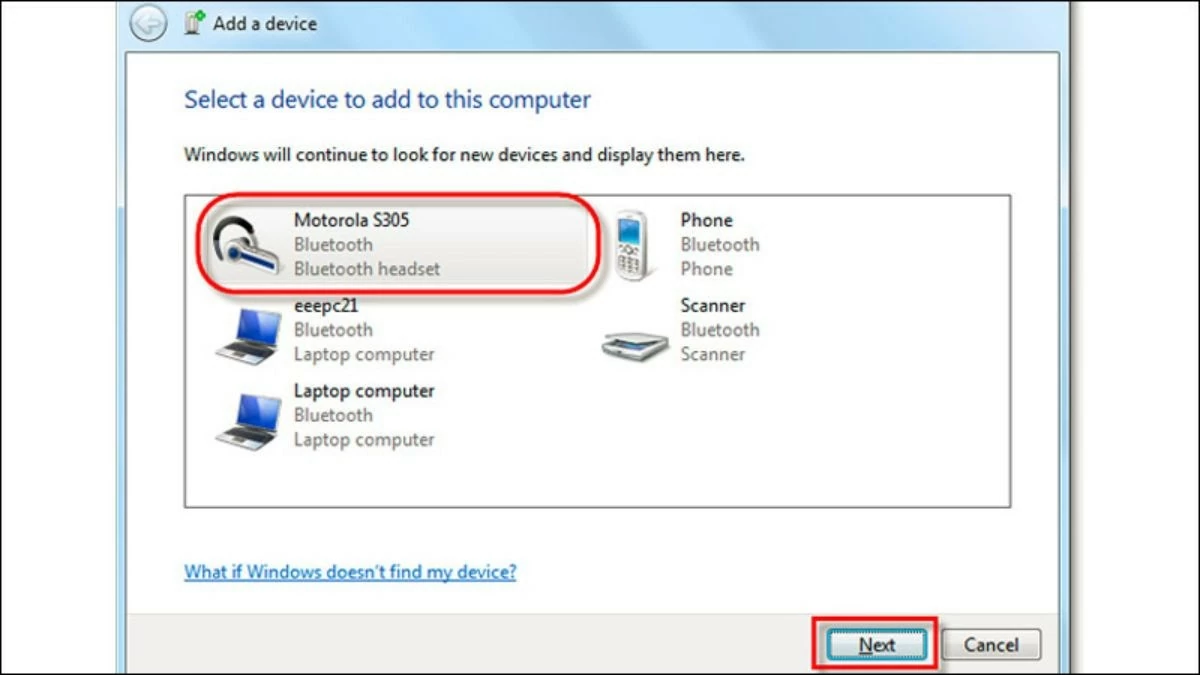
Step 3: When the new window opens, click Add a Device to begin the connection process. Select the Bluetooth speaker you want to pair and press Next to complete the connection with your Windows 7 computer.
 |
Quickly connect Bluetooth speakers to your Windows 8 computer.
Pairing a Bluetooth speaker with a Windows 8 computer is very simple. Here are the easy steps:
Step 1: Turn on your Bluetooth speaker and ensure it is within range, as per the manufacturer's instructions.
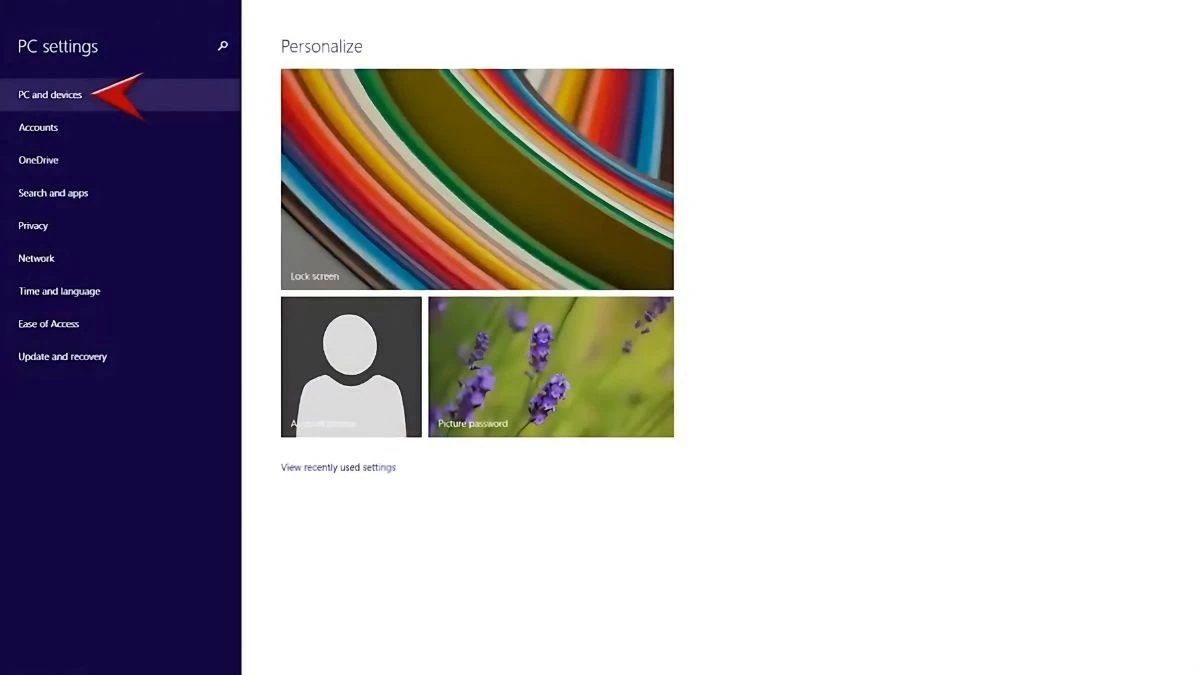
Step 2: On your computer, press the Windows + W key combination, select Settings , then go to Change PC settings and click on PC and Devices .
 |
Step 3: In the settings, select Bluetooth and turn it On .
Step 4: Once the computer finds the speaker, select it and press Yes to complete the connection.
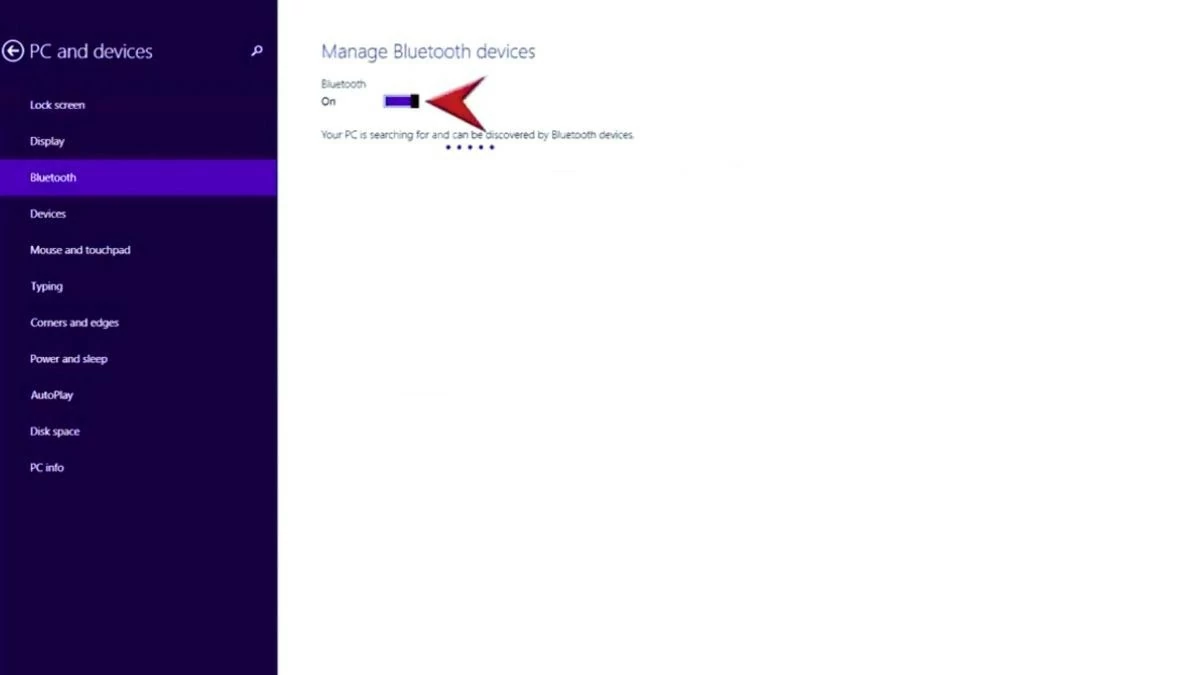 |
Step 1: Turn on your Bluetooth speaker and ensure the device is within range as per the manufacturer's instructions.
Step 2: On your computer, click the Start icon in the top left corner, then select Settings .
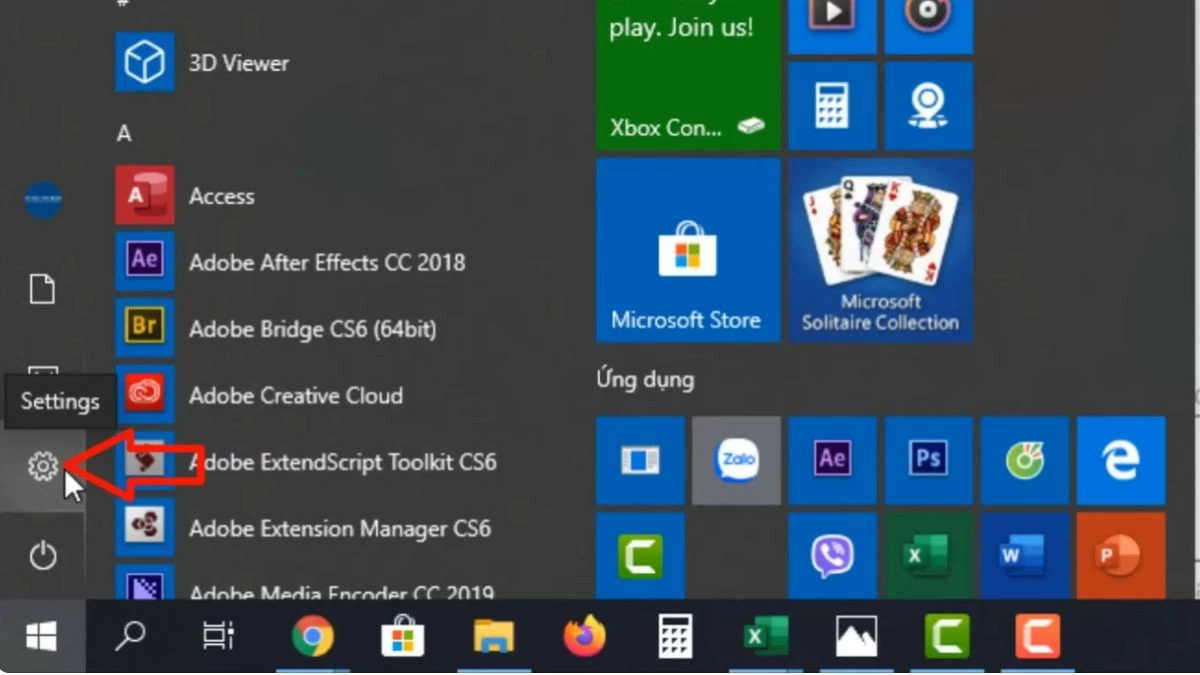 |
Step 3: Next, in the Windows Settings window, select Devices .
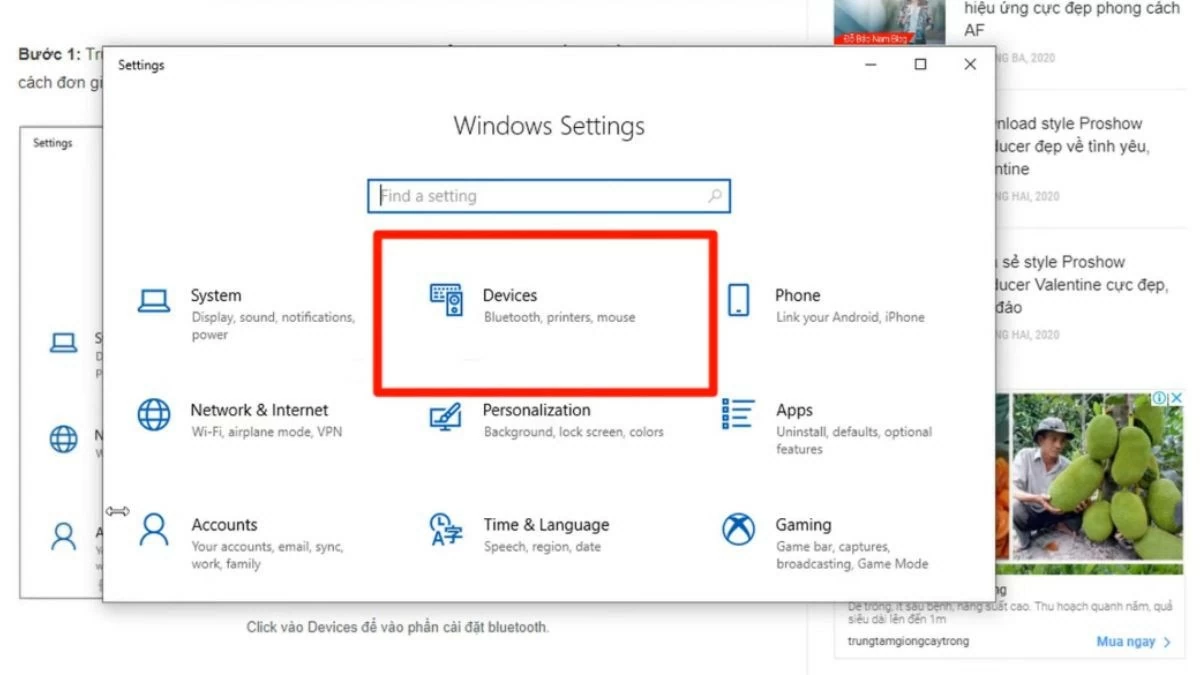 |
Step 4: In the Bluetooth & other devices section, turn on Bluetooth by switching it to On . Then, tap Add Bluetooth or other devices .
Step 5: When the Add a device dialog box appears, select Bluetooth . Find your speaker's name and press Connect to begin the connection. That's it! You've easily connected your Bluetooth speaker to your Windows 10 computer.
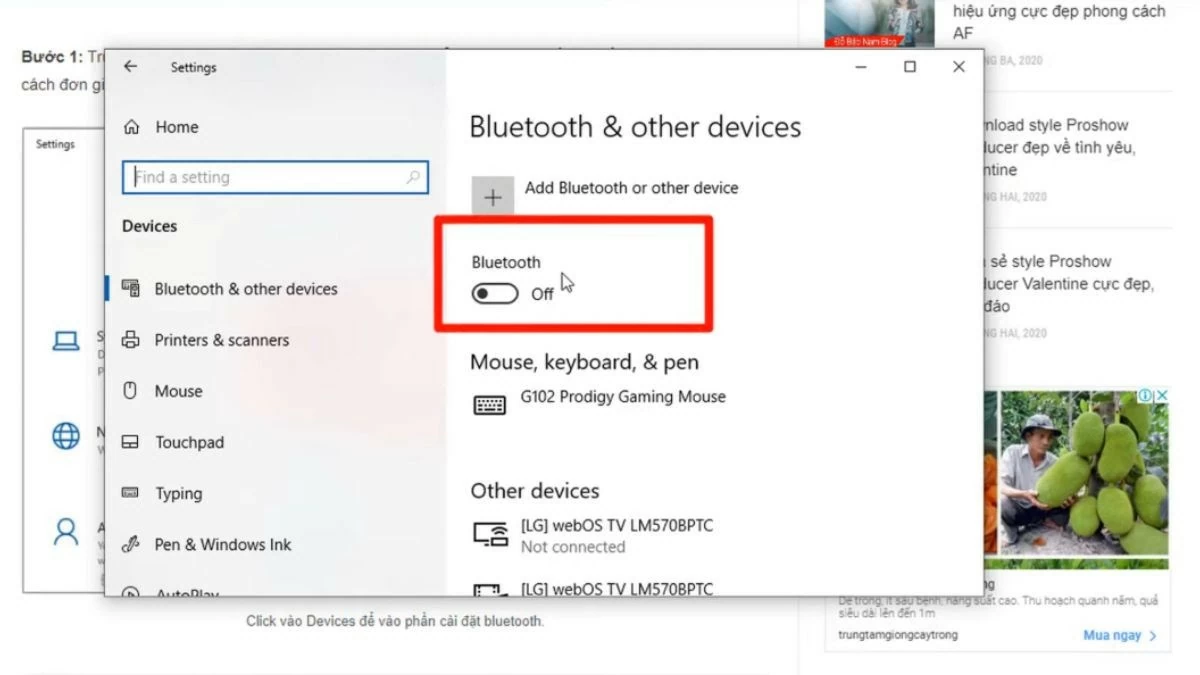 |
Instructions on how to easily connect Bluetooth speakers to your MacBook.
Besides Windows, MacBook users can also easily connect Bluetooth speakers in just a few simple steps. Here's how:
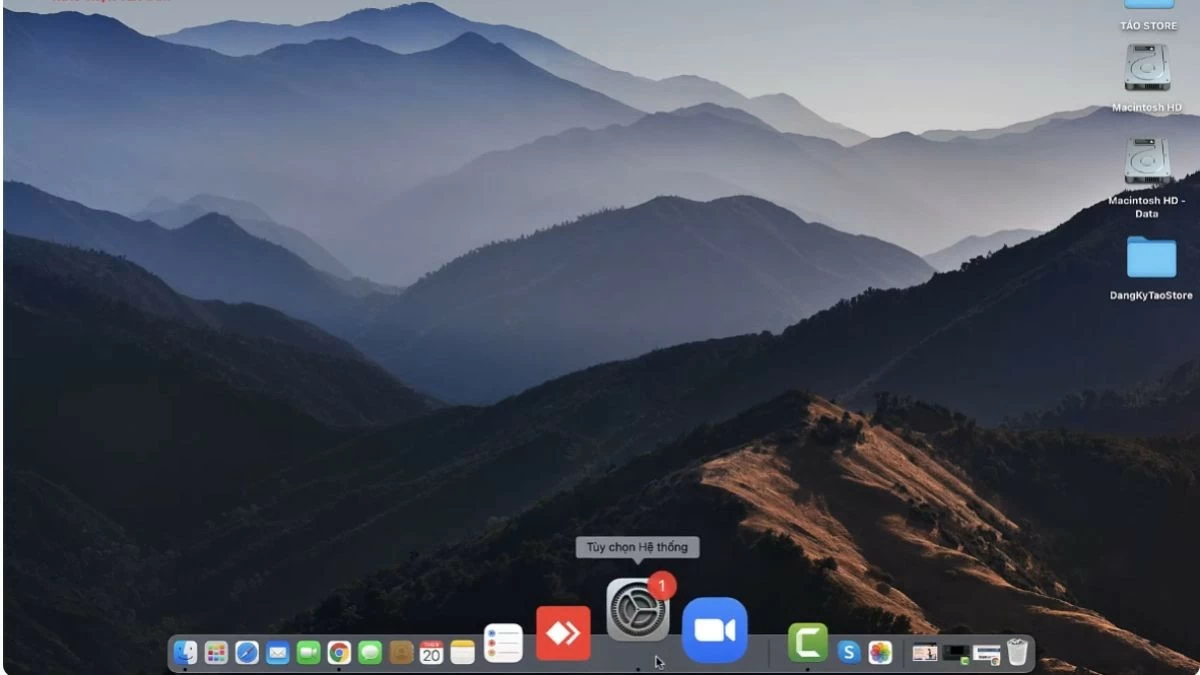
Step 1: Turn on the Bluetooth speaker and place it near your computer. On your MacBook screen, click the System Preferences icon in the Dock.
 |
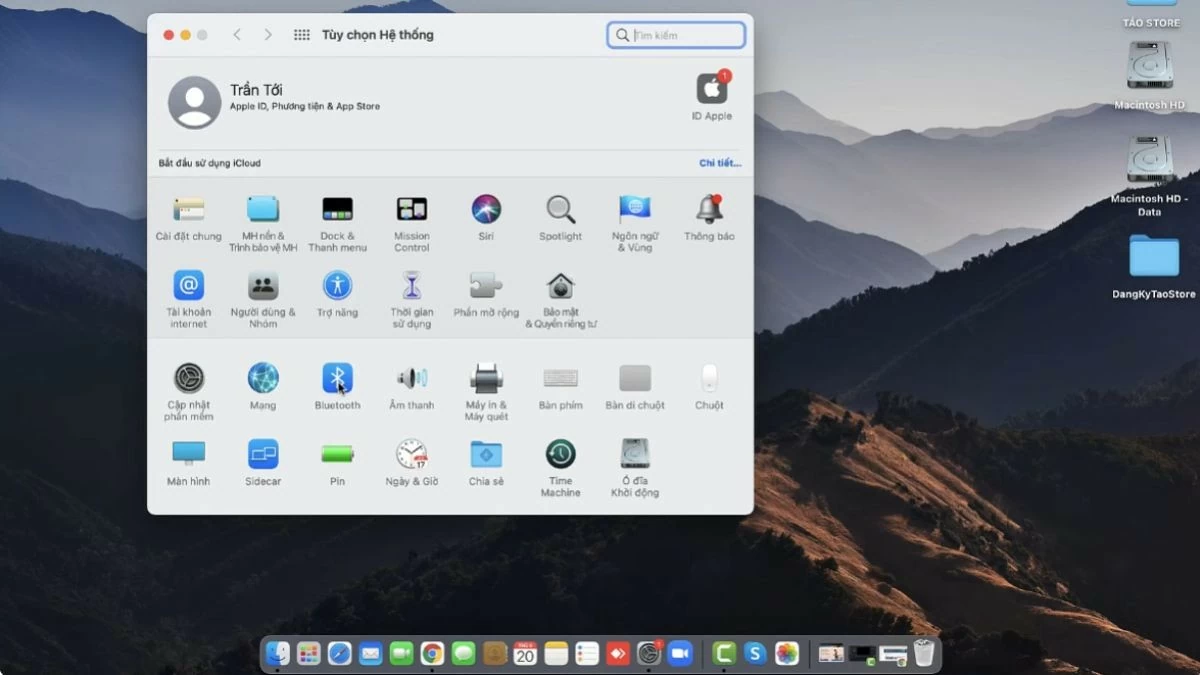
Step 2: In the System Preferences window, click the Bluetooth icon to continue connecting the Bluetooth speaker to your computer.
 |
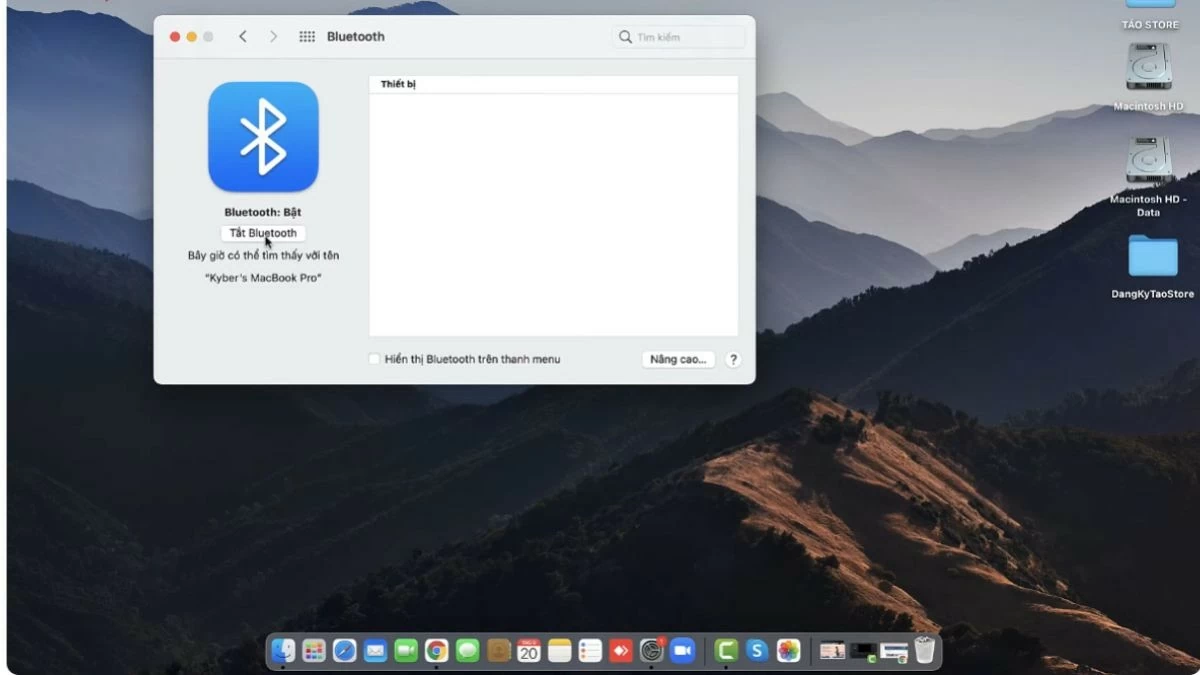
Step 3: Next, turn on the “Turn Bluetooth on” option to activate the feature. Then, find and click on your speaker's name. Wait a moment for the connection to complete.
 |
So, you've now mastered how to connect a Bluetooth speaker to your Windows 10, 7, or 8 computer simply and quickly. You can easily do this yourself at home without needing technical assistance. Besides enjoying music , Bluetooth speakers also allow you to conveniently watch movies, play games, and participate in online meetings.
Source




























































































Comment (0)