

Learn how to effectively recover deleted phone numbers on Android and iOS. So, is there a way to recover deleted phone numbers?
 |
Instructions on how to recover deleted phone numbers on Android phones.
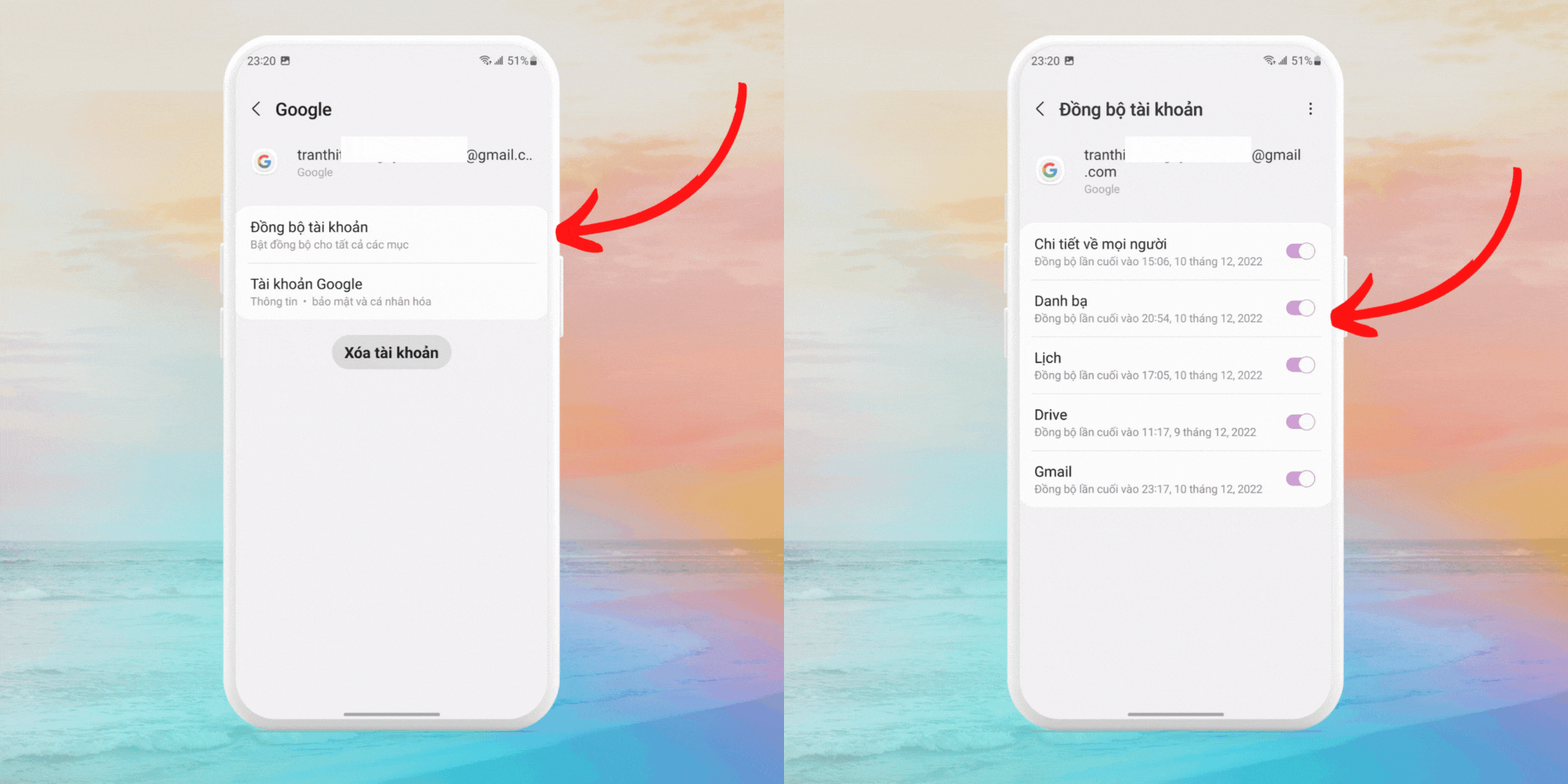
Regularly sync your contacts with your Google account to quickly and easily back up your contact information. Follow these steps to back up your contacts to Google.
Step 1: First, open Settings on your device, then select Accounts .
Step 2: Next, select the account you want to sync and enable the Contacts Sync feature.
 |
How to recover deleted numbers on your phone
After syncing your contacts as instructed, you can proceed to restore them by activating the controls in the top left corner of the contacts screen as follows:
Step 1: Open the Contacts app on Android , tap the 'three lines' icon in the top left corner of the screen, then select Settings .
 |
Step 2: Click on Restore, select the account that synced your contacts at the top, and wait for the process to complete.
 |
How to export and import contact files
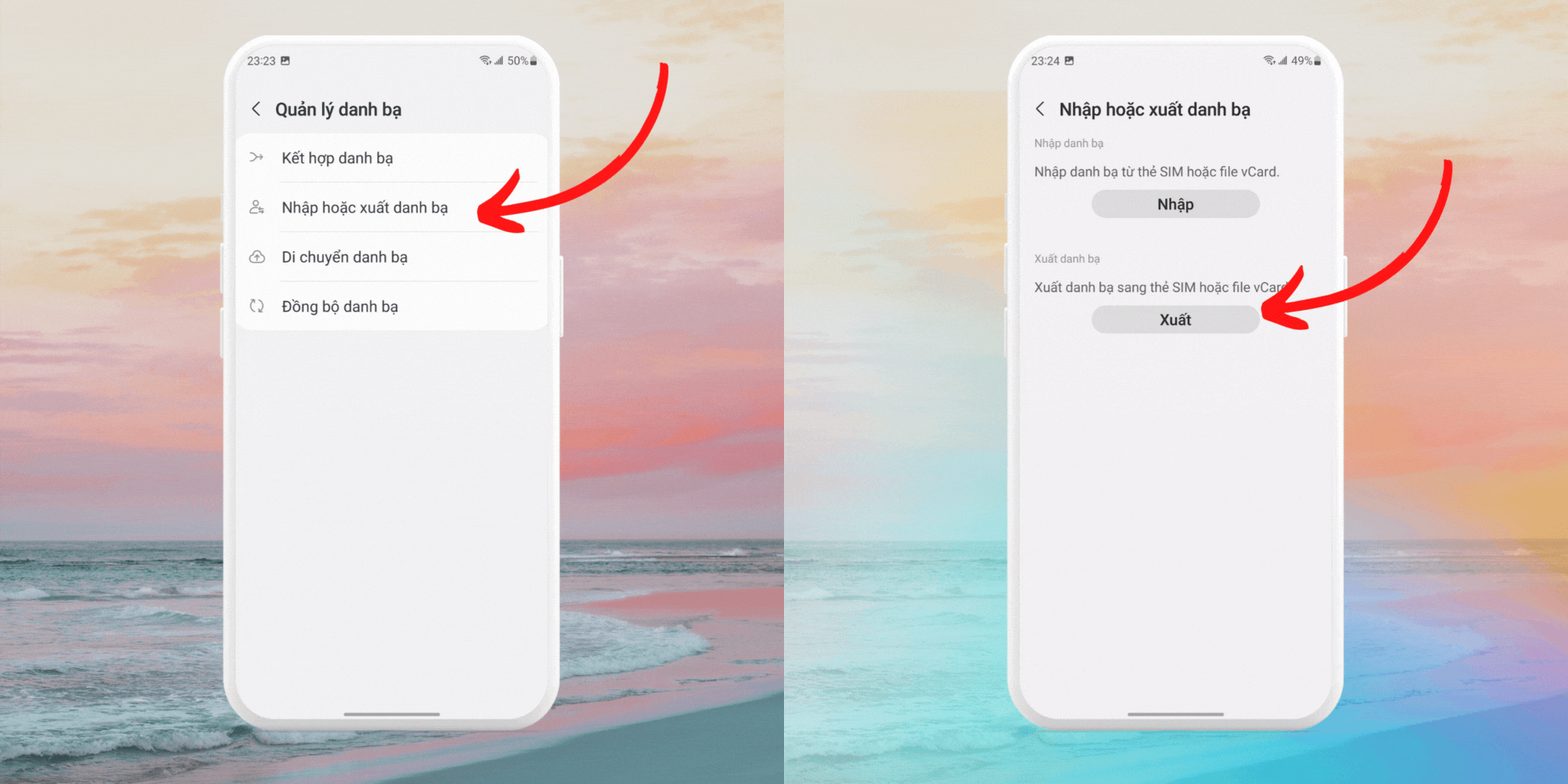
Sometimes, you need to export your contacts to a file to transfer them to another device. Follow these steps to export your contacts:
Step 1 : Open the Contacts app on your Android smartphone , tap the 'three lines' icon in the top left corner of the screen, then select Settings .
Step 2 : Continue by selecting Import or Export Contacts, then tap Export .
 |
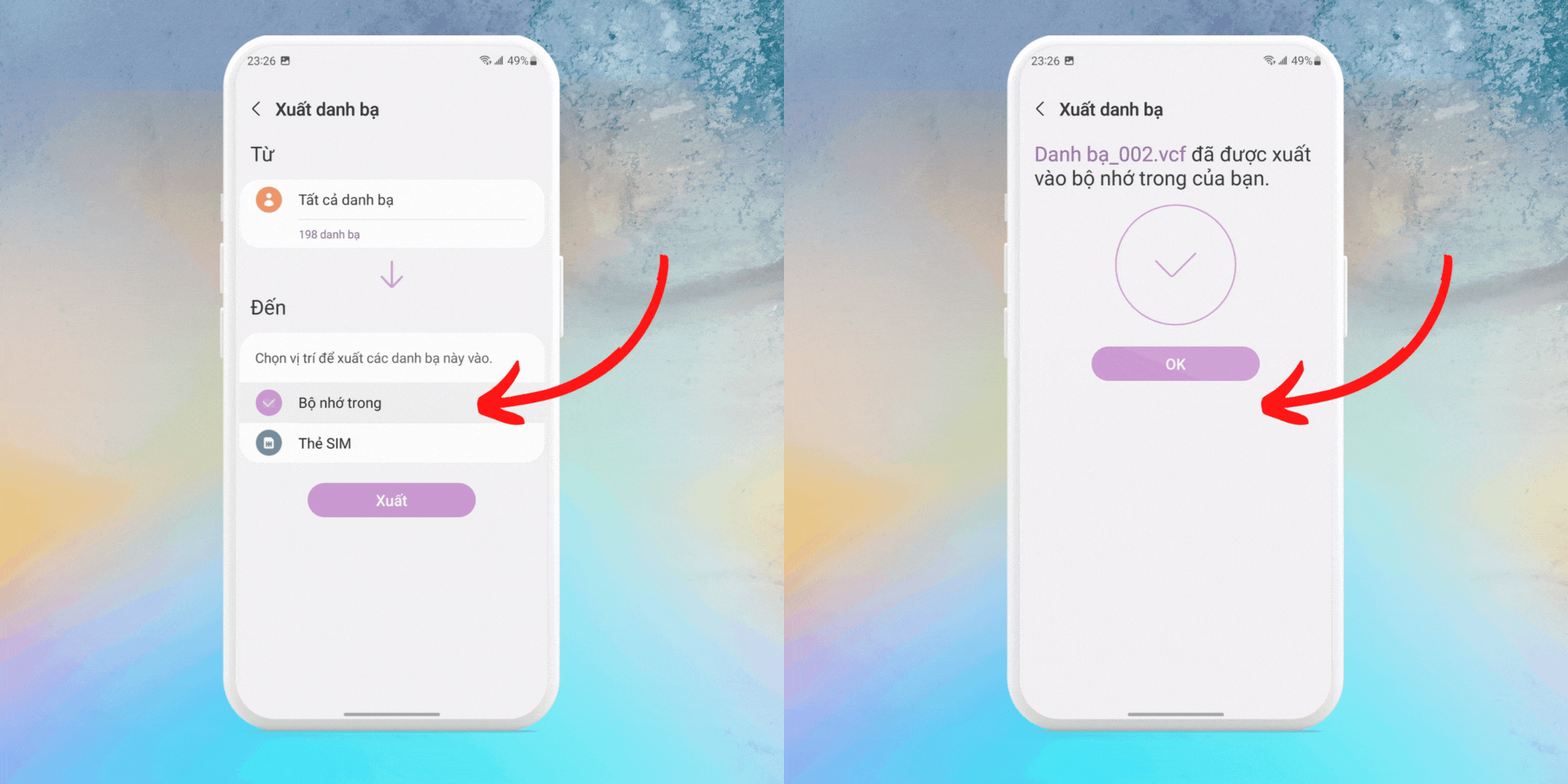
Step 3: Choose the folder where you want to save the file, click Export , and wait for the process to complete.
 |
To import contacts from the file created above, follow these steps:
Step 1: Open the Contacts app on your Android phone, tap the 'three lines' icon in the top left corner of the screen, then select Settings .
Step 2: Click on the Import option.
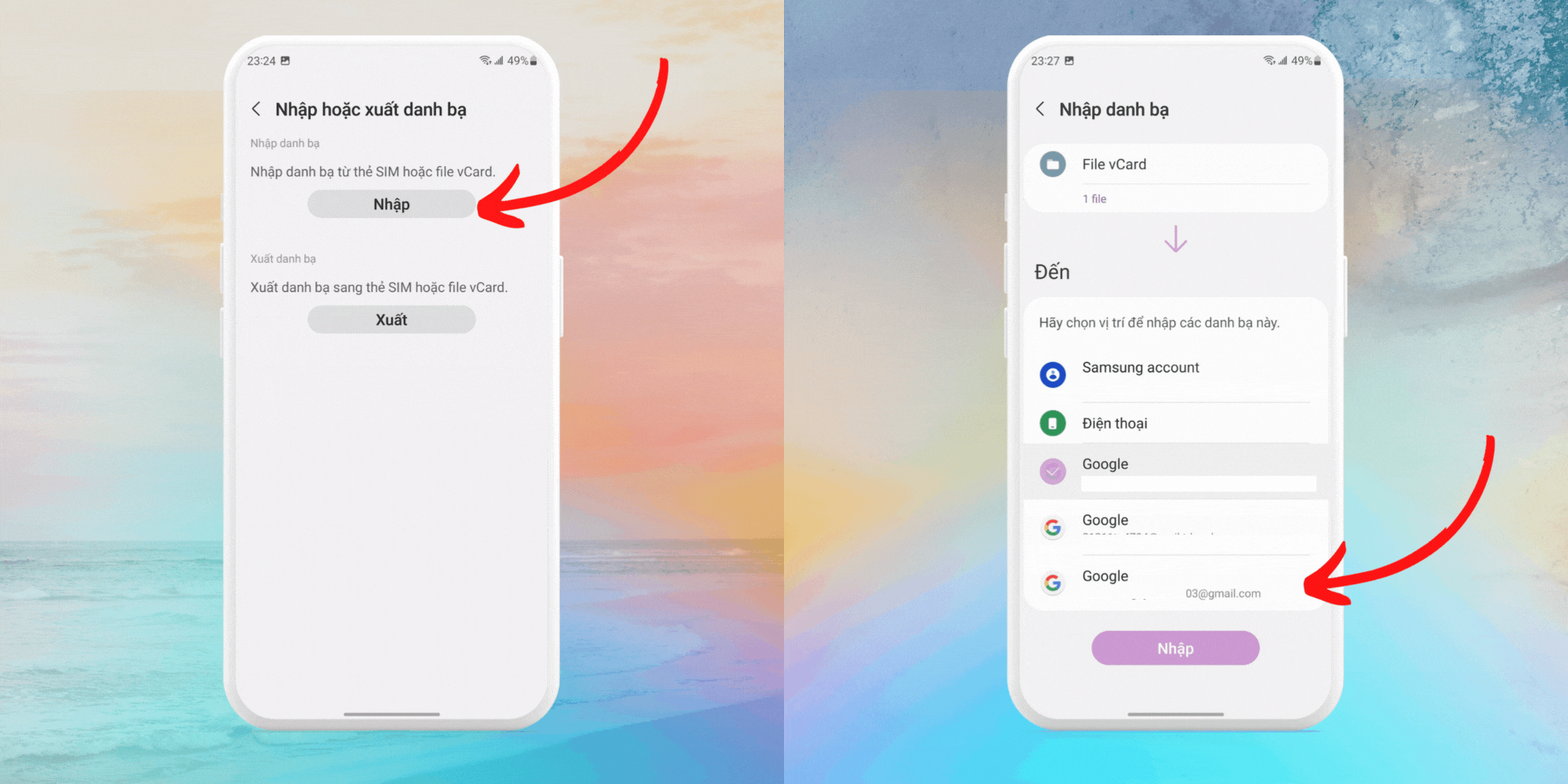 |
Step 3: Select the account that backed up your contacts, click on the .vcf file, and then locate the '.vcf' file you saved earlier.
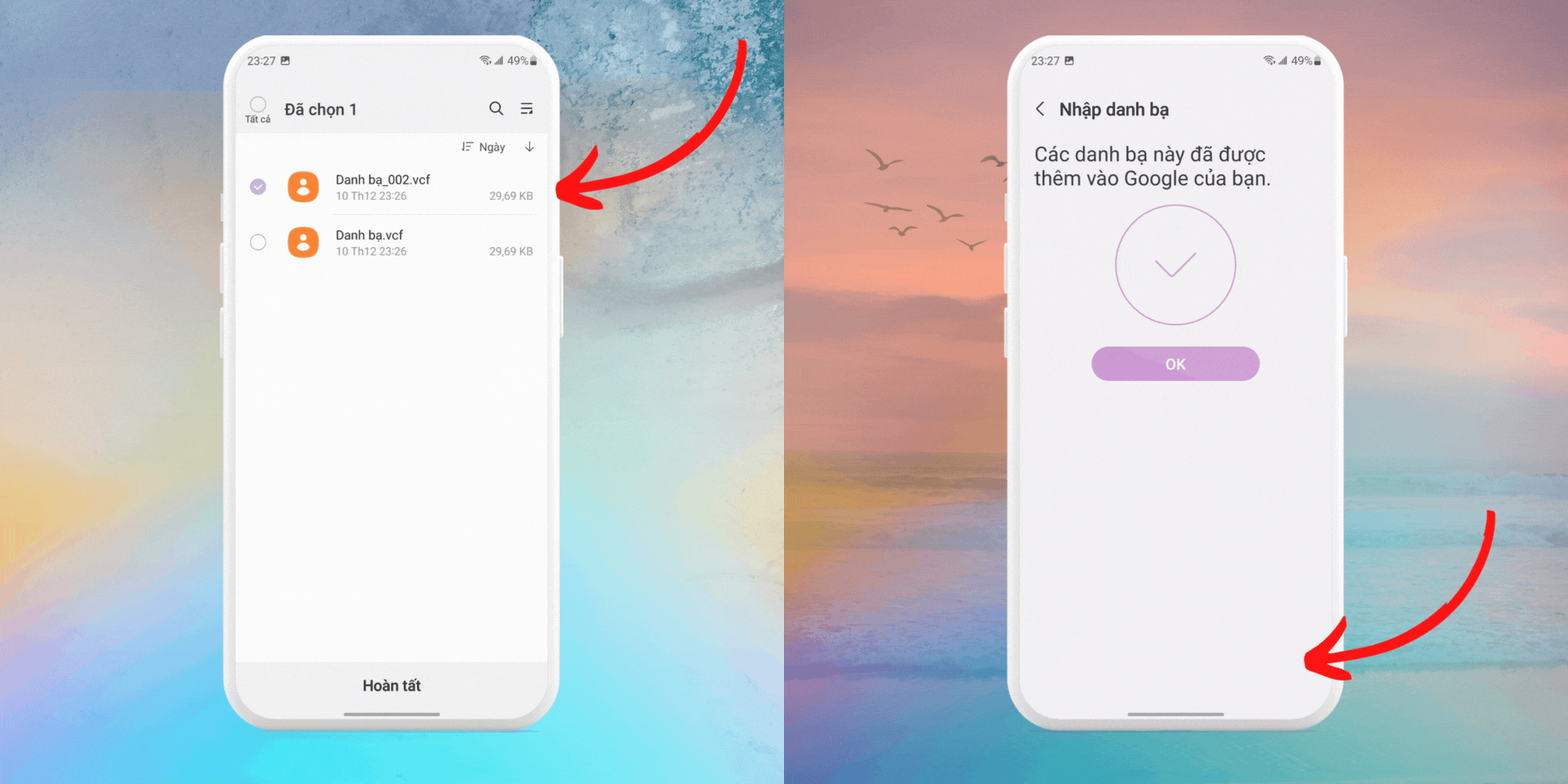 |
A simple guide on how to recover deleted phone numbers on iPhone.
To recover a deleted phone number on your iPhone, you can try the following methods:
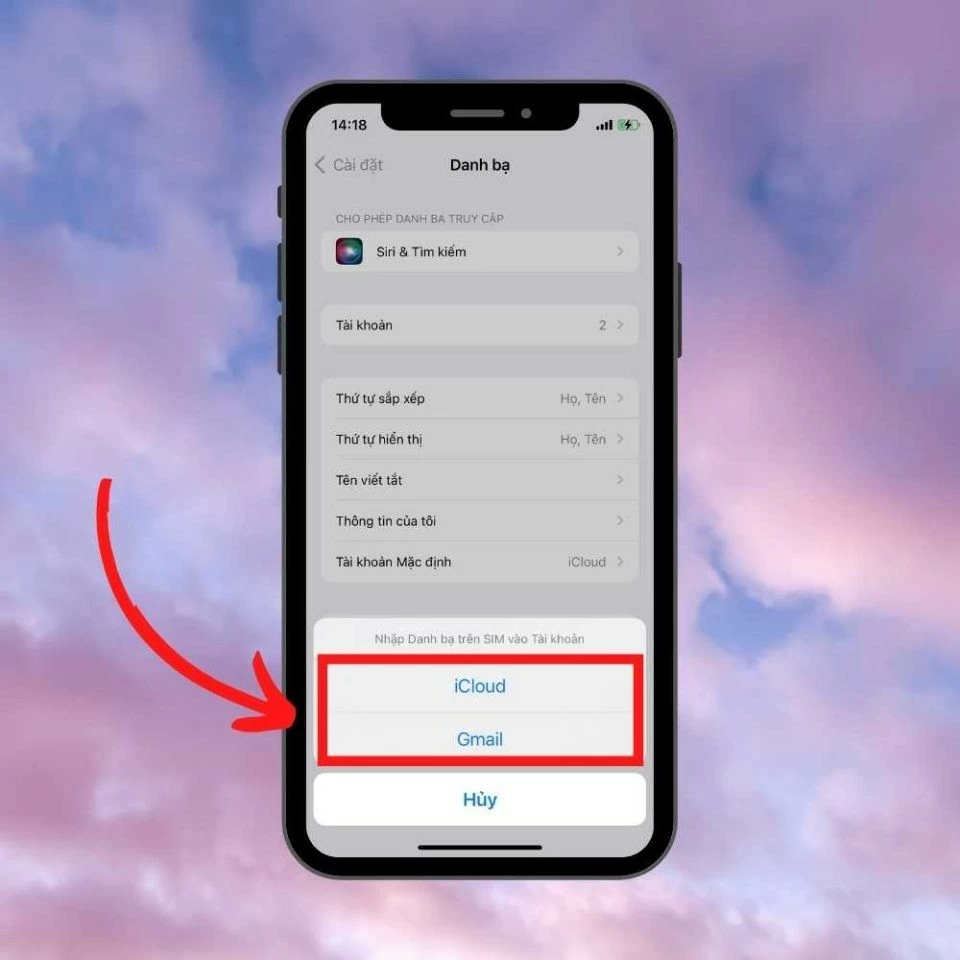
How to recover iPhone contacts via SIM card
This method applies to new iPhones that don't have a SIM card installed, or to contacts from a SIM card that haven't been updated to the device. Follow these steps:
Step 1 : First, open Settings on your iPhone's home screen, scroll down, and select Contacts .
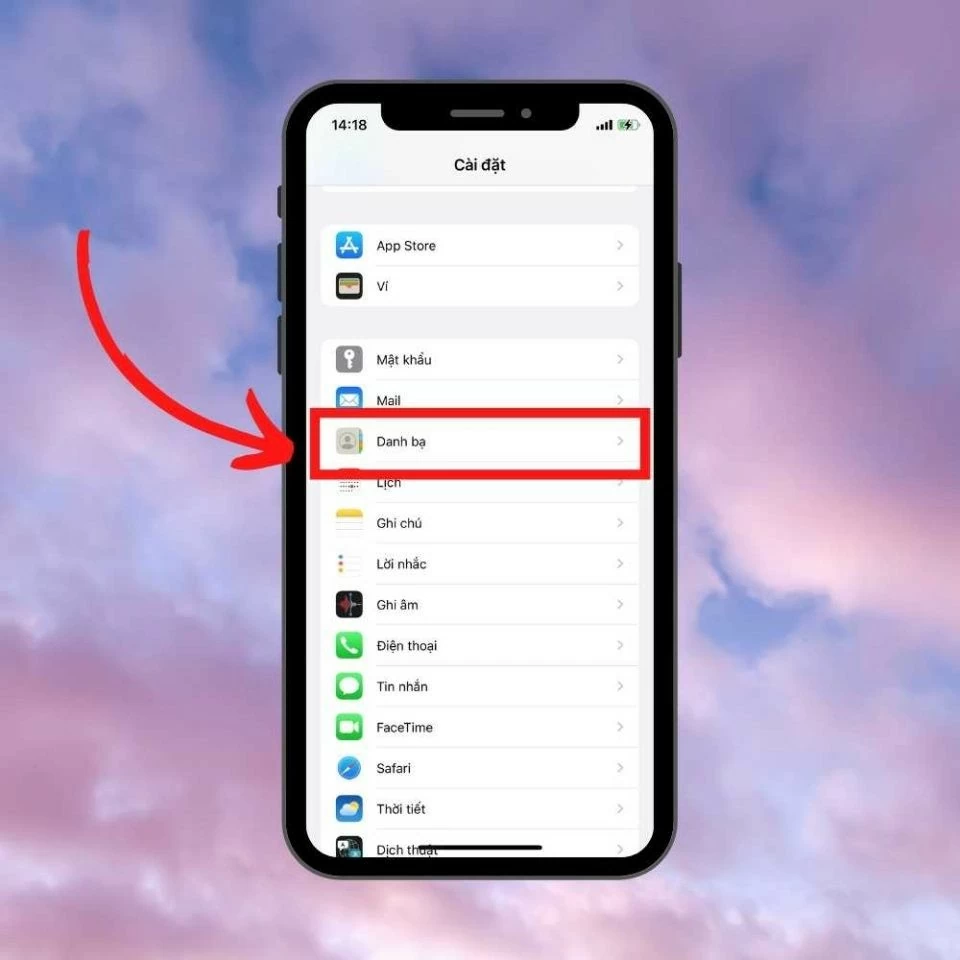 |
Step 2: In the Contacts section, select Import Contacts from SIM.
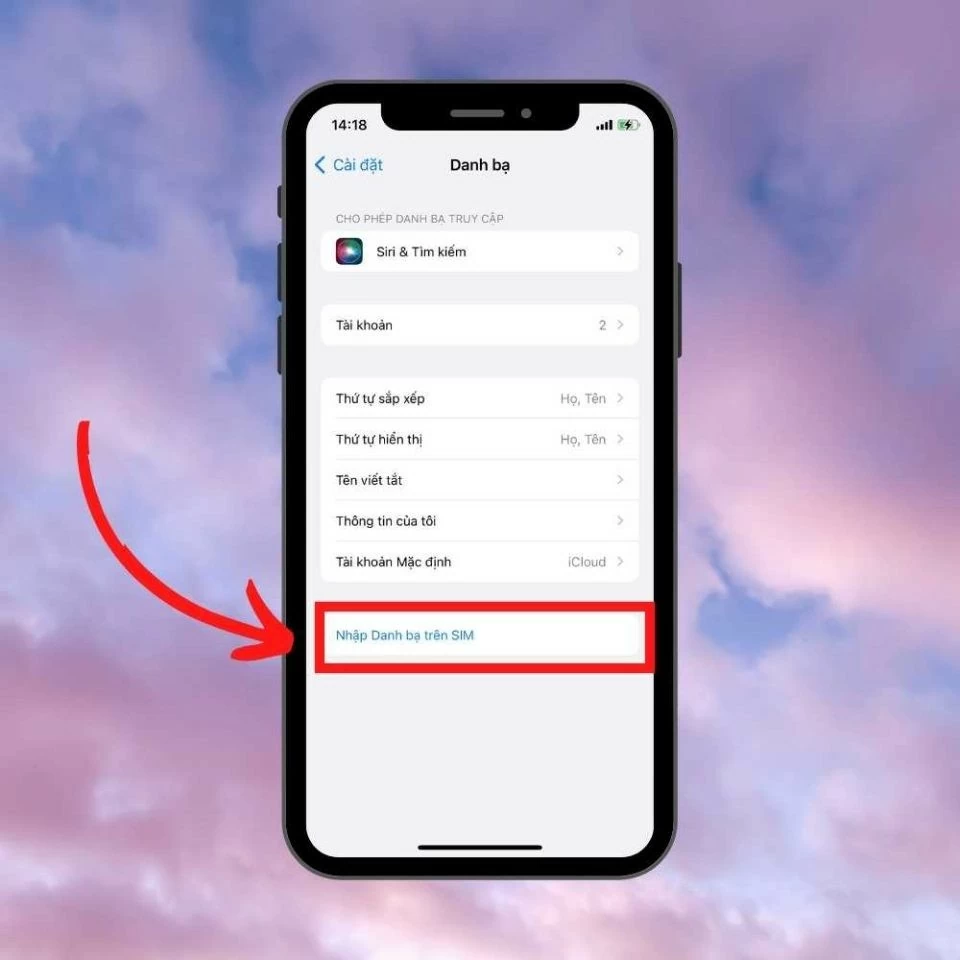 |
Step 3: Finally, wait a few minutes for the contact import process to complete. Then, return to your phone's contacts to check that the contact information has been updated.
 |
Instructions on how to recover deleted phone numbers by restoring contacts via iCloud.
This method is simple and time-saving because iPhone contacts are usually saved to iCloud. Follow these steps:
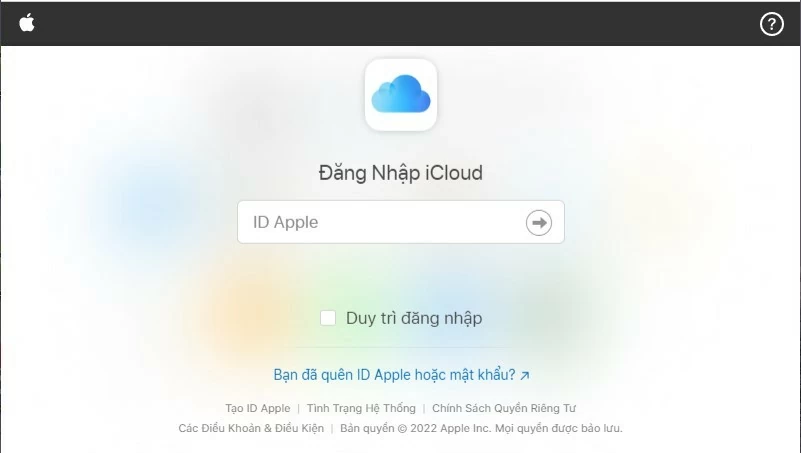
Step 1: First, open your web browser and go to iCloud.com to log in to your Apple iCloud account.
Step 2: Next, log in to your iCloud account.
 |
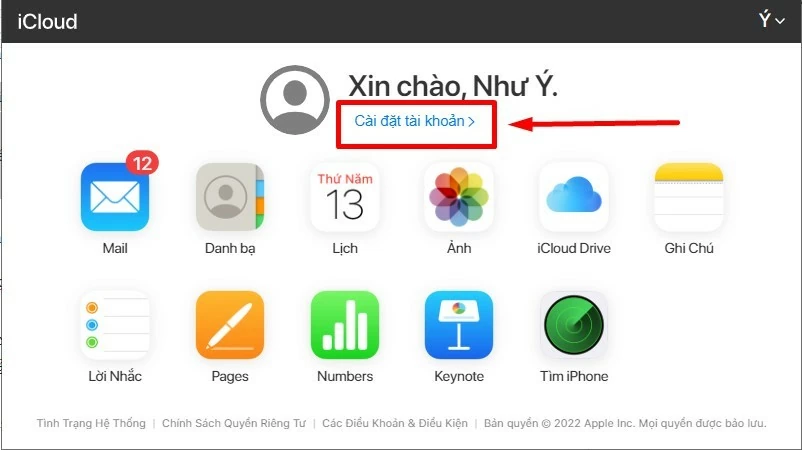
Step 3: After successfully logging in, select Settings from the system control panel.
 |
Step 4: When the screen displays details about the device you are using, tap Restore Contacts at the bottom of the screen to recover deleted phone numbers.
 |
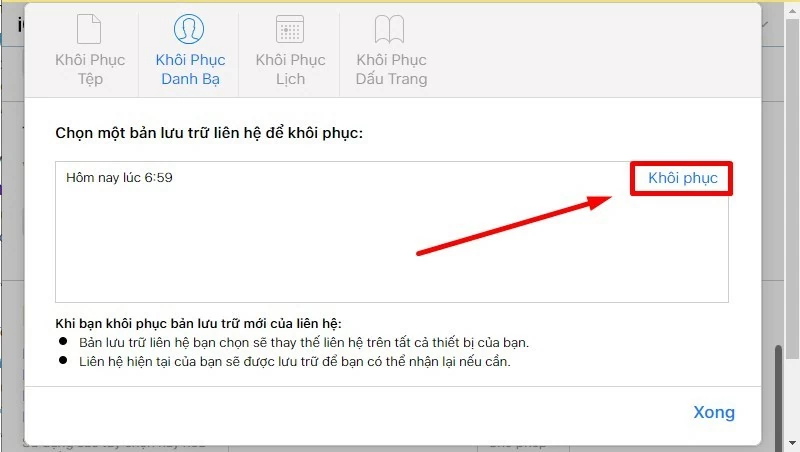
Step 5: Next, choose a restore point that is close to the time you deleted the phone number on your iPhone. Choosing an exact or close point will help find the data quickly.
 |
Step 6: A confirmation message for restoring contacts will appear on the screen. Press OK to complete the process.
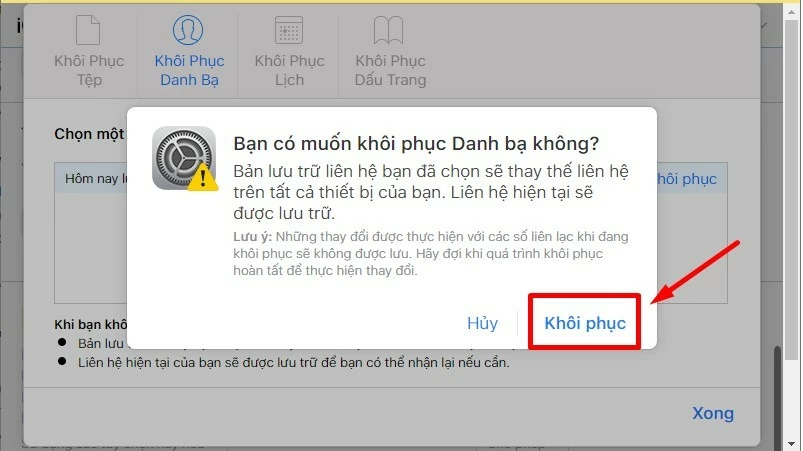 |
So, you now have instructions on how to quickly and easily recover deleted phone numbers. Hopefully, this article has provided you with some useful information.
Source: https://baoquocte.vn/cach-lay-lai-so-dien-thoai-da-xoa-tren-android-va-ios-don-gian-285717.html


![[Photo] Prime Minister Pham Minh Chinh presides over the conference announcing the establishment of the International Finance Centre in Vietnam.](/_next/image?url=https%3A%2F%2Fvphoto.vietnam.vn%2Fthumb%2F1200x675%2Fvietnam%2Fresource%2FIMAGE%2F2025%2F12%2F21%2F1766309817714_ndo_br_dsc-3400-jpg.webp&w=3840&q=75)

![[Photo] Prime Minister Pham Minh Chinh presides over a meeting on private sector economic development.](/_next/image?url=https%3A%2F%2Fvphoto.vietnam.vn%2Fthumb%2F1200x675%2Fvietnam%2Fresource%2FIMAGE%2F2025%2F12%2F20%2F1766237501876_thiet-ke-chua-co-ten-40-png.webp&w=3840&q=75)

























































































Comment (0)