

Previously, Facebook's Messenger app allowed users to download audio files sent by others. However, this feature was removed in later updates, and the option to directly download audio files is no longer available on either phones or computers.
This is particularly frustrating because other file types, such as text or images, can still be downloaded normally. Furthermore, any MP3 file or most other audio file formats sent via Messenger are automatically converted into voice recordings, making it difficult to transfer files between users. If you need to download voice recordings from Messenger for work or to preserve memories, there is currently no way to do so directly.
Fortunately, with just a few simple steps, and without needing to download any additional tools, software, or plugins, you can still download audio files via Messenger. However, this method only works on a computer. The steps are as follows:
Step 1: Open the chat containing the audio file you want to download in a separate Messenger window on your web browser.
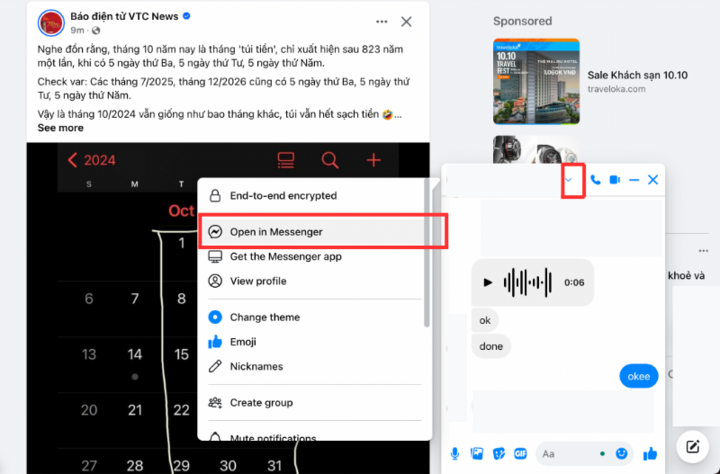
Tap the arrow button to the right of the sender's name, then select Open in Messenger.
Step 2: In the chat window, right-click on the recorded message and select "Inspect" or a similar option depending on your browser and operating system.
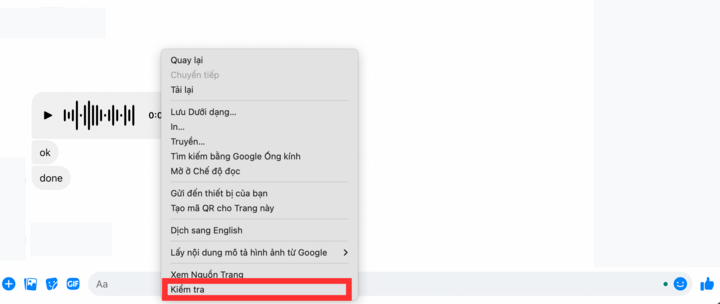
Click Check to proceed to the next step.
Step 3: In the right-hand window, click the dropdown arrow and select Network.
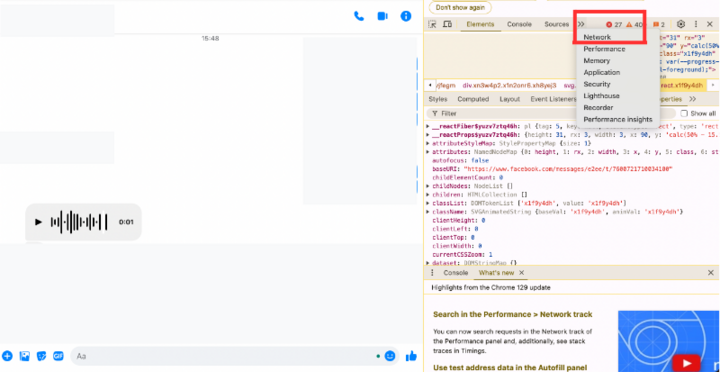
Select Network.
The DevTools window then appears as shown below:
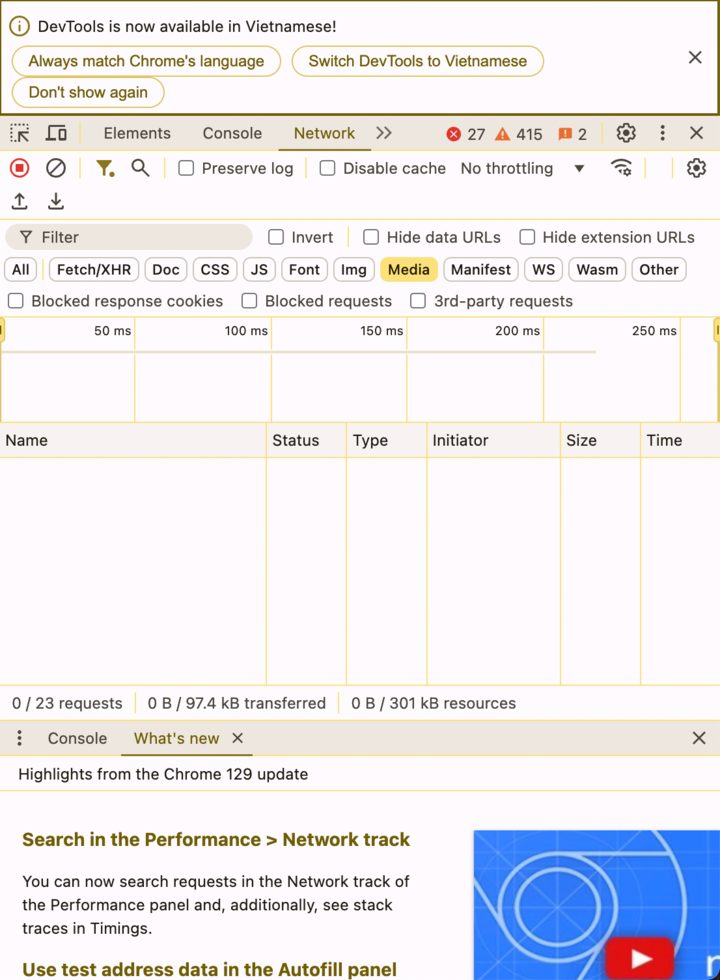
Just one more step. Remember to select the Media window (yellow).
Step 4: Reload the current page, then a file named blob:... will appear. Right-click and select Open in new tab.
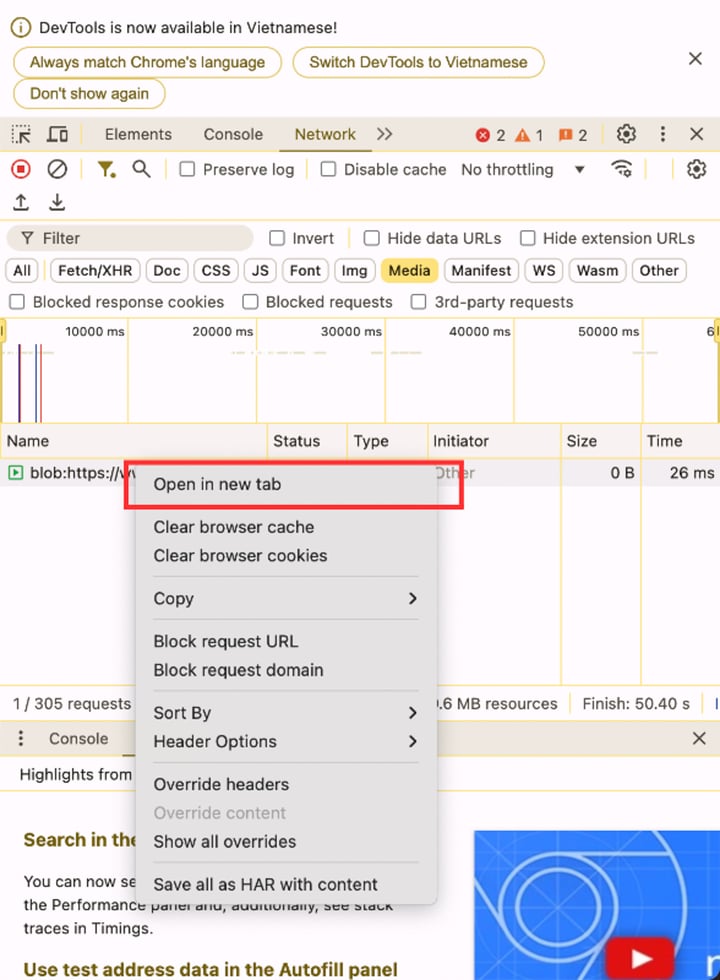
Select "Open in new tab" to open the download window.
Final step: The file window will open; click the three dots on the right, then select Download.
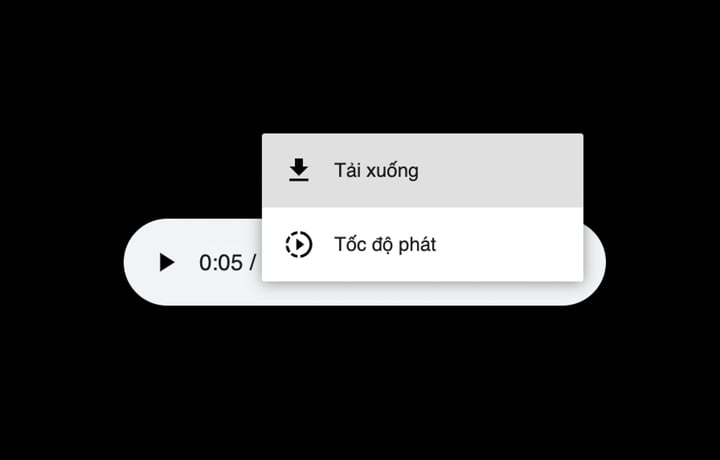
Now you can access and successfully download the audio file.
Source
































































































Comment (0)