

 |
This article will guide you on how to create a work schedule on Google Sheets with a few simple steps on your computer.
Step 1: On the Google Sheets homepage, look for the "Create New File" section. Then, click on "Template Library". You will see many templates here; then, click on "Work Schedule".
 |
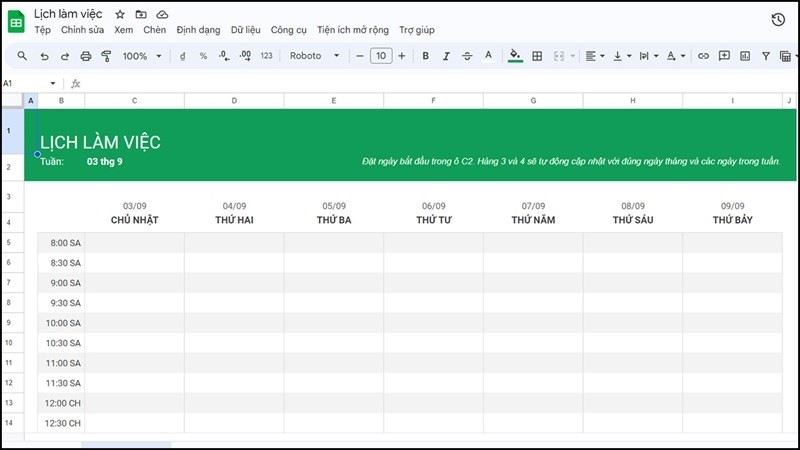
Step 2: The spreadsheet is built according to the weekly timetable template to help you easily organize your work. All you need to do is prepare the content and edit it as needed.
 |
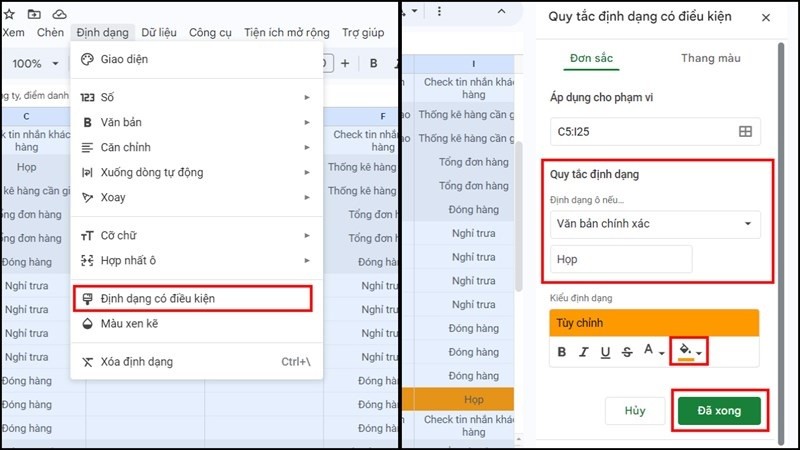
Step 3: Next, for important meetings or schedules that need to be highlighted, do the following:
Select the entire table. In the Formatting section, click Conditional Formatting. Then, adjust the formatting and colors to your liking.
 |
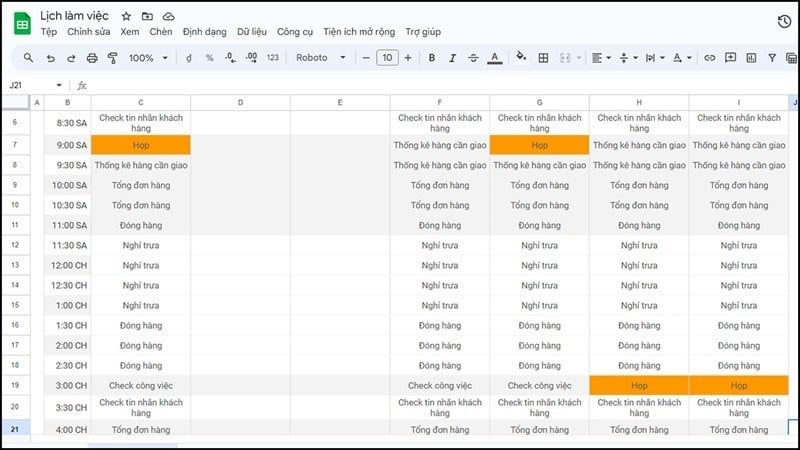
Step 4: After completing the content and formatting, we will have a complete schedule.
 |
The above was a guide on creating a work schedule on Google Sheets that is extremely simple and quick, which you can apply to your work to help you organize your time effectively and remind yourself of your schedule for a productive work week.
Source
![[Photo] Prime Minister Pham Minh Chinh presides over a meeting on private sector economic development.](/_next/image?url=https%3A%2F%2Fvphoto.vietnam.vn%2Fthumb%2F1200x675%2Fvietnam%2Fresource%2FIMAGE%2F2025%2F12%2F20%2F1766237501876_thiet-ke-chua-co-ten-40-png.webp&w=3840&q=75)


![[Photo] Prime Minister Pham Minh Chinh presides over the conference announcing the establishment of the International Finance Centre in Vietnam.](/_next/image?url=https%3A%2F%2Fvphoto.vietnam.vn%2Fthumb%2F1200x675%2Fvietnam%2Fresource%2FIMAGE%2F2025%2F12%2F21%2F1766309817714_ndo_br_dsc-3400-jpg.webp&w=3840&q=75)


































































































Comment (0)