

The grid in Google Forms allows us to create surveys and tests quickly and professionally. Below is a detailed guide; let's explore !
 |
The most detailed guide on how to create a quiz grid in Google Forms.
The grid in Google Forms is a useful tool for quickly and accurately collecting and analyzing data. This detailed guide from Sforum will help you explore its outstanding features. Check it out now!
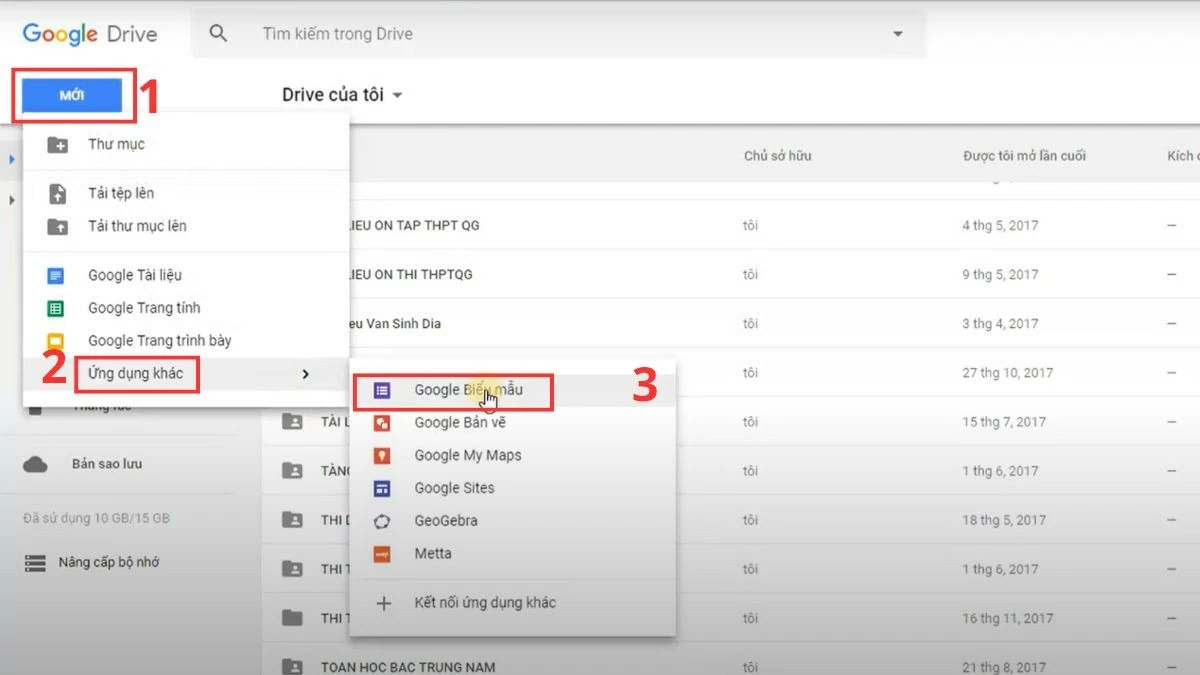
Step 1: Access Google Drive, select New , then go to Other apps to create a Google Form.
 |
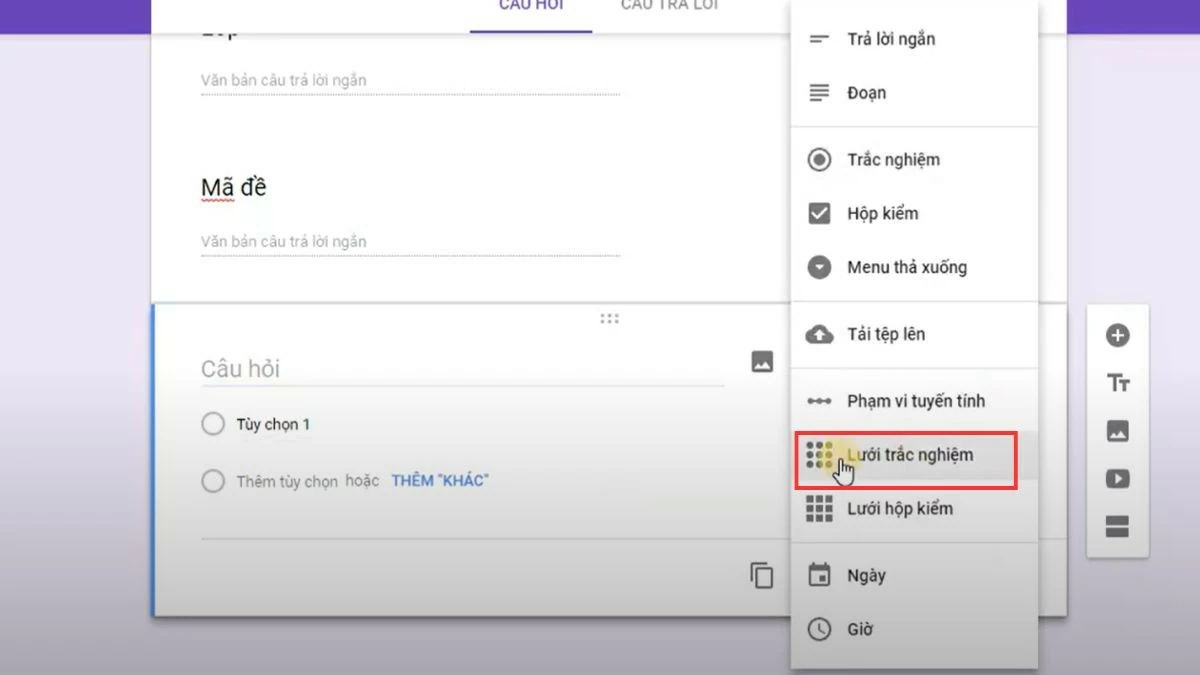
Step 2: In the questions section, click the + icon in the right-hand toolbar and select Quiz Grid .
 |
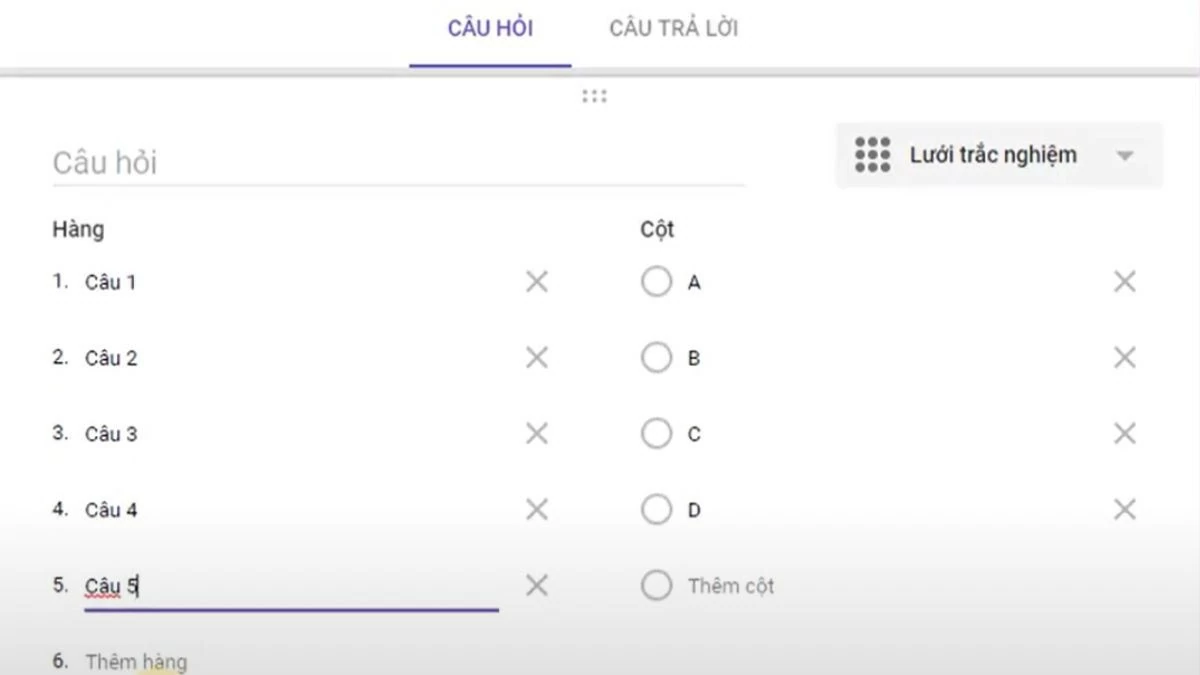
Step 3: Customize the number of rows and columns, with each row representing a question and each column a multiple-choice answer.
 |
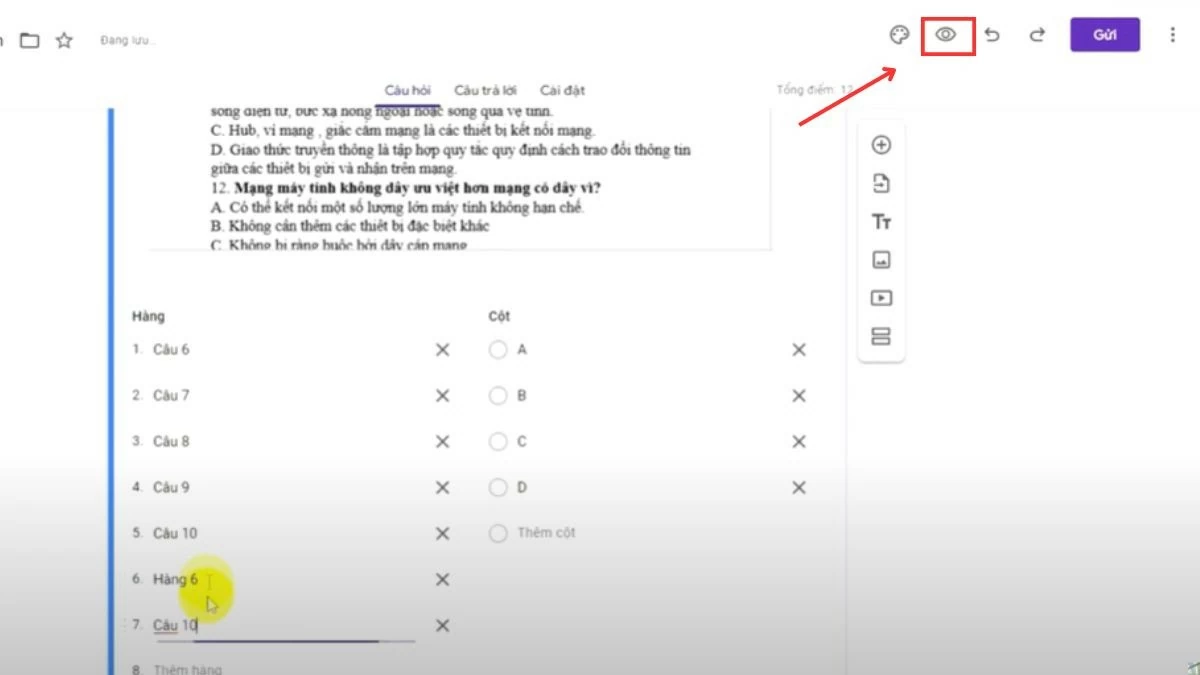
Step 4: Click the eye icon in the upper right corner to preview the quiz grid in Google Form.
 |
Instructions on how to review your submitted Google Form responses
After understanding how to create a quiz grid on Google Forms, you can easily review submitted responses in the following way:
Step 1: Access Google Drive and locate the created form. Use the search bar or browse through folders for faster searching.
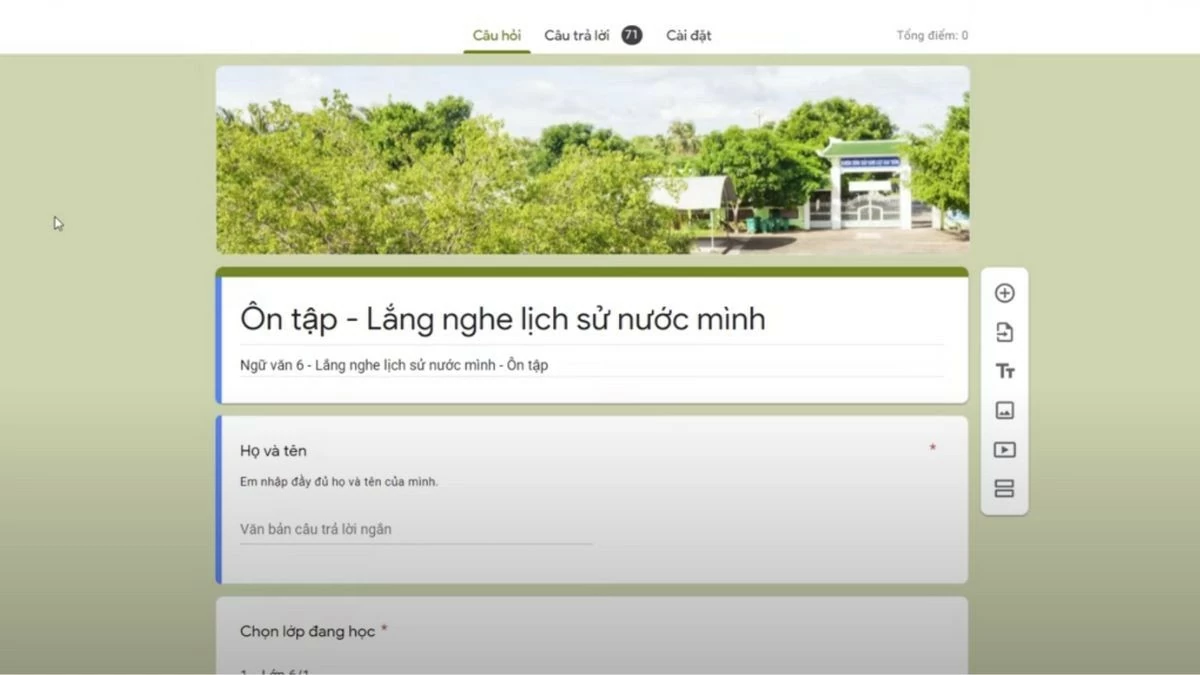 |
Step 2: Click on the title of the found form, then go to the "Responses" tab to view the results.
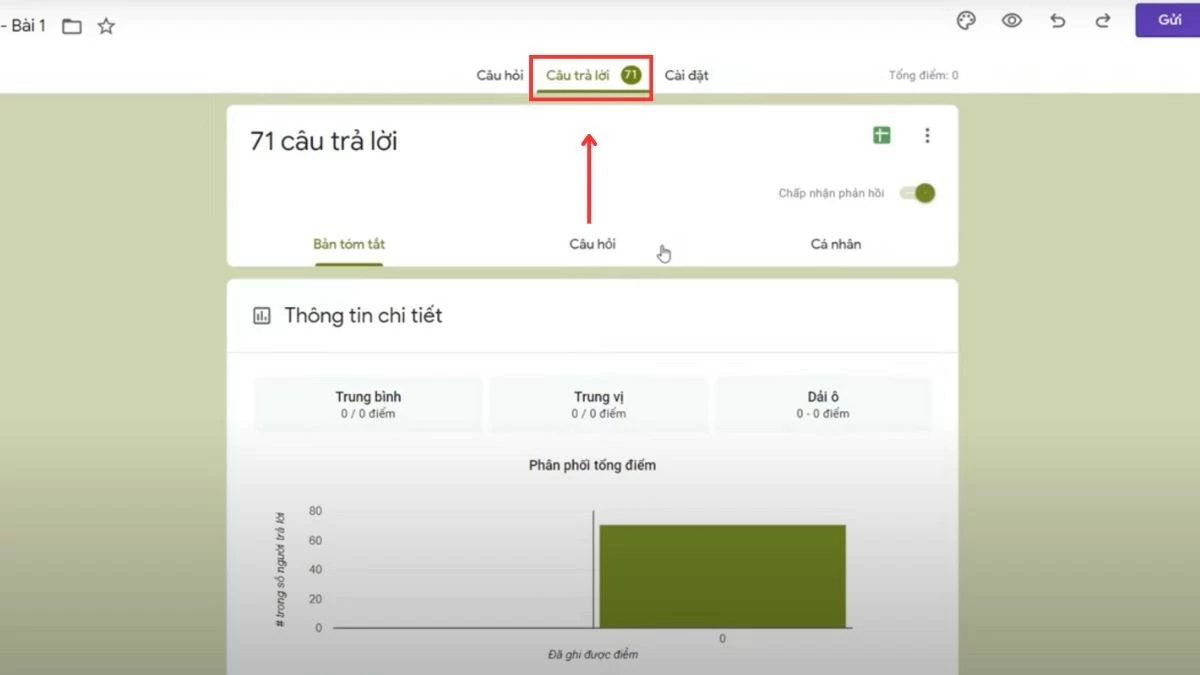 |
Step 3: Here, you will see an overview of the answers from the quiz grid. Click "View in Sheets" to open Google Sheets and view the details of the collected data.
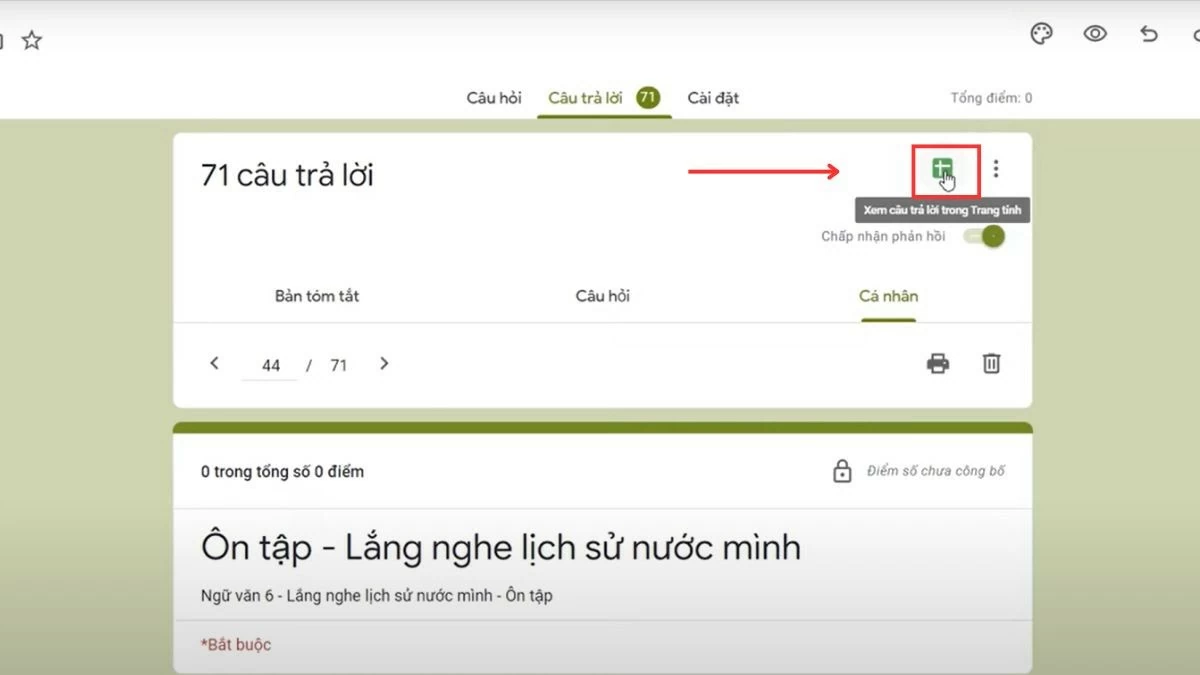 |
The article above has provided detailed information about the quiz grid in Google Forms. By simply following the instructions, you can easily collect data efficiently and quickly.
Source
![[Photo] Prime Minister Pham Minh Chinh presides over a meeting on private sector economic development.](/_next/image?url=https%3A%2F%2Fvphoto.vietnam.vn%2Fthumb%2F1200x675%2Fvietnam%2Fresource%2FIMAGE%2F2025%2F12%2F20%2F1766237501876_thiet-ke-chua-co-ten-40-png.webp&w=3840&q=75)


![[Photo] Prime Minister Pham Minh Chinh presides over the conference announcing the establishment of the International Finance Centre in Vietnam.](/_next/image?url=https%3A%2F%2Fvphoto.vietnam.vn%2Fthumb%2F1200x675%2Fvietnam%2Fresource%2FIMAGE%2F2025%2F12%2F21%2F1766309817714_ndo_br_dsc-3400-jpg.webp&w=3840&q=75)


























































































Comment (0)