

Task Manager on a MacBook is a tool for managing and monitoring applications. This article will guide you on how to open Task Manager to control your machine's performance more effectively!
 |
Task Manager is a familiar tool on Windows, while on MacBooks, Apple has developed a similar tool called Activity Monitor. Acting as a version of Task Manager, Activity Monitor provides detailed information about CPU, RAM, power, drives, and network.
With this tool, users can easily monitor applications that consume a lot of system resources, and then close unnecessary programs to quickly improve computer performance.
How to open Task Manager on a MacBook
Although not called Task Manager, Activity Monitor is a perfect alternative for Mac users. It provides full management and monitoring functionality, helping to optimize computer performance. Below are some common ways to open Activity Monitor on macOS.
How to open Activity Monitor via Finder
Opening Activity Monitor through Finder is a simple way to access system management tools on a Mac.
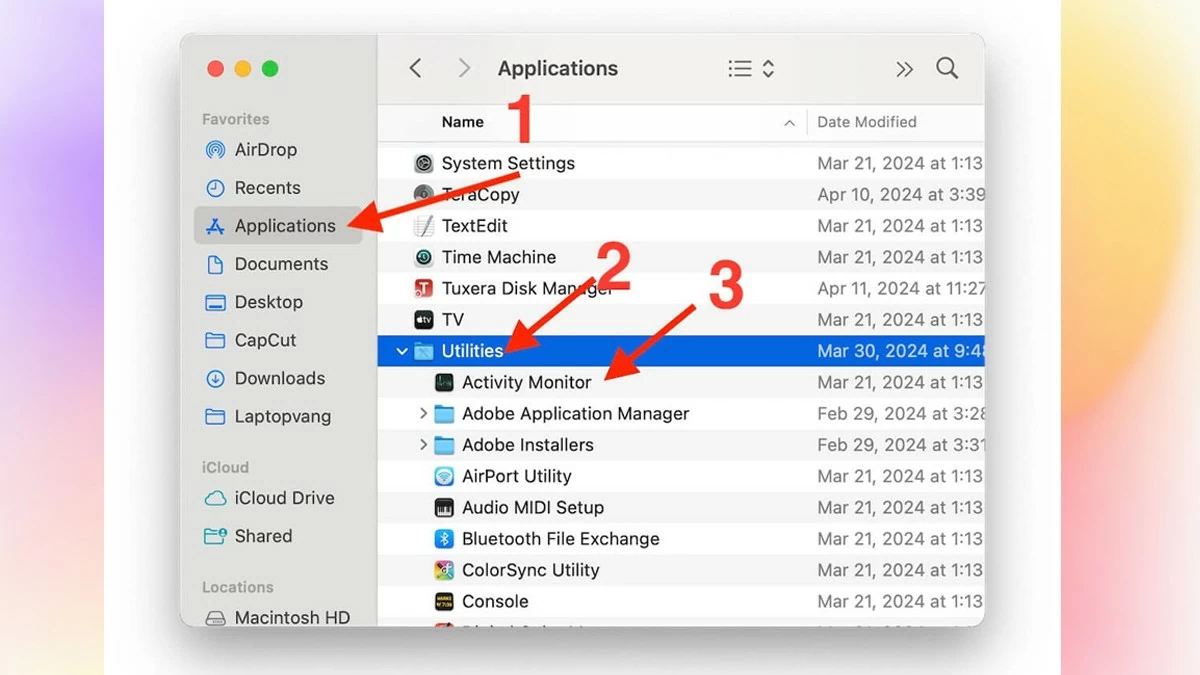
To do this, from the Dock, open Finder and select "Applications" from the left sidebar. In the "Applications" window, open the "Utilities" folder and double-click "Activity Monitor" to launch the tool.
This is one of the quickest ways to monitor and manage your device's performance.
 |
How to open Activity Monitor via Spotlight
Using Spotlight is a convenient way to access Activity Monitor from any window or application.
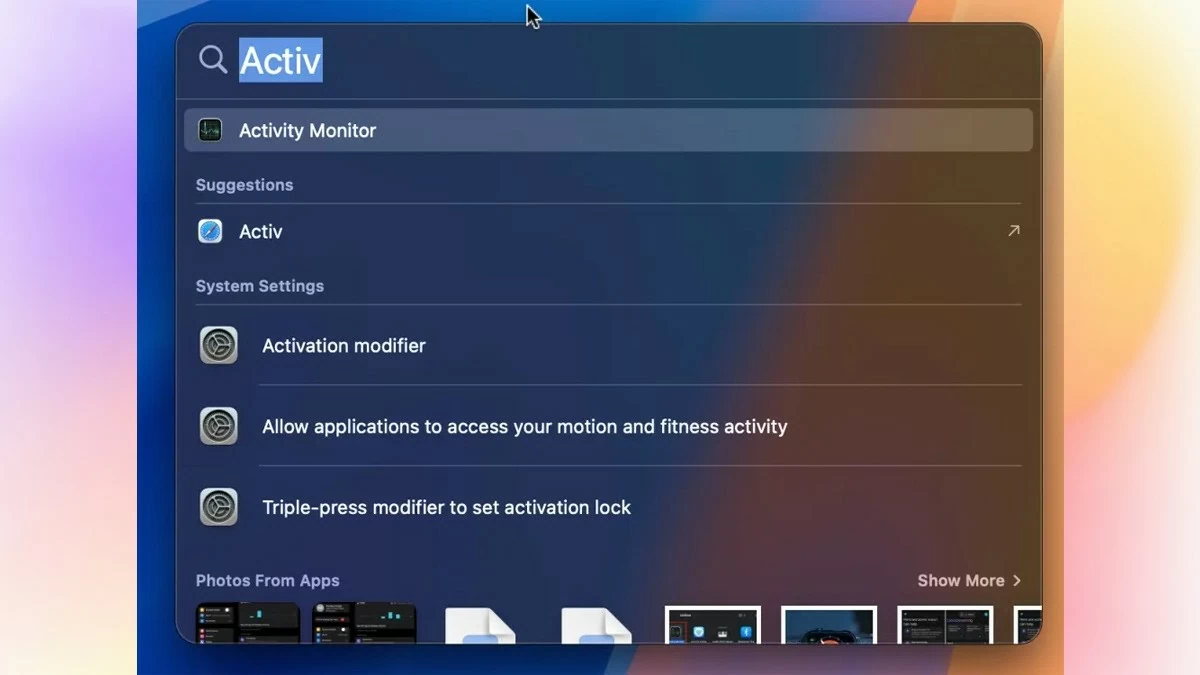
To open it, press Command + Space to activate Spotlight Search. Type "Activity Monitor" into the search box and press Enter. The Activity Monitor tool will appear immediately, allowing you to easily monitor and manage your computer's performance.
 |
How to open Activity Monitor using Shortcuts
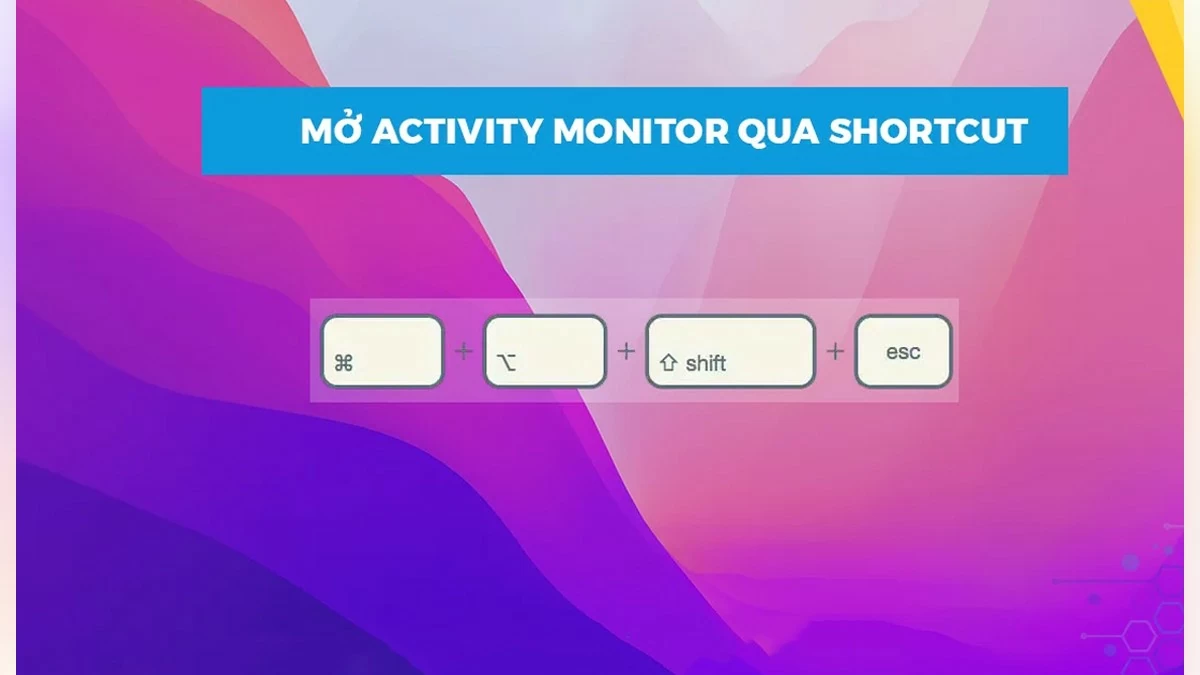
This is the quickest way to open Activity Monitor, especially when your Mac crashes and you need to quickly close a frozen application.
Simply press the Command + Option + Shift + Esc key combination, and Activity Monitor will open instantly. This shortcut will give you quick access to the task manager, allowing you to monitor and adjust performance without searching through menus or applications.
 |
How to open Activity Monitor via Dock
If you frequently use Activity Monitor, pinning it to the Dock will give you quick and easy access. This creates a convenient shortcut, allowing you to open the management tool on your Mac with just one click.
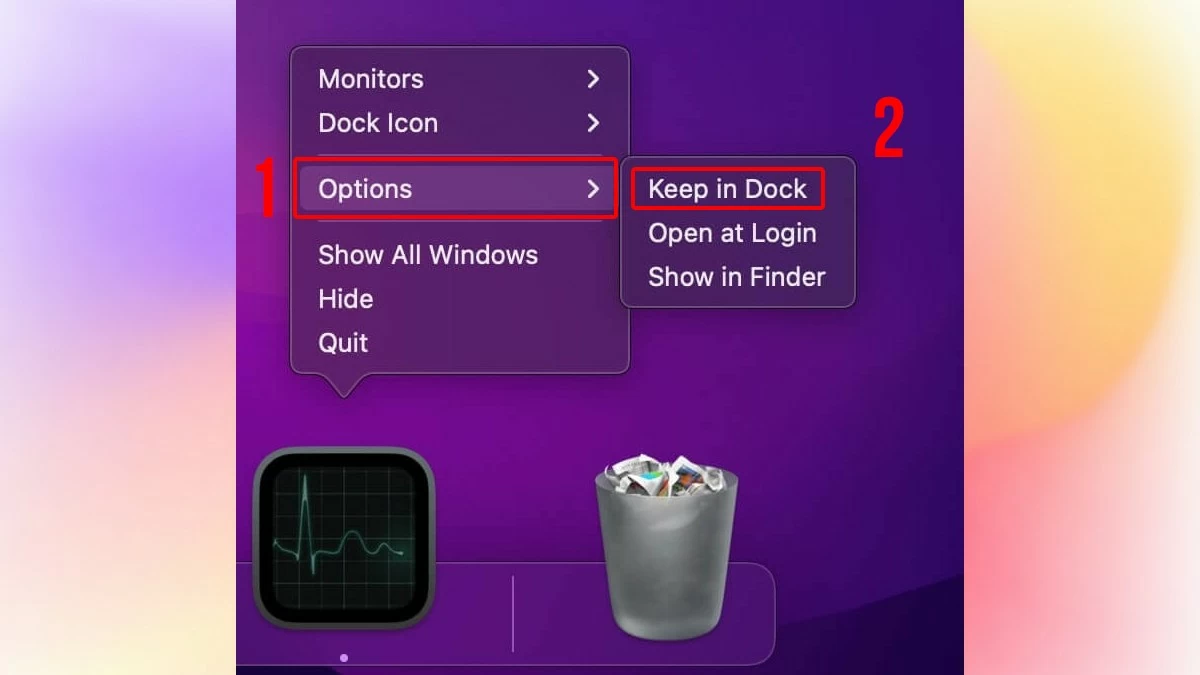 |
First, right-click the Activity Monitor icon, select "Options," and then click "Keep in Dock." Once you've done that, simply click the Activity Monitor icon on the Dock whenever you want to use this tool.
This article has introduced you to simple and quick ways to open Activity Monitor on macOS. By understanding the functionality of this tool and the different methods of opening it, you can quickly resolve resource issues, ensuring your Mac runs smoothly and efficiently. Try these methods and choose the one that best suits you to optimize your MacBook experience!
Source: https://baoquocte.vn/huong-dan-cach-mo-task-manager-บน-macbook-nhanh-chong-va-hieu-qua-287638.html


![[Photo] Prime Minister Pham Minh Chinh presides over the conference announcing the establishment of the International Finance Centre in Vietnam.](/_next/image?url=https%3A%2F%2Fvphoto.vietnam.vn%2Fthumb%2F1200x675%2Fvietnam%2Fresource%2FIMAGE%2F2025%2F12%2F21%2F1766309817714_ndo_br_dsc-3400-jpg.webp&w=3840&q=75)

![[Photo] Prime Minister Pham Minh Chinh presides over a meeting on private sector economic development.](/_next/image?url=https%3A%2F%2Fvphoto.vietnam.vn%2Fthumb%2F1200x675%2Fvietnam%2Fresource%2FIMAGE%2F2025%2F12%2F20%2F1766237501876_thiet-ke-chua-co-ten-40-png.webp&w=3840&q=75)































































































Comment (0)