

If you have already installed iOS 17.3, here are some new features that you should enable to use on your iPhone.
Protect your device from theft.
Apple has rolled out a new security feature called Stolen Device Protection to enhance iPhone security. It ensures that even if someone gains access to the passcode and steals their iPhone, it won't cause significant harm. Once activated, it mandates the use of Face ID for sensitive tasks such as resetting the Apple ID passcode and accessing locally saved passwords. In this way, Apple ensures only the original owner of the device can access their confidential Apple account information by verifying their identity via facial recognition or fingerprint verification.
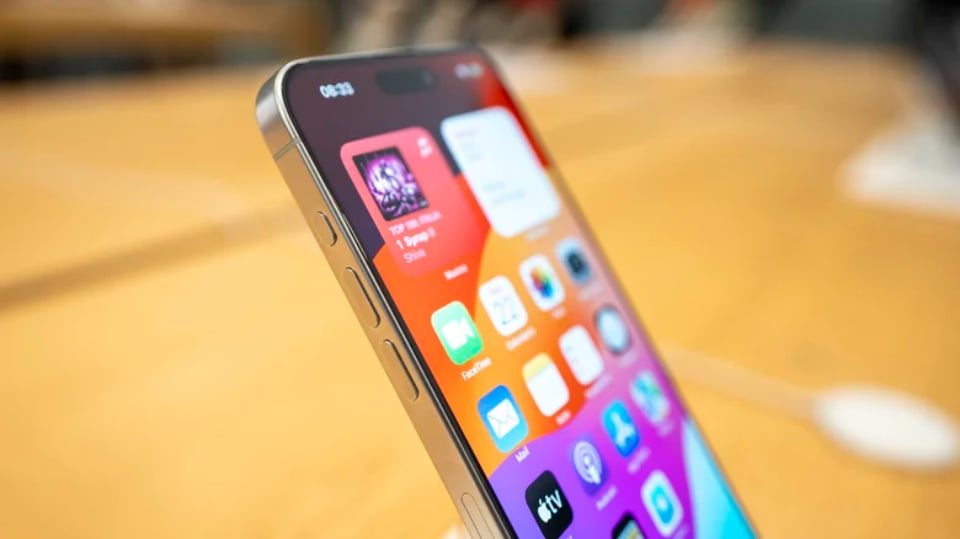
The device theft protection feature is not enabled by default in iOS 17.3.
The primary goal here is to minimize the potential risks associated with unauthorized access to iPhone passcodes and spoofed Apple ID credentials. Furthermore, this feature creates a location-dependent delay when changing Apple ID login information, meaning anyone attempting to modify their Apple ID password will have to wait a specific amount of time. During this time, users have the option to track their device using the Find My network, remotely erase iCloud content, and even submit a lost device protection request to Apple.
To activate this feature, users should go to the Settings app > Face ID & Passcode > Protect your device from theft and turn it on.
Open your playlist to friends and family.
Another interesting feature introduced in iOS 17.3 is the ability to create collaborative playlists. As the name suggests, users can create playlists, then invite friends and family members, who can also add tracks of their choosing and even leave reactions with emojis. Users can also take existing playlists and allow collaboration on them. This feature is only available to Apple Music subscribers, both standalone and in bundled packages like Apple One.
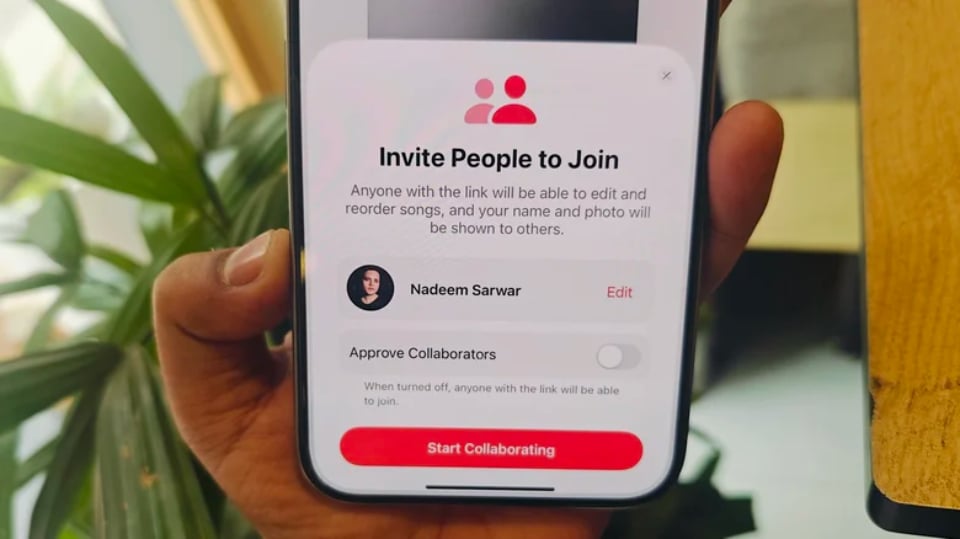
Apple Music users should utilize the collaborative playlists feature on Apple Music.
Here are the settings users need to change to enable playlist collaboration on Apple Music:
- Open the Apple Music app.
- At the bottom of the screen, tap the Library option and select Playlists on the next page.
- Select the playlist you want to enable collaboration with, or create a new playlist.
- On the playlist page, tap the menu button (three dots) in the upper right corner of the screen and select Collaboration.
- In the pop-up window that appears at the bottom of the screen, click the pill-shaped Start Collaboration button.
Control your music listening partners.
After enabling collaborative playlists in Apple Music, users can start sending invitations to others in their circle and no longer have to delve into menu options to add new collaborators.

Controlling listening partners on Apple Music also needs to be manually enabled in iOS 17.3.
All the user needs to do is tap the share button (the circular icon with the silhouettes of two people) at the top of the playlist page. To share the collaboration invitation, users can create a unique QR code or send the invitation link from various options available in the Share Panel, just like any other URL on their phone. AirDrop, messaging, Mail, cloud drives, notes, or social media… are all available for sharing.
However, if you only want familiar faces to join and contribute to your playlist, you should enable the link approval feature. When preparing to submit a playlist collaboration link, you'll see a toggle switch for "Approve Contributors." Swipe it until it turns green, indicating the feature is enabled. Collaborative playlists on Apple Music will now only add new members after you personally approve each join request.
Source link


![[Photo] Prime Minister Pham Minh Chinh presides over a meeting on private sector economic development.](/_next/image?url=https%3A%2F%2Fvphoto.vietnam.vn%2Fthumb%2F1200x675%2Fvietnam%2Fresource%2FIMAGE%2F2025%2F12%2F20%2F1766237501876_thiet-ke-chua-co-ten-40-png.webp&w=3840&q=75)


































































































Comment (0)