

Here are some ways users can make the most of their USB drives to make their lives more convenient.
Runs mobile operating systems.
With a USB drive, users can carry an entire operating system in their pocket. This allows users to experiment with a different operating system on their device, use public computers without leaving a trace, and have a backup solution to continue working if the main operating system fails.
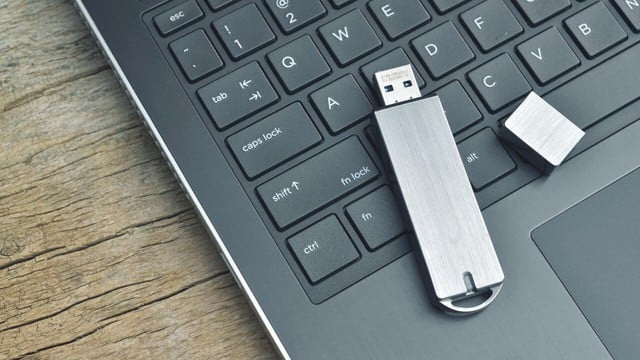
USB drives can be used to run portable operating systems.
PHOTO: PCMAG
To set it up, users simply need to download the ISO file of their desired operating system. Then, use a tool like Rufus to format and create a bootable USB drive. Once complete, access the computer's BIOS/UEFI settings, change the boot order to prioritize the USB drive, and restart the computer. Rufus also supports creating bootable drives for other operating systems such as Linux.
Secure password storage and management.
If you're using an online password manager or browser-based storage, using a USB drive will enhance the security of your login credentials to protect against attacks and data breaches.
One simple way is to save passwords in a text file, encrypt it, and store it on a USB drive. However, a safer and more convenient option is to use a portable password manager, such as Sticky Password, which runs directly from a USB drive and is protected by a master password.
To do this, install a password manager, connect the USB drive to your computer, and configure the portable version through the application settings. Once set up, users can securely store login information on the USB drive and use it to automatically fill in login credentials on any device.
Back up important data.
Many files and folders contain important data that users cannot afford to lose. A simple method for backing up data is to use a USB drive. After backing up, users can remove the drive to protect their data. With the portability of a USB drive, users can easily access files on various devices.
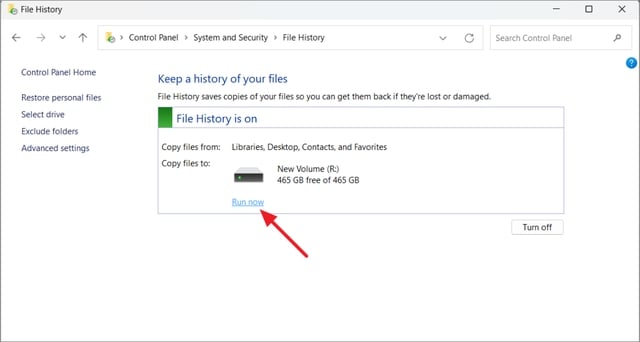
The File History feature on Windows helps back up specific folders.
PHOTO: ALL THINGS HOW
To set up a backup, users can use a third-party backup tool and select a USB drive as the destination. Alternatively, Windows' File History feature allows users to back up specific folders, with customization options such as excluding folders, adjusting backup frequency, and defining how long saved versions are retained. Users can also manually back up only the most important files to optimize storage space.
Play games directly from a USB drive.
Users can play their favorite games directly from a USB drive without installing them on a computer, saving storage space and making it easy to take games anywhere. Some games can run directly from a USB drive without installation.
Additionally, users can transfer games from platforms like Steam to a USB drive and play them from there. However, performance may not be as good as playing from an SSD, depending on the computer's hardware. For the best experience, choose a USB 3.0 or higher drive and ensure you have enough free space.
Transform it into a mini web server.
A USB drive can also be turned into a portable web server, allowing users to develop and test websites or applications without an internet connection. This enables users to work on a local server without installing software on every computer.
To set up a mini web server, users can install XAMPP Portable directly onto a USB drive and follow the instructions. After installation, open the server control panel and start the necessary services such as Apache and MySQL. If you're a beginner, refer to the guide to understand the process. USBWebServer is also a lightweight, no-installation option for carrying a server in your pocket and accessing projects from anywhere.
Source: https://thanhnien.vn/kham-pha-nhung-cong-dung-an-cua-o-usb-185250419100828439.htm






























![[Photo] Reception to welcome General Secretary and President To Lam and his wife on their State visit to the Philippines](https://vphoto.vietnam.vn/thumb/1200x675/vietnam/resource/IMAGE/2026/06/01/1780295488620_vna-potal-chieu-dai-chao-mung-tong-bi-thu-chu-tich-nuoc-to-lam-va-phu-nhan-tham-cap-nha-nuoc-toi-philippines-8798060-7855-jpg.webp)





































































Comment (0)