

There are only two ways to set up biometrics.
According to Decision 2345/QD-NHNN of the State Bank of Vietnam on the implementation of safety and security solutions in online payments and bank card payments, banks have been supporting customers in collecting and registering biometric data in two ways:
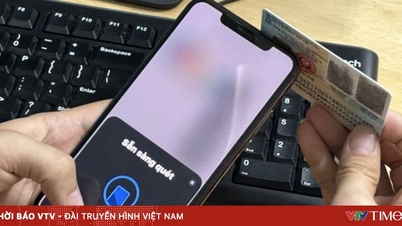
Firstly, for customers who already have a chip-embedded citizen identification card and a phone that supports NFC, customers can proactively update their biometrics on the official banking app using the "Update Biometrics" feature.
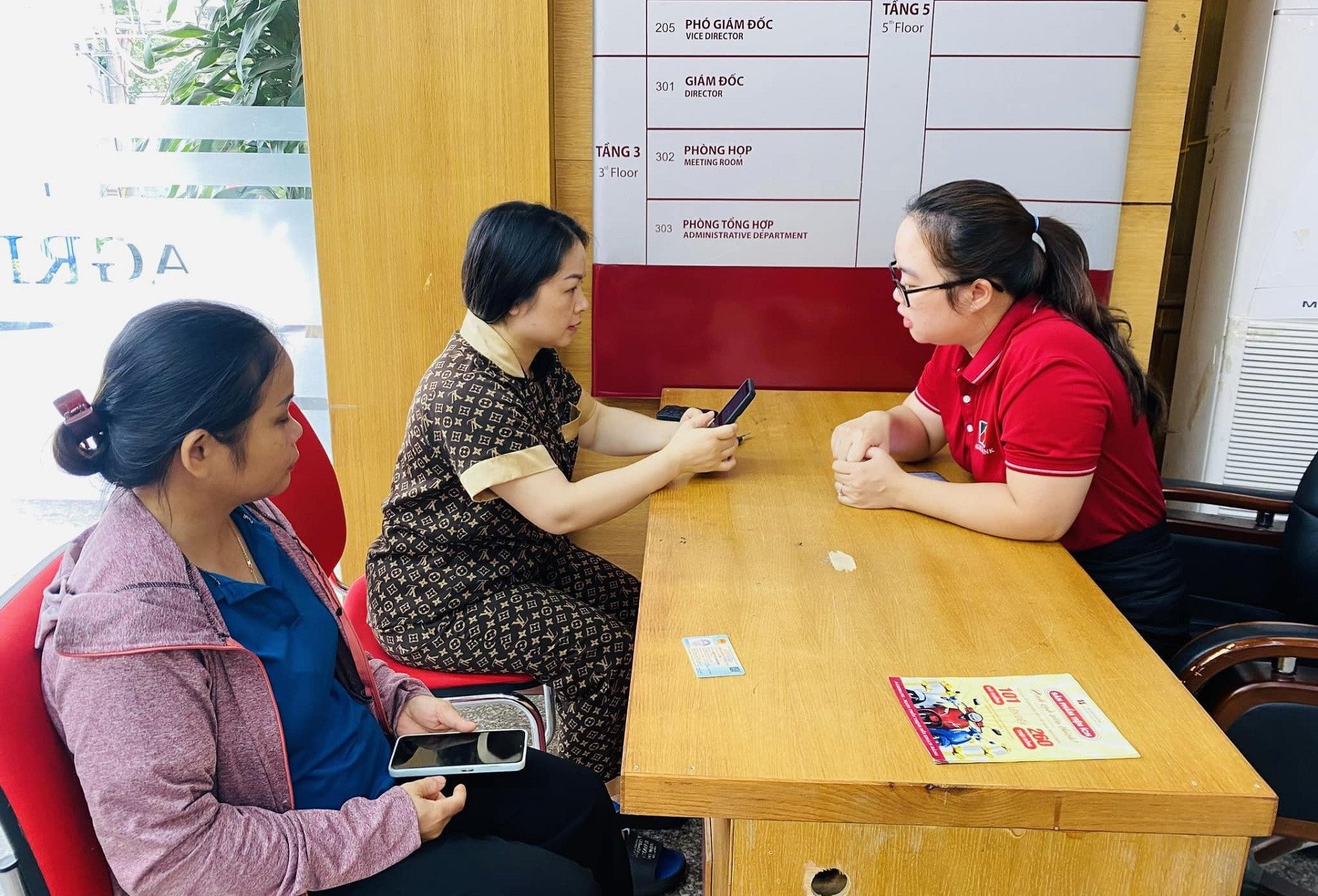
Secondly, for customers who do not have a chip-embedded citizen identification card or whose devices are not compatible with online banking applications, customers should go directly to bank branches for assistance.
Banks advise customers to only register for biometrics using one of the two methods above. Any instructions other than these two methods are fraudulent. Banks do not require customers to provide any information related to login credentials, passwords, OTP verification codes, etc., to register for biometrics.
However, taking advantage of banks' biometric data collection practices, scammers have impersonated bank employees to assist users in updating this information.
Some common scam methods being used by these individuals include:
Contact customers through methods such as phone calls, text messages, and adding them as friends on social networks (Zalo, Facebook, etc.) to guide them in collecting biometric information.
Creating misleading online profiles such as "bank employee," "customer support," etc., and infiltrating customer comments under posts on the bank's official social media pages, they request private contact (inbox) in order to lure and scam customers out of their information.
They request customers to provide personal information, account details, ID card photos, facial images, etc., in order to receive support. Some even request video calls to collect additional voice and gesture data.
Customers are asked to access a suspicious link to download and install an application that facilitates biometric data collection on their phones.
After obtaining customer information, the perpetrators will proceed to steal money from the customers' bank accounts.
Banks warn customers to absolutely not provide personal information through channels such as phone calls, SMS messages, emails, or chat applications (Zalo, Viber, Facebook Messenger, etc.). Furthermore, customers should absolutely not click on links or provide confidential account information, digital banking service information (username, password, OTP code), card service information (card number, OTP code), account information, or any other confidential banking service information or personal information.
Customers should avoid sharing personal information, banking service information, banking transaction information, etc., on social media to prevent fraudsters from impersonating banks/bank officials to contact them, requesting assistance or asking for information in order to carry out fraudulent activities and steal money from their accounts.
Say no to unfamiliar apps.
Regardless of the initial approach, the most common method used by scammers is ultimately to instruct victims to install fake applications (phantom apps) containing malware, with the aim of stealing information and misappropriating funds from customers' accounts.
Besides fake bank apps, some other fake apps have been recorded, such as: fake public service apps, fake VNeID apps, fake government apps, fake tax authority apps, fake Ministry of Public Security apps, etc.
The scammers contact and lure users with several common scenarios such as: Inconsistent identification information on the system; overdue electronic household registration; support for level 2 VNeID identification; downloading the app to get a queue number in advance, avoiding waiting when going to the district police station for procedures; going to the district police station to update driver's license information;...
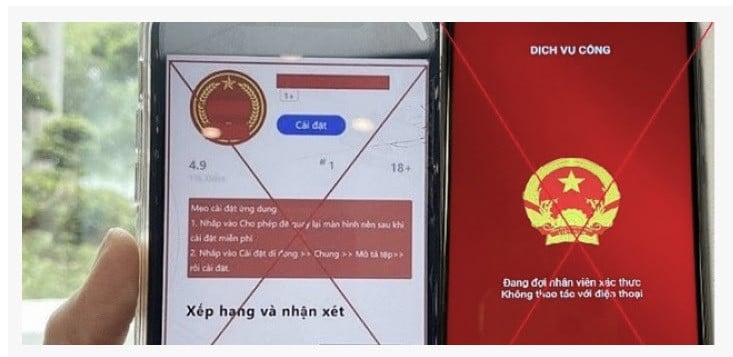
The perpetrators send links and instruct people to access them to download and install applications containing malware onto their phones. Some of the fraudulent links recorded include: dichvucong.dulieuquocgia.co, dichvucong.bvgov.com, dichvucong.govn.com, dichvucong.bcagov.com,...
The fraudulent app asks customers to install apps from unknown sources and grant high-level device access permissions (reading messages, remotely controlling the phone, etc.).
According to authorities, signs of a fake app often include: the application is not installed from an app store (App Store, CH Play) but via a link provided by the scammer; the device screen is unresponsive (black screen or frozen); the device runs slowly, overheats, and the battery drains quickly after installation; the application automatically starts even when not in use;...
Therefore, authorities advise people to be especially vigilant when receiving calls from "authorities" requesting them to install an application;
Only install applications provided by trusted developers from the App Store (iOS) and Google Play (Android) app marketplaces;
Absolutely do not install applications via links sent through Zalo, SMS, Viber, and other messaging apps, or via links accessed by others.
Perform a factory reset on your phone immediately if you notice any unusual signs (slow performance, black screen, app notifications requesting access permissions, strange apps appearing on your phone, overheating, rapid battery drain).
Update your banking app to the latest version and register for biometric authentication to enhance security.

Source: https://vietnamnet.vn/bung-phat-loi-dung-cai-dat-sinh-trac-hoc-de-lua-dao-ngan-hang-canh-bao-khan-2303178.html


































































































Comment (0)