

Facebook only allows you to have a maximum of 5,000 friends, so filtering out inactive or disconnected friends will free up space for you to connect with the people you want.
Sometimes, you accidentally send or accept friend requests on Facebook to people you don't even know, or with whom you have no contact whatsoever.
The MonokaiToolkit app will help you filter out people who have little or no interaction with you, and allow you to unfriend them in bulk with just one tap. It's very quick and convenient, saving you a lot of time.
Instructions on how to filter inactive friends on Facebook using the MonokaiToolkit app.
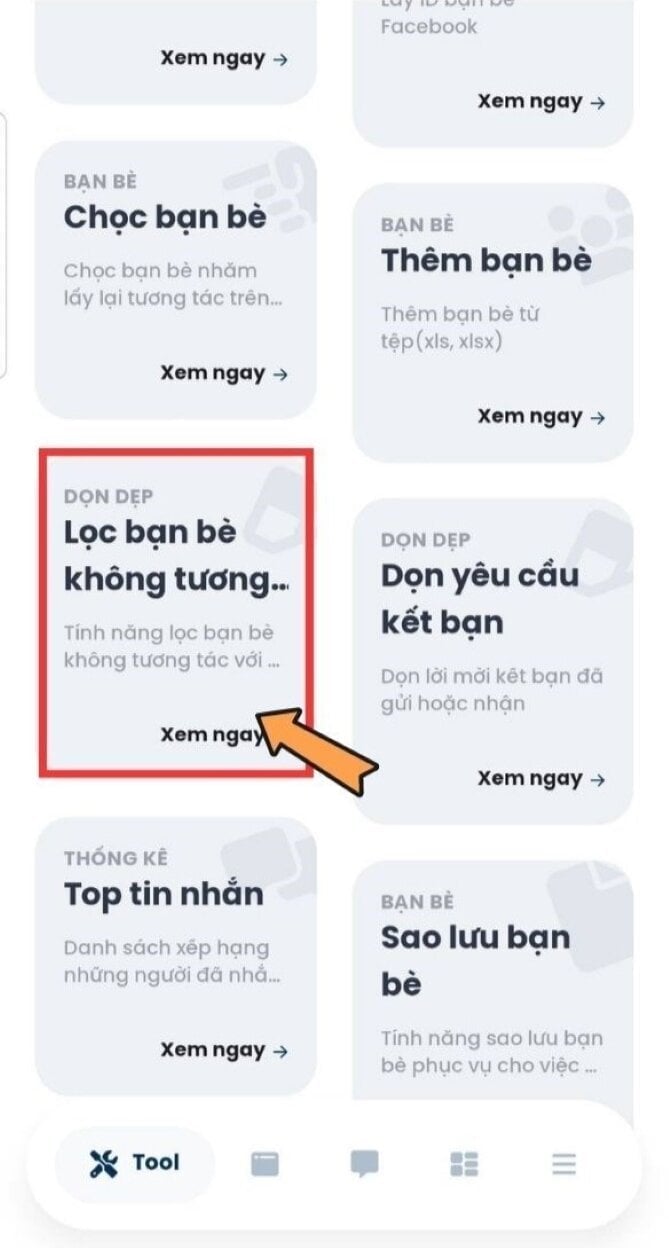
Step 1: Download and log in to the "MonokaiToolkit" application and select "Filter inactive friends" in the Tools section on the toolbar.
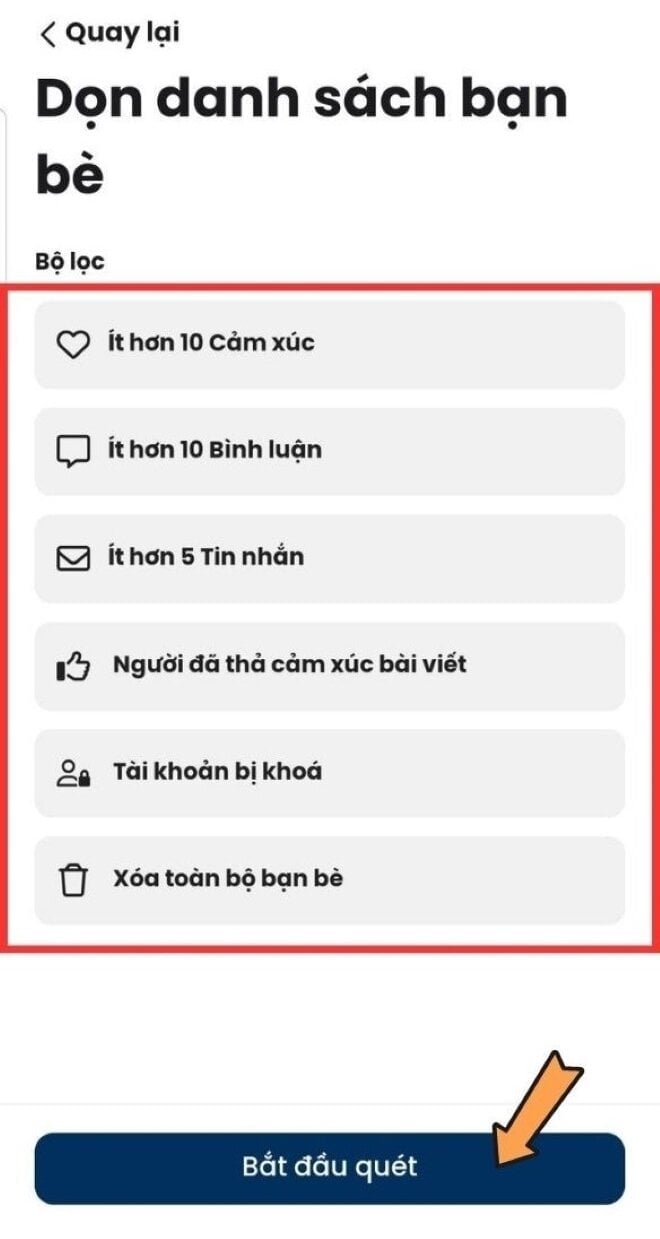
Step 2: Here, you can customize the characteristics of the friends you want to filter, for example, fewer than 10 reactions or fewer than 10 interactions, etc. After customizing, click "Start Scan" to complete the process.
Things to keep in mind after deleting a large number of friends on Facebook.
Mass unfriending people on Facebook using a third-party app not managed by Facebook may trigger a checkpoint and result in your Facebook account being temporarily suspended.
You can wait for the lockout period to expire and log back into Facebook, or try other methods to unlock your Facebook account.
After mass unfriending accounts that interact with you little or no, it's advisable to unlink your Facebook account from the MonokaiToolkit application to protect your Facebook account from being exposed or leaked.
To do that, you can go to "Facebook" and select "Settings". Then select "Apps and websites".
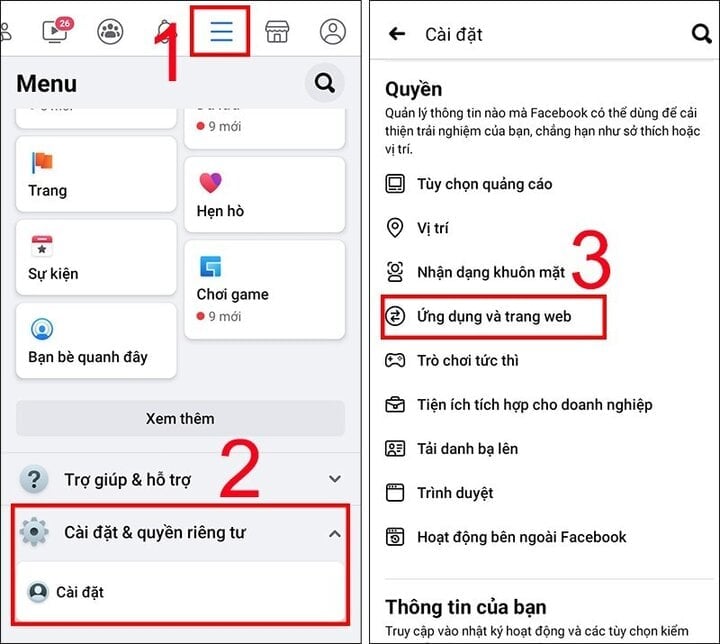
Finally, select "Off" twice to remove your account from the websites and apps you've logged into with Facebook.

So, above I've shown you how to filter out inactive friends using MonokaiToolkit software and unfriend them on Facebook. You can adjust the interaction level to best suit your needs, avoiding accidentally unfriending the wrong people. If you have any questions, please leave a comment.
Khanh Son (Compiled)
Source








































































































Comment (0)