

 |
To convert a DOC file to PDF on your computer, you can follow these steps:
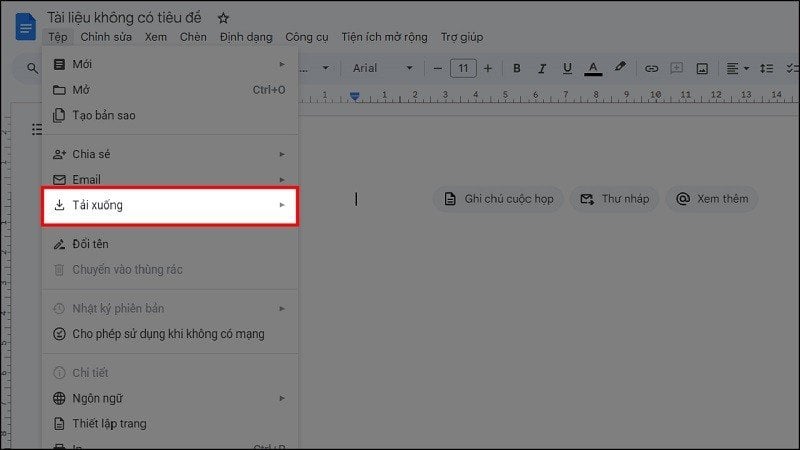
Step 1: First, access the Google Docs page you want to convert to PDF. Then, click on File in the menu bar as shown below.
 |
Step 2: At this point, several options for your file will appear on the screen, as shown below. Select the "Download" option.
 |
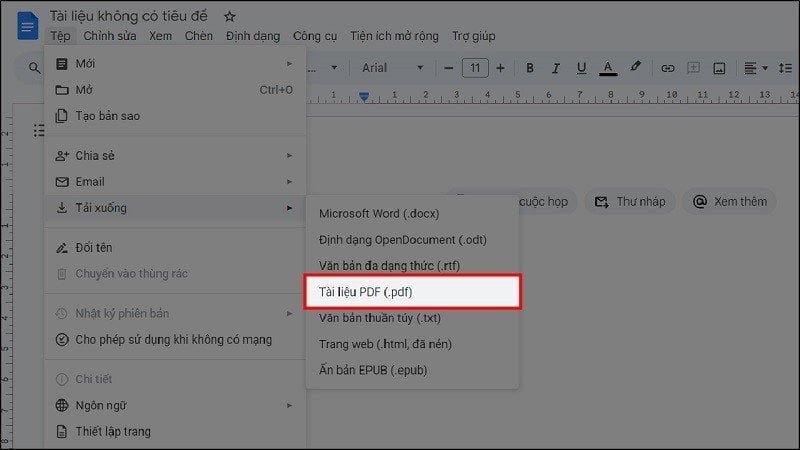
Step 3: Next, select the file format as PDF (.pdf) to convert it to a PDF file.
 |
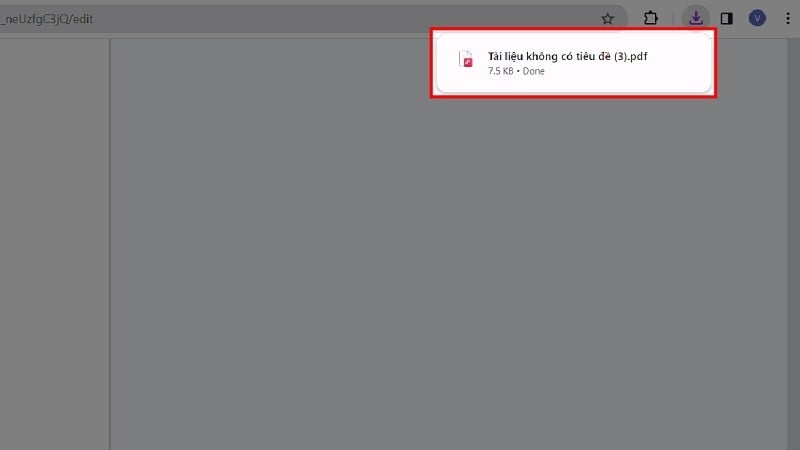
Step 4: After the file has finished downloading, a PDF format will appear as shown below. Click on it to preview the document.
 |
Step 5: In the preview, click the Download icon in the upper right corner of the document, next to the Print icon, to download the PDF file to your computer.
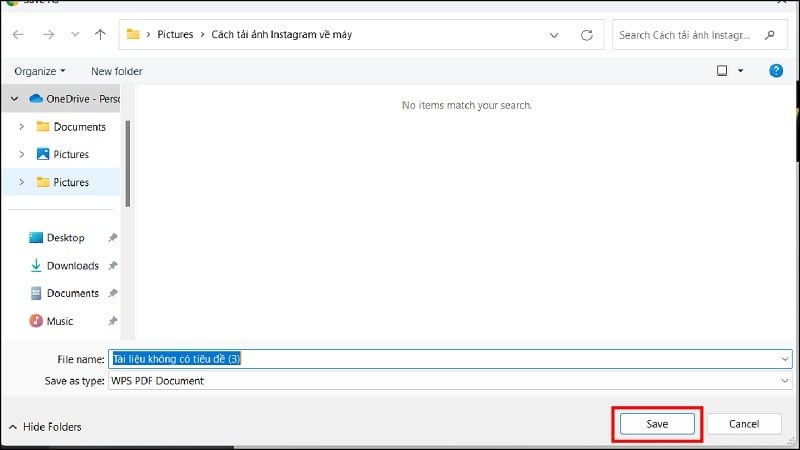
Step 6: Finally, simply rename the document and click Save.
 |
The article above has guided you on how to convert DOC files to PDF using Google Docs. We hope you succeed.
Source


![[Photo] Prime Minister Pham Minh Chinh presides over a meeting on private sector economic development.](/_next/image?url=https%3A%2F%2Fvphoto.vietnam.vn%2Fthumb%2F1200x675%2Fvietnam%2Fresource%2FIMAGE%2F2025%2F12%2F20%2F1766237501876_thiet-ke-chua-co-ten-40-png.webp&w=3840&q=75)


































































































Comment (0)