Anurag Singh, editor at XDA Developers, recently shared his experience of "migrating" to a MacBook after years of using Windows. It all started when his old Windows laptop broke down, and instead of searching for a replacement Windows product, he decided to embark on a new journey with a MacBook Air M3.
According to Singh, the M3 is a great laptop, with a slim, lightweight, and powerful design, but after using it for four months, his experience wasn't really pleasant.
MacBooks are at the forefront of hardware.
Even as a long-time Windows fan, he had to admit that MacBooks boast leading-edge hardware in the laptop industry, especially with their M series chips. Even with 20 Chrome tabs open simultaneously (a very demanding task because Chrome is inherently RAM and processing resource-intensive), the machine still ran smoothly.
Singh recalls the feeling when the MacBook M1 arrived, as a "game changer" with its balance between speed and performance. However, he noted that the MacBook Air M3 was not just a small improvement, but a huge leap forward. “ The fact that it can halve the compilation time for heavy tasks like Xcode is truly amazing ,” he shared. For those who frequently work on large projects, saving even a few minutes makes a difference.
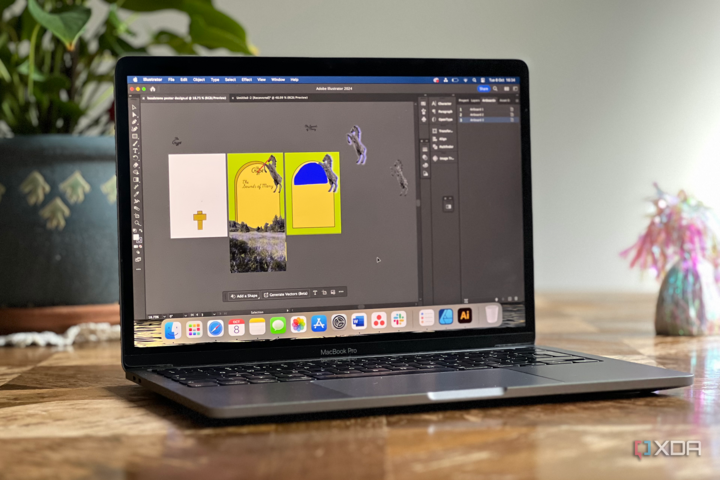
MacBooks have a beautiful design, a powerful chip, smooth performance, excellent battery life, and a beautiful display. (Image: XDA)
Another highlight is the M3 chip's energy efficiency. According to Singh, this superior power comes with low energy consumption, which he describes as "truly impressive." Additionally, the screen and battery life are also excellent. Despite being advertised to last up to 18 hours, he typically gets around 8-12 hours, depending on workload, which is still sufficient for a full day. In sleep mode, the battery easily lasts over a week.
However, Singh pointed out a minor issue: the boot time was quite slow. For comparison, the MacBook Air M3 took 22.23 seconds to boot up (including password entry), while a cheap Windows laptop took only 11.90 seconds. “ The 10-second difference isn’t a big deal in everyday use, but it’s worth noting ,” he commented.
macOS has many limitations.


Singh emphasized that when making a major technological change, software, compatibility, and the application ecosystem are even more important than the hardware. During the transition to the MacBook Air M3, he often questioned whether this decision was the right one.
According to him, macOS still has many inconveniences, many of which have been pointed out by tech experts before. A prime example is the default scrolling function in macOS, which is the opposite of how it works on Windows. Of course, you can still change this in the settings.
Safari, the default browser on macOS, also causes some annoyances. He's unhappy with how tabs are handled, especially pinned tabs. However, this isn't a major issue as users can easily switch to Chrome, Edge, or other browsers.
A more significant drawback is how macOS manages windows. Singh argues that Windows is superior in terms of intuitiveness and the freedom to arrange windows as desired. For example, on Windows, users can "cram" application windows into a corner of the screen to occupy exactly one-quarter of the area, or quickly disable this feature in the settings if they don't like it. " MacOS has a split-screen option between two applications, but it doesn't apply to all applications and lacks seamlessness ," he commented.
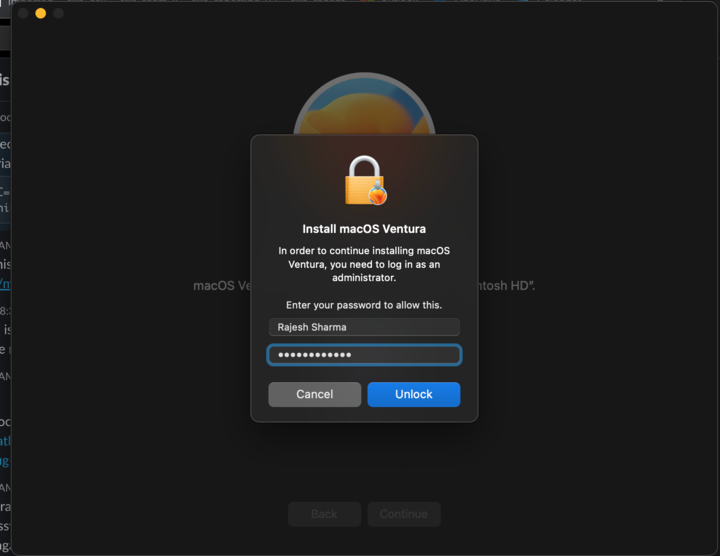
For security reasons, any changes to applications or the operating system on macOS require a password.
Windows 11's Snap Layouts feature is considered a significant improvement in window management. Users can select layouts directly from the Maximize button, reuse layouts from the taskbar, and even move them to a secondary screen. Meanwhile, the similar feature on macOS Sequoia only supports splitting the screen into 2 or 4 sections, which is still less flexible than Windows.
Another problem is the frequency of having to enter passwords on macOS. “ From installing apps from the App Store to scheduling software updates, you’re constantly having to enter your password ,” Singh complained.
Another area that has been criticized is file management on the MacBook.
According to Singh, File Explorer on Windows 11 offers more convenient features than macOS's Finder. He found File Explorer's default interface to provide more comprehensive information, especially if the user uses OneDrive. File Explorer automatically displays folders like Photos, Music, and Videos – whereas Finder does not. Additionally, the "This PC" section in File Explorer allows access to all physical and virtual drives with just a few clicks.



Singh's favorite feature of File Explorer is the Quick Access section in the Home folder. He shared, " I can quickly find recently saved files, no matter where they are, and pin important folders for easy access ." macOS's Finder also has similar Recents and Favorites sections, but he finds it less intuitive: " Navigating between folders in Finder isn't as smooth as in File Explorer ."

File management on Windows is considered better than on Mac.
Singh also added that Windows generally offers greater convenience. He explained, “ Windows has more features, better application compatibility, supports a wider range of devices, and is the top choice for gaming.” While Apple has recently started paying more attention to the gaming sector, the gaming ecosystem on macOS remains very limited in both quantity and performance.
For these reasons, Singh decided to sell his MacBook Air M3 and switch to a Microsoft Surface Laptop 7 next month.
Source