

What is the Comet browser?
Comet is a web browser developed by Perplexity, a startup company famous for its AI-powered search engine, Perplexity AI. Comet's key feature is the deep integration of Perplexity's AI into the browser, enabling users to browse and search the internet more quickly and conveniently.
Comet was first introduced last July. Upon its launch, this web browser was exclusively available to subscribers of the Perplexity Max plan, priced at $200 per month. Despite the fee, users also needed to register on a waiting list to download and experience the Comet web browser.
However, Perplexity recently decided to allow users to use the service completely free of charge, without having to register on a waiting list as before.
Instructions for installing and setting up the Comet web browser.
Currently, the Comet browser is available for both Windows and macOS computers. You can download the browser's installation file here.
After completing the browser installation, the first time you use it, click the "Get started" button, then enter your email address and click the "Import" button to synchronize your browsing history and login credentials from other browsers (such as Chrome, Microsoft Edge, or Internet Explorer). You can click the "Do this later" button to skip this step.
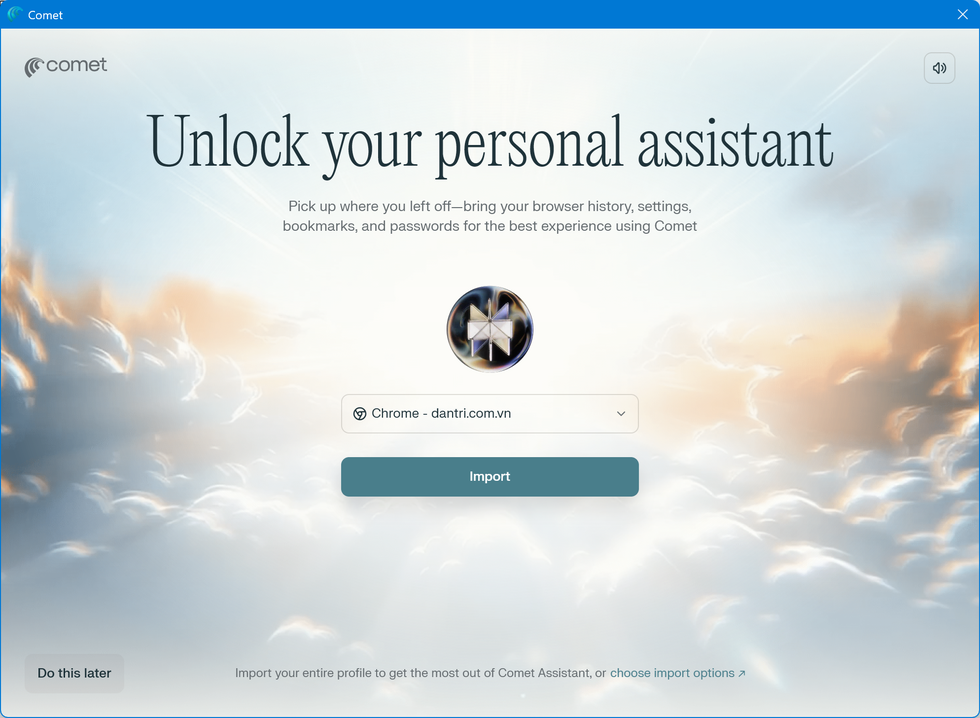
Next, you create a name and choose a profile picture to use with Comet (in case the web browser is used by multiple people). You can also set the light or dark theme for Comet, then click the "Continue" button.

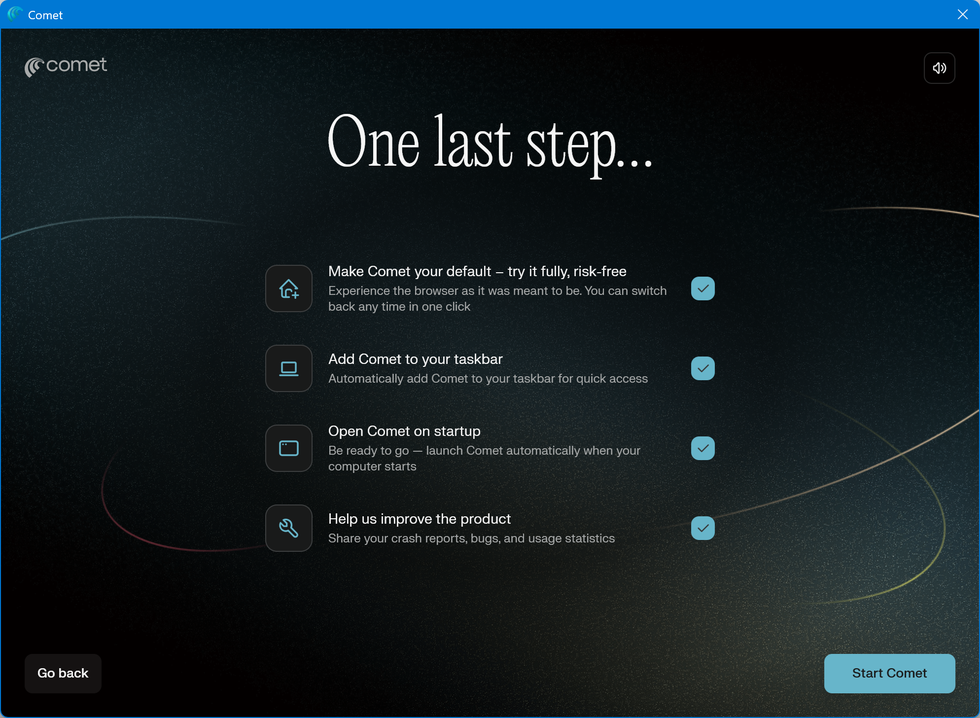
The next step is for users to optionally choose to use Comet as the default browser on their computer, add the Comet icon to the Windows taskbar, automatically launch Comet every time Windows starts, and share bug reports and usage data with Perplexity to help the company improve Comet's performance.
You can deselect any unsuitable options (such as automatically starting Comet or sharing bug reports), then press the “Start Comet” button to finish the setup process and begin using Comet.
When you first use Comet, the web browser will prompt you to log in to your Perplexity account to use all the features of the browser. You can click the "Continue with Google" button to log in to the browser using your Gmail account, instead of having to register a new Perplexity account.
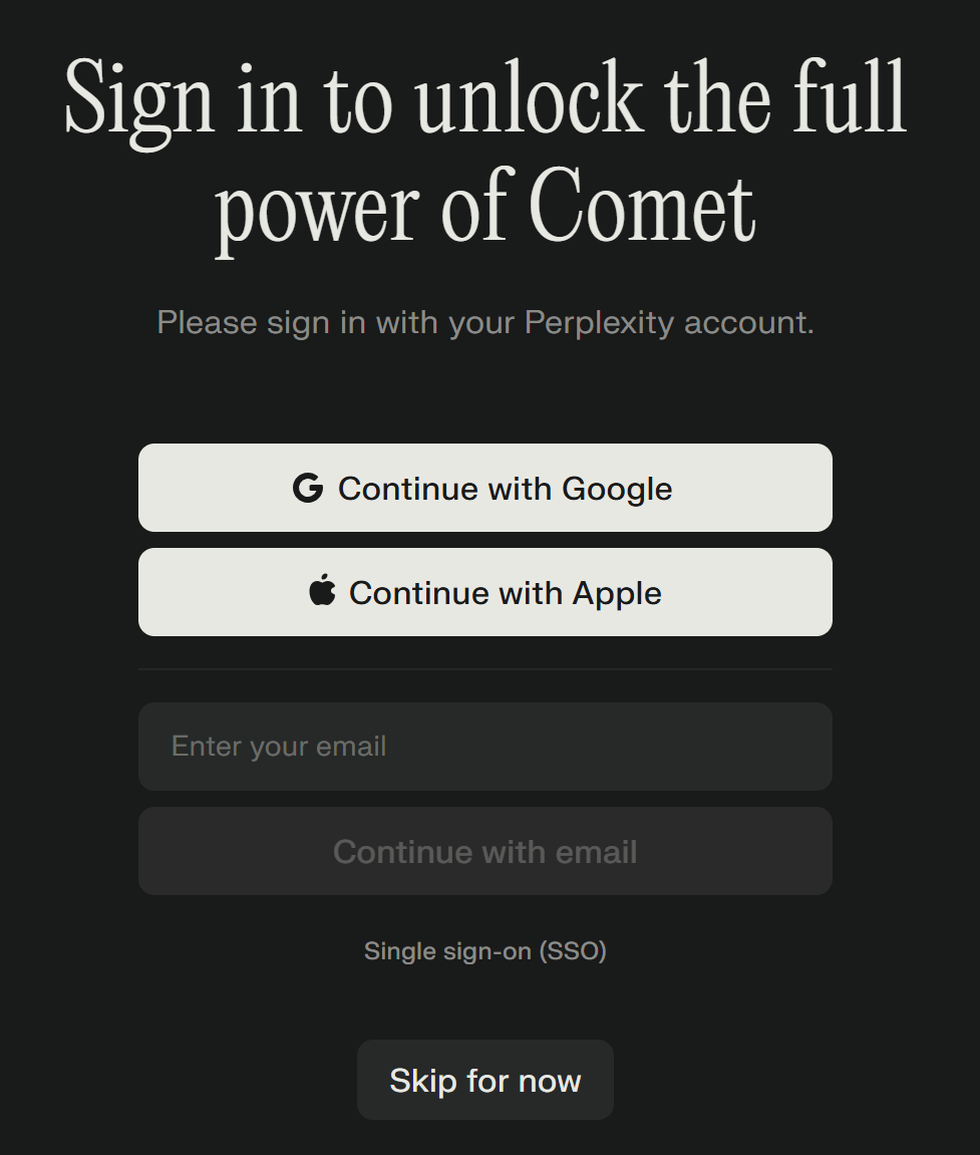
You can also press the "Skip for now" button to skip this login step. However, users should log in to their Comet account for more effective use of this web browser.
One advantage of Comet is its ad-blocking feature while browsing the web. After logging into your account, click the "Set as default" button to activate the ad-blocking feature on the Comet browser.
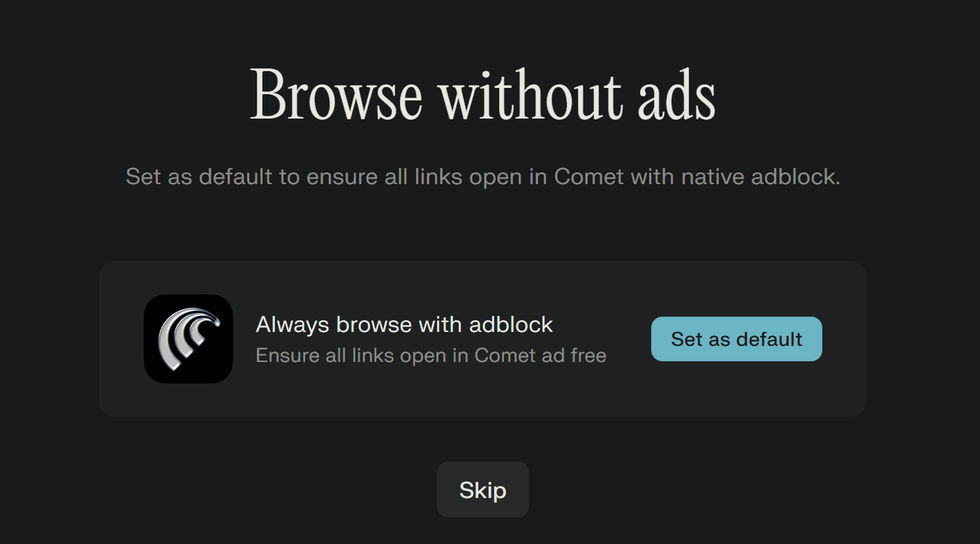
So, you have completed the setup steps and can start using Comet to browse the web.
What makes the Comet web browser stand out?
Because Comet is built on the open-source Chromium code developed by Google, similar to the Chrome web browser, the first impression of Comet is that it has a simple interface and fast web browsing speed.
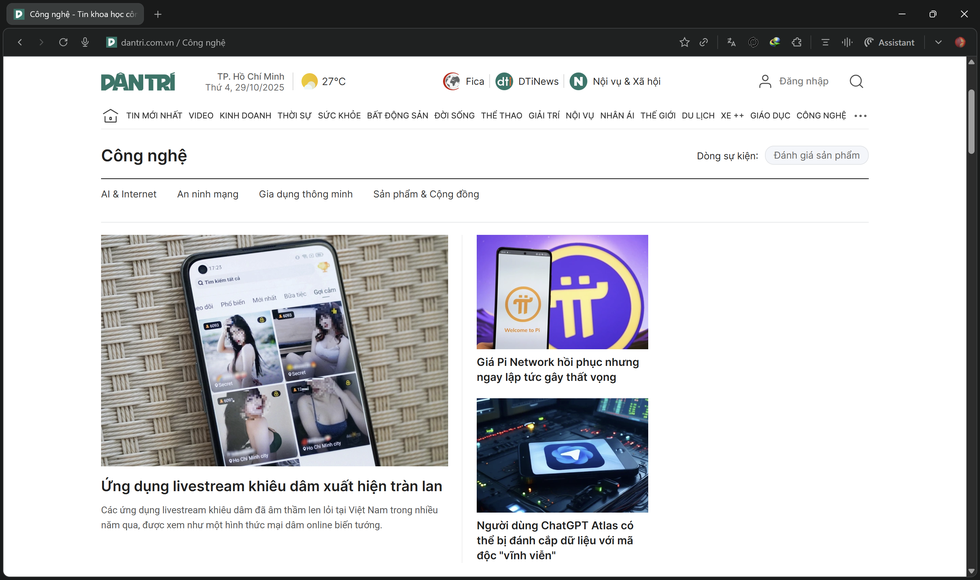
Comet web browser interface (Screenshot).
The biggest advantage of Comet is the integration of an AI virtual assistant into this web browser. To activate the AI virtual assistant, you click on the "Assistant" icon in the upper right corner, and a chat interface will immediately appear, allowing users to make requests to the AI tool.
You can press the “Launch voice mode” button to activate voice command mode for the AI or the “Summarize the current webpage” button to summarize the content of the webpage you are currently visiting. From the summarized page content, users can ask Comet for more relevant information or expand their search.
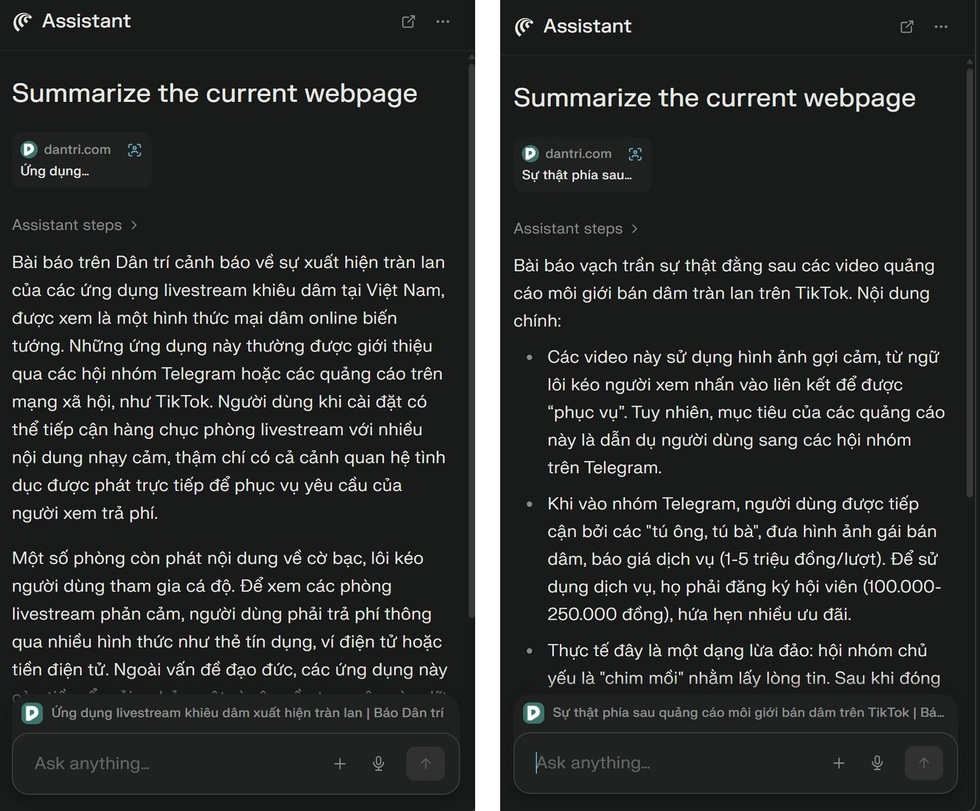
Comet summarizes the content of websites for users (Screenshot).
In addition to summarizing website content, Comet can also summarize video content when users watch videos on YouTube, Facebook, or other video sharing websites.
Users can also ask Comet to compare the content of websites currently open in different tabs of this web browser.
The most outstanding feature of Comet is its ability to automatically perform tasks based on user requests. For example, when accessing an online flight booking website, instead of manually searching for flights to match your destination and time, you simply type the command into Comet's assistant box.
For example, if you ask, "Find me a flight from Hanoi to Ho Chi Minh City on November 1st," Comet will automatically search for and list available flights on that day for you to choose from on the flight booking website, without any user intervention. Users can even request Comet to automatically book tickets without having to do it manually.
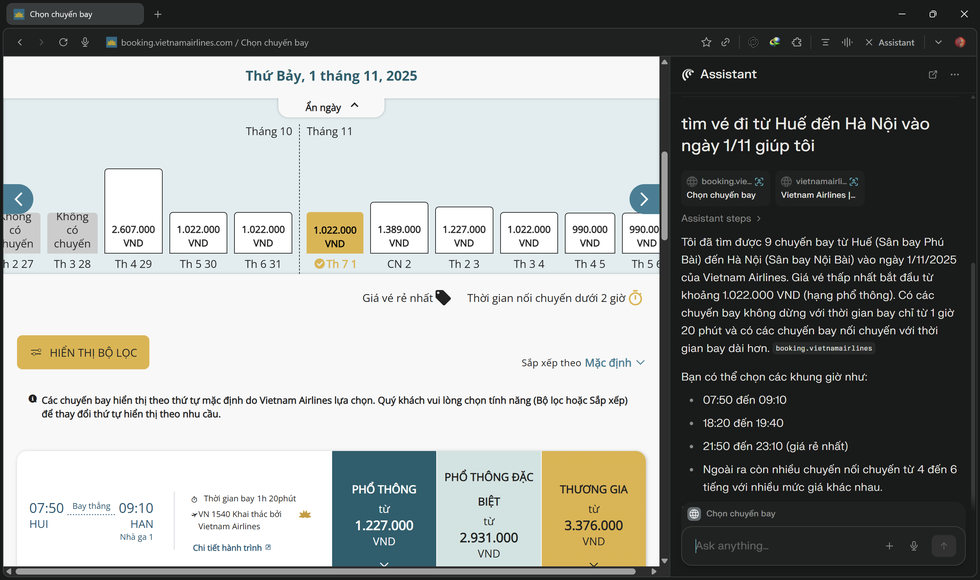
The Comet browser automatically lists flights that match the user's requirements on airline ticket booking websites (Screenshot).
Users can also access e-commerce websites and ask Comet to automatically add necessary items for a beach trip or camping trip to their shopping cart. The web browser will automatically select the most popular and frequently chosen items to add to the user's cart.
While Comet is automatically performing its assigned tasks in the browser, users can freely do other work or open a new tab to browse the web normally on Comet.
This feature will help users save considerable time when browsing the web or shopping online on websites.
Comet also integrates an AI search tool directly into the browser's address bar. Users can enter search keywords or ask questions into the Comet address bar, and they will receive AI-powered answers alongside the internet search results.
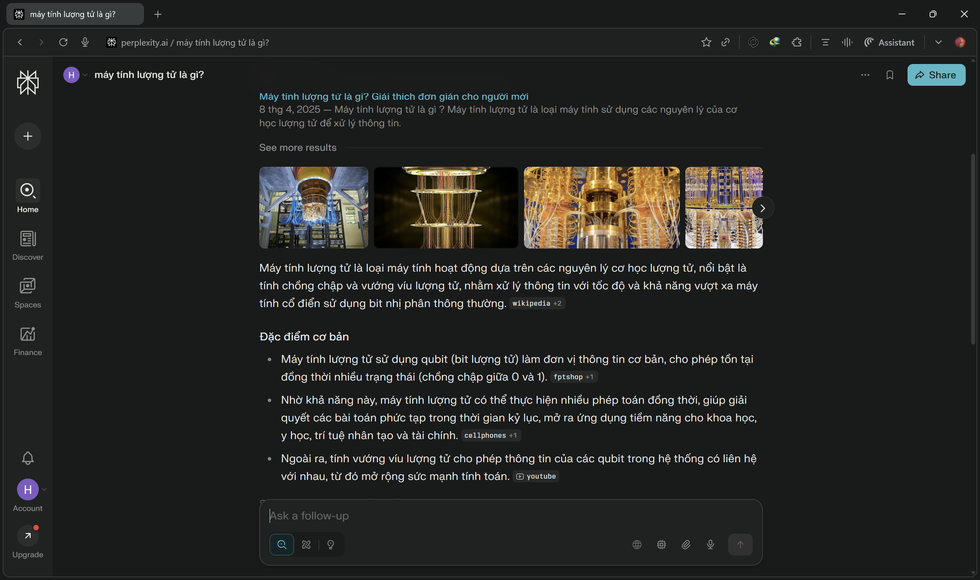
Testing has shown that Comet will offer users a fresh new web browsing and internet search experience. Users are choosing Comet as a new web browsing tool to replace familiar web browsers like Firefox, Chrome, or Safari.
Source: https://dantri.com.vn/cong-nghe/huong-dan-dung-comet-trinh-duyet-ai-giup-tu-duyet-web-thay-nguoi-dung-20251029151858500.htm











































































































Comment (0)