

The turning point of switching from Lightning to USB-C, starting with the iPhone 15 series, officially ushered Apple users into a world of seamless connectivity. More than just a regular port, Apple transformed it into an incredibly versatile power source. If you own an iPhone 15 or later and have a USB-C cable in your pocket, your phone instantly becomes a wired, portable power bank.
According to Apple, the device can deliver up to 4.5W of power output via the USB-C port to charge compatible devices. While this figure can't replace a wall charger or super-fast power banks, it's an extremely practical and useful solution in emergency situations when your device is about to run out of power and there's no power source nearby.
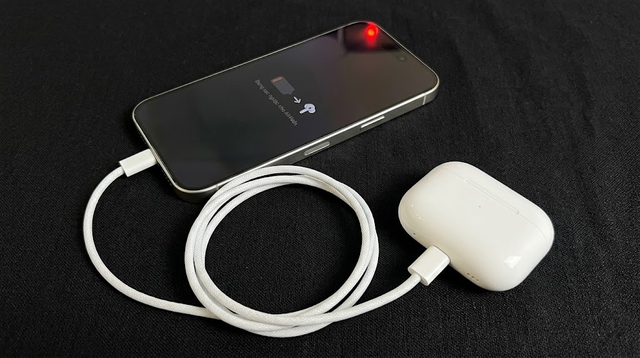
iPhones can reverse charge many other devices.
PHOTO: GEMINI AI
AirPods headphones, iPad tablets, and Apple Watch.
If you're deeply invested in the Apple ecosystem, this feature offers immense convenience by significantly reducing the clutter of cables when traveling. Imagine you've just boarded a 5-hour flight and discover your AirPods or Apple Watch have run out of battery. All you need to do is plug the AirPods charging case directly into your iPhone using a suitable cable – whether it's a dual USB-C cable for newer models or a USB-C to Lightning cable for older generations. The power transfer will happen instantly and be sufficient to power your devices throughout the trip.
This convenience also applies to iPads and Apple Watches; the devices automatically communicate to determine which one has a lower battery percentage, ensuring that power is delivered precisely where it is needed most.
Another iPhone

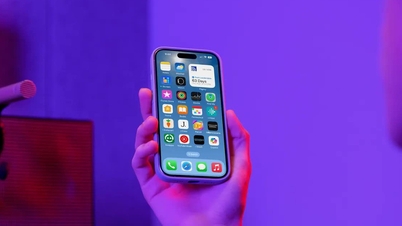
You can absolutely use one iPhone to charge another iPhone using a standard cable. In emergency situations, when a friend's phone is about to run out of battery and you don't have a power bank in your bag, the two of you can share battery power directly.
The device's intelligent hardware mechanism will automatically activate immediately without requiring the user to turn on any settings: the iPhone with the higher battery percentage will automatically transfer power to charge the iPhone with the lower battery. The output power is maintained at approximately 4W, enough to extend the operating time of the iPhone with a low battery by about 20-30 minutes.
In particular, with newer models like the iPhone 17 series, the large-capacity internal battery and advanced power management system will provide the device with more than enough power to share. If you want to charge iPhone 14 and earlier models, you only need a USB-C to Lightning adapter cable.
Power bank
It may sound illogical and counterintuitive, but instead of using a power bank to charge your phone, you can actually use your iPhone to reverse-charge the power bank. This is an interesting fact about how advanced power accessories manage current.
This feature wasn't heavily advertised by Apple, but users quickly discovered it after the iPhone 15 series launched when they noticed the power bank continuously drawing power from the iPhone in reverse. For this feature to work, you need to ensure your power bank supports Power Delivery (PD) fast charging or wired reverse charging via the USB-C port, and that USB-C port must also act as the input port.
Real-world testing from tech channels also shows that iPhones can successfully reverse charge MagSafe charging pads, although this use case is quite limited in everyday life and rarely offers much practical significance.
Android phones
The widespread adoption of the global USB-C charging standard makes it easy to use an iPhone to charge an Android phone. All you need is an iPhone 15 or later, a USB-C cable, and any Android phone. Charging starts instantly without any compatibility issues or conflicts. The USB Power Delivery (USB-PD) fast charging protocol bridges the gap between the two operating systems, eliminating their historical rivalry for smooth power handling.
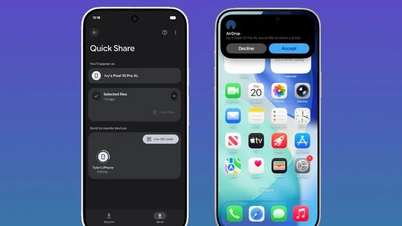
When connecting an iPhone to a Samsung, Google, or OnePlus phone, the device with the higher battery percentage will automatically share power with the device with the lower battery, without the need for a third-party app or special adapter. In a 20-minute emergency, bringing the battery level from 3% to 15% can make a big difference, allowing you to charge each other's phones without needing a power bank.
Any compact device that uses a USB-C port.
Essentially, the iPhone's USB-C port can power any device that accepts the USB Power Delivery protocol. This now means you can charge a vast ecosystem of everyday gadgets, including USB-C wireless headphones, e-readers (like Kindle or Kobo), mini Bluetooth speakers, portable game controllers, and earbuds from any brand.
However, users need to be aware of this 4W power limit before attempting to turn their iPhone into a power source for an entire mobile office. While technically you can plug an iPhone into a high-power device like a laptop, in most cases, the iPhone will not be able to charge the laptop, or if it does, the process will take a very long time.
Source: https://thanhnien.vn/nhung-thiet-bi-co-the-sac-nguoc-bang-iphone-185260603151726725.htm



























































![[Video] Sunset at Lap An Lagoon – Where the sun sets over the fishing nets](https://vphoto.vietnam.vn/thumb/1200x675/vietnam/resource/IMAGE/2026/05/31/1780192137701_beach-landscape-sea-water-nature-grass-745871-pxhere-com.jpeg)





































Comment (0)